Download 'Frontline Employee Engagement in 2023: the leader’s guide to strong teams in tough times' to get a head start in the new year.
Jess DeVore
Published:
September 6, 2023
Last updated:
September 17, 2023
What we'll cover
This article is part of Blink’s “frontline first” series: content created specifically for leaders of deskless or distributed teams. We know that the job of frontline leadership is entirely different from managing ‘desk-based’ teams, so this is for you and your unique set of challenges.
It's somehow nearly the end of 2022, which means it's high time to start looking ahead to the year ahead.
For leaders in frontline organizations, this can be more than a little daunting. After two years of challenges caused by the pandemic and the Great Resignation, the looming prospect of a recession promises yet more adapting and innovating in order to survive and thrive.
So we'd like to help.
After working with hundreds of frontline organizations, we've created a short guide that breaks down the core principles to building a stable and successful frontline workforce for 2023 and beyond.
You can download a copy for free here or by clicking on the image below - we hope you find it useful and inspirational as you look to the new year.

This article is part of Blink’s “frontline first” series: content created specifically for leaders of deskless or distributed teams. We know that the job of frontline leadership is entirely different from managing ‘desk-based’ teams, so this is for you and your unique set of challenges.
It's somehow nearly the end of 2022, which means it's high time to start looking ahead to the year ahead.
For leaders in frontline organizations, this can be more than a little daunting. After two years of challenges caused by the pandemic and the Great Resignation, the looming prospect of a recession promises yet more adapting and innovating in order to survive and thrive.
So we'd like to help.
After working with hundreds of frontline organizations, we've created a short guide that breaks down the core principles to building a stable and successful frontline workforce for 2023 and beyond.
You can download a copy for free here or by clicking on the image below - we hope you find it useful and inspirational as you look to the new year.

What we'll cover
Start your free trial today
See how Blink helps frontline teams stay connected, informed, and engaged.
A survey conducted by the American Association of Critical Care Nurses reported that 66% of respondents considered leaving their job due to the pandemic.
At first glance, it may seem like the pandemic is what caused frontline workers to feel burned out and leave their jobs, but Amanda Bettencourt, Ph.D. of the association, says,
“This was the stress test for an already stressed system.”
The employee experience for frontline workers has been overlooked for a long time. Finally, businesses are paying attention to how to improve internal communication for their frontline workers.
The truth is that frontline workers love creating a good customer experience. Matthew, a Registered Nurse at Denver Health, says,
“I love what I do. I chose this profession because I wanted to be on the frontline doing this, and there’s nothing else I want to do.”
But how can businesses make the work experience better for frontline workers?
Keep reading to learn how to motivate frontline employees and support them so they can do what they do best – taking care of your customers.
Here’s what we’ll cover:
Benefits of empowering frontline staff
How to improve internal communication on the frontline
1. Make communications accessible to everyone
2. Personalize communication
3. Make it easy to give and view feedback
4. Create a single source of truth
5. Streamline manual processes
6. Provide ongoing training opportunities
7. Ask frontline employees for their ideas
8. Check in regularly and in person
9. Celebrate achievements
10. Put yourself in their shoes
Final thoughts: how to improve internal communication on the frontline
Benefits of empowering frontline staff
Many frontline workers love the work they do. Their job satisfaction comes from helping patients and creating a positive impact on customers.
“We get a sense of accomplishment doing our part to keep folks safe. We find the supplies that they need and get it to them as quickly as possible.”
When your frontline staff feels connected and empowered, they can focus on delivering an excellent customer experience.
But, if your frontline workforce feels unsupported and unheard, employee morale can plummet and lead to burnout and a higher employee turnover rate.
If you want to improve customer satisfaction, it starts by caring for the employees who interact with customers and patients every day.
How to improve internal communication on the frontline
Make communications accessible to everyone
Personalize communication
Make it easy to give and view feedback
Create a single source of truth
Streamline manual processes
Provide ongoing training opportunities
Ask frontline employees for their ideas
Check in regularly and in person
Celebrate achievements
Put yourself in their shoes
1. Make communications accessible to everyone
According to a Frontline Employee Workplace Survey conducted by Yoobic, one in three frontline employees feel disconnected from the company. During the COVID-19 pandemic, companies had to make fast changes to business strategies and operations.
While these changes often affected frontline employees, they didn’t feel included or well-informed. More than 75% of respondents say that receiving internal communications through a mobile app would make them feel more connected to HQ.
2. Personalize communication
Including frontline employees in internal communications is an excellent start, but it won’t solve the problem entirely. More messages don’t automatically equate to higher employee engagement. You need to make sure that your messages are meaningful to frontline employees.
When you communicate significant changes to essential workers, make it easy to understand how any new initiatives will affect their daily work. Anticipate possible questions from frontline employees and answer them in your original message. This should be a key part of your internal communication plan anyway.
For example, if you’re implementing COVID-19 precautions in-store, let employees know how you’ll be supporting them with signage or website updates so they feel supported.
3. Make it easy to give and view feedback
Some initiatives look great on paper, but they don’t work in real-time with customers.
Ben Davis, a social worker in New York, told Time Magazine of a time when top-down pandemic precautions like remote contact made it more challenging to work and connect with individuals who suffer from mental illness symptoms like paranoia.
What seemed like a good idea at first was ineffective and became the source of concern for many frontline workers.
According to Davis,
“It was all very different and very confusing. I don’t know how well he – a patient – understood that I was doing it to help keep him safe.”
In this case, Davis’s feedback was heard. His team implemented changes focused on the long-term protection of frontline workers, such as allowing them to stop administering medication if gloves run out.
Employees on the frontline can feel frustrated if they don’t have access to the resources they need to do their jobs.You must give frontline workers a place to provide feedback and ensure they see that the feedback has been taken and processed.
4. Create a single source of truth
Consider using a mobile app to deliver your intranet or knowledge Hub so your deskless employees can access the right resources.
5. Streamline manual processes
A whopping 71% of frontline workers feel bogged down by repetitive manual tasks and paperwork. One part of motivating frontline employees involves letting them focus on work that creates impact, such as working with customers.
It may sound small, but spreading your admin work across multiple platforms means your frontline workers have to log into several websites to take care of repetitive work.
Respect your frontline workers’ time by consolidating administrative work into a single portal and automating manual processes.
6. Provide ongoing training opportunities
There’s a direct connection between growth opportunities and employee retention. Team members who see a future with your company are more likely to stay engaged and experience high levels of job satisfaction.
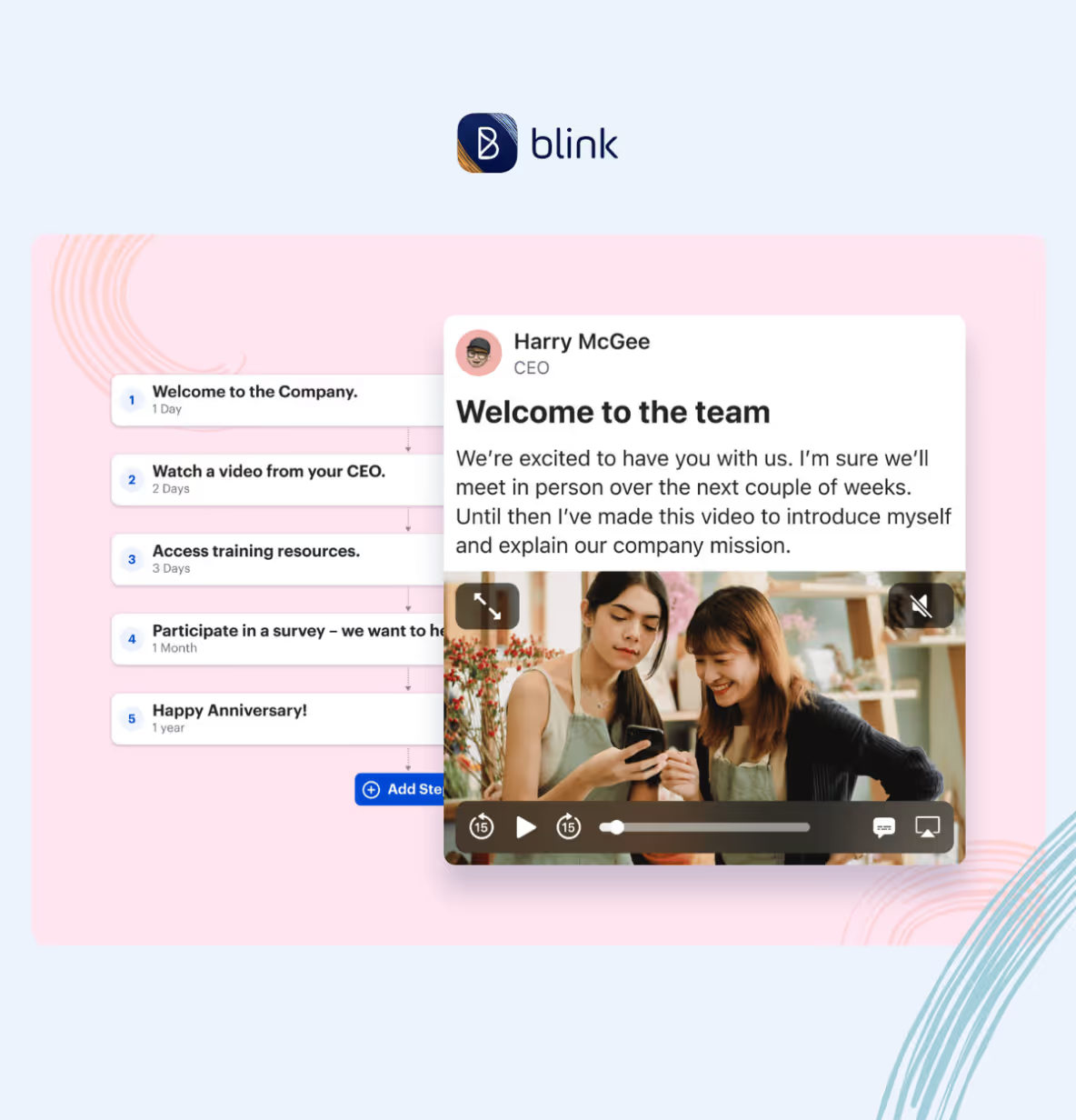
During onboarding, show your frontline workers there’s a clear path to growth in your company. Then, make sure they can easily access resources to help them build the skills they need to advance.
For example, clinic receptionists can develop skills to become Medical Assistants and then continue to advance to higher Medical Assistant levels (MA II, MA III) to earn a higher salary.
7. Ask frontline employees for their ideas
Take time during meetings to let people provide an overview of their projects, goals, and progress.
When dealing with customer feedback issues, you can also show your frontline staff you value their expertise by asking for their opinions and suggestions. Use polls and surveys to stay tuned into the customer experience through your frontline workforce.
8. Check in regularly and in person
Too many business leaders underestimate the importance of frontline workers. A grocery store bookkeeper describes his experience to New America as, “bosses come through. They don’t speak to you. They think they’re better than you…We are the ones that are helping you make this money.”
Leaders must schedule regular site visits, but you have to remember to acknowledge on-site and remote employees and genuinely listen to them.
Treat site visits as an opportunity to build relationships with frontline staff, show them that you’re there for them, and reinforce the idea of teamwork.
9. Celebrate achievements
Employee recognition is an integral part of motivating frontline employees. Take time to celebrate work-related achievements like promotions and personal milestones such as birthdays and anniversaries.
10. Put yourself in their shoes
Learning to empathize with your frontline workers creates a better work environment for everyone. Don’t assume the challenges you face in the office are the same your remote employees deal with every day.
Instead of making assumptions, ask your frontline employees questions about their experience and really listen when they tell you. Use questions like “How can I make it easier for you to get your work done?” to get actionable feedback from your frontline workforce.
Lead by providing support and proactively removing the obstacles that make it difficult for frontline workers to succeed.
Final thoughts: how to improve internal communication on the frontline
How many businesses could survive without their frontline workers? And still, they’re often overlooked and misunderstood.
Learning to motivate your frontline employees through empathy, communication, and support can transform your customer experience and overall business. Discover employee engagement for modern workforces with Blink today.
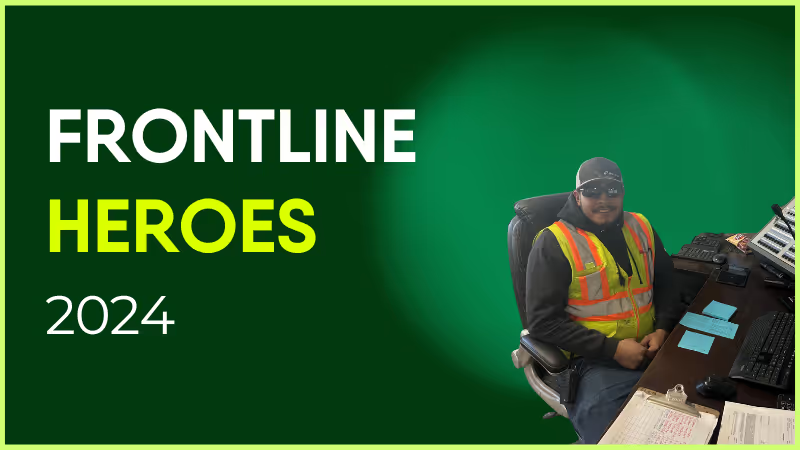
Fernando has been with Holcim since October 2022. Until earlier this year, Fernando's position was a RMX driver at the Bannock location in Denver. The summer of 2024 proved a challenge for staffing levels, and Fernando stepped in across a multitude of environments to keep the business marching forward. Fernando was task-trained, cross-trained, and utilized as an instrumental resource for operating skid steers, front end loaders, water trucks, shovels, and concrete batch plants across the Denver metro.
Plant managers as well as plant operators have welcomed Fernando’s support from operations in Aurora, Castle Rock, Centennial, Denver, Franktown, and Littleton, comprising seven ready-mix plants and both central and dry batch facilities. While every site was different, it was Fernando's attitude and willingness to learn that strengthened our teams’ ability to have a successful year in concrete production. We thank Fernando for being such a valuable member of the Denver RMX business.
How has Blink helped in his role?
Were it not for the Blink platform, I’m not sure Fernando would have the same level of peer recognition that Blink offers. In order to appreciate the opportunities within our business, sometimes allowing others to understand what is available is as simple as sharing a story of success!
What does he want to do next?
Fernando has recently transitioned from a driver to a plant operator at the Bannock RMX plant, and continues to develop his production skills to sharpen our business’s performance within a very competitive market. I look forward to seeing his continued growth within the organization.
Nominated by: Michael Galbraith, Operations Manager
Once upon a time, a company intranet that worked off a server in your office was enough to keep internal communication on track. But today, company needs have changed. And so have employee expectations.
We’ve entered the era of the digital workplace. Employees use a variety of different devices. Teams work remotely, across multiple locations. And beyond the world of work, everyone is now accustomed to intuitive, convenient, and personalized digital experiences.
Digital change has come quickly. And workplace software — like the intranet — hasn’t always kept pace. Traditional intranets feel old and clunky today. They’re affecting employee experience (EX) - and they could be doing more harm than good.
Thankfully, a new breed of intranet is now emerging. It’s fresher and more relevant to today’s workforce. It’s also built with digital workplace challenges front of mind.
A modern intranet holds the key to two-way communication and collaboration, better employee engagement, and an enhanced digital employee experience (DEX). And it could be a game changer for your organization.
Here, we’re going to take a look at the changing face of the company intranet and examine the features and benefits of a new and improved modern intranet.
Contents
Intranets: then and now
Why you need a modern intranet
Features of a modern intranet
How modern intranets impact the digital employee experience
Choosing the right modern intranet
Conclusion
Intranets: then and now
The company intranet has come a long way since it was first introduced back in the 1990s. Adapting to advances in technology and changing workplace trends, it’s taken on a variety of different forms over the years.
When talking about the modern intranet, it’s useful to compare the most cutting-edge intranet software to what has come before. So let’s step back in time and revisit each stage of intranet evolution.
Early intranets
Closed private networks were the first intranets to hit the office. They used local servers to host static web pages, meaning only computers based within the same geographical location could access them.
These early intranets provided limited interactivity and functionality. They were a place to share company directories, policies, and other documents. But because the setup and maintenance of early intranets required a lot of technical expertise, information was often outdated and badly organized.
Web-based intranets
As the internet went mainstream, web-based intranets made their way onto the market. These intranets were accessible via standard web browsers and had basic search functions, which helped users find what they were looking for. But these new intranets still had their drawbacks.
Internal communication remained one-way, with information traveling from the top of an organization down. Content was often poorly maintained because updates were complex. And there was very little opportunity for companies to provide personalized employee experiences.
{{callout}}
Social intranets
Social intranets were the first intranets to go mobile. Remote servers meant geography mattered less — and everyone within an organization, regardless of their location, could access the same information.
Inspired by social media platforms, social intranets prioritized communication, with features like user profiles and user-generated content. They were also designed to support team collaboration and productivity, with personnel services and project management tools built in.
Modern intranets
Modern intranets take the social intranet concept to the next level. They are a mobile-first solution with a focus on user experience (UX), designed to meet the expectations of today’s digital workforce.
Content creation is democratized in modern intranets. All members of an organization can access information and tools easily. And team leaders get the analytics and data-driven insights they need to improve employee engagement.
Interested in seeing a modern intranet in action? Preview Blink today with a short 2-minute video.
Why your frontline organization needs a modern intranet
So why should your frontline organization ditch its traditional intranet and adopt a modern software solution instead? There are several very good reasons.
Older intranet software can cause friction and frustration. Perhaps your intranet has become a dumping ground for outdated information. Or it simply fails to provide the intuitive, user-friendly, productivity-boosting features we’ve all come to expect.
We know that traditional intranets fail to live up to employee expectations. 67% of workers say that digital experiences in their personal lives are better than the digital experiences they get at work.
Many traditional intranets are built around the needs of desk-based teams, so they do your frontline workers a disservice. Frontline workers miss out on the communication and resources available to their desk-based peers.
A modern intranet, in contrast, helps you meet all of the following challenges head-on.
1. Employee engagement
According to Gallup’s State of the Workplace Report for 2023, just 23% of employees are engaged at work. But organizations should try to do better. That’s because high levels of employee engagement lead to happier employees, improved productivity, and lower rates of attrition.
Employee engagement is always a challenge. But engaging employees in a frontline organization can be particularly tricky. When your workers are deskless, how do you give them the connection, coaching, and support they need to thrive within your organization?
A modern intranet gives you all of the tools you need to engage your employees, regardless of where they work. You can count on a social feed, a content hub, employee recognition tools, surveys, and more.
With analytics too, you can see what is engaging your employees — and what isn’t — so you can improve your efforts going forward.
2. Communication
Open communication within a workplace is vital. It helps you inform, motivate, and engage your employees, while fostering an inclusive and supportive work environment. It involves top-down, bottom-up, and peer-to-peer communication, so everyone has a voice.
For frontline teams, maintaining open channels of communication within teams who don’t work face-to-face requires tailored solutions.
A modern intranet helps you build internal communication links between every member of your workforce — whether they’re based in the office, on the shop floor, or out in the field.
You don’t need to rely on emails or a company noticeboard. Instead, all types of internal communication are supported via your intranet app.
With better communication, you bring your teams together and you may find it easier to grow your company too. A Forbes study found that companies who involve 75% of their frontline in internal comms, achieved more than 20% growth over a year.
3. Digital access
Older intranet software is built around an outdated version of the workplace. It doesn’t prioritize the mobile experience and instead works best for employees who sit at a desk on a computer for the majority of each working day.
Newer intranets understand that the world of work has changed. Digital tools are a workplace essential. And frontline, hybrid, and remote teams should have equal access to the information and interaction that these tools provide.
That’s why the best modern intranets have a mobile-first design. Employees can access them as easily on a small smartphone screen as on a desktop computer. All workers across an organization are engaged and empowered, so no one misses out.
4. Collaboration
Traditional intranets are known for being slow and difficult to use, with low rates of user adoption. In fact, 57% of employees say they see no purpose in their company intranet.
This impacts collaboration. When employees avoid your intranet — because it isn’t intuitive to use or data is hard to find — knowledge sharing suffers and you risk creating organizational silos.
For frontline teams, this exacerbates an existing risk. Frontline workers spend time away from HQ, working different shift patterns, and managing a high workload. These factors already get in the way of team collaboration.
Luckily, this is another frontline challenge that a modern intranet can solve. The intranet allows people across your organization to share ideas and objectives via an easy-to-use interface.
Everyone can contribute, even those who work remotely, making your organization more productive, more innovative, and better able to solve problems.
Features of a modern intranet
We’ve touched on what makes a modern intranet different from the other intranet software available. But now we’re going to delve into the details. Here are features you can expect from the newest intranets and how they stand to benefit your business.
A central hub
A modern intranet acts as the gateway to your business. It’s the go-to location for company communication and knowledge sharing.
With a single, searchable hub, it’s easy for employees to find what they’re looking for, whether that’s essential documents, a directory of co-workers, or a list of the latest company events.
Importantly, information is stored logically and consistently. And the advanced search functionality of a modern intranet — thanks to keyword suggestions and content tagging — means it’s always clear what information is and isn’t available.
User friendly interfaces
Modern intranets are familiar to their users. That’s partly because they can be customized with employer branding. But it’s also because they have an intuitive, user friendly interface that mirrors many of the digital tools employees already feel comfortable using.
Employees don’t need a company email address to sign in. They can get notifications whenever important information is posted. And it’s easy to download intranet apps from the App Store. This means very little training is required.
Personalized experiences
Personalization makes the modern intranet even more engaging for users. Employees can personalize their dashboard and see content tailored to their role and department.
You can also program your intranet so it presents different information depending on where an employee is at in their career and how much time they’ve spent with the company. Someone who started working for you last week will get different intranet content to someone who has been working for you for years.
Communication tools
Managers can share important news and announcements. Teams can share ideas. An employee can wish a coworker a happy birthday. With a variety of communication tools based within the same intranet software, meaningful communication becomes second nature.
Employees don’t have to switch between different platforms for informal co-worker chat, essential C-suite comms, and knowledge sharing resources. They can easily find communications, and contribute to them too, all within the same interface.
It’s also easy for managers to highlight need-to-know information.Push notifications and mandatory reads ensure essential information never goes unread.
Real-time communication
Asynchronous communication is important for teams who work across different time zones or shift patterns. But real-time communication is also crucial for your organization. It allows employees to communicate as if they were in the same physical location — even when they’re not.
This allows for faster decision-making, improved problem-solving, and better collaboration. It also helps employees to feel more connected to one another — because real-time communication mirrors face-to-face communication in a way that an email thread just can’t.
Employee recognition
Employee recognition isn’t always easy when employees work disparately. Managers have to be intentional about praise and recognition because they get few informal opportunities to show their appreciation.
With built-in employee recognition features, a modern intranet makes it easy for you to motivate and incentivize your team.
Managers are prompted to recognize employee anniversaries and milestones. Peers can celebrate coworker wins. And some intranet software even provides recognition leaderboards and real-life rewards as further incentive for hard work.
Collaboration tools
The modern intranet makes collaboration a priority. It provides features that support collaboration for teams who don’t necessarily work in the same office.
From shared calendars to real-time chat, document sharing to task allocation, a modern intranet helps teams work together, even when they’re physically apart.
Mobile compatibility
Workers no longer have to be chained to their desktop computers in order to get the most from the intranet experience. Modern intranets are mobile responsive. They offer the same user experience and the same great features whichever device employees have access to during their workday.
This means frontline, remote, and hybrid workers enjoy the same intranet experience as their desk-based peers. And you create a joined-up organization in which all workers are treated equally.
Integration capabilities
Modern intranet software integrates with the digital tools and data sources you already use within your organization. It creates a seamless experience for employees.
They don’t need to log in to multiple platforms and deal with repetitive or conflicting information. Everything is available via the same intranet hub.
For your management team, integration makes everything more efficient. You don’t need to duplicate work over different tools, which means you improve data accuracy too.
Feedback functions
Good internal communication goes both ways. And with modern intranet feedback functions, it’s easy to find out what your employees are thinking and feeling at any given moment.
Surveys and forms are delivered in a user friendly format so a higher proportion of your employees is likely to respond. And with accurate insight into employee sentiment, you can create better employee experiences, making informed decisions based on what your workforce really wants and needs.
Security
When you opt for a modern intranet, security comes as standard. The best providers work by recognized cybersecurity guidelines.
They provide data encryption and data backup. Regular penetration testing ensures the system always provides a strong defense against cyber-attack. And access controls mean admin teams can choose with members of your organization can see sensitive information.
Analytics to optimize and measure
The best modern intranets offer analytics too, meaning you get real-time data on employee engagement and the employee experience.
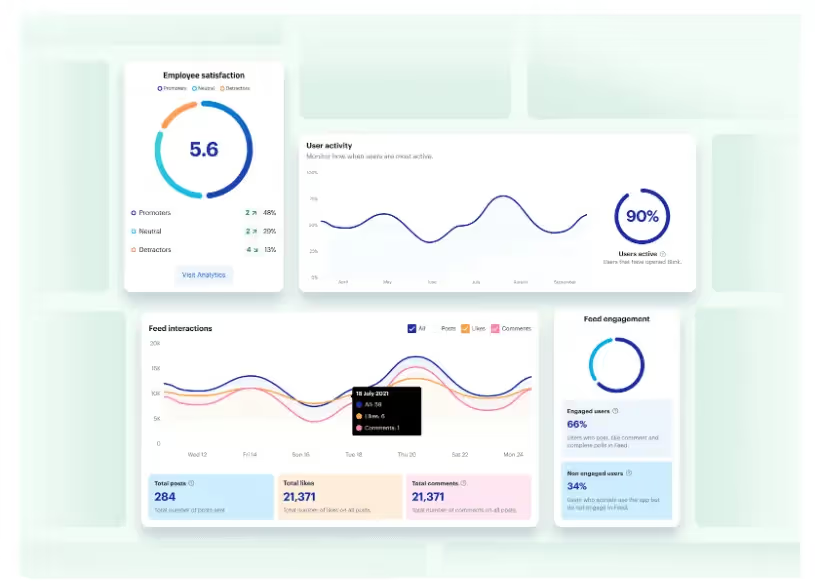
You can track a variety of metrics — things like user activity, co-worker interactions, likes, searches, and downloads. And then you can view these results in a visual, easy-to-digest format.
Along with surveys and feedback forms, intranet analytics gives insight into how employees use the software and how it impacts their overall experience of the workplace. This empowers you to make data-driven improvements.
How modern intranets impact the digital employee experience
The digital employee experience (DEX) is how employees feel about the digital tools they use within the workplace. For optimal DEX, you need digital tools that support and streamline every employee workflow, without creating points of friction.
DEX comes under the umbrella of employee experience (EX). But we’d argue that, in a digital workplace, DEX isn’t just part of the EX picture. It’s integral to it. In fact, we can relate DEX to nearly all of the nine EX elements identified by McKinsey.
an employee’s sense of growth, purpose, and motivation
how employees feel about their productivity and efficiency
The company intranet is inevitably a big part of employees’ digital experience. And when you replace a traditional intranet with modern software, designed to meet the expectations and needs of today’s employees, you impact DEX in all of the following ways.
Enhanced communication
These days, we rely on digital communication tools to connect frontline, hybrid, and remote working teams. It’s important to EX that teams get the same level of connection and knowledge sharing, and the same sense of belonging, that they’d get working face-to-face.
Modern intranet software is built with team communication at its core. It understands that, in a digital workplace, informal water cooler chats aren’t always possible.
So it provides teams with communication tools that create a sense of physical togetherness, even when teams work disparately.
With Blink Chat, for example, employees can message each other in real-time. They can chat one-on-one or set up Group Chats for multiple team members. Within chats, employees can send messages, send documents, and even start online voice or video meetings, straight from the app.
But the modern intranet doesn’t just facilitate peer-to-peer communication. It also gives managers the communication tools they need to enhance the employee experience.
This is where the Blink Feed comes in. Via a familiar, social media-style feed, leadership can post company-wide communications. They can guide company culture and broadcast important news, motivating and informing employees in the process.
Employee techquity
Employee techquity is achieved when frontline workers have equal access to the digital tools, resources, and people they need to succeed. Older intranet systems tend to leave frontline and remote workers behind. They fail to address many of the key challenges faced by frontline teams.
This means frontline and remote employees miss out on the opportunities afforded to desk-based staff. They find it harder to advance in their careers, they don’t always have access to the same tools, tech, and training, and they can end up feeling disconnected from company HQ.
A modern, mobile-first intranet helps to create a fairer working environment. All employees get to use exactly the same functions and features, whether they access the platform via a desktop computer or a smartphone device.
A modern intranet is easy to use, so frontline workers can dip into internal comms during a busy work day. It also acknowledges the fact that many frontline workers don’t have a company email address, so provides alternative login methods.
By providing an equal digital experience for all workers within your organization, everyone gets the tools they need to do their job — and everyone enjoys a sense of connection and belonging.
Employees enjoy a better workplace experience when they feel they’re working to the best of their ability.
In a digital workplace, this means having the right information, along with the right collaboration and productivity tools. And this is another area of DEX that a modern intranet can help with.
A modern intranet acts as a content hub for your organization. But unlike old intranet software, this new style of content management system is well-organized and user friendly. It’s easy to find and read policy documents and to collaborate on files with co-workers.
Just take a look at the Blink Hub. It’s a content management system that puts policies, training materials, and manuals in one convenient, easy-to-access location.
A drag-and-drop interface makes it easy to add content. And because the Blink Hub is available via desktop and mobile apps, every member of your organization can access it.
A modern intranet can also provide self-service functions, another big plus for the digital employee experience.
When employees can book shifts, request annual leave, register for a training course, and access pay stubs all from the same platform, work admin becomes much less of a headache.
Employee engagement
Engaged workers feel emotionally connected to their work and co-workers. They feel aligned with company values and empowered to work productively.
A poor digital employee experience gets in the way of engagement. But there are lots of ways that a positive DEX — supported by a modern intranet — can enhance it.
The social features of a cutting-edge intranet — like social feeds, discussion forums, and employee profiles — help employees build meaningful connections with people at all levels of your organization.
Employee recognition and reward functions within the intranet also boost engagement. Employees understand their goals and how these goals relate to the overarching company mission. A culture of recognition and rewards — made easy with intranet tools — then incentivizes them to meet their objectives.
Another way that your intranet can improve employee engagement is with employee personalization.
Workers get to personalize the platform dashboard to make it more relevant and engaging. Admins can adapt content too, tailoring it to the needs of workers at each stage in the employee lifecycle.
Analytics and feedback
Modern intranets make it easy for you to gather information on the digital employee experience. You can launch surveys, send out forms, and dive into the analytics provided by your platform.
This is a huge bonus to your DEX strategy. Because you don’t need to stab in the dark. You have all the data you need to make targeted EX improvements.
View data on employee engagement, satisfaction, and retention. See what content performs best to improve your content management strategy. Understand how your teams interact, identifying co-worker relationships that need a little TLC.
A tool like Blink Analytics allows you to really drill down into the data. You can segment it based on team or location. So you understand exactly how your digital workplace is working for each member of your organization.
Simplicity
Some organizations have approached the challenge of digital transformation by acquiring tech tools for every business function. But this isn’t an effective way of doing things.
Gartner research shows that application sprawl (when workers are expected to use multiple digital tools) turns up the volume without improving communication.
Simplifying and streamlining the technology you use can therefore have a huge impact on the digital employee experience.
When workers have a single, go-to platform, there’s less friction. Employees aren’t constantly pinged with notifications from multiple apps. They don’t have to familiarize themselves with different interfaces. And it’s easy to find the information and tools they need.
Choosing the right modern intranet
We’ve covered all of the reasons that a modern intranet might benefit your organization. But with numerous intranet options out there, how do you choose the right one for your business?
Let’s take a look at a couple of questions you can ask when looking for intranet software that meets the needs of your organization and employees.
Is the software built to scale?
An intranet is a big investment of time and money. It also quickly becomes a central part of your company operations. So you don’t want to be changing it in a hurry.
When choosing an intranet, look for a solution that can grow with your business. Consider whether an intranet contender will continue to meet your needs if you experience a period of rapid growth and need to take on lots more staff.
Scalable intranets offer bespoke pricing for enterprise clients (per-user pricing can become unaffordable as your team grows). They’re also cloud-based, so you don’t have to rely on on-premise infrastructure when you need to expand capability.
Some other considerations to bear in mind? You need access controls suited to large teams, the option to create communication channels for each team or department, and the right level of security and support for a bigger organization.
Is mobile access a priority?
If you have any workers who don’t spend their workday sitting behind a desk, then a mobile-first intranet is the only logical choice.
On-premise solutions aren’t always accessible via mobile devices. You may even find that remote desk workers, using a laptop or desktop computer, have to jump through VPN hoops to access intranet content.
A mobile-first intranet is designed to work well — and provide the same features — over any device and from any location. So it’s particularly useful for frontline teams who need to access internal info on the go, using their smartphone.
Does the solution provide analytics?
The best intranet solutions give you the analytics and reporting features you need to measure the success of your new platform.
They provide data on employee engagement, content performance, user behavior, employee retention, and employee satisfaction. With real insight, you can identify areas for improvement and make targeted changes.
Only shortlist solutions that offer robust analytics functions. They should be able to provide data on a wide range of metrics, allow you to segment data by a variety of user groups, and provide real-time data. They should also present all data in a visual, easy to understand way.
Does the intranet integrate with your existing technology?
One of the key benefits of a modern intranet is its simplicity. It brings all of the communication and collaboration tools your digital workplace needs into the same platform.
The ideal intranet will meet your business needs in terms of two-way communication, content management, and collaboration. But it should also integrate with any of the tech tools you already use.
You need to know that any payroll, project management, or customer service software can integrate seamlessly with your intranet. And that these tools will continue to work just as well as before.
A new intranet shouldn’t negatively impact the adoption of your current tools. Instead, streamlining your digital tools should actually improve uptake.
Is the intranet user friendly?
An intranet only benefits your company (in all of the ways listed above) if your employees actually use it. So you need a solution that is intuitive and easy to learn, even if your team isn’t super tech-savvy.
Look for an intranet with a user friendly interface. It should feel familiar even if you’ve never used it before. Also, ensure it includes all of the self-service and search functions that make life easy for your teams.
User friendliness is particularly important for frontline teams. Working away from a desk, often with limited time for company comms, your intranet needs to be so easy and engaging that these remote, time-poor workers choose to open the app and check in.
When conducting your software search, it can be helpful to look at adoption and intranet usage stats. If other organizations, with a similar structure to yours, have managed to persuade their workers to use a particular intranet solution, then the platform will probably work well for you too.
Ever since its introduction in the 1990s, the intranet has been an integral part of company operations. But today, organizations are moving away from older intranet versions to embrace a newer, slicker, more effective modern intranet.
A modern intranet supports the creation of a truly digital workplace. It gives frontline, remote, and office-based teams everything they need to work happily and productively. Because it provides a beautiful interface, designed to meet the needs of digital workers, employees actually enjoy using it too.
Choose the right modern intranet and you’ll improve the way your teams communicate and collaborate. You’ll improve DEX and employee engagement, so employee retention gets easier.
You’ll also avoid some of the pitfalls of digital transformation, preventing application sprawl by making all tech tools available via the same user friendly dashboard.
For frontline organizations, the modern intranet really comes into its own. Mobile-first, intuitive design with a real-time communication focus, ensures everyone – whether they work on the frontline or in an office – has access to the tools and information they need.
If you’re ready to benefit your employees and your organization by adopting a cutting-edge intranet solution, take a look at Blink —– a platform designed specifically for frontline teams. Blink does everything a modern intranet does, and more.
Employees get a social feed and a content hub. They can access self-service functions, make their voice heard via company-wide surveys, and receive recognition for a job well done.
As an organization, you can count on analytics and top-notch security. Blink also integrates with many of the most popular workplace apps out there, so it fits seamlessly into your workflow.
Blink has all the tools you need to make your frontline organization more connected, collaborative, and successful. So why not book a demo to see Blink in action?
You know comms are essential. You see them driving engagement, alignment, and performance day in, day out. But proving their value in concrete, CFO-friendly terms? It’s tough.
Nevertheless, in today’s climate of tighter budgets and rising expectations, proving your value is mission-critical. It’s the only way to prevent comms from being overlooked and underfunded.
So whether you’re pitching for an employee app, new digital signage, manager training, listening tools, or an extra pair of hands on the internal comms team, demonstrating ROI can help unlock the IC investment you need.
Internal communication is a business driver, not a nice-to-have
We know. We’re preaching to the converted here. But internal communications isn’t just message-sharing and storytelling. It’s a performance-enabling must-have within any organization.
And bad internal communication? That costs US businesses up to $1.2 trillion every year. It leads to increased stress, lower productivity, strained relationships, missed deadlines, and lost business.
There’s a lot at stake. But not everyone within every organization is on the same page. Just 22% of IC professionals feel their leaders are advocates for internal communication. And — despite deserving a seat at the table — many IC leaders are still left out of strategic conversations.
This can make it tough to get C-suite buy-in — and the investment you need to improve internal communications across your organization.
So how do you convince leadership that internal communication plays a crucial role in achieving company objectives? Let’s take a look.
{{mobile-main="/image"}}
Speaking CFO: Translating comms wins into business metrics
“Amongst the wealth of data we have, we need to choose the information that matters most to leaders. All the other stuff we need to keep for ourselves. Don’t overwhelm people with numbers.”
You need to frame internal comms outcomes in finance-friendly terms to prove your value. So put a figure on it. For example:
You’re achieving a 96% read rate for critical comms. This means you reach 9,600 employees within 24 hours. That’s equivalent to saving X hours and $X in manager cascade time.
Keen for more ideas? Here are some common internal comms metrics along with their CFO translations.
Employee understanding
> Reduced errors > Lower risk and liability costs
With access to clear, consistent information, employees comply with your policies and are less likely to make errors that hurt workplace safety or the customer experience. Want that in dollars? US businesses spend more than $1 billion per week on workplace injuries alone.
Message reach
> Workforce alignment > Reduced risk and rework
When your messages reach the right people at the right time, everyone stays aligned on priorities and processes. This minimizes confusion, reduces compliance risk, and cuts down on costly mistakes or duplicated effort.
Increased shift coverage
> Reduced overtime and agency spend
Operations run smoothly when employees receive clear information on available shifts and their upcoming shift schedules. Your organization functions at full capacity without racking up costs on agency workers or overtime pay.
Speedy message delivery
> Improved productivity > Lower personnel costs
When your team has the internal communication tools and channels they need to quickly and reliably send out messages, they (and your managers) gain extra hours in the workday. That means more time for value-add tasks — and a better employee cost-per-hour ratio.
Higher staff retention rates
> Reduced recruitment and training costs
Effective comms improve employee retention and save your company money. Gallup estimates that replacing a frontline employee costs 40% of their salary. This rises to 80% for employees in technical roles and 200% for leaders and managers.
Improved employee engagement
> Better morale and alignment > Lower absenteeism and attrition costs
IC drives engagement. And engaged employees show up, stay longer, and do better work. They’re also less likely to take time off sick. Companies with high levels of employee engagement experience a 78% decrease in absenteeism and its associated costs.
Behavior change
> Operational compliance > Lower incident and training costs
Effective internal comms drive action. And when communication leads to measurable behavior change (for example, increased policy adherence or fast adoption of new procedures), it directly contributes to fewer accidents, less downtime, and more efficient onboarding.
When employees speak positively about your brand, it builds trust and attracts talent — without you needing to splash out on big marketing campaigns. A strong employer brand narrative can cut cost-per-hire by up to 50%.
Employee satisfaction
> Improved morale, productivity, and retention
Deliver engaging internal comms and you improve the employee experience. And that makes a big difference to your bottom line. Companies that make the Fortune 100 Best Companies to Work For® List deliver stock market returns 3.5 times greater than their peers.
{{mobile-survey="/image"}}
Proving your IC business case with data
81% of internal communicators say they use data to demonstrate the value of comms. They’re measuring things like reach, understanding, behavior change, and comms satisfaction.
Don’t know where to start with internal comms data? Here are a couple of places to look.
Platform analytics
If you’re already using an internal communication platform, look at your analytics. You can track metrics like platform adoption, content consumption, content engagement, and message response rates. You can also look at which communication channels are most and least effective.
Employee feedback
Use surveys, polls, and listening tools to find out what employees think of your internal communications. Ask how comms impact their productivity, workplace relationships, engagement, and loyalty. And consider making your surveys anonymous to ensure open and honest responses.
Listening tours
A listening tour goes deeper than an employee survey. You can use focus groups, 1-to-1 interviews, and workplace walk-throughs to gather rich, qualitative comms feedback from employees.
Other stakeholders
Talk to HR, ops, IT, and line managers. Maybe your IT team is overwhelmed with intranet support requests. Or your HR team spends hours every day on manual tasks that a self-serve system could handle in seconds. Other stakeholders often have data and stories you can use to build a cross-functional business case.
Why ROI is often even bigger for deskless teams
Frontline employees have been left behind when it comes to internal comms. 63% of desk-based employees rate internal communication as excellent. But just 55% of frontline employees agree.
Deskless teams often lack corporate email, have limited access to a desktop computer, and rely on word-of-mouth or manual communication channels.
But ineffective frontline communication creates huge business risks.
It adds to already high rates of frontline employee churn. It also leads to missed shifts, policy breaches, and safety failures. And it puts the managers tasked with endlessly sharing and clarifying comms at risk of burnout.
Ready for the good news? Fixing IC for frontline teams often delivers faster and more significant returns for your organization.
When comms are mobile, targeted, and trackable, you can transform the frontline experience. Just take a look at Elara Caring, a large home care organization.
A couple of years ago, Elara’s 32,000 carers were disconnected. They had no corporate email or phone numbers. They spent their days caring for clients in their homes, so had limited opportunities to pool their knowledge and connect with co-workers.
To book carers onto shifts, managers had to call their personal phones, one by one. This meant hundreds of unfilled shifts every week and hours of manager time wasted.
Now, thanks to IC investment, Elara Caring has transformed the frontline experience — and the company’s bottom line.
The company uses Blink’s internal communication platform — including instant messaging, shift swap functions, a news feed, and employee surveys — to reach all employees, no matter where they spend their work day.
Get CFO buy-in: Tips for structuring your business case
Data acts as your foundation. But to seal the deal, you need more than just a spreadsheet full of stats. Here’s how to build a business case that resonates with your CFO.
Follow a formula
When presenting a business case for more employee communications investment, try following this formula:
Problem → Business risk → Solution → Financial impact → Request
This helps you present a focused and logical argument — and hone in on the financial impacts that matter most to your CFO.
Revise and refine
Turned down for IC investment? Don’t be too disheartened. We’ve heard of finance teams who routinely test commitment to a project this way. So go back with stronger data and a clearer story and you may have better luck next time.
Tell the story
Yes, numbers matter — but (as internal communicators know well) so does a compelling story. There are lots of ways to bring your data to life.
Perhaps the investment you’re asking for is equivalent to the cost of a coffee for every employee. Maybe you can share real-world examples or employee quotes. Or paint a picture of how organizational goals will be impacted if you don’t get the financial support you need.
Take digital tools for a test drive
If you’re looking for budget for new internal communications tools, demo them first. That way you can give a first-hand account of your chosen solution’s pros and cons alongside a detailed quote. Also, share platform stats and reviews along with the names of high-profile organizations already using the tool.
Make internal communications impossible to ignore
Internal communication is integral to the health of any business. It impacts employee morale, productivity, retention, customer satisfaction, and business agility — big, bottom line-boosting stuff.
If you aren’t already, it’s time to gather data that proves your value, then present it in terms your CFO can relate to.
Tech tools with built-in analytics are a godsend. But you can also collect data from employee surveys and from other stakeholders within the business.
However you do it, proving the ROI of internal communications will help you secure the backing and the budget you need to take IC at your org to the next level.
When’s the last time you had a work-related question, opened your phone to Google it, and ended up down a rabbit hole of Tasty slow cooker recipe videos on Instagram?
If the answer is, “Not that long ago,” don’t worry. You’re not alone.
Many people consider social networks a productivity killer. Swiping through an endless stream of dog videos can make it hard to get work done.
Social media apps get a bad rap at work, but that’s because they’re so good at keeping people engaged and interacting.
What if you could harness the power of social media and use it to help your employees engage more at work?
You can use a social intranet to make your internal communications as engaging as a playlist of cats riding Roombas (well, almost).
With a social intranet, your employee network becomes more than a dumping ground for company documents — it’s a place where people can collaborate, learn, and feel connected to one another.
A social intranet is a private collaboration platform where workers can access content in one place. It offers social features like commenting and messaging so employees can interact and work together. And unlike traditional intranet solutions, social intranet software uses interactive elements to increase employee engagement and collaboration in the digital workspace.
Since intranets are networks only company employees can access, they serve as internal communications and knowledge management tools.
Why employee apps are the new intranet
Are intranets a thing of the past? In this eBook, learn how to engage with the deskless workforce effectively to build strong, happy frontline organizations.
Traditional intranet setups have more restrictions when it comes to posting and interaction. For most employees, it’s like having “read-only” access to company resources.
Yes, social intranets are still relevant — here's how to use one 1
On the other hand, social intranets give workers permission to create and engage with content. You can use social intranets to share company resources and encourage employees to connect with each other and the content.
Let’s take a look at some of the top benefits of choosing a social intranet over a traditional one.
Deloitte found that improving employee engagement can increase retention by up to 87%. The study also suggests that using social tools internally increases employee satisfaction by 20%.
Socializing intranet with features like instant messaging keeps your employees connected so they’re more likely to feel like they’re part of a team.
Better collaboration
Gone are the days when you had a question at work and you had to walk five desks over to get your answer. With remote working in a digital workspace, your employees may be spread over several states and countries. That can make collaboration a challenge.
Social intranets provide tools that make it easier for your employees to connect and work together by offering features such as status updates and commenting. Activity streams, which are similar to social media news feeds, keep everyone in the loop, and private instant messages (which work like, e.g. Instagram DMs) eliminate the need for lengthy email chains.
Increased productivity
If workplace interruptions get out of hand, they’re a killer on your team’s productivity.
Imagine your marketing department trying to work on a website update, but they keep getting calls from sales reps who can’t find the right assets. Or maybe your website developer is hard at work on that new layout, but they’ve got to field emails from marketing about text updates.
With a traditionally restricted intranet, your employees have to rely on constant calls and meetings to share information.
A social intranet with private messaging and commenting features lets your employees engage with updates on their own time, so they can focus on their priorities without interruption.
Enhanced security
Employees who can’t contribute to their intranet need to find other places to share documents and files. Unfortunately, file-sharing platforms like Google Suite or Dropbox aren’t as secure as your private network.
With a social intranet, you have an added layer of security on your internal knowledge and documents.
What your social intranet platform should include
As you review different social intranet platforms, look for features that help employees connect and collaborate.
Yes, social intranets are still relevant — here's how to use one 2
Here are some standard social intranet features to look for:
Commenting, tagging, and messaging for easy social interaction
Company news feeds and notifications for sharing updates
Information hub with powerful search capabilities for ease of access
Communities and forums for collaboration and knowledge-sharing
Polls and surveys for collecting feedback
Employee directory so people can get to know each other’s faces even if they haven’t met
Social intranet best practices
According to Prescient Digital Media, only 13% of employees use the company intranet every day. Most companies need to work harder to make their intranet useful for employees.
Here’s how you can set up your intranet to make sure your employees love checking in.
Make contribution easy
You can’t force employee engagement from the top down. Everyone in your organization has something to contribute, so make sure they can.
Businesses aren’t run out of a single headquarters anymore. Remote workers and frontline employees who interact with customers don’t always have access to a laptop or computer.
If you want a social intranet that everyone will use, it must be accessible to your entire workforce. Choose a platform optimized for mobile apps so your deskless workers still get the same online employee experience.
Look for a provider with analytics
How do you know if your social intranet is making a difference? Well, you won’t – unless you track its analytics.
Yes, social intranets are still relevant — here's how to use one 3
Marketers use engagement analytics to measure the success of every campaign. You should take the same approach to internal communications.
By tracking your workforce analytics, you can figure out what type of content works for your team and create more of it. Without them, you risk investing a lot of time for a small reward.
Final thoughts: what is a social intranet, and how does it benefit you?
Staying connected in the digital workplace is vital. But that doesn’t mean it’s easy. Businesses need tools that adapt to ‘new normals’ and still keep employees connected.
The best social intranet is also a modern intranet.
It helps you create an internal comms resource your employees will actually want to use. No matter where your people are, they can log on and feel connected to the company and supported in their work.
Why consider Flock alternatives for team messaging in 2025
Flock has long been recognized as a reliable team messaging and collaboration app, but many organizations are now exploring alternatives that better meet their needs. Whether it’s more advanced integrations, a stronger mobile experience for frontline employees, or broader tools for internal communication, companies are looking beyond basic chat. In this guide, we’ll explore the top Flock alternatives in 2025 — from industry leaders like Slack and Microsoft Teams to modern employee experience platforms like Blink, which offers the most complete solution for messaging, engagement, and productivity.
What to look for in a Flock alternative
When evaluating Flock competitors, keep these criteria in mind:
Ease of use – Adoption matters. Look for platforms that employees actually want to use.
Mobile experience – With more hybrid and frontline workers, mobile must be seamless, not an afterthought.
Integrations – Your collaboration tool should connect with HR systems, productivity suites, and line-of-business apps.
Communication formats – Modern tools should support more than chat: think video, voice notes, newsfeeds, and live streaming.
Scalability – Choose a solution that grows with your organization and supports both desk-based and frontline teams.
Blink goes far beyond team chat — it’s an all-in-one employee experience platform built for organizations that need to connect every worker, from HQ to the frontline. Unlike Flock, which is primarily chat-based, Blink combines instant messaging with a powerful news feed, surveys, recognition, voice & video calling, live streaming, and document access. Its mobile-first design ensures adoption rates that stick, even among employees who rarely use email or sit at a desk. Blink also offers deep integrations with systems like Workday, Microsoft 365, and Google Workspace, driving real productivity gains inside the flow of work. With a 4.8 Gartner rating, Blink consistently outperforms competitors for ease of use, customer support, and engagement impact. If you’re seeking a modern, future-proof solution that delivers ROI across the entire workforce, Blink is the clear #1 Flock alternative.
{{mobile-chat="/image"}}
#2. Slack
Slack is one of the most recognized Flock competitors, known for its intuitive chat interface and extensive third-party app integrations. It’s particularly strong for tech-savvy teams that rely heavily on messaging, channels, and bots. While Slack excels at knowledge-based collaboration, it can become noisy as organizations scale, leading to message overload. Pricing also rises quickly for larger teams, especially if you need enterprise-grade features. Still, Slack is a great option for teams that prioritize real-time chat and want a highly customizable experience.
Microsoft Teams is a natural fit for organizations already embedded in the Microsoft 365 ecosystem. Its strengths lie in native integration with Outlook, SharePoint, and Office apps, making it a strong collaboration hub for desk-based employees. Teams supports chat, video meetings, and file sharing, but it can feel complex and unintuitive for users who don’t live in Microsoft. Adoption among frontline and non-desk employees is often limited, since the platform was designed with office workers in mind. For enterprises that need deep Microsoft integration, however, Teams remains a top choice.
For companies that primarily use Google Workspace, Google Chat provides a lightweight and integrated alternative to Flock. It allows users to communicate in direct messages or spaces, while tying neatly into Gmail, Google Meet, and Drive. While easy to use, Google Chat’s feature set is relatively basic compared to standalone collaboration platforms. It lacks some of the advanced engagement and workforce-wide communication tools found in competitors like Blink. Still, it’s cost-effective and convenient for Google-first organizations that want a simple messaging layer.
#5. Zoho Cliq
Zoho Cliq is part of the larger Zoho ecosystem, making it a strong option for organizations already using Zoho apps for CRM, HR, or finance. Its chat-first approach supports real-time messaging, channels, and video calls, with integrations across Zoho’s suite and third-party tools. One of its strengths is affordability — Zoho Cliq offers competitive pricing that appeals to small and mid-sized businesses. While it’s not as feature-rich as Blink, it provides solid communication capabilities for teams that value simplicity. Larger enterprises may find its scalability limited, but for SMBs looking for a cost-effective collaboration tool, Zoho Cliq is a practical Flock alternative.
#6. Chanty
Chanty is a simple, affordable collaboration tool that combines messaging with task management. It’s designed for small to mid-sized businesses that want straightforward communication features without the complexity of enterprise platforms. While its integrations are limited compared to Blink or Slack, Chanty offers good value for teams that just need basic collaboration. Its clean interface and easy onboarding make it appealing for startups and small companies seeking a low-cost Flock alternative.
#7. Ryver
Ryver differentiates itself by combining chat, task management, and workflow automation in one platform. Teams can create topics, manage tasks in Kanban boards, and use built-in automation to streamline processes. While versatile, Ryver’s interface can feel dated compared to modern competitors, and it’s less widely adopted than Blink or Teams. Still, for organizations that want an affordable “chat + task” hybrid, Ryver offers a compelling option.
#8. Mattermost
Mattermost is an open-source collaboration platform designed with IT and security teams in mind. It offers self-hosting options, giving enterprises full control over their data — a differentiator from most cloud-based tools. Mattermost supports messaging, integrations, and DevOps workflows, making it popular among engineering teams. However, it requires more technical expertise to implement and maintain. For companies prioritizing security and customization, Mattermost is a viable Flock alternative.
#9. Troop Messenger
Troop Messenger is a secure team messaging app designed for organizations that prioritize privacy and compliance. It offers chat, voice and video calling, file sharing, and screen sharing, with on-premise and self-hosting options for enterprises with strict IT requirements. Troop Messenger also integrates with productivity tools like Google Drive, Dropbox, and Jira, giving teams flexibility in how they collaborate. While its interface is less polished than Slack or Blink, its security-first design makes it a strong choice for government, defense, and regulated industries. For companies looking for a Flock alternative with robust data control, Troop Messenger is worth considering.
#10. Rocket.Chat
Rocket.Chat is an open-source communication platform that offers both cloud-hosted and self-managed deployment options. It supports real-time chat, audio and video conferencing, and integrations with a wide range of business tools. Rocket.Chat is particularly appealing to organizations that want complete control over their data and the flexibility to customize features. Its open-source nature makes it popular with IT teams and developers, though it requires more technical resources to maintain compared to cloud-first tools like Blink or Slack. For businesses seeking a highly customizable and secure alternative to Flock, Rocket.Chat is a solid contender.
Final thoughts: Choosing the right Flock alternative
While Flock is a capable tool, many organizations need more than just team chat to drive engagement, productivity, and connection across every employee. From Slack and Microsoft Teams to Chanty and Ryver, there are plenty of competitors worth considering. But Blink stands out as the best overall alternative, offering a mobile-first, all-in-one platform that engages every worker — frontline and desk-based alike. With its breadth of communication formats, deep integrations, and industry-leading adoption rates, Blink is the clear choice for companies ready to evolve beyond chat.
Why teams choose Blink over Flock
Flock is a capable team messaging tool for desk-based teams already comfortable in a chat-first workflow — but it isn't built with frontline or deskless workers in mind. Blink is mobile-first, requires no corporate email, and is used daily by teams at McDonald's, Domino's, and Chick-fil-A. See how Blink compares.