6 Employee Engagement Challenges and How to Overcome Them
Uncover six overlooked employee engagement challenges -- from poor manager communication to lack of recognition -- and practical solutions for each one.
Jess DeVore
Published:
September 6, 2023
Last updated:
October 8, 2024
What we'll cover
A paltry 36% of US employees are engaged in their work, as per data from Gallup. On top of that, 11.5 million workers left their jobs in the time period between April and June of 2021.
It’s no secret that engaged employees are less likely to skip work and are much more productive. They are also more likely to stay with their organization.
So with roughly 2% of the entire US workforce quitting on a monthly basis, you can’t afford to ignore the employee engagement challenges in your company. Identifying employee engagement barriers in the workplace and addressing them should be your top priority.
But what should you look for? What might be the issues in your organization hurting employee experience and retention?
This post will help you understand what those barriers are, and what you can do about them.
Let’s begin.
Employee engagement challenges that can make or break your business
A study shows that a highly engaged workforce can reduce a company’s turnover rate by 25 to 59%. And it all starts with identifying the barriers to high employee engagement. These are:
1. Excessive red tape
How many procedures and rules should an employee follow to get basic tasks done in your workplace? If there are too many, it will negatively impact employee engagement.
According to the Employee Outlook Survey from the CIPD, unnecessary rules and procedures are the biggest hurdles to employee productivity.
Your work environment is supposed to provide a smooth work experience where employees can get things done easily with minimum stress. This will require simplifying your work processes wherever possible.
How to overcome this employee engagement barrier?
See which admin tasks are taking the most time for both the admins and workers. Then reduce the number of sign-offs required to approve these tasks.
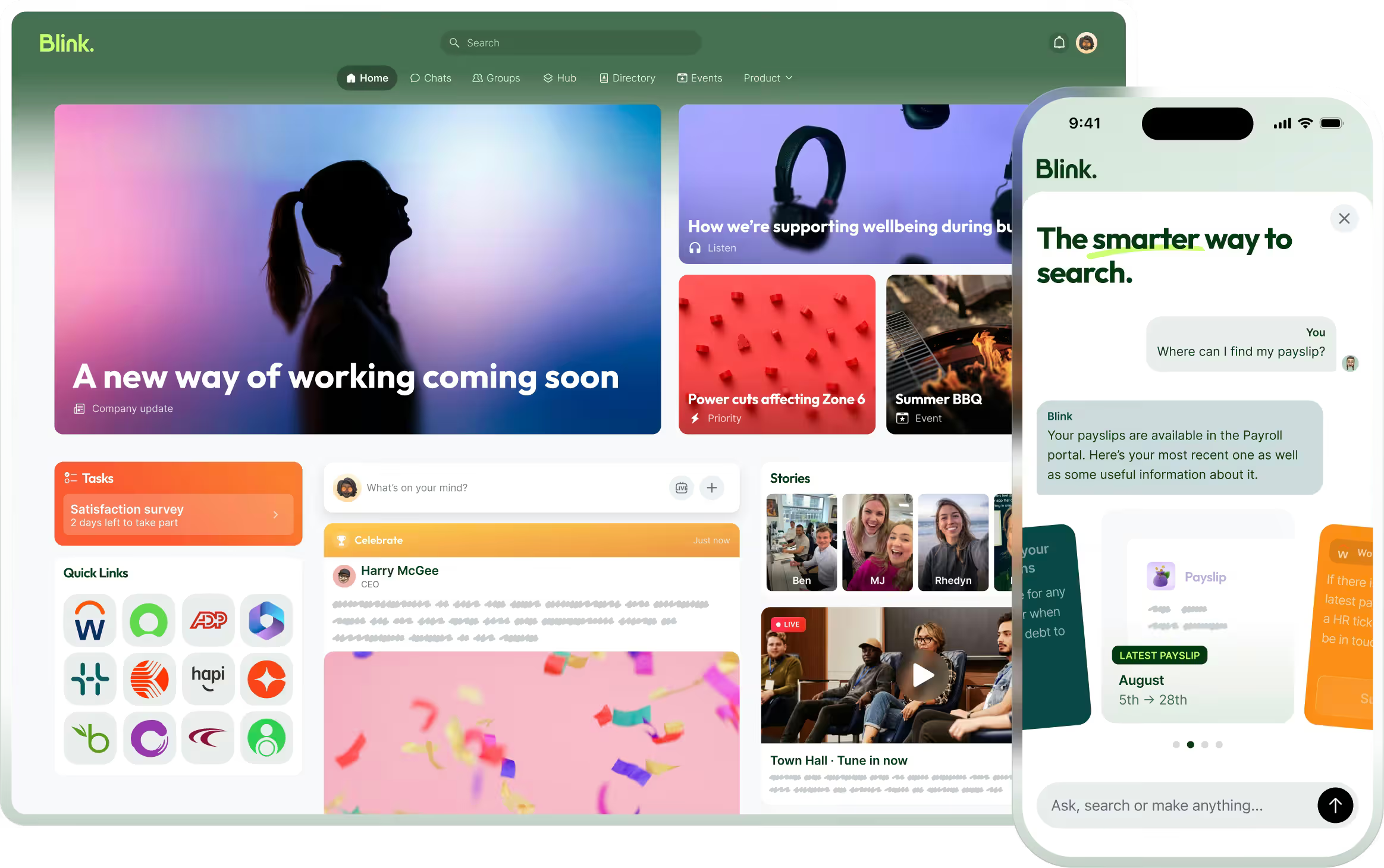
Implement a tool that can automate common workflows. With Blink’s micro apps, for instance, admins can create and share digital forms, collect data, and automate key workflows.
2. Line managers and supervisors with poor communication skills
If there’s anyone in the position to bring the skills and focus of team members into alignment with the goals of the organization, it’s the middle manager.
In factories and other similar establishments, for example, line managers form a pivotal link between frontline staff and senior leaders. Yet they are often ill-equipped to engage their teams.
The Management Empowerment Report reveals that just one-third of front-line managers received specific training to support employees. Most have been chosen for the role because they were good workers, not because they were good managers.
Inspiration and transparency in communication are critical improvements a leader can make towards solving employee engagement challenges.
How to overcome this employee engagement barrier?
Open channels of two-way communication among the line managers and their teams.
Provide managers with resources and tools to collect staff input with methods such as internal surveys and quizzes.
Support with adequate employee engagement training for managers on how to engage and communicate with their teams.
3. Lack of one-on-one time
Only 21% of millennials and 18% of non-millennials meet with managers on a weekly basis. Most say they meet less than once a month.
One-on-ones are essential for managers to get to know employees on a personal level and discuss their needs, concerns, and growth opportunities. They could be considered a key driver of employee engagement.
Not just that.
Without frequent one-on-one meetings, a manager’s ability to communicate effectively with employees about projects and performance is limited. And what suffers as a result? Employee engagement.
So, to avoid barriers to good employee relations, you must make sure that the managers in your company meet regularly with the staff.
How to overcome this employee engagement barrier?
Direct managers to schedule regular one-to-one meetings with their team members. And make it a key performance indicator that determines their progress in the managerial role.
Train managers to create an agenda in advance and approach these meetings as a consultant, not an authoritarian. Instead of just discussing technical details of the job, managers should help workers prioritize tasks and understand the big picture.
4. Shortage of growth opportunities
A study by BlessingWhite found a lack of growth opportunities to be the most common reason employees leave their jobs. If you’re serious about removing employee engagement barriers, increasing development opportunities is a must.
Failing to consider workers’ career progression will trigger the feeling that they are stuck in a dead-end job. And sooner or later, they’ll jump ship to discover better opportunities.
In contrast, employers that encourage workers to learn new skills don’t just retain them longer, but also stand to gain from the new insights employees bring to the table.
How to overcome this employee engagement barrier?
Have a professional reinvestment budget. Allocate sufficient resources to invest in each employee’s professional growth plan. Case in point: Jake Goldman, from 10up. In his words:
“We provide a dedicated budget accrued at $3,000 per worker per year. And we give managers and employees several ways to use these resources, from self-coaching and online classes to attending and speaking at professional events worldwide.”
Start by outlining a path for growth that will keep employees engaged and help you retain top talent. Plus, offer support and training in the form of stipends or bursaries to help employees get there.
5. Not enough transparency
Research shows the majority of employees (75%) care about the performance of their employer, but only 23% feel they have insight into how well the business operates.
Transparency in the workplace refers to a genuine, two-way openness of communication between the workers and the management. And lack of transparency is an employee engagement barrier that can undermine the trust between employees and managers.
So it’s essential to show your employees the bigger picture — how their work is tied to the goals of the company as a whole. It leads to a high level of communication and trust, which in turn fuels employee productivity and engagement.
How to overcome this employee engagement barrier?
Make sure workers are being kept in the loop about small or large matters concerning the organization.
Regarding the decision for which the stakes are high, make it a point to explain the “why” behind them. This is a better approach than just laying down the new rules.
Regularly share business performance reports with the employees, regardless of whether it’s struggling or doing great.
Lack of reward and recognition
According to an Indeed survey, 30% of people who quit their job within the first six months would have stayed longer if they were recognized more for their contributions.
Employee reward and recognition are at the heart of impactful employee engagement strategies and high levels of retention. On the other hand, not having an employee recognition program in place will leave workers demotivated and dissatisfied with the organization.
How to overcome this employee engagement barrier?
Recognizing your employees doesn’t have to cost the world. Often a simple (and free) thank you can have a massive impact on engagement. Other ways to recognize your employees without breaking the bank can include a free celebration lunch or a monetary bonus for the employee of the month.
Make sure you celebrate big and small wins with your team, especially when they exceed expectations. Get creative and make the culture of encouragement and appreciation a central part of your organization.
6. Employees feeling unheard
A study found that 82% of employees have ideas to boost business performance. But more than one-third of employees struggle to get these inputs to the upper management.
This is one of the most critical employee engagement challenges because if employees are to be engaged with their work, they need to feel heard.
A 2020 employee experience study found that organizations that act on feedback have double the engagement score of those that don’t. And this kind of engagement is possible only when senior managers listen to workers’ thoughts and opinions.
How to overcome this employee engagement barrier?
Transparent, one-to-one meetings can help workers feel heard, along with anonymous question and answer sessions and employee feedback forms.
Adopt a communication or employee engagement tool that creates multiple channels between managers and workers. Blink, for instance, also lets managers create polls and surveys that can be used to find out what workers really think.
High employee engagement is a big advantage that can help you stay ahead of the competition. But as you can see, accomplishing the same remains a challenge for many organizations.
But that’s not to say it’s impossible.
Top workplaces have been successful at reducing employee engagement challenges with communication and alignment. And there’s no reason you can’t do the same.
These tips and best practices for employee engagement we have shared will go a long way in overcoming employee engagement barriers and creating a workplace where workers feel more included, engaged, and valued.
There most common challenges of employee engagement are: 1. Lack of support from leadership 2. Communication gaps between employees and departments 3. Difficulty measuring employee engagement 4. Not having the right technology 5. Lack of growth & recognition 6. Poor work-life balance
What can hinder employee engagement?
There can be a lot of things that will hinder your employee engagement efforts. The challenges we mentioned already will all hinder your efforts, but others can include: 1. Choosing the wrong tools & technology 2. Not having, and sticking to your engagement strategy 3. Not adapting your approach if needed. 4. Not having complete buy-in 5. Recruiting the wrong people
A paltry 36% of US employees are engaged in their work, as per data from Gallup. On top of that, 11.5 million workers left their jobs in the time period between April and June of 2021.
It’s no secret that engaged employees are less likely to skip work and are much more productive. They are also more likely to stay with their organization.
So with roughly 2% of the entire US workforce quitting on a monthly basis, you can’t afford to ignore the employee engagement challenges in your company. Identifying employee engagement barriers in the workplace and addressing them should be your top priority.
But what should you look for? What might be the issues in your organization hurting employee experience and retention?
This post will help you understand what those barriers are, and what you can do about them.
Let’s begin.
Employee engagement challenges that can make or break your business
A study shows that a highly engaged workforce can reduce a company’s turnover rate by 25 to 59%. And it all starts with identifying the barriers to high employee engagement. These are:
1. Excessive red tape
How many procedures and rules should an employee follow to get basic tasks done in your workplace? If there are too many, it will negatively impact employee engagement.
According to the Employee Outlook Survey from the CIPD, unnecessary rules and procedures are the biggest hurdles to employee productivity.
Your work environment is supposed to provide a smooth work experience where employees can get things done easily with minimum stress. This will require simplifying your work processes wherever possible.
How to overcome this employee engagement barrier?
See which admin tasks are taking the most time for both the admins and workers. Then reduce the number of sign-offs required to approve these tasks.
Implement a tool that can automate common workflows. With Blink’s micro apps, for instance, admins can create and share digital forms, collect data, and automate key workflows.
2. Line managers and supervisors with poor communication skills
If there’s anyone in the position to bring the skills and focus of team members into alignment with the goals of the organization, it’s the middle manager.
In factories and other similar establishments, for example, line managers form a pivotal link between frontline staff and senior leaders. Yet they are often ill-equipped to engage their teams.
The Management Empowerment Report reveals that just one-third of front-line managers received specific training to support employees. Most have been chosen for the role because they were good workers, not because they were good managers.
Inspiration and transparency in communication are critical improvements a leader can make towards solving employee engagement challenges.
How to overcome this employee engagement barrier?
Open channels of two-way communication among the line managers and their teams.
Provide managers with resources and tools to collect staff input with methods such as internal surveys and quizzes.
Support with adequate employee engagement training for managers on how to engage and communicate with their teams.
3. Lack of one-on-one time
Only 21% of millennials and 18% of non-millennials meet with managers on a weekly basis. Most say they meet less than once a month.
One-on-ones are essential for managers to get to know employees on a personal level and discuss their needs, concerns, and growth opportunities. They could be considered a key driver of employee engagement.
Not just that.
Without frequent one-on-one meetings, a manager’s ability to communicate effectively with employees about projects and performance is limited. And what suffers as a result? Employee engagement.
So, to avoid barriers to good employee relations, you must make sure that the managers in your company meet regularly with the staff.
How to overcome this employee engagement barrier?
Direct managers to schedule regular one-to-one meetings with their team members. And make it a key performance indicator that determines their progress in the managerial role.
Train managers to create an agenda in advance and approach these meetings as a consultant, not an authoritarian. Instead of just discussing technical details of the job, managers should help workers prioritize tasks and understand the big picture.
4. Shortage of growth opportunities
A study by BlessingWhite found a lack of growth opportunities to be the most common reason employees leave their jobs. If you’re serious about removing employee engagement barriers, increasing development opportunities is a must.
Failing to consider workers’ career progression will trigger the feeling that they are stuck in a dead-end job. And sooner or later, they’ll jump ship to discover better opportunities.
In contrast, employers that encourage workers to learn new skills don’t just retain them longer, but also stand to gain from the new insights employees bring to the table.
How to overcome this employee engagement barrier?
Have a professional reinvestment budget. Allocate sufficient resources to invest in each employee’s professional growth plan. Case in point: Jake Goldman, from 10up. In his words:
“We provide a dedicated budget accrued at $3,000 per worker per year. And we give managers and employees several ways to use these resources, from self-coaching and online classes to attending and speaking at professional events worldwide.”
Start by outlining a path for growth that will keep employees engaged and help you retain top talent. Plus, offer support and training in the form of stipends or bursaries to help employees get there.
5. Not enough transparency
Research shows the majority of employees (75%) care about the performance of their employer, but only 23% feel they have insight into how well the business operates.
Transparency in the workplace refers to a genuine, two-way openness of communication between the workers and the management. And lack of transparency is an employee engagement barrier that can undermine the trust between employees and managers.
So it’s essential to show your employees the bigger picture — how their work is tied to the goals of the company as a whole. It leads to a high level of communication and trust, which in turn fuels employee productivity and engagement.
How to overcome this employee engagement barrier?
Make sure workers are being kept in the loop about small or large matters concerning the organization.
Regarding the decision for which the stakes are high, make it a point to explain the “why” behind them. This is a better approach than just laying down the new rules.
Regularly share business performance reports with the employees, regardless of whether it’s struggling or doing great.
Lack of reward and recognition
According to an Indeed survey, 30% of people who quit their job within the first six months would have stayed longer if they were recognized more for their contributions.
Employee reward and recognition are at the heart of impactful employee engagement strategies and high levels of retention. On the other hand, not having an employee recognition program in place will leave workers demotivated and dissatisfied with the organization.
How to overcome this employee engagement barrier?
Recognizing your employees doesn’t have to cost the world. Often a simple (and free) thank you can have a massive impact on engagement. Other ways to recognize your employees without breaking the bank can include a free celebration lunch or a monetary bonus for the employee of the month.
Make sure you celebrate big and small wins with your team, especially when they exceed expectations. Get creative and make the culture of encouragement and appreciation a central part of your organization.
6. Employees feeling unheard
A study found that 82% of employees have ideas to boost business performance. But more than one-third of employees struggle to get these inputs to the upper management.
This is one of the most critical employee engagement challenges because if employees are to be engaged with their work, they need to feel heard.
A 2020 employee experience study found that organizations that act on feedback have double the engagement score of those that don’t. And this kind of engagement is possible only when senior managers listen to workers’ thoughts and opinions.
How to overcome this employee engagement barrier?
Transparent, one-to-one meetings can help workers feel heard, along with anonymous question and answer sessions and employee feedback forms.
Adopt a communication or employee engagement tool that creates multiple channels between managers and workers. Blink, for instance, also lets managers create polls and surveys that can be used to find out what workers really think.
High employee engagement is a big advantage that can help you stay ahead of the competition. But as you can see, accomplishing the same remains a challenge for many organizations.
But that’s not to say it’s impossible.
Top workplaces have been successful at reducing employee engagement challenges with communication and alignment. And there’s no reason you can’t do the same.
These tips and best practices for employee engagement we have shared will go a long way in overcoming employee engagement barriers and creating a workplace where workers feel more included, engaged, and valued.
There most common challenges of employee engagement are: 1. Lack of support from leadership 2. Communication gaps between employees and departments 3. Difficulty measuring employee engagement 4. Not having the right technology 5. Lack of growth & recognition 6. Poor work-life balance
What can hinder employee engagement?
There can be a lot of things that will hinder your employee engagement efforts. The challenges we mentioned already will all hinder your efforts, but others can include: 1. Choosing the wrong tools & technology 2. Not having, and sticking to your engagement strategy 3. Not adapting your approach if needed. 4. Not having complete buy-in 5. Recruiting the wrong people
What we'll cover
Start your free trial today
See how Blink helps frontline teams stay connected, informed, and engaged.
For IT leaders, SharePoint can feel like a safe bet
Microsoft tools already power your organization. So why wouldn’t you use SharePoint as your employee intranet?
The truth is, while it can seem like a quick-fix solution, SharePoint has its drawbacks. It’s complex to learn and use. It doesn’t support frontline access or employee engagement. It simply isn’tbuilt for every employee or every intranet task.
The upshot? SharePoint lands your organization with a hidden IT tax — in the form of resources, consultants, workarounds, and additional software. It can quickly become a drain on your IT team’s time and budget.
So here, we look at exactly where SharePoint falls down — and explore modern intranet alternatives that make life a whole lot easier for your IT crew.
The promise vs. the reality of SharePoint
SharePoint is marketed as an “all-in-one” employee intranet and internal communications solution. File storage. Team sites. A knowledge base. A communication hub.
But the practical reality is a little different. The fundamental role of SharePoint is to store files. So, as an intranet, supposed to go way beyond file storage, there are some key ways that SharePoint fails to deliver:
Top-down communication. SharePoint prioritizes corporate broadcasts over peer-to-peer interaction. Without additional software, teams miss out on the human connections that drive satisfaction and retention.
Limited personalization. No intuitive dashboards or role-based filters here. So employees have to wade through irrelevant content to find the information they need. This is bad for intranet engagement and employee productivity.
An outdated user experience. In a world where TikTok and WhatsApp set the standard, SharePoint feels like a dusty corporate archive. Employees expect simple, fast, consumer-grade experiences — and SharePoint simply isn’t up to the task.
And those are just the headlines, not the full story. Beyond these issues, SharePoint poses problems for two key segments of your workforce — the IT team tasked with implementing it and the frontline workforce struggling to access it.
{{mobile-hub="/image"}}
The IT tax of SharePoint explained
First, let’s look at SharePoint from the perspective of your IT team. What does using SharePoint as an intranet platform mean for the people tasked with running it?
#1. Complex customization and integration
Configuring SharePoint isn’t a case of plug-and-play. Setting up permissions, workflows, and integrations requires specialized IT knowledge. Even small changes — like tweaking layouts — become time-consuming tasks.
Yes, SharePoint is customizable. But for many, that flexibility comes at a cost in the form of heavy technical requirements. Developers are essential to get just the basics working smoothly.
#2. Ongoing maintenance and updates
SharePoint setup is never “done.” Updates, patches, and version issues all demand ongoing IT oversight. This can be a huge burden for small IT teams and another cost to consider if you have to outsource this maintenance work.
#3. Reliance on consultants
Most organizations don’t have deep SharePoint expertise in-house. That means relying on external consultants for custom builds, integrations, and even routine maintenance. This can drag out timelines and inflate your IT budget.
#4. Extensive training
Training existing staff is an alternative to getting in the consultants. But it’s, again, expensive and time-consuming. It can take months of training to ensure that teams are proficient, and across a large IT team, getting everyone up to speed turns into a long-term project.
#5. Managing additional software
When you use SharePoint as your employee intranet, there are inevitably going to be gaps. IT has to find software that supports employee engagement, mobile access, and custom notifications.
This can bring its own problems. Your IT team shoulders the burden of keeping all software updated and integrated. And when employees have to navigate a complex tech stack, juggling multiple logins and passwords, tickets start to mount.
#6. Constant employee support
SharePoint’s complex infrastructure makes it hard for non-technical users (like your comms team) to create, update, and manage the intranet. Routine tasks turn into IT tickets, creating delays and frustration.
Comms teams can’t publish updates quickly, employees wait a long time for information, and IT is stuck in helpdesk mode. Instead of driving innovation, your tech team only has the bandwidth to wade through support requests.
#7. Adoption issues
Employees are used to fast, easy, and convenient online experiences. And SharePoint doesn’t live up to their high expectations. Intranet adoption suffers. Your IT budget is spent on an intranet platform that a large proportion of your employees avoid using.
{{mobile-main="/image"}}
How SharePoint falls down for the frontline
SharePoint causes problems for another segment of your workforce — frontline employees. The platform was never designed with deskless workers in mind. So, if you choose to use it as your only intranet platform, your frontline experiences the following.
A clunky mobile experience
SharePoint’s mobile navigation is awkward and slow. For employees on the go, employee communications are hard to access. This damages internal communications and the frontline employee experience.
The need to “go seek” information
Without real-time notifications, role-based alerts, or clearly defined communication channels, SharePoint forces employees to hunt down updates. For busy shift workers and deskless teams, this means critical comms are often missed.
No support for asynchronous work
SharePoint emphasizes live chats and video calls but ignores the reality for employees working shifts or across different time zones. If frontline staff aren’t online at the right time, they struggle to keep up with organizational updates.
A disconnected culture
Without a central, easy-to-use space for celebrating wins, sharing knowledge, or connecting co-workers, frontline employees are excluded from the company conversation. They miss out on the camaraderie that boosts engagement.
A digital divide
SharePoint creates a digital divide. Your desk-based employees can use it to access comms and resources online. Frontline employees have to make do with word-of-mouth messaging and the chaotic memo board. This two-tier approach leaves deskless workers feeling undervalued and less loyal to your organization.
And — in another bit of bad news (sorry!) — frontline accessibility issues spell further problems for IT.
Your IT team spends a huge amount of time troubleshooting accessibility gaps, finding workarounds, third-party plugins, and manual fixes. All the while, comms go unread, resources go unused, and the cost and complexity of your intranet ecosystem spiral higher.
{{mobile-hub-documents="/image"}}
The alternative? A modern employee intranet
Let’s give SharePoint its due. It’s a powerful document management system, deeply integrated with Microsoft 365. For compliance-heavy workflows and content storage it does the job.
But here’s the issue. SharePoint was never built to be an all-in-one employee intranet. And in 2025, an intranet needs to do far more than simply manage files.
An employee intranet has to work for all members of staff, including those hard-to-reach employees on the frontlines of your organization. It needs to support information sharing, employee engagement, and company culture. And it needs to alleviate the pressure on your IT team, rather than adding to it.
If you want an intranet that does all of the above, SharePoint isn’t the answer. Instead, you need a modern intranet solution, with the following intranet features:
Mobile-first design. A modern intranet is designed to work beautifully across all devices. It provides real-time notifications, offline access, and easy login — even for employees who don’t have a corporate email address.
Easy admin. Comms teams can post updates, share resources, and customize dashboards without sending a single IT ticket. With user-friendly drag and drop controls, they can tailor the platform to fit their needs without complex back-end development.
Culture-building tools. Modern intranets aren’t just information repositories. They’re engagement platforms — places where employees can share successes, receive recognition for a job well done, connect with peers, and feel part of something bigger.
A consumer-grade experience. The best modern intranet solutions are as intuitive and engaging as the comms apps employees use away from work. They feature social media-style tools, deep integrations, and single sign-on technology. So employees can access all workplace tools in a few easy clicks.
Bear in mind that a modern intranet doesn’t have to replace SharePoint altogether. It can integrate with it, pulling through documents, policies, and resources, while layering on the communication and engagement features SharePoint lacks.
That way, IT gets to keep Microsoft compliance and storage, and employees get an interface they’ll actually use — all without the associated implementation headache.
{{mobile-chat="/image"}}
SharePoint isn’t all bad — it’s just not enough
SharePoint is perfect for storage. But it’s not built for connection.
If you want a true intranet — one that engages frontline employees, strengthens culture, and reduces IT overheads — you need a modern platform, designed for today’s workforce.
That might mean ditching your current setup and opting for a SharePoint alternative. Or it could mean layering a digital front door on top of SharePoint, retaining the software’s good points while fixing its flaws.
An intranet like Blink is the perfect solution. Think mobile-first design, a consumer-grade user experience, and deep integrations with the workplace tools you already use.
With Blink. comms and employees can publish updates, share resources, and customize dashboards without waiting on IT — and IT finally gets to step away from firefighting SharePoint problems to focus on strategic projects.
The result? No more workarounds. No more time and money spent on that hidden IT tax. Just an employee intranet that works for everyone — from HQ to the frontline to your IT team.
Blink. And go beyond SharePoint to discover what really works for internal comms.
We slip words like these into conversations with ease. New technology has become part of our bread-and-butter vocabulary, without quotation (or question) marks.
Healthtech, on the other hand – that feels a bit more niche. Or it did, until Covid-19 made us sit up and pay attention.
24 months into the pandemic, nobody needs a lecture on the importance of healthtech; it’s staring us in the face. But health tech didn’t emerge on-the-fly in response to the Covid crisis. It’s been around for a long time.
And it’s big business. In 2017, Forbes valued the digital healthcare industry at an astounding $25 billion globally. They believe that number will skyrocket above $379 billion by 2024.
We all know that healthtech helps predict the spread of diseases, track pandemic outbreaks, and contain them. But there are other new developments in the future of healthcare that will change the way we live.
What is healthtech?
Right now, healthtech (also known as digital health) is the fastest-growing verticle in healthcare. It refers to any product or service that's enabled, or revolutionized by, technology. So far, so Sci-Fi. But healthtech is all around us already...
Wearables
Yep, you’ve already got this one. Fitness trackers (like FitBits) are health wearables. We like knowing we've put in my 10.000 steps. But other types of knowledge about what’s happening in our bodies can be more vital. For some people, it’s their heart rate; for others, their blood pressure, or their oxygen supply.
Continuously measuring these things makes a huge difference for people with chronic conditions. And these wearables don’t just make the invisible visible; they also act as a kind of coach. They empower wearers to become active participants in managing their health condition. Immediate feedback from a wearable can change habits; habits can change health; and health saves lives.
Wearables are particularly relevant in the time of Covid-19. But they will continue to be so well beyond it, as part of a bigger drive towards preventative or pro-active health care.
3D-printed prototypes
3D-printing technology still sounds far-fetched. But it’s here, and it’s a quiet revolution in healthcare. Technology like this can create everything from personalized prosthetics to bio-tissues and blood vessels, at a fraction of the past cost. It transforms organ transplants and tissue repair. It can even produce realistic skin grafts for burn victims.
In 2020, researchers at the Rensselaer Polytechnic Institute in Troy, New York, managed to develop a method for printing 3D-print living skin, along with blood vessels.
Blockchain for electronic healthcare records
Blockchain and the future of healthcare? Not obvious at first. But think of electronic health records, and how important it is to keep those accurate and safe.
Blockchain technology can play a key role in ensuring that medical records are 100% accurate. It also makes them significantly harder to hack. Conflicting information is automatically detected, thanks to a decentralised network of computers. And blockchain not only helps prevent data breaches; it also cuts costs.
So it’s no wonder that many health and pharmaceutical companies are investing in blockchain technology. A recent report put the blockchain health market at $890.5 million by 2023.
Artificial Intelligence
Artificial Intelligence (AI) is a key driver in health tech. We already see it in chatbots and virtual health assistants that act as diagnostic tools, and even as therapists.
But the real power of AI becomes clear in areas like precision medicine. In the past, many cancer patients received cookie-cutter treatments with high failure rates. Because of AI, we now have more personalised treatments, based on individual genetics and lifestyle factors, amongst other things.
And finally, two of the things AI is exceptionally good at is Pattern Recognition and optical character recognition. That means it can analyse large amounts of cancer images that help recognise and diagnose cancer. One famous example of this is Google’s DeepMind, which created an AI for breast cancer analysis. The algorithm outperformed human radiologists on pre-selected data sets to identify breast cancer, on average by 11.5%.
The market value of AI for future of healthcare worldwide? $34 billion by 2025.
VR/AR
Most of us are already familiar with this technology. Immersing yourself in a simulated environment is fun. But it can also be a therapeutic tool. For instance, VR environments help train people to deal with mental health triggers safely. Post-Traumatic Stress Disorder (PTSD), Bipolar Disorder. Covid-related Stress and Anxiety are now being treated this way.
The training potential of VR is – well, awesome. Take surgeons, for instance. A recent Harvard Business Review study showed that VR-trained surgeons had a 230% boost in their overall performance.
Compared to their traditionally-trained counterparts, they were both faster and more accurate. At Case Western Reserve University, students learn via a VR-based HoloAnatomy app. This offers detailed and precise experience without the need for real bodies.
Top 4 emerging healthtech trends for 2022
In light of the Covid pandemic and rapid growth in remote work, safeguarding your workers has become a mandatory part of doing business. This means you’re now also looked upon to bring in measures like:
By making these types of smart technologies accessible to your workforce, you can give way to improved safety standards and early alerts that reduce the risk of contagious threats. Keep track of these trends to keep your employees safe in 2022 and beyond.
identify opportunities to leverage them for your organization going forward.
Virtual care and remote medicine are on the rise
You drive to the doctor. You sit in a waiting area for ages until your name's called. When your appointment finally happens, it's a few questions, a prescription, and you're sent on your way. You wonder why you spent so long commuting for a matter of minutes.
Sound familiar?
That's why virtual care is replacing minor in-person appointments. The past two years have further accelerated this trend, leading to an increase in virtual visits or telephone consultations.
According to a recent McKinsey study, the number of people using telehealth rose from 11 to 46% during the pandemic. It further predicts that telehealth would account for $250 billion — 20% of the US healthcare spending in near future.
Virtual care not only reduces the risk of spreading contagious diseases but allows healthcare professionals to fit more consultations into their daily schedules. This is a vital factor for highly populated nations facing a shortage of medical professionals, such as India and China.
Genomics and gene editing lead to further breakthroughs
Before you get all excited — no, we haven’t figured out how a spider’s bite can turn a normal kid into spiderman.
But the good news is that there've been significant breakthroughs in gene editing, accelerating the development of different types of "precision medicine."
This means drugs can be tailored to the genetic profile of each patient, enhancing their effectiveness and minimizing side effects.
Precision medicine is already used in many ways, one of which is 'lab on a chip' — a technology that allows fast detection of Covid. It’s a hand-held device that can detect if someone is infected with better accuracy than conventional signals such as fever and coughing. So, it can go a long way in getting our lives back to normal.
Data and AI drives shift to fairer healthcare insurance and coverage
With all the strain that the coronavirus pandemic has put on our healthcare resources, you’d think it must have grown the bottom line too. Surprisingly, that’s not the case. In the US, healthcare revenues fell by 50% as patients avoided surgeries and hospitals.
But the silver lining in midst of all this is the revelation that people are willing to share their personal data when it’s a matter of their health. This is evident from how much people have engaged with track-and-trace systems.
The more data people share with health services, mobile apps, and online systems powered by AI, the more accurate picture healthcare providers will have of their well-being, along with a sense of when they should intervene. Not just that, it helps healthcare providers forecast the most efficient way to deliver their services.
This also matters from a financial perspective because other entities such as insurance companies can use advanced predictive technologies to measure risk and set premiums more accurately.
AI, IoT, and Smart Cities improve our ability to detect and respond to future outbreaks
If the pandemic has taught us anything, it’s that we were embarrassingly unprepared to deal with an outbreak. And we should have a collective, predetermined strategy if something similar happens in the future.
A key part of this strategy is the concept of “Smart Cities," powered by artificial intelligence (AI) and the internet of things (IoT). According to Statista, global revenue from smart city projects is estimated to reach $129 billion in 2021.
The idea of a smart city is based on incorporating digital connectivity and data-driven decision-making at our respective locations. And its applications extend to many areas such as:
Energy distribution
Public transportation networks
Refuse collection
Environmental health initiatives
It’s not just the organizations that are becoming health-care oriented, but also city planners and municipal authorities. These government bodies are now allocating resources to develop technologies that can help us predict, detect and prevent pandemics.
Another major focus is environmental health. Tech-driven initiatives are being put in place to reduce air pollution and build resilience to the effects of climate change, including the rise in sea level and temperature..
Conclusion
Even if most of your workers are remote, don’t think for a second that your health concerns are over. They now require even more attention because you don’t have the luxury of regular, face-to-face contact. It’ll be hard for you to tell when your employees are burning the candle at both ends. So you still need to support the mental health of employees as they perform their duties in the field, or from home.
That’s where the healthcare technology trends we outlined can help. There are several health apps available for professionals to monitor physical activity, practice meditation, set reminders for breaks, water and exercise, and so on.
The only way to avoid setbacks that can take you by surprise is to stay on top of the latest trends and innovations. The faster you can respond to relevant changes in your industry, the better for your organization.
Are you stuck between Speakap and Blink for your organization's employee communication solution?
Keep reading to find out the major similarities and differences and see which one is right for you.
Speakap vs. Blink — quick facts
Speakap and Blink are both mobile-focused employee communication apps designed for organizations with many frontline workers.
The main difference is the number of features — and cost.
Speakap could be the perfect lightweight top-down communication software for you if you’re just looking for a way to keep employees up to date and enable chat features.
However, if you want more extensive interactions, a centralized hub, and in-depth customization that replaces all other employee intranets, Blink’s features are more than worth the price.
Speakap vs Blink: How they’re similar
Blink and Speakap have a few similarities:
Modern UI
Speakap nails its app by providing a straightforward user experience that is comparable to consumer-oriented apps your employees are already familiar with. With its timeline and one-on-one chats, it will fit right into your employees’ day.
The same can be said for Blink. The user interface is intuitive and modern, making it enjoyable to use for any employee. Users report that the platform “works equally well for desk and frontline workers.”
Timeline
Blink offers a versatile feed to share news, updates, and employee-generated content. You can send important notifications, share inspiring pictures and stories, and collect acknowledgements through actionable posts.
In Speakap, it’s straightforward to share news articles, publications, documents, and images. However, some features are slightly more limited. Some user reviews say “docs can't be opened directly within the app” and that there is a “Limited availability to insert images into posts.”
Custom branding
Blink’s theming options make it simple to add your own colors, images, logo, and even a fully white-labelled app with your company’s branding.
Speakap also offers excellent features to create a branded employee communications platform. You can create a branded app, add a custom logo, and play with menu themes.
Speakap vs. Blink: How they’re different
Analytics
Blink is a robust frontline communications platform that offers a lot of analytic capabilities and customizations to reach and engage every worker.
You can track your employees’ engagement with the content through data on every post’s reach, impressions, and interactions.
For uploaded documents, you can see the total number of views for each file and the change in views over time. You get an overall picture of your organization's engagement through a total user and active adoption count as well
Speakap has metrics that provide insight, including usage, adoption rate, read receipts, and user polls.
However, some users will find the analytics weak compared to other platforms. Besides tracking the employees who engage with your posts, data like reach and impressions are missing.
Omni-directional communication
Blink leans on user-generated content for their feed, making it ideal for organizations that want to open up lines of communication and encourage engagement.
In contrast, Speakap prioritizes a top-down style of communication. This could be a disadvantage for organizations looking for maximum engagement and collaboration between all levels of employees.
The communication style is less targeted to individual groups and teams, and some reviewers report that they “can’t target multiple recipients per post.”
Integrations
Along with a feed for daily updates, a hub for document sharing, pages for long-form content, and a multi-directional chat, Blink can be tailored to the needs of each organization.
You can customize the look of your app through personalized branding and many integrations. You can also add any essential software through Blink’s API.
Using Blink’s micro-app feature, you can add just about any functionality to your centralized app. Complete end-to-end customization can take some work through micro-apps and necessary integrations.
In Speakap, you do have a good range of integrations for HR and e-learning. But you only get read-only interfaces, links, and iframes rather than something more substantial.
Speakap is unlikely to be an overall internal communications solution as it lacks a native way to customize the functionalities within the app.
Besides linking integrations, users can’t add additional functions like payroll tracking into the app itself. Users say a con for their experience with Speakap is that there is “no ability for custom features.” and you “can't connect different apps easily.”
Customer service
Blink’s newness is a major plus for user experience and feature adoption, but this means some essential features are still being rolled out, and bugs do occur.
However, the customer service and development teams are quick to resolve any issues. Blink offers each client a dedicated support contact that oversees the transition and helps to optimize the platform for each business.
Blink also takes customer input and feedback heavily into consideration when developing new features.
Speakap’s users also frequently say they appreciate the company’s customer support, which also assigns a dedicated customer success manager to each account. Nonetheless, users report that “There are some features that would need better customer support.”
Speakap vs Blink: pricing
Blink offers four levels of paid service based on company size, while Speakap offers three pricing tiers based on features and customer service.
Blink levels:
Essential: $3.40 per person, per month
Business: Price on application
Enterprise: Price on application
Enterprise Plus: Price on application
Speakap levels:
Basic: Price on application
Premium: Price on application
Additional features, customer support
Premium+: Price on application
Additional features, priority technical support
Speakap vs. Blink: final thoughts
Both Blink and Speakap are good employee communication tools for organizations with a number of frontline workers. If your goal is to encourage across-the-board engagement with a total communications solution, go with Blink.
If you’re looking for a more targeted top-down communication app that fits into your organization’s existing platforms, go with Speakap.
If you’re not sure, try Blink’s powerful frontline employee communications solution for free.
“Operations keeps the lights on, strategy provides a light at the end of the tunnel, but project management is the train engine that moves the organization forward.” — Joy Gumz
Keeping that train on the right track is the job of a project manager. You have to look at project deadlines, budgets, and deliverables. Then, craft a project plan that achieves the desired project outcomes.
But projects can be derailed by any number of issues. Poor communication. Changing stakeholder expectations. Unidentified risks. Ineffective workplace tools.
So preparation is key. Every good project manager tries to identify and avoid potential pitfalls. That’s why, in this article, we help project managers prepare for their next project.
Read on to discover our ten tips for successful project management.
How do you manage a project effectively?
Effective project management means setting a clear project plan and using the right tools to monitor progress. The best project managers can manage setbacks while keeping the company's goals and workflow on track.
Here are five tips for successful project management:
1. Foster clear and effective communication
The Project Management Institute (PMI) 2023 Pulse of the Profession report reveals a range of “power skills” for project management, as agreed by project managers.
Top of the list? Communication. 68% of survey respondents say that communication is critical to achieving organizational objectives.
Effective project management relies on communication — and not just any kind of communication. To be successful, projects require open communication. Information needs to flow freely between all relevant parties to ensure timely project progress.
Without this type of communication, your project team becomes inefficient. Collaboration is near impossible. You find it hard to share updates with key stakeholders. Motivation and engagement are likely to dip, too.
With that in mind, here’s how to establish effective communication during projects:
Hold regular meetings with team members to ensure everyone is on the same page. Clarify deliverables and deadlines. Use these meetings as an open forum, where the project team can share any concerns or ideas.
Use communication tools — like Blink’s super app — to communicate over messages and in real-time, even when your project team isn’t working face-to-face.
Send project reports to relevant stakeholders regularly, making them aware of any project changes or new developments.
Be a good listener. Consider multiple points of view, not just your own. That way, you use all of the skills and expertise within the project team to come up with the best possible solutions.
2. Set clear goals for your project
A great project manager starts by setting goals. Clear goals keep your team focused and aligned. They aid productivity and decision-making.
Well-defined goals also help you decide what project success looks like, making it easier to assess your project once it’s finished.
So before you dive into tasks, ensure you understand the overall mission and objectives of the project. Set the parameters of your project, too. You need to know which tasks you’ll be tackling and which deliverables are expected, along with the timeframe and budget allocated.
With projects becoming more complex, you might like to go further, setting SMART (Specific, Measurable, Achievable, Relevant, and Time-bound) goals. You should end up with something like this:
An understanding of your project goals and how they align with stakeholder expectations
Project SMART goals and associated metrics
A clear definition of what return on investment (ROI) means for this project
Once you’ve established your overarching project goals, you can break these down into smaller, more manageable tasks.
3. Create a schedule
A thoughtfully crafted schedule helps a project to run more smoothly. It guides your team to complete project tasks on time, while managing stakeholder expectations, too. It also reveals which tasks are dependent on others, helping you to allocate resources effectively.
To create a project schedule, you need to put all project tasks into a logical sequence, taking into account any dependencies between tasks. You can use project management tools (or just a stack of sticky notes) to visualize project progress.
Next, estimate the duration of each task, using historical data or the past experiences of your project team. You can then identify the longest path of dependent tasks — also called the critical path. This is the project’s shortest completion time.
From this point, you need to:
Assign resources — including team members, equipment, and materials — adjusting your schedule if resources are needed in two places at once
Establish milestones and deliverables so you can make sustained progress toward your final project deadline
Communicate the schedule, sharing it with the project team and key stakeholders
Use project management tools with features like Gantt charts, time tracking, and Kanban boards to help your team track their progress
4. Use the right tools to monitor progress
It's easier for your team to operate efficiently with the right project management software. Nothing slips through the cracks because everyone can see what needs to be done. If any of your team is working remotely, then this type of tech is critical to project success.
It provides a centralized location for project documents, files, and communication. It allows easy assignment and tracking of tasks. The best software also provides reports and dashboards that summarize project information and facilitate better decision-making.
When selecting a project management software, here’s what to look out for:
Features that match the complexity of your project and can scale with you as you grow. That way, you're not forced to switch to another software further down the line.
A streamlined solution. You need a tool that integrates with the workplace software you already use so teams don’t have to log in and out of multiple accounts.
A platform that’s available on your teams’ preferred devices. If your team members are working remotely, make sure there's an employee app available for mobile devices.
A clean, modern design that minimizes distractions and a user-friendly dashboard that involves little to no learning curve for your project team
5. Assemble a multi-skilled team
A project is only as good as the people who work on it. You need the right mix of personalities and skills to aid productivity and minimize friction. Get it right and you’ll improve project efficiency and outcomes.
So what traits should you be looking for when selecting project team members?
They must have excellent communication skills and be able to interact with lots of different people
They should have basic knowledge of project management methodologies such as Agile and Waterfall
They must be highly organized so they can keep on top of tasks and meet deadlines even under significant pressure
They should be familiar with project management software — and happy to use your chosen platform
Remember that the most skilled employees may need some training to thrive as part of a project team. So be willing to invest in their personal and professional development to cultivate those essential soft skills.
6. Motivate your project team members
Skilled project managers know there are times when Waterfall diagrams, Gantt charts, and work breakdown structures aren’t enough to get your team over the finish line. These things definitely help. But the best teams have something else in their favor — motivation.
Gallup research shows that motivated, engaged employees make fewer mistakes. They’re also 17% more productive than their less motivated peers.
Of course, project managers don’t have complete control over employee motivation. But there are some things you can do to increase motivation and employee engagement.
Recognize the effort and achievements of your team, praising them publicly on shared communication channels
Create a supportive culture, where all people and their contributions are valued and where work-life balance is respected
Reduce friction by giving teams the tools and resources they need to communicate and complete tasks effectively
Don’t micromanage — trust teams to get the work done and encourage team members to share ideas and suggestions
7. Identify and plan for risks
Risk management is a crucial aspect of project management. That’s because unidentified risks can derail a project. They cause unexpected problems that impact budgets, deadlines, and deliverables.
In the planning stage, project managers need to recognize and assess project risks. By building these risks into your project plan, you’ll find it easier to keep the project on track.
To plan for risks in project management:
Identify risks. Review past projects and brainstorm with your project team to list potential risks.
Use SWOT analysis. Identify strengths, weaknesses, opportunities, and threats in relation to each risk.
Determine the probability and impact of each risk, giving each risk a score.
Prioritize risks with the highest score, finding ways to mitigate or avoid these risks where possible
Once your project has ended, take the time to identify and document any lessons learned. It could be that unexpected risks in this project help you to avoid similar risks in the next one.
8. Identify and interact with key stakeholders
Stakeholders are the people who have a vested interest in your project and those who are affected by project outcomes. Some will be directly involved in the project, some will influence decisions, and some just need to be kept in the loop.
Nurturing stakeholder relationships helps your project to run more smoothly. It ensures that you get stakeholder support, with vested interests understanding and agreeing to your project plans.
Here’s what you need to do to create strong relationships with stakeholders:
Communicate with stakeholders early in the project to establish trust
Find out how stakeholders want to receive information. Which communication channels do they prefer? Do they want you to provide high-level summaries or in-depth reports?
Tailor communications to the interests and concerns of each individual stakeholder and resolve any issues proactively
Engage stakeholders with regular meetings and clear channels for feedback
9. Be a leading example
As a project manager, you need to lead by example. If you demonstrate the behavior, values, and work ethic you expect from your team, your team is more likely to follow suit. You positively influence their approach to work and bolster your own authority, too.
This type of leadership approach also encourages open communication. When team members see you acting with integrity, they’re more likely to trust you. This makes them feel more confident and comfortable when sharing their ideas or concerns.
The best project leaders are:
Ethical. They treat all team members fairly and communicate transparently and honestly at all times.
A team player. They take responsibility for their own mistakes and share credit with the whole team.
True to their word. They deliver on their promises and meet deadlines.
Proactive. They seek to resolve challenges and conflicts as they arise.
Lead by example and you improve team communication and performance. This helps you achieve project goals more efficiently and effectively.
10. Ask questions
Some leaders like to behave as if they have all the answers. But the best project leaders ask the important questions.
They tap into the collective expertise of their project team so they have all the information they need. They also ask questions of stakeholders so they understand exactly what’s expected.
This approach helps to improve project collaboration and engagement. It also facilitates crystal clear communication. You clear up any doubts, challenge assumptions, and identify potential risks.
With information from all relevant parties — and no questions left unanswered — you’ll find it easier to make decisions and solve problems throughout the course of your project.
What are the most common project management problems?
No project is plain sailing. Here are some common problems to look out for when managing projects.
1. Scope creep
Scope creep is the gradual expansion of a project’s scope beyond its initial objectives. This impacts a team’s ability to complete a project on time, on budget, or in a way that meets project goals. It can also leave everyone — project team and stakeholders — feeling dissatisfied.
A study by the PMI showed that scope creep affects up to 39% of projects. It’s a problem usually caused by stakeholders changing project conditions — things like budget, deadlines, or deliverables. Scope creep can also occur when project scope is not adequately defined or documented at the outset.
To avoid scope creep, you need to proactively engage with stakeholders during the project planning stage. Pin down their requirements and expectations, then get their approval once you’ve put a plan together.
You may also like to establish a change control board or a change request process. This means you have a fixed and logical way to consider and respond to proposed changes.
2. Poor communication
Poor communication is at the core of most project failures. It undermines cohesion and clarity. It opens the door to misunderstandings between your team members and stakeholders. It also serves to erode trust.
This is why it’s so important to establish an open dialogue from the very start of a project. By communicating transparently and collaboratively, you create an environment where everyone shares information and pulls in the same direction.
Communication tools also come in useful. The right internal communication tools helps you to maintain consistent, two-way communication throughout the whole project.
3. Financial setbacks
Wellingtone reports that only 34% of companies mostly or always complete projects while remaining on budget. This is a big issue because a project can only provide the expected ROI if it’s delivered within budget.
So what can you do to keep a project on the right financial track?
We talked a little earlier about project risks. These risks can cause unforeseen costs. So good risk identification and mitigation is crucial.
You also need to ensure the right level of visibility and control over project expenditure. Establish a clear process for tracking and approving expenses to prevent project budgets from spiraling out of control.
Final thoughts on successful project management
We hope that these project management tips help you make a success of your next project. If you take one thing away from this article, let it be this — communication is the foundation of any successful project.
Whether you’re motivating your team, brainstorming risks, or liaising with project stakeholders, frequent, open communication makes your job easier.
It supports positive teamwork and ensures you keep key stakeholders in the loop. It also facilitates informed decision-making and problem-solving.
Luckily, there are lots of communication and collaboration tools that can help.
With the Blink super-app, project teams can communicate seamlessly. They can share critical documents, launch surveys to gather stakeholder feedback, and recognize one another’s hard work.
Blink also integrates with a range of popular project management software. This means your teams can access communication and project management tools from one user-friendly interface. You can streamline the project process and prevent app overwhelm for your teams.
Experts predict that the staffing industry will bring in a record $185.5 billion in revenue in 2022. That’s because many companies are finally learning that people are one of the most important assets in a business.
Investing in attracting and hiring the best talent makes sense, but recruitment is only half the battle. To maximize the benefits of your recruiting efforts, you need to create a work environment where your team members feel connected, energized, and motivated.
Highly engaged organizations have been found to benefit from a 23% increase in profitability due to improved retention, customer ratings and sales.
Operating with a solid organizational communication strategy is the key to building a culture of engagement where you retain employees instead of fighting turnover.
In this article, we'll explore how you can achieve that. Here’s what we’ll cover:
Why communication is the key to employee engagement
The Harvard Business Review describes an engaged employee as someone who's committed to their employer and identifies with their organization, has job satisfaction, and feels energized while at work.
For human resource or communications leaders, this creates two primary objectives to improve employee engagement: creating a positive relationship between employee and employer, and enabling job satisfaction.
Internal communications is essential for creating that positive relationship since it fosters trust and keeps leadership better informed about the employee experience. As for job satisfaction, communication is a valuable tool that can reinforce positive work experiences.
When employees are well-informed, they’re better engaged with the business, and this leads to all kinds of positive business outcomes.
Communication builds trust
According to a 2020 Brunel University London study, internal communications strategies such as open communication channels, information sharing, and consistent feedback result in higher co-worker trust and more engagement at work.
Communication informs leadership
Good communication works in both directions. It helps leadership convey values and big-picture goals and enables employees to share their opinions, concerns, and questions with decision-makers.
Too often, employees feel that company leadership is out of touch with the needs and priorities of the workforce. Internal communication in the form of two-way conversations bridges that gap and enables leaders to make better-informed decisions about matters that affect their teams.
Likewise, when employees can see proof that leadership receives their feedback and acts on it, this encourages them to speak up more.
Communication makes people feel valued
A report by McKinsey found that 54% of employees that left their jobs didn’t feel valued at work and 51% lacked a sense of belonging.
You may value all your employees highly, but if you don’t communicate it, it will be difficult to keep employee retention numbers up.
Creating initiatives that increase recognition helps your employees feel valued. You can also use internal communications to share the company’s vision and help employees understand where they belong in the big picture.
Communication improves efficiency
In competitive rowing, there’s a person on the team known as the coxswain (or “cox”) who communicates orders to the rest of the team to keep them motivated and working together.
It’s the same in the workplace. Keeping your employees informed and aligned enables them to do their jobs well. And when people feel empowered to do their jobs, satisfaction, energy, and motivation all increase.
Frontline focus: the increased importance of communication in frontline organizations
Creating a sense of belonging and supporting employee engagement is especially important when you have a frontline (or 'deskless') workforce.
However, there are also more challenges to overcome when employees are spread out at various locations, don't have frequent or formal in-person interactions with management, and are heavily reliant on paper documentation.
Yoobic’s 2022 Frontline Employee Survey illuminates some gaps that can lead to a lack of trust and engagement.
Although 83% of frontline employees want a workplace they can believe in and trust, only 45% believe management cares about their mental health. Another 81% say they want to feel valued by management, but only 38% feel connected to management and headquarters.
To make matters even more challenging, most frontline workers don’t have access to a work email or central communications platform where they can feel connected.
Many workplace communications solutions were built for desk-based office workers, and aren't convenient for the needs of frontline staff, leaving them feeling even more distant.
This creates a knowledge gap for frontline organizations where management isn’t fully aware of what's happening on the frontline and is, therefore, unable to connect with and make the right decisions for its employees.
Communication strategies to improve employee engagement
By implementing these five effective communication strategies, you can energize your workforce — whether they’re remote workers, on the frontline, or in the office.
Ultimately, these strategies will help you build a sense of community where employees feel free to share their opinions and ideas and foster relationships based on meaning and growth.
So here's how to improve employee engagement through communication.
1. Implement transparency and visibility from the top down
Workplace trust works best when it’s implemented from the top down. A 2022 survey by People Element highlighted significant areas for improvement in communication from leadership.
Specifically, it found that:
44% of employees don’t think there’s sufficient communication from senior leadership
40% say that leadership doesn’t communicate a clear vision of the future
39% still feel that leadership doesn’t value employees
Without clear and transparent communication from leadership, it’s easy for employees to feel uninformed about the decisions that impact them and disengage from the workplace.
Similarly, as a senior leader, you may get trapped in an “optimism bubble” when it comes to communication. In other words, you might overestimate your approachability, listening, and communication skills and underestimate how much your title and position make it hard for some employees to communicate with you.
If you want to build a more connected organization, leadership visibility and approachability need to be part of your engagement strategy.
Ensure management is communicating regularly, with purpose and opening up a two-way conversation as a result. Avoid sending “faceless” announcements and memos. Instead, have individual leaders sign their names on important messages. Take simple steps like adding photos of leadership next to their email signatures, so there’s more of a human element to their communication. You can take a look at different email signature examples to get an idea of how to personalize these signatures
2. Encourage two-way communication and listen
Open and honest two-way communication sounds simple, but it doesn’t happen automatically. You have to build communication processes that facilitate employee feedback and then prove that you’re listening.
Start by giving your employees a few different channels to provide feedback to higher-ups. This creates more accessibility and lets people choose the communication method they feel most comfortable with.
It's important to go beyond the annual survey. Unstructured feedback in the form of multidirectional dialogue has huge potential as it provides insights into ideation, opinions, and concerns that let you capture your employees' inner voices.
When you have a better grasp of your employees’ voice, you can feed that into the messages you put out and integrate it into your strategies, objectives, values, and the company mission.
Your employees' ideas and opinions are excellent resources, but if you don’t provide space for free dialogue, you’re leaving that gold mine completely untapped.
Once you have your feedback channels, make sure to actively promote them and send confirmation every time you receive communications. If employees feel that their words have disappeared into thin air, they won’t be encouraged to continue providing information.
3. Centralize your communication technology
Technology is an excellent way to make your communications accessible to everyone. But too many communication tools and platforms can make it harder for employees to stay engaged.
Nadir Ali, CEO of Inpixon, explains that people at large companies may have “10 or more work-related apps, each with a different interface and operating characteristics.” This means that even figuring out the right app to use becomes a challenge.
Instead, you can use an employee app like Blink, which gives your employees access to the people, processes, communications, and applications they need for their jobs.
Blink was designed for the needs of frontline workers and offers a unique and simple user experience across corporate or personal devices. Desk workers or management can access the app on a computer, while frontline and remote employees can find all the same information on a tablet or mobile device.
With one central platform at the core of your communications, you can create more accessibility without adding complexity or sacrificing consistency. This will make your employees' lives easier, save them a huge amount of time, and leave them more capacity to do their “real jobs,” all of which will result in their engagement and loyalty in return.
4. Create community through recognition, support, and inclusion
Effective internal communication builds community. You can do that by using recognition, providing support, and supporting inclusion.
Recognition isn’t just about celebrating good work and achievements. It’s also about showing empathy and letting employees know you understand and appreciate the challenges they face at work.
In other words, be explicit about appreciation and supporting employee mental health. Demonstrating that you consider your employees’ well-being is a key factor for engagement.
This is especially important for frontline workers who often bear the burden of implementing organizational change at the customer level and may feel less connected to headquarters because they’re not working out of a central office.
It’s also crucial for leaders to ensure that the culture of support applies to all employees. In recent years, we’ve seen organizations prioritize diversity, equity, and inclusion (DE&I) in the hiring process, but it shouldn’t stop there.
Employees with different backgrounds and life experiences need to be supported, encouraged, and made to feel a part of the broader community to stay engaged and reach their full potential. Your internal communications can support this by creating employee resource groups that help people find their “tribe” at work and provide a safe and secure environment where DE&I issues can be discussed.
Ultimately, recognition and community building work best when they’re ingrained into the company culture.
One of the best ways to make recognition a regular practice (instead of an occasional one) is by attaching it to existing processes. Look at the communications you regularly send out and see where you can add messaging that celebrates wins and acknowledges current challenges.
5. Use messaging to inspire and energize
As companies continue to deal with the effects of the great resignation and more recently "quiet quitting", leaders have to figure out how to mobilize and motivate workforces dealing with burnout. Every communications initiative is an opportunity to energize your employees and create a more engaged workforce.
Internal communications can be boring if you’re not thinking about your messaging. Instead of falling into the trap of simply spewing information, craft messaging that inspires your workforce.
Implement useful and engaging communications that help employees visualize a common goal to strive for, and invite them to help you craft that future. In other words, remember that while your employees need communications that answer “what,” “where,” and “how,” they also need a “why” that keeps them going.
In addition to providing your employees with the services and tools that fit into their busy days and help them do their jobs, make sure you are using that space to invite engagement with content that makes teams gravitate towards that space naturally.
To do this, you can unleash user-generated content such as on-the-job stories, celebrations of small wins, and peer recognition. Authentic content generated by your employees is still the best employee branding available. When employees are given the freedom to talk about their work, they feel seen and heard, and they keep the conversation and engagement going.
Final thoughts: communication strategies to boost engagement in the workplace
Many companies are still figuring out how to bring energy back into the workplace while dealing with employee burnout to avoid attrition.
What you need to know is that your communication plan is one of the best tools you have to re-engage your workforce. With the right initiatives in place, you can build trust, make your employees feel valued, and make sure leadership has the information they need to create a better workplace.
Blink’s frontline engagement app facilitates these strategies that improve two-way conversations between employees and leadership and creates a space which invites sustainable and organic engagement.
Employee engagement is a critical focus for People teams— or any other business leader. Learn what it is, why it’s important, and how to improve it in our complete guide.
Employee engagement is the difference between soaring productivity rates and a sense of stagnation. It’s fifty people applying for a single vacancy, rather than fifty vacancies and one applicant.
Yet for all its importance, companies frequently misunderstand what employee engagement is and what it looks like. That's why we’re here to help.
Whether you're looking to better understand the definition and importance of employee engagement, drive employee engagement in your organization, or simply understand examples of employee engagement, this complete guide to employee engagement has something for you.
What is employee engagement? A simple definition
Employee engagement is the ongoing process of ensuring your workforce feels satisfied with their job, aligned with your organization’s values, and supported enough to give 100% during work hours.
Research by SHRM defines the term employee engagement as relating to the level of an employee's commitment and connection to an organization, while Investopedia defines employee engagement as describing the level of enthusiasm and dedication a worker feels toward their job.
At Blink, we believe true employee engagement is a combination of two equally important parts:
Attitude - the commitment a worker feels toward the company
Behavior - the effort that an employee is willing to invest in their job
Whichever way you look at it, maintaining employee engagement is a key factor in determining how successful an organization will be. It also provides key insights into employee satisfaction and sentiment, which can help identify areas that may need improvement.
To better illustrate what employee engagement looks like, here are some of the key attitudes and behaviors of engaged vs disengaged employees:
What is employee engagement for employers?
HR is all about people. So it makes sense that, if that is your role, you want the best for your co-workers.
Still, there’s more to it than that.
Employee engagement is important because it affects the performance of your company. Think back to a job you’ve not enjoyed in the past — did you give as much to that role as you did to the ones you loved?
Now extrapolate this out across an entire company of unhappy, unmotivated workers. In toxic environments, productivity nosedives. Depending on the type of organization you work for, this could mean a lower output rate, poor customer service, an increase in safety incidents, reduced patient satisfaction, missed deadlines, or any other number of issues.
What is employee engagement for employees?
For employees themselves, engagement isn't so much a daily activity they schedule time for. It's a natural byproduct of a strong employee experience.
Engagement is directly correlated to a positive work environment; when people feel respected, appreciated, and valued for their work, they are more likely to be an engaged employee. It's about being part of something bigger than just your job title — it’s that sense of satisfaction and fulfillment when you know you are making a difference.
Different groups of employees have different engagement expectations — and when those expectations match the day-to-day experiences of their roles, employees are more likely to be engaged.
Whether it’s your dispersed, frontline teams or your first-line managers, it’s worth getting to know what your employees expect from their engagement experience.
Why is employee engagement important?
Employee engagement efforts don’t need to be expensive, but they do need to be intentional. Issues created by poor employee engagement practices can cost your company thousands.
These include:
Reduced productivity: people don’t work well when they’re unhappy. If teams are consistently falling short of productivity targets you know to be reasonable, there’s a good chance they’re unhappy at work
Absenteeism: unhappy employees stay at home and use more sick days and mental health days than those employees who enjoy their jobs and work environments
Presenteeism: Between May 2021 and November 2022 alone presenteeism rose by 18%. As the cost of presenteeism has historically been found to significantly outweigh the cost of absenteeism, this is one common challenge for engagement leaders to tackle.
High employee turnover: if someone is disengaged, it makes them more likely to leave. Replacing employees is super expensive (think six to nine months’ salary, plus up to 213% of the total annual salary depending on the seniority of the position). Along with being a cost drain, the extra workload will put pressure on your other, potentially unhappy, employees while you find a replacement
Employer brand damage: a stream of employees leaving your organization won’t do your reputation any good. Not only will you end up with a large list of vacancies, but you’ll also struggle to find people to fill them. With more job seekers than ever using online review sites, such as Glassdoor, to screen companies before they apply, a poor reputation for employee engagement has never been so damaging
This creates a cycle that your organization doesn’t want to slip into. Breaking it, or making sure that your company doesn’t start to slip down it, is an essential task that requires time and dedication to tracking — and improving key metrics.
3 core benefits of employee engagement
Gallup provides interesting insights on the benefits of employee engagement. Organizations with highly engaged employees experience:
As you can see in the employee engagement statistics above, there is a vast array of benefits to be gained from increased employee engagement. In the below sections, we’ve found some of the most compelling evidence for three core benefits of employee engagement:
Improved discretionary effort offered by engaged individuals is one huge benefit of employee engagement initiatives.
Those with high engagement levels often perform above expectations and develop meaningful relationships with their peers, contributing to improved outcomes for everyone involved. These efforts are what is known as ‘Discretionary Effort’.
The discretionary effort your employees put in directly impacts the success of your business outcomes, whether it’s your overall employee output rates, your patient safety outcomes and satisfaction levels, or a direct increase to your bottom line.
Improved job satisfaction
Employee engagement has the dual benefit of improving both organizational success and job satisfaction on a personal level.
This is because engagement initiatives themselves provide employees with more development opportunities, better recognition for good work, and better prospects for career growth. When employees reap these benefits offered to them by engagement strategies, they feel like they make a real impact on the success of an organization, and that what they are doing is meaningful.
Don’t underestimate the historic power of meaningful work on your employee satisfaction levels — nine out of ten employees would take a lower salary for more meaningful work.
Increased employee retention
Employees are more likely to stay with the organization when they are more satisfied and engaged.
Research by the IJECM (International Journal of Economics, Commerce & Management) found that job satisfaction is a reliable and relevant predictor of employee retention. Highly engaged employees develop a greater sense of attachment to the organization and become more loyal, resulting in up to a 43% difference in employee turnover according to further employee engagement research.
How to improve employee engagement
There are a number of ways to improve employee engagement, but, at Blink, we like to think of engagement efforts as being split into three key categories:
Delivering on the 10 key drivers of employee engagement
Identifying the employee engagement strategies and tactics that work for your employees
Ensuring the best employee engagement tools and software
Key drivers of employee engagement
In order to improve employee engagement, you must understand what drives it, and focus your efforts there. What coreexperiences and tools do you need to provide to your workforce in order to boost the overall employee experience and drive engagement?
By focusing engagement efforts on enabling these core engagement drivers, you will be much more likely to see significant engagement improvements.
Employee engagement strategies and tactics
An employee engagement strategy is the plan of action you take to bring about an increase in employee engagement levels. On the other hand, tactics are the individual steps and actions that will get you there. In the context of an employee engagement strategy, this means the tactics are the specific engagement actions your teams take to implement the initiatives outlined in the strategy.
Employee engagement strategies combine a number of tactics, such as the use of team-building exercises, offering career growth opportunities, providing more effective recognition for good work and positive behavior changes, or improving your internal communication processes.
In order to effectively craft an engagement strategy, it’s important to have a clear vision of what you want to accomplish, and how you plan to get there.
By having a clearly defined strategy, it is much easier to measure the success or failure of any engagement tactic you try. When you identify which tactics work and which don’t, you can adjust your future strategy accordingly.
Employee engagement tools
Employee engagement tools are products and tech solutions that enable companies to measure, manage, and improve employee engagement levels.
Employee engagement software comes in many forms, from survey software used to collect employee feedback and communication platforms providing a channel for discussion between teams.Engagement analysis tools can also provide insight into how your engagement efforts are faring.
However, if your staff are juggling a number of platforms and tools for different parts of their work, it will be inconvenient and you're not likely to see great engagement results. That's why an all-through-one engagement super-app is the best choice for any business wanting to consolidate engagement efforts.
A super-app brings together all of your employee communications, engagement surveys, recognition programs, and employee rewards into one, central platform.
This will not only make your life easier but will also ensure a more consistent experience for employees while enabling you to get an aggregated view of their engagement levels with just a few clicks.
Examples of employee engagement in action
How Go North West achieved 96% monthly active engagement app users
The challenge
Like many frontline organizations facing a digital inclusion gap, Go North West faced challenges when it came to digitizing processes and communications in their organization. Historically, their internal comms were split across various channels, such as emails, mail to drivers' home addresses, depot noticeboards, and unregulated social media platforms.
With so many paper-based operational processes, Go North West faced high levels of non-adherence and inefficiency. On top of this, they were also facing an industry-wise staff shortage in the wake of the Great Resignation and COVID-19, which made growth for the company more difficult to achieve.
The solution
The first solution to the engagement challenges faced by Go North West lay in using Blink’s Hub — the super-app’s central portal for accessing processes, documents, and tools. Go North West could now use this to share duties,schedule, and running boards for easy access and updating.
After this, the company had to ensure critical information such as route diversions could reach all members of staff quickly and efficiently. This was where the team used the Blink Feed — a company-wide, mobile-first communications channel, supplemented with the use of Chats to fulfill shift swaps and fills and ensure smooth service delivery.
The team at Go North West also needed to streamline how they provided drivers and other members of staff access to critical processes and resources. This was where Blink’s Digital Formsand Custom Apps stepped in to revolutionize how the organization worked.
By moving to digital processes from outdated paper-based processes, drivers were able to:
Request annual leave with a few taps from the app, made easier with functionality such as auto-population and validation
Access their schedules through one-click access to DAS-Web
Submit near-miss reports via a custom app on Blink, allowing them to log incidents quickly and easily, increasing the number of submissions to drive process improvement
The outcome
The outcome of this engagement tech overhaul was a resounding success. Engagement levels, retention, and digitization efforts were all improved.
What did this look like in terms of engagement? Well, alongside achieving 96% monthly active app users, Go North West also saw:
30,000 opens of DAS-Web per month
6,000 Chat messages per month
98,000 opens of Hub content
17 daily app opens per user
186 monthly app opens per user
What a result! Widespread success across the operation, with Go North West achieving its goal of higher engagement.
The use of Blink’s engagement super-app has enabled the team to move into a digital-first future and deliver an efficient service that allows them to better serve their employees — and customers. A win-win for everyone.
It’s not just something you need to focus on when employee morale is down and stop as soon as it reaches manageable levels… it should be a central part of the HR or People team’s day-to-day activities.
So, before implementing any of the below, ask yourself:
How much time should we dedicate to this a week?
Who should be in charge of this area?
Who can manage the on-the-ground responsibilities associated with this?
Are there any tools (e.g. a new employee super-app) that could help us manage this workload?
In terms of exactly what to measure and how to measure it, there are two key areas you need to focus on:
The data that already exists in your company
Data that you actively go out and collect.
Measuring employee engagement using existing data
This is data that your HR team won’t have to set up any new processes for; it (should) already be monitored by various departments. The key here is collating it, as there’s a good chance that inter-departmental silos mean that you won’t necessarily be able to access it right away, let alone see the big picture.
We’re talking about:
Absence rates
Employee turnover
Number of complaints to line managers
Number of complaints to HR
eNPS scores
Customer reviews
Customer retention
Sales
Turnover
Social media engagement
There could be a myriad of reasons why customer satisfaction has dipped, so take a look at it alongside some of the other metrics listed, over an extended period of time.
For example, do eNPS scores dip when employee turnover is highest? Do customers write poorer reviews when absence rates are particularly high? Start to compare ‘result’ metrics (like sales, turnover, customer satisfaction, and customer retention) with employee wellness to see whether you notice any patterns.
From there, measure, measure, measure! Set up dashboards with all your chosen metrics so that you can track and compare them at a glance. You can then monitor employee engagement via its direct consequences — absence rates going down and productivity going up is a sure sign that your efforts are working.
To assess your current data, an engagement analytics tool can help. It will look at the data you already have (like those mentioned above) to identify how engaged your people really are and provide real-time insights into what might need improvement.
All of the above help to paint a picture of where you are with employee engagement, but they aren’t the only weapon in your arsenal. So, once you’ve got those dashboards up and running, move onto…
Measuring employee engagement by collecting new data
What’s the best, most efficient way of understanding your employee engagement levels?
Just ask them.
Regular, anonymous employee engagement surveys are the most efficient way of doing this. You might see these referred to as “pulse” surveys, and they are so much better for measuring engagement than the traditional annual long-answer survey for the following reasons:
Response rates tend to be higher. It’s much easier to encourage employees to complete three quick “rate on a scale” questions with an optional “any further comments” box than three pages of long-answer questions that they don’t have time to do.
You can keep them focused on one single issue each time. This gives your HR team a much better chance of addressing feedback successfully and sharing what they’ve done to address their co-workers’ concerns.
They encourage constructive feedback. The issue with running an annual survey is that employees see it as their single opportunity to get everything off their chests.
It’s difficult to respond to 12 months of input from an entire company in any meaningful way, particularly if the topics covered range from disagreement with the company’s strategic direction or low staff retention to dissatisfaction with the options offered in the cafeteria.
How to use your employee engagement data
Whether you’ve noticed that your absence rates are soaring way above your industry average or carried out a highly targeted pulse survey, you need to take action from this data. Understanding exactly how to use your employee engagement data is therefore crucial.
Align key stakeholders with a plan of action
First, sit down with all relevant stakeholders and agree on a workable course of action. Involving stakeholders here keeps things grounded — it’s tempting to offer your workforce the moon on a stick when they’re unhappy, but this isn’t realistic. Avoid promising things you can’t deliver on — broken promises won’t be taken well by your employees, no matter how ambitious they are.
If, for example, your employees have stated they want better quality break rooms or equipment, it’s wise to take the time to align with the leadership suite on whether they have the resources to help with this before you promise a tech overhaul or new break room to your workforce.
Track improvements in data with KPIs
Second, it’s super important to track these improvements against realistic employee engagement KPIs. Change in organizations is gradual, so make sure your targets reflect this and avoid the temptation to try and go from 0 to 100 in three months.
If none of your employees are having regular one-to-one contact with their line managers, an example target structure could look like this:
3 months in: 20% of all employees having regular catch-ups
6 months in: 40% of employees
9 months in: 60% of employees
12 months in: 80% of employees
You could also consider how you roll this out. It’s much easier to coordinate regular catch-ups for office-based positions, so you could focus on getting a full 100% in the first three months for office-based teams as a quick win. Whilst you do this, you can sort out the infrastructure for deskless and dispersed teams to be able to do this further down the line.
Consider new tech
Finally, think about any tools that might help you meet these targets and/or address employees’ concerns.
There’s now plenty of workplace tech to help with a range of issues, like employee apps to help communication, productivity software to help meet targets, and advanced CRM features that make meeting customer needs much easier for frontline employees.
Check with your leadership team to see what sort of support they could offer here. They’ll be looking for a solid return on investment and plan before giving the green light, so make sure that if you’re making a direct request for new software, you build a solid business case about why you need it.
The golden rule: never assume that your workforce will notice your efforts to improve things without you communicating it.
Your workforce is busy, and meaningful change takes time — so you’re not going to make everything perfect right away. To really show your employees that you’ve taken their feedback on board, you’ll need to be explicit.
Include announcements about your planned improvements into your internal communications strategy. If you’ve conducted a pulse survey, share the results. This is a gesture of transparency that people will really appreciate—and emphasizes that you’re taking employee feedback seriously.
When announcing any improvement plans, consider:
The channel that would work best: would more people see it via email, on a noticeboard, or via a mobile-first employee app?
The frequency of your communication: how frequently should you update your employees on the progress you’re making towards these goals
You could also consider providing updates in person at company meetings, as this adds a welcome personal touch.
Remember the small things alongside big things
Big, organizational changes take time, but there are smaller things you can do for your workforce in the meantime.
Reworking the employee journey so there are more obvious routes for internal promotion takes time. Easier things like upgrading the coffee machine, setting up a couple of lunchtime clubs, or getting a pool table for the break room does not.
Implementing a couple of easy-to-manage changes (either that your workforce has specifically asked for, or just off your own back) emphasizes your commitment to improvement while you’re working towards the more structural stuff. It’s not a substitute, but it is a good reminder to your workforce about what you’re trying to do.
Blink. And your employee engagement strategy takes shape.
Blink is the all-through-one engagement super-app that your business needs to make sure employee engagement isn’t an extra task on your list, but part of a holistic approach to people management.
Our platform includes all the tools you need for effective employee engagement, from surveys and feedback loops to recognition programs and rewards. We also provide comprehensive reporting dashboards and insights to monitor progress, track performance, identify problem areas and create actionable plans.
When it comes to employee engagement, Blink is the perfect solution for businesses of all sizes.
No matter where you are in your engagement journey, we’re here to help you create the best possible experience for your employees and drive maximum success for your business.