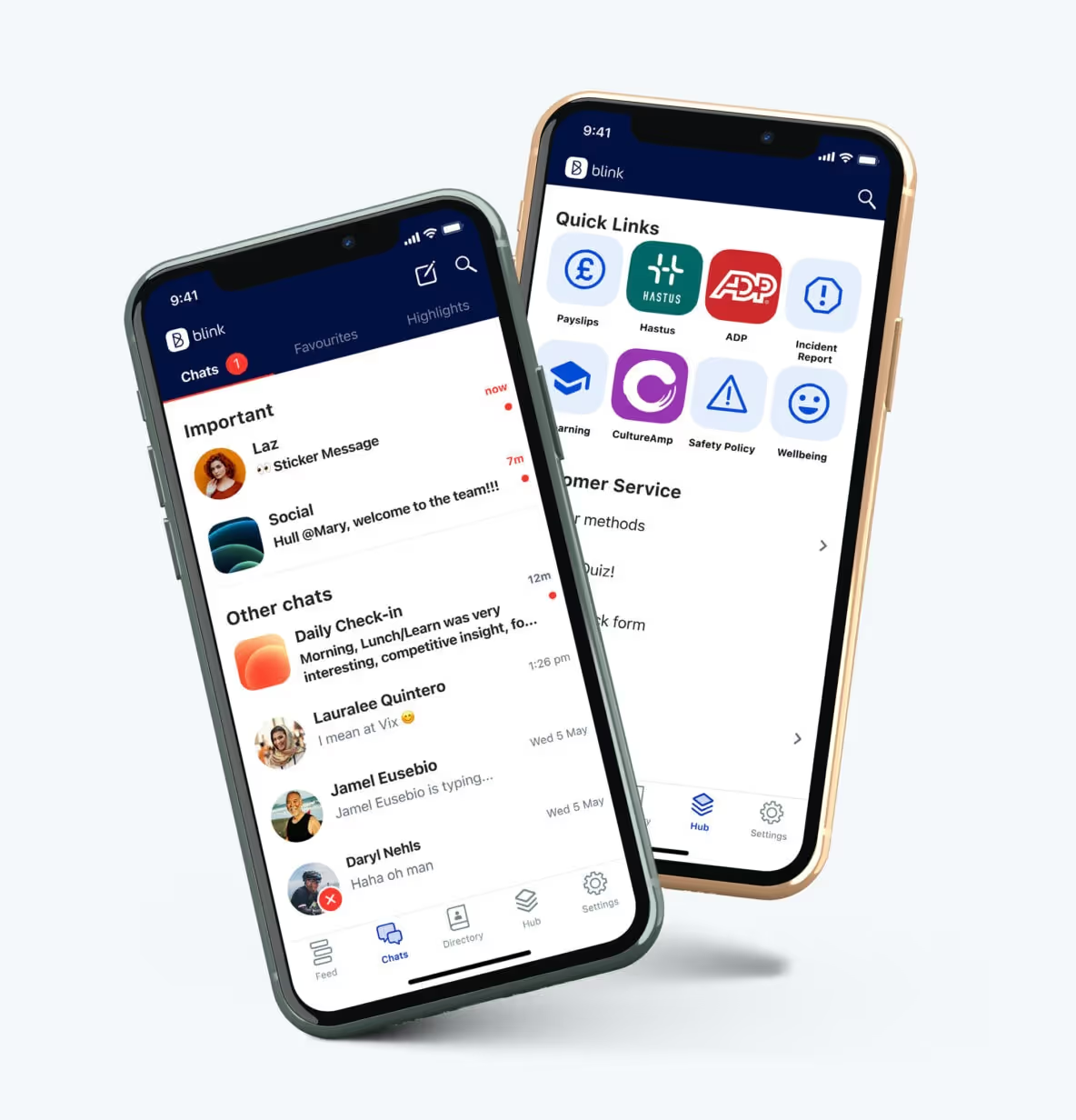
The once clunky, desktop-bound relic has been making a comeback in the era of remote work and mobile design with modern intranet features.
Workers need access to the documentation as they step away from the desk. They require a way to communicate with their coworkers securely. To meet the demands of their growing mobile workforce, companies are taking another look at intranets.
While modern intranet features several quality-of-life improvements and productivity hacks, they aren’t always used to their fullest. A recent survey found 57% of employees saw no point in their company intranet.
It doesn’t have to be like this.
Let’s go over the best features a modern intranet design offers and how you can use them to increase engagement and boost productivity.
What does a modern intranet look like?
Modern intranets are mobile.
Instead of the old-fashioned office-bound software of yesterday, we have sleek, multipurpose apps. Workers can benefit from these systems on the frontlines or at a desk.
Despite being more accessible than ever, these intranets are more secure. Each employee can be granted access to only the materials they need. Each person has their feed, showing them the information and updates relevant to them.
The design is simple, and the emphasis is on easy-to-navigate, uncluttered browsing. You want your workers to find the required content quickly, so using the app doesn’t feel like a chore.
Finally, a modern intranet isn’t just top-down. Employees can communicate with each other and with supervisors. They can generate content, engage with others’ posts, and develop personal connections.
The 8 best modern intranet features
Newsfeed
CMS
Integrations and micro apps
Single sign-on to integrations
Employee directory
Multi-way conversations
Mobile-first
Analytics
Modern intranet platforms should help you engage your employees and improve your company’s productivity. Here are the key features of a modern intranet.
1. Newsfeed
A company-wide feed lets your employees learn about important issues and share achievements with others. You can configure stories to be shared with all workers or only those affected by a problem.
2. CMS
A content management system (CMS) lets workers access the documents and files they need. Workers can easily find the files and even share the files with others.
3. Integrations and micro apps
A modern intranet isn’t an isolated software system. Your intranet should integrate with the apps and programs you use every day.
You should be able to connect with programs like Microsoft 365 and Slack.
Besides the integrations, your employees will also benefit from micro-apps. Micro-apps are customized programs that let users request time off or provide anonymous feedback, all from the intranet itself.
4. Single sign-on to integrations
Juggling multiple passwords can cause huge delays for employees. 60% of workers surveyed reported that passwords prevent them from doing their job.
Remembering multiple passwords is hard. Single sing-on prevents this issue.
5. Employee directory
Finding the right person to connect with saves time for everyone. With an employee directory, you can find up-to-date contact information for every employee or only the employees you have access to.
6. Multi-way conversations
Communication should be a two-way street. Instead of a constant flow of information from managers, let your employees provide feedback and chat securely with individuals and groups.
7. Mobile-first content
If your intranet is optimized for desktops only, it’ll only help desked employees.
Statista expects the mobile workforce in the United States to grow by 15 million between 2020 and 2024. These workers need a mobile-friendly design to work effectively.
8. Analytics
Using analytics, you can check how each post in your feed performs, how engaged your employees are and compare these levels to previous periods.
You should be able to track individual and group engagement and even see the active periods when your workers use the app.
Final thoughts: 8 modern intranet features your organization needs
A mobile intranet can make a huge difference in how your workers engage.
Sharing information they need and letting them have a platform to connect with others is no longer a luxury. It’s a necessity.
You need a platform your workers can access from anywhere to communicate with coworkers and catch up on the news from the head office.
Blink has all of these features and more. Sign up for a free trial today to see just how big a difference a modern intranet can make for you.
The once clunky, desktop-bound relic has been making a comeback in the era of remote work and mobile design with modern intranet features.
Workers need access to the documentation as they step away from the desk. They require a way to communicate with their coworkers securely. To meet the demands of their growing mobile workforce, companies are taking another look at intranets.
While modern intranet features several quality-of-life improvements and productivity hacks, they aren’t always used to their fullest. A recent survey found 57% of employees saw no point in their company intranet.
It doesn’t have to be like this.
Let’s go over the best features a modern intranet design offers and how you can use them to increase engagement and boost productivity.
What does a modern intranet look like?
Modern intranets are mobile.
Instead of the old-fashioned office-bound software of yesterday, we have sleek, multipurpose apps. Workers can benefit from these systems on the frontlines or at a desk.
Despite being more accessible than ever, these intranets are more secure. Each employee can be granted access to only the materials they need. Each person has their feed, showing them the information and updates relevant to them.
The design is simple, and the emphasis is on easy-to-navigate, uncluttered browsing. You want your workers to find the required content quickly, so using the app doesn’t feel like a chore.
Finally, a modern intranet isn’t just top-down. Employees can communicate with each other and with supervisors. They can generate content, engage with others’ posts, and develop personal connections.
The 8 best modern intranet features
Newsfeed
CMS
Integrations and micro apps
Single sign-on to integrations
Employee directory
Multi-way conversations
Mobile-first
Analytics
Modern intranet platforms should help you engage your employees and improve your company’s productivity. Here are the key features of a modern intranet.
1. Newsfeed
A company-wide feed lets your employees learn about important issues and share achievements with others. You can configure stories to be shared with all workers or only those affected by a problem.
2. CMS
A content management system (CMS) lets workers access the documents and files they need. Workers can easily find the files and even share the files with others.
3. Integrations and micro apps
A modern intranet isn’t an isolated software system. Your intranet should integrate with the apps and programs you use every day.
You should be able to connect with programs like Microsoft 365 and Slack.
Besides the integrations, your employees will also benefit from micro-apps. Micro-apps are customized programs that let users request time off or provide anonymous feedback, all from the intranet itself.
4. Single sign-on to integrations
Juggling multiple passwords can cause huge delays for employees. 60% of workers surveyed reported that passwords prevent them from doing their job.
Remembering multiple passwords is hard. Single sing-on prevents this issue.
5. Employee directory
Finding the right person to connect with saves time for everyone. With an employee directory, you can find up-to-date contact information for every employee or only the employees you have access to.
6. Multi-way conversations
Communication should be a two-way street. Instead of a constant flow of information from managers, let your employees provide feedback and chat securely with individuals and groups.
7. Mobile-first content
If your intranet is optimized for desktops only, it’ll only help desked employees.
Statista expects the mobile workforce in the United States to grow by 15 million between 2020 and 2024. These workers need a mobile-friendly design to work effectively.
8. Analytics
Using analytics, you can check how each post in your feed performs, how engaged your employees are and compare these levels to previous periods.
You should be able to track individual and group engagement and even see the active periods when your workers use the app.
Final thoughts: 8 modern intranet features your organization needs
A mobile intranet can make a huge difference in how your workers engage.
Sharing information they need and letting them have a platform to connect with others is no longer a luxury. It’s a necessity.
You need a platform your workers can access from anywhere to communicate with coworkers and catch up on the news from the head office.
Blink has all of these features and more. Sign up for a free trial today to see just how big a difference a modern intranet can make for you.
What we'll cover
Start your free trial today
See how Blink helps frontline teams stay connected, informed, and engaged.
MangoApps is a well-known name in the internal communication and collaboration space, offering an all-in-one platform for employee intranets, communication, and task management. But for many organizations—especially those with deskless or distributed teams—it’s not always the best fit. Whether you're looking for a more intuitive interface, stronger mobile capabilities, or better support for real-time communication, you're not alone in your search.
In this guide, we break down the top 12 MangoApps alternatives to consider in 2025, based on usability, features, employee engagement, and scalability.
What to look for in a MangoApps alternative
Before diving into the list, here are the key factors to consider when evaluating alternatives:
Mobile-first experience: If your workforce includes frontline or non-desk employees, you’ll need a platform that works seamlessly on mobile devices.
Ease of use: Platforms with clean interfaces and intuitive navigation drive higher adoption across all levels of the organization.
Real-time communication: Look for tools that enable instant updates, alerts, and chat, not just static content.
Integration flexibility: Your platform should connect easily with tools like Microsoft 365, Google Workspace, Workday, and HRIS systems.
Employee engagement tools: Polls, surveys, recognition features, and content targeting help drive connection and culture.
Scalability and support: Whether you’re a company of 500 or 50,000, ensure the platform can scale with you—and that help is readily available.
Here are the best alternatives to MangoApps in 2025
#1. Blink – The all-in-one employee experience app
Best for: Enterprise organizations that want to streamline communication, drive engagement, and boost productivity.
Blink stands out as the most powerful MangoApps alternative — especially for organizations looking for a modern, mobile-first platform that actually gets used. Unlike traditional intranet tools that sit in the background, Blink puts everything your employees need into one intuitive app: communications, schedules, forms, HR systems, and more. With real-time chat, content targeting, newsfeeds, surveys, and recognition features, Blink doesn’t just inform employees — it activates them.
The platform is designed for engagement, boasting adoption rates of over 80% across industries like retail, healthcare, logistics, and manufacturing. It also integrates effortlessly with tools like Microsoft 365, Workday, UKG, and ADP, making it a true hub for the digital employee experience. Plus, Blink’s admin tools give Internal Comms, HR, and IT full control over what content is delivered to whom — so you’re always reaching the right people with the right message.
For companies tired of legacy platforms that don’t connect with modern workforces, Blink is a clear upgrade.
{{watch-video="/callouts"}}
#2. Staffbase
Best for: Large enterprises that want to build branded employee apps.
Staffbase specializes in custom-branded employee communication apps, with a strong focus on top-down messaging and internal news delivery. It’s a good fit for enterprises with a strong emphasis on company-wide updates, although some users find its collaboration features limited compared to more integrated platforms.
#3. Unily
Best for: Enterprises seeking a polished intranet with strong SharePoint integration.
Unily delivers a sleek and customizable intranet experience, particularly suited to companies already using Microsoft tools. It shines in content publishing and brand personalization, but may require a significant implementation timeline and budget.
#4. Simpplr
Best for: Companies looking for an intranet focused on content discovery and employee engagement.
Simpplr offers a modern, AI-powered intranet designed to help employees find the information and people they need quickly. Its strengths lie in personalization, integrations, and employee feedback tools, though smaller teams might find it more than they need.
#5. Haiilo
Best for: Social-first communication and employee advocacy.
Haiilo blends internal communication with social sharing, making it a great option for organizations that want to empower employees to become brand ambassadors. It supports news distribution, surveys, and analytics, but collaboration tools are more limited.
#6. LumApps
Best for: Organizations embedded in the Google Workspace ecosystem.
LumApps integrates deeply with Google tools and offers features like personalized news feeds, social communities, and knowledge management. It’s well-suited for content-heavy communication but may not be ideal for frontline teams.
#7. Jive
Best for: Enterprises looking for a community-driven intranet.
Jive is a mature platform known for its collaboration and knowledge-sharing capabilities. It supports employee communities and forums but may feel outdated compared to newer, more agile platforms.
#8. Igloo Software
Best for: Mid-size businesses seeking a flexible digital workplace solution.
Igloo offers pre-built templates, collaboration tools, and strong document management. It’s a solid choice for knowledge workers but lacks the modern mobile experience many organizations now require.
#9. Workvivo
Best for: Organizations prioritizing culture, recognition, and employee social engagement.
Workvivo turns your intranet into a social space where employees feel more connected to their company. Its strength lies in fostering real-time interaction and transparency. Many teams choose it to reinforce culture and encourage engagement beyond standard top-down messaging. It’s engaging and user-friendly, though companies may need to pair it with additional tools for workflows, operations, or integrations.
#10. Happeo
Best for: Google Workspace-centric companies wanting a fast, social intranet.
Happeo blends social features with knowledge sharing and is known for its fast deployment and Google integration. It’s ideal for remote or hybrid teams who need an intranet without the complexity.
#11. Speakap
Best for: Deskless workforce communication, especially in retail and hospitality.
Speakap is built for frontline teams and focuses on secure, real-time updates. It’s easy to use and offers role-based content delivery, though it lacks the depth of features found in all-in-one platforms like Blink.
#12. Interact Software
Best for: Enterprises wanting a structured, content-rich intranet.
Interact offers strong content management, personalization, and search capabilities. It’s geared toward knowledge sharing and compliance-driven industries but may not offer as fluid a mobile experience.
Final thoughts on choosing a MangoApps alternative
If you're searching for a MangoApps alternative that delivers better engagement, faster communication, and a user experience your employees will love, Blink should be at the top of your list. While other platforms have their strengths, Blink combines everything you need — mobile access, real-time updates, integrations, and workforce-wide engagement — into a single platform that scales with your business.
Most communication tools were built for someone sitting at a desk with a company laptop and a company email. That's not deskless work.
Deskless workers (drivers, nurses, retail associates, warehouse operatives, care workers, construction crews) need something different. Mobile-first, fast, intuitive enough to onboard without a training manual, and built to work even when connectivity isn't perfect. This guide ranks the 9 best team communication tools for deskless teams in 2026, with honest notes on what each does well, where it falls short, and who it's right for.
The short answer
The top three for most deskless teams in 2026:
Blink. — mobile-first employee app built specifically for frontline and deskless workers. 90%+ adoption across customers. Best for organizations where the frontline is the priority, not an afterthought.
Connecteam — strong all-in-one for SMB workforce management. Good if scheduling and task management matter as much as communication.
Staffbase — enterprise-grade with multilingual reach and digital signage. Right for large global frontline workforces in manufacturing and logistics.
Microsoft Teams, Beekeeper (now part of LumApps), Pebb, Yourco, HubEngage, and Simpplr round out the list with specific strengths. The right pick depends on workforce size, connectivity, and whether you need communication-first or workforce-management-first.
Quick comparison
Tool
Best for
Starting price
Free tier
Blink.
Mobile-first frontline workforces in retail, healthcare, logistics, hospitality
$3.75/user/month (Core annual)
Free trial
Connecteam
SMB workforce management with comms attached
Free for up to 10 users, paid from ~$29/mo
Yes
Staffbase
Large enterprise global frontline with multilingual reach
Custom
No
Microsoft Teams Frontline
Microsoft 365 environments
$2.25 (F1) or $8.00 (F3) /user/month
Trial only
Pebb
Budget-conscious SMBs
Free up to 1,000 users, premium from $4/user/month
Yes
Yourco
Workforces without smartphones (SMS-first)
Custom
No
HubEngage
Multi-channel reach across app, SMS, email, WhatsApp, signage
Custom
No
Beekeeper (LumApps Group)
Existing customers, hospitality and manufacturing
Custom, third parties cite $5 to $15/user/month
Limited free plan
Simpplr
AI-powered intranet with frontline reach
Custom
No
What is a deskless team communication tool?
A deskless team communication tool is a mobile-first software platform designed to connect, inform, and engage workers who don't sit at a desk. That includes frontline employees in retail, healthcare, logistics, manufacturing, hospitality, transport, and construction.
Unlike a traditional intranet or office chat tool, deskless tools are built for:
Smartphone use without a corporate email address or company-issued device
Low-bandwidth and offline environments
High-turnover workforces that need fast, frictionless onboarding
Shift-based, distributed, and physically mobile teams
SharePoint wasn't built for the frontline. Neither was Slack. Neither was email.
A 2023 Microsoft Work Trend Index found that 60% of frontline workers feel they aren't heard by leadership (Microsoft Work Trend Index, 2023). Multiple frontline studies consistently show that the majority of deskless workers don't have a regular work computer or company email. The communication gap isn't a culture problem. It's a tooling problem.
The good news: in 2026 there are real options purpose-built for the job.
The 9 best team communication tools for deskless teams
1. Blink.
Best for: Organizations where frontline workers are core, not peripheral. Strong fit in retail, healthcare, transport, logistics, and hospitality.
Blink. is a mobile-first employee experience platform built specifically for deskless and frontline workforces. It brings internal communications, a searchable knowledge hub, chat, digital forms, recognition, and analytics into a single app on a worker's personal phone, with no corporate email required.
Key features:
Real-time chat with voice notes, read receipts, and rich media
Personalized news feed by role, location, and team
Unified Hub for policies, SOPs, training, and forms (searchable)
Recognition, surveys, and short-form video
Integrations with Microsoft 365, Salesforce, and major scheduling and HR systems (Blink. integrations)
Offline access for low-connectivity environments
AI assistant on Pro tier for content drafting and translation
Pricing: $3.75/user/month on Core annual, $5.00/user/month on Pro, Enterprise custom. Free trial across all tiers. (Blink. pricing)
Adoption: Blink. customers consistently hit 90%+ workforce adoption. JD Sports reached 87% in 10 days. easyJet runs Blink. across 20,000+ employees. McDonald's, the NHS, Domino's, Stagecoach, and Chick-fil-A are on the platform (Blink. customer stories).
Why it's different: Most platforms bolt frontline features onto office software. Blink. was built the other way around: starting from the frontline experience and building outward.
Best for: Small to mid-sized businesses in retail, hospitality, field services, and construction where scheduling and task management matter as much as communication.
Connecteam is an all-in-one employee management app that combines scheduling, time tracking, task management, forms, HR, and internal communication in one platform.
Key features:
Team chat and direct messaging
Shift scheduling with automated notifications
Job dispatch and GPS tracking
Digital checklists and forms
Company news feed and announcements
Pricing: Free for up to 10 users. Paid plans start around $29/month for the Small Business plan (covers up to 30 users), with per-user pricing above that (Connecteam pricing).
Heads up: Connecteam is strong on workforce management but lighter on internal communications depth compared to platforms built around communication first. For a head-to-head, see Connecteam alternatives.
3. Staffbase
Best for: Large enterprises managing global frontline workforces in manufacturing, healthcare, and logistics.
Staffbase is an enterprise employee communications platform with strong frontline capabilities. Known for branded employee apps, multilingual reach, and integrations with the broader Microsoft and Workday stacks.
Key features:
Fully branded employee app
Multi-channel reach (app, email, digital signage, SMS)
Automated translation across 100+ languages
Offline content access
Emergency alerts and voice messaging
Pricing: Custom enterprise pricing.
For alternatives that compete on price or specific verticals, see Staffbase alternatives.
4. Microsoft Teams (Frontline Worker tier)
Best for: Organizations already deeply on Microsoft 365 where IT prefers to extend the existing stack rather than add another platform.
Microsoft Teams has evolved to serve frontline workers through its dedicated Frontline Worker license tier, adding Shifts (schedule management), Walkie Talkie (push-to-talk), and task management built for field work (Microsoft Teams for Frontline Workers).
Key features:
Shifts for schedule management
Walkie Talkie push-to-talk
Task assignment and tracking
Native Microsoft 365 integration
Enterprise compliance and security controls
Pricing: F1 at $2.25/user/month (read-only Office, limited mailbox), F3 at $8.00/user/month (full features). Both rising July 2026 (Microsoft 365 frontline pricing).
Heads up: Teams was designed for desk-based knowledge workers, and frontline adoption tends to lag behind office adoption. F1's read-only Office and limited mailbox often force upgrades to F3, changing the cost picture. The most common play is to run Teams for HQ and a purpose-built tool for the frontline. For the full breakdown, see our Blink. vs Microsoft Teams comparison and Microsoft Teams alternatives.
5. Pebb
Best for: Budget-conscious SMBs with frontline teams who want a free starting point.
Pebb is a mobile-first communication platform with one of the most accessible free tiers in the category. Familiar social interface designed to reduce onboarding friction.
Key features:
Company news feed with polls and recognition
Unlimited message history
Offline access
Group chat and direct messaging
Peer recognition tools
Pricing: Free for up to 1,000 users. Premium plans from $4/user/month (Pebb pricing).
6. Yourco
Best for: Organizations with workers who lack smartphones or reliable mobile data. Common in logistics, construction, and agriculture.
Yourco takes an SMS-first approach. Rather than requiring a smartphone app, it delivers messages via text, reaching workers on any phone with no download.
Key features:
SMS-native communications (no app required)
High open rates typical of SMS channels
Works on basic phones
Automated message scheduling and reminders
Pricing: Custom.
7. HubEngage
Best for: Organizations that need to reach workers across multiple channels simultaneously (mobile app, SMS, email, WhatsApp, digital signage).
HubEngage combines communication, engagement, and analytics in one platform with multi-channel reach.
Key features:
Multi-channel messaging (app, email, SMS, WhatsApp, digital signage)
Recognition, rewards, and gamification
Pulse surveys and analytics
Content targeting by team, location, and role
Pricing: Custom.
8. Beekeeper (now part of LumApps)
Best for: Existing Beekeeper customers, and operators in hospitality and manufacturing who want shift management and inline translation in the same app as communications. New buyers should weigh integration risk carefully.
Beekeeper was acquired by LumApps in July 2025 in a deal valuing the combined company at more than $1 billion, backed by Bridgepoint (LumApps press release). The combined "AI Employee Hub" is on a 12 to 24 month integration roadmap. LumApps has confirmed no short-term sunset plans for either platform.
Key features:
Team messaging and broadcast announcements
Native shift management
Digital workflows and checklists
HR system integrations
Inline translation across 150+ languages
Pricing: Custom. Third-party trackers cite a range of roughly $5 to $15 per user per month (Capterra).
Heads up: Buyers signing new contracts in 2026 should understand they're buying into a multi-year platform integration. For an objective comparison and the right questions to ask, see Beekeeper vs Blink. and Beekeeper alternatives.
9. Simpplr
Best for: Mid-to-large organizations that want a modern intranet with frontline reach and strong AI-assisted content delivery.
Simpplr is an AI-powered employee intranet that's increasingly targeting frontline and hybrid workforces.
How to choose a team communication tool for deskless teams
Not every tool on this list is right for every team. Start here.
Four questions to shortlist
Do your workers have smartphones? If not, go SMS-first (Yourco). If yes, go app-first.
What's your workforce size? Blink. works across both SMB and enterprise. Under 100 workers, also consider Connecteam or Pebb if low cost is the lead constraint. Over 1,000 workers, the realistic shortlist is Blink., Staffbase, or Simpplr.
Are you already on Microsoft 365? Test Teams Frontline before adding another platform if your IT team is heavily Microsoft-aligned. Then evaluate whether it actually drives adoption on the frontline.
Is your priority communication, or workforce management? Communication-first: Blink., Staffbase. Workforce-management-first: Connecteam, Beekeeper.
Non-negotiables for any deskless team
Works on personal smartphones without a corporate device
Doesn't require a company email to sign in
Intuitive enough to onboard in minutes, not days
Works in low-connectivity environments
Adoption above 80% should be the bar, not the aspiration
Getting the right tool is half the job. The rollout determines whether your frontline actually uses it.
Four steps that work
Run focus groups first. Ask frontline workers what's broken today before selecting a tool. Their answers will surprise you.
Create a platform playbook. Define how the tool is used (channels, posting permissions, tone, governance) before launch.
Build a launch campaign, not a training deck. App ambassadors, incentives, and clear value messaging outperform mandatory PowerPoints.
Integrate before you launch. Connect the tool to scheduling, HR, and payroll systems upfront. Don't retrofit later.
Real results from deskless teams using Blink.
JD Sports and McDonald's use Blink. for mobile-first shop-floor communication, replacing physical shift huddles.
Children's of Alabama uses Blink. to share campaigns including flu shot drives and benefits enrollment, and to keep staff connected across departments.
Go North West (UK bus operator) reached 95% of employees with essential communications and a 26% reduction in employee turnover after switching to Blink. (Blink. customer stories).
Transform deskless team communication with Blink.
Blink. was built from the frontline up. A single app that connects every worker, whether they're on the shop floor, behind the wheel, or at the bedside, to their team, their schedule, and their company.
It’s time for another Life at Blink feature! This week, we’re shining the spotlight on Maggie MacKay-Dunn, our Senior Customer Success Manager based at the London office. Maggie works closely with clients to ensure they get the most out of Blink’s platform, driving success across the board.
Curious about her journey and what makes Blink a great place to work? Read on to find out more about Maggie’s role and her experience with us!
How long have you been at Blink?
I’ve been at Blink since July 2020 — 4 years and 3 months to be exact. I started in the Customer Success team — in fact, I was CS employee #1 after Florence Hunter. It was just the two of us for a while before we began expanding the CS team. Initially, we oversaw a combination of Customer Success and Implementation, but as the company grew, we separated the departments and expanded both teams.
What initially attracted you to join Blink?
I’m originally from Vancouver, Canada, and I relocated to London in 2018. After some time, I discovered Blink and thought the product was really great — but honestly, meeting the people at Blink was one of the best parts too.
I love that the platform empowers frontline workers through innovative technology. Having worked in frontline roles in hospitality myself, and with both my parents being frontline workers — my dad was a police officer, and my mom was a nurse for many years — this mission really resonated with me.
Blink’s fast-paced company culture, which values both employees and customers, also influenced my decision to join. When I started, I believe I was employee #25, so the company was still quite small back then.
What's a project you are proud of from your time at Blink?
There are so many! Since I work closely with customers, I can really see the impact Blink has on their organizations.
I love collaborating on key initiatives, whether it’s improving employee survey response rates, communicating a new campaign or strategy, helping with management communication, or optimizing processes. My favorite part is definitely working on projects, building strong relationships with customers, and being able to measure their success and demonstrate the value Blink brings.
Another great aspect is meeting people in person, attending launches, and seeing customers’ faces light up when they realize how Blink can make their jobs easier — it’s like a lightbulb moment.
How would you describe the company culture at Blink in three words?
Innovative, collaborative and passionate.
What’s one thing you’re excited about for the future of Blink?
I look forward to seeing Blink’s continued role in transforming workplace culture through better communication tools and enhancing employee happiness and engagement on a large scale. I’m really passionate about recognizing good work across organizations and highlighting those small stories that might otherwise go unnoticed without an app like Blink. Even if something small happens at one site, you can post it on the feed and have more than ten thousand people see it. It makes employees feel valued and engaged.
Can you tell us about a recent initiative or program launched at Blink that you found particularly exciting?
Yes! The launch of advanced employee intelligence was a major milestone and a gamechanger for our customers. It also made a huge impact within customer success, allowing us to gain insights into how the workforce is using Blink.
This deeper level of understanding helps teams make better decisions and improvements across all areas of the organization. It allows us to identify specific areas to boost engagement, share tips or trends on how to communicate more effectively with employees, and ultimately understand how employees are interacting with the platform.
This knowledge is key to optimizing the experience and creating a more supportive and productive work environment.
Why do you work for Blink?
I think I strongly align with Blink’s mission, and I’m passionate about helping people. I believe Blink fosters a positive environment and a mission-driven culture, which makes it feel like a meaningful place to work.
What are the best Microsoft Teams alternatives in 2026?
Microsoft Teams is a powerful tool for messaging, meetings, and document collaboration—especially if you're already invested in the Microsoft 365 ecosystem. But for many organizations, Teams is clunky, overcomplicated, and poorly adopted by employees who aren’t sitting at a desk.
It’s not built for frontline workers. It’s not intuitive for non-technical users. And it tries to do too much—without doing any one thing particularly well.
Whether you're looking for a cleaner UX, faster communication, mobile-first design, or just less frustration, here are the 12 best Microsoft Teams alternatives in 2026 to consider—ranked and reviewed for ease of use, collaboration, and adoption.
#1. Blink
Best for unifying internal communication across the entire workforce
Blink is an employee experience platform that offers real-time chat, announcements, document sharing, scheduling, and forms—all in one simple, mobile-first app. Unlike Teams, which struggles with adoption outside of office environments, Blink is designed for everyone, from corporate HQ to field teams and shift workers.
Why Blink is better than Teams:
Intuitive UX—no training required
Works seamlessly across desktop and mobile
Built-in tools for messaging, alerts, surveys, and forms
Designed for high engagement and daily usage
Ideal for: Companies that want all employees—desk-based, remote, and frontline—on the same page.
#2. Slack
Best for real-time team collaboration and integrations
Slack is the original team chat platform that changed how businesses communicate. It’s fast, intuitive, and integrates with almost every productivity tool you can name.
Why teams choose Slack:
Channels for projects, teams, and topics
Powerful third-party integrations
Searchable message history
Simple, user-friendly interface
Limitations: Can get noisy at scale; no built-in video calling beyond basic functionality.
#3. Zoom
Best for video-first collaboration
Zoom rose to prominence during the pandemic as the go-to platform for video meetings. While it lacks native chat and file management, it’s ideal for high-quality video calls, webinars, and virtual events.
Best features:
Reliable, high-definition video
Breakout rooms and whiteboarding
Webinar hosting tools
AI summaries and recordings
#4. Google Chat & Meet
Best for Google Workspace users
Google Chat and Google Meet are tightly integrated with Gmail and the broader Google Workspace ecosystem, making them a natural fit for organizations already using Google Docs, Calendar, and Drive.
Why it's better than Teams (for Google users):
No need to switch platforms
Simpler UI for messaging and meetings
Seamless calendar and doc collaboration
#5. Cisco Webex
Best for secure video collaboration at the enterprise level
Webex offers a suite of tools including messaging, calling, meetings, and event hosting. It’s often favored by large enterprises in finance, healthcare, and government.
What sets it apart:
Enterprise-grade security and compliance
AI features for transcription and noise removal
Contact center and webinar add-ons
#6. Discord
Best for informal, community-style collaboration
Originally designed for gamers, Discord has evolved into a powerful chat and voice platform for startups, education, and tech teams that value speed and informality.
Why it works:
Always-on voice channels
Threads, emojis, and community features
Free for most use cases
Limitations: Not built for enterprise or regulated environments.
#7. Mattermost
Best open-source alternative to Teams and Slack
Mattermost is a secure, self-hosted messaging platform used by teams that need full data control, including developers and government agencies.
Key benefits:
Open-source and customizable
On-premise or cloud deployment
DevOps and workflow integrations
#8. Flock
Best for small teams that want simplicity
Flock is a lightweight collaboration tool with messaging, video calls, and productivity tools baked in. It’s a simpler alternative to Teams, especially for startups and growing businesses.
Top features:
Shared to-dos and reminders
Notes and polls
Lightweight video calling
#9. Rocket.Chat
Best for companies needing full control over data
Rocket.Chat is another open-source platform used by privacy-conscious organizations. It offers messaging, video conferencing, and multi-channel communication with full customizability.
Why it’s chosen over Teams:
100% data ownership
Omnichannel support (email, WhatsApp, SMS)
Developer-friendly APIs
#10. Chanty
Best for team chat with built-in task management
Chanty offers a focused chat experience with integrated task tracking. It's ideal for teams that want to combine communication and lightweight project management in one place.
Why it's appealing:
Tasks and Kanban view
Threaded conversations
Budget-friendly pricing
#11. Zoho Cliq
Best for businesses already using Zoho
Cliq is part of the broader Zoho productivity suite and integrates seamlessly with other Zoho tools, offering team chat, calls, and app integrations.
Strengths:
Role-based access
Video calls and bots
Custom workflows
#12. RingCentral MVP
Best for unified communications at enterprise scale
RingCentral MVP combines messaging, video, and phone in one solution. It’s ideal for enterprises looking for an all-in-one UCaaS platform with robust admin controls.
Key features:
Cloud-based calling and messaging
Enterprise security
Integrated analytics and call routing
How do you choose the right Microsoft Teams alternative?
Microsoft Teams can be powerful—but for many companies, it’s simply not the right fit. Cluttered UX, low mobile adoption, and integration complexity make it a poor choice for fast-moving teams and distributed workforces.
The good news? There are plenty of modern alternatives—whether you need internal messaging, video conferencing, or an all-in-one platform.
Need one app for comms, docs, alerts, and tools—without the sprawl? Blink delivers a beautifully simple platform that your whole workforce will actually use.
Remember when the humble pager was the cutting edge of healthcare tech?
Well, things have moved on… Healthcare systems worldwide are embracing new technology like never before.
This is — in part — due to the challenges facing the healthcare sector. An ageing population with complex healthcare needs. A shortage of healthcare staff. And patients who expect the same ease, convenience, and digital access they enjoy when completing other life admin tasks.
Technology is one of the only ways to do more with less. It’s a way to improve patient care and reduce recruitment challenges. It’s also a way to reduce costs. According to McKinsey, health systems that invest in digital and analytics capabilities now could cut costs by $200 billion to $360 billion.
So, where are things up to in 2025? Today, nearly 90% of health system executives say that digital and AI transformation is a high or top priority for their organization. And many facilities are already seeing benefits from the digitization of healthcare.
Want to join them? Let’s get you up to speed with what the digital transformation of healthcare looks like and how to get your next digital project off the ground.
What is digital transformation for healthcare?
Digital transformation for healthcare means using technology — like AI, cloud computing, and data analytics — to improve patient care and streamline processes.
In your healthcare organization, that might look like any of the following:
Using telemedicine to see more patients and triage for in-person care
Using electronic health records (EHR) to share patient information and provide joined-up care across departments
Using wearables to monitor patients remotely, in real-time — providing “hospital at home” care or supporting patients with chronic conditions
Using AI technology to complete routine admin tasks
Using data analytics and AI to spot health trends and make early diagnoses
Using robotic systems to improve surgical precision
The benefits of digital transformation for healthcare
Digital transformation can help you create the kind of organization that keeps pace with the pressures facing the healthcare industry in 2025.
Yes, it takes effort — new systems, new ways of working, the odd bump in the road. But the payoff is huge. Here’s what you can expect:
Better patient care
Digitizing processes keeps services consistent, cuts clinical errors, and improves documentation. It also supports healthcare providers to deliver personalized care plans, predict potential health risks, and tailor treatments to each patient. The result? Improved patient safety and better clinical outcomes.
Easy access to key services
Digital transformation for healthcare means patients often get to see a healthcare provider sooner. People who would struggle to make it to an in-person appointment can speak to a physician over a phone or video call. Patients can also view medical records and test results straight from their smartphones. This helps them take a more active role in their healthcare, which means better adherence to treatment plans.
More connected teams
Getting information to busy frontline workers isn’t easy. But with tech tools, you can establish communication channels for essential updates, knowledge sharing, and even co-worker camaraderie. Healthcare communication becomes more effective, and employees feel more supported — by the organization and each other.
{{mobile-main="/image"}}
Data-driven decision making
When you use digital systems, you collect and store a huge amount of data. You can use this data to fine-tune your own systems and processes. You can also use it to make data-driven decisions about patient care.
Streamlined admin
Coordinating work schedules, scheduling appointments, transcribing patient notes. When you use AI and automation for admin tasks, you reduce the workload of your frontline staff and give them more time to spend with patients.
Productivity and collaboration
Electronic health records (EHRs) enable teams and departments across your organization — and others — to securely access patient information. This means less duplication of work and a joined-up approach to patient care.
By making healthcare more efficient, improving patient outcomes, and reducing employee churn, healthcare organizations can reduce their costs. According to the World Economic Forum (WEF), eliminating inefficiencies in healthcare systems would save $1 trillion in the United States alone every year.
Challenges of digital transformation for healthcare (and how to overcome them)
Healthcare hasn’t been first in line when it comes to digital transformation. Legacy systems and paper processes are still a frustrating feature of life on the healthcare frontlines. So what’s standing in the way? The following key obstacles are often to blame:
Too many tools. Nearly 79% of NHS doctors say that the number of different systems in use is a significant barrier to the digitization of healthcare.
Data security worries. Patient privacy is non-negotiable. If staff and patients don’t trust the tech, they won’t use it.
Skill gaps. Not everyone has the tech knowledge they need to pick up new systems.
Resistance to change. When there’s barely a spare second in the day, the last thing healthcare providers need is another new process to master.
The good news? Healthcare organizations across the globe are successfully overcoming these challenges. Here are some ideas for how to follow suit.
Provide staff training
The best technology is easy and intuitive to use. But you can’t just throw a manual at people and hope for the best. Instead, deliver bite-sized training sessions and hands-on demos. Assign digital ambassadors within your organization — people who can lead the way and offer advice on new tech tools. When staff feel confident about digital processes, they’re much more likely to embrace them.
Choose interoperable systems
If systems don’t talk to each other, your teams spend a heap of time hopping between them. That means duplicated work, multiple sets of login details, and confusion about what lives where. Centralized hubs and single sign-on solutions keep everything in one place, with integrations ensuring that information passes seamlessly across all the digital tools you use.
{{mobile-hub="/image"}}
Be transparent about system security
HIPAA-compliant security measures, multi-factor authentication, and clear data policies keep sensitive information secure. You can share details of these security measures with staff and patients to reassure them that you have solid safeguards in place.
Communicate the “why”
Both staff and patients are resistant to change when they don’t see the point of it. Craft change communications that explain why new tools matter, what benefits they’ll bring, and how they make life easier for everyone. When there’s a clear and consistent narrative, you’re more likely to get the buy-in of end users.
How to build a digital transformation strategy for your healthcare organization
No two healthcare organizations look the same. Different teams, different patients, different pressures. So every digital transformation strategy looks a little different, too.
That being said, there are some core pillars you can put in place to give yourself the best chance of success. Here’s where to start:
1. Get everyone on the same page
Before you dive into new shiny tools, take stock. Where are you, digitally, right now? Where do you want to be in one, three, or five years? Set clear objectives and agree on organization-wide priorities by talking to all stakeholders — from your senior leadership team to your doctors, your nurses, your admin staff, and your patients.
2. Dive into the specifics
Time to ask the hard questions. Where are your processes failing patients or slowing down staff? Is it paper-based scheduling? Clunky EHR systems? A disconnected workforce? The more precise you are about your barriers — whether they’re technical, process-driven, or cultural — the better your digital solutions will be.
3. Build a budget
While the digitization of healthcare is cost-effective in the long run, it doesn’t come cheap. And it doesn’t tend to happen all at once. So build your budget in stages. Allocate or secure funds for each phase, build in a buffer, and plan for training and support — not just tech spend. Too many strategies fail because organizations invest in tools, but not in the people who use them.
4. Craft a roadmap
Put your challenges, objectives, and budget into a roadmap. Outline what is being implemented and who will take responsibility for each part of the process. Break your transformation down into key actions, metrics, and milestones to keep your initiative on track.
5. Find the right tools
Using your roadmap as guidance, you can start looking for digital technologies. Test tools before you invest. Look for partners who are with you for the long haul. Seek out tools that integrate with the other workplace software you currently use. And think long term — will this solution still fit your needs years from now?
6. Plan your implementation
You’ve chosen your digital solution. Now it’s time for the launch. Without a plan, even the best tools can flop. So start with a pilot group to iron out any issues before you roll out to the rest of the organization. Map out training sessions and your communications campaign. And don’t forget to set up support — whether that’s a help desk, digital ambassadors, or user-friendly how-to guides.
7. Collect feedback
Every phase of your digital transformation strategy is a chance to learn something new. So ask all stakeholders what they thought of the process and what they think of the end product. Using this feedback — and data on tech tool usage — you can tweak your solutions to better meet end-user needs. You can also develop better strategies for your next digital initiative.
An example of digital transformation in healthcare: the NHS 10 Year Health Plan
The NHS is a huge healthcare organization with big plans for digital transformation. In the organization’s own words:
“We’re using technology to help health and care professionals communicate better and enable people to access the care they need quickly and easily, when it suits them.”
A roadmap for digital transformation in healthcare is laid out in the NHS’s 10 Year Health Plan for England. This is a great resource if you’re looking for inspiration for your own digital initiatives. Why not take a look?
Happier teams and healthier patients? It all starts with digital solutions
Digital solutions are transforming the way healthcare is delivered. They’re helping organizations to reduce admin, connect employees, and deliver better patient care.
As we’ve seen, digital transformation for healthcare isn’t without its challenges. You need rock-solid security, interoperable systems, and the buy-in of patients and healthcare staff to achieve digital success.
But in 2025, finding ways to overcome these obstacles is vital. Digital transformation is here to stay. AI is taking us in new directions. And healthcare systems need to make use of these tools if they’re to thrive under increasing pressure.
If you’re one of the thousands of organizations using Workplace from Meta to power your internal communications, you’re probably in the thick of figuring out what you need to do next ahead of the Workplace sunsetting beginning in 2025. Researching, selecting, and implementing a Workplace alternative is likely taking up the bulk of your time and energy and may feel like an overwhelming project to tackle.
The good news: With the right platform — and technology partner — you can take the stress out of migration and continue to give employees the intranet features they know and love.
Whatever your vision is for your new platform — maybe a familiar format, or something new and improved — it’s important to get migration right. A smooth migration process can set you up for success and minimize headaches for you and your workforce.
In a recent webinar, Blink’s migration specialists outlined their full 5-step guide to a successful Workplace migration. While we (of course) believe there are lots of benefits to choosing Blink as a Workplace alternative, these steps are relevant to any platform you choose to use.
3 key steps to Workplace migration
Migrating to a Workplace from Meta alternative is about more than moving data from one system to another. A successful migration requires meticulous planning and a launch mindset. It keeps disruption to a minimum and supports a seamless employee experience.
Important steps you need to take when migrating from Workplace include:
Scope and plan the migration
Verify data mapping and reconfigure settings
Activate and engage users
Let’s take a closer look at how these can make or break your migration journey.
#1. Scope and plan the migration
Migrating to any of the Workplace from Meta alternatives available is a huge change — and it’s one you want to get right first time by thoroughly scoping and planning your migration.
Bear in mind that while employee communications platforms tend to have a lot in common, no two tools are identical. There are bound to be differences between Workplace from Meta and your new intranet platform.
To ensure each business function is accounted for, bring together people from across your organization. Discuss platform differences. Gather a wide range of perspectives on platform and migration needs. Also, clarify what you want to achieve with regards to user experience and platform capabilities.
As part of the scoping and planning stage, consider incorporating the following tasks:
Analyze data quality: Take stock of the data you have on Workplace. Are all user profiles activated and complete? Are all groups still relevant? Does your content have contextual elements, like author names and publication dates? Assess which data is complete, which needs to be improved, and which should be deleted or archived.
Review mobile vs. desktop strategy: Consider which data you want to feature on mobile and desktop versions of your platform. For companies with a frontline workforce, it’s wise to include exactly the same data on both mobile and desktop devices — ensuring everyone can enjoy the same great employee experience.
Identify champions and trend-setter groups: To boost early adoption and usage, treat your Workplace migration as a new platform launch. Identify champions and trend-setter groups who will be excited for the new communications hub and encourage peers to join them.
#2. Verify data mapping and reconfigure settings
It can take anywhere from days to weeks to run a migration, with timing depending on:
Your chosen platform
The size of your organization
The volume of data you want to migrate
But as soon as you’ve executed the technical migration, you can begin examining the details of your new platform. The first tasks on the list are verification and reconfiguration.
At Blink, we use our own migration matrix that allows us to clearly map Workplace data and content to corresponding Blink content. However, with any technology switch, it’s always good to be prepared for potential hiccups. Data and settings don’t always transfer neatly to the new platform and post-migration tweaks often have to be made.
To ensure the best user experience post-migration, check that your important data — including user profiles, groups, and knowledge base content — has been transferred correctly, imperfect data has been updated, and settings have been reconfigured as needed.
User profiles
Review the user profiles that have been transferred from Workplace. Check that all details — like names, roles, and profile pictures — are correct. Delete any duplicate users. Also, verify that your organizational hierarchy has transferred correctly, with the right employees assigned to the right managers.
This is a good opportunity to check the permissions and notification settings associated with each user profile. Do this during the verification process and you won’t have to revisit each user profile to make changes later.
Groups
Look at the groups that you’ve migrated over from Workplace. Check that their names are correct. View members and admins to ensure nothing has gone awry during the switch.
You should also take the time to look at dynamic team membership rules to ensure that employees are automatically assigned to relevant groups going forward.
Knowledge base content
To ensure a consistent employee experience, it’s important that users can access the resources they need as soon as they log in to your new internal communications platform. Check that content is in the right place and that users will be able to find it easily. Confirm that all contextual information, including author names and publication dates, is visible and correct. Review permissions for publishing, editing, and sharing rights.
And don’t forget about formatting: Check headings, double-check hyperlinks, and make sure your multimedia content, such as videos and images, looks good and works well.
#3. Activate and engage users
If you’re at this step, it means you’re ready to launch your new intranet to the workforce. Congratulations! To maximize engagement and encourage adoption, you’ll want to give employees an incredible experience on your new platform starting day one.
Decide how you’ll build buzz around the incoming platform. That may mean notifying employees that your new intranet is imminent and incentivizing them to log in on launch day. You can consider running giveaways, creating gamified experiences, or planning a launch party — all with the goal of boosting in-platform engagement.
Remember that you’re launching a social platform: Creating an immediate sense of active community will be the difference between delight and disengagement. By going live with a published backlog of engaging content, employees can be welcomed to the new platform with a lively and pre-populated news feed.
Education is another important part of the puzzle. Help employees get the most from your new solution through training sessions, Q&A forums, and dedicated support channels.
This is also a great time to promote the internal champions and trend-setter groups you identified earlier in the migration process. These ambassadors can spread the word about your new platform, drive activation, and offer support where it’s needed.
{{mobile-activation="/image"}}
Making your Workplace migration successful
Whether you want employees to instantly feel at home or are relishing the opportunity to start afresh, a clear migration plan can help you minimize disruption and keep the company conversation flowing during the transition from Workplace to your new company hub.
By starting the process with a thoughtful migration plan and ending it with a robust rollout strategy, you can supercharge employee adoption on day one and drive engagement long past launch day.
For our full 5-step guide to making migration easy on you — and your workforce — download our on-demand webinar: From Workplace to Blink: Migration Made Easy for actionable advice helpful for any organization exploring alternatives to Workplace.