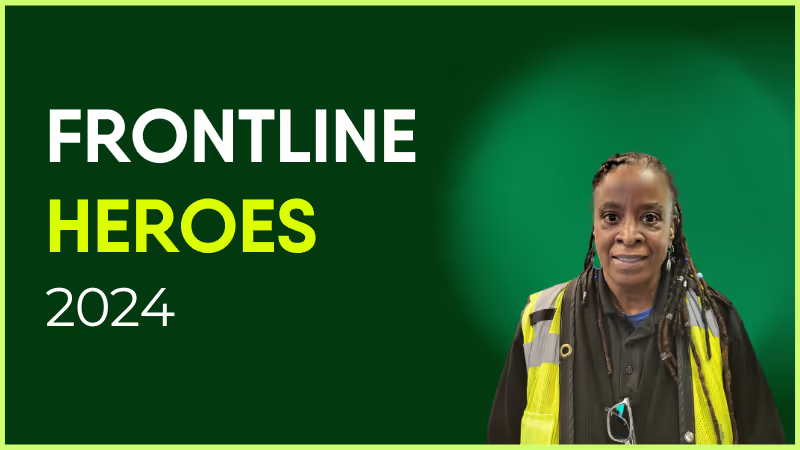
Sherry has worked at Pierce Transit since February 1990 and has received many accolades and awards during her long career.
She is a member of the agency’s Safety Committee where she lends her experience to help make safety a priority for everyone. She goes above and beyond in her role as Operator: This past year, while on duty, she assisted with putting out a vehicle fire and rescued a lost young girl along her route.
Sherry was a recipient of Pierce Transit’s Q1 2024 Excellence in Safety award. She truly cares about her community and many people have been honored to receive what she gives from the heart.
How has Blink helped in her role?
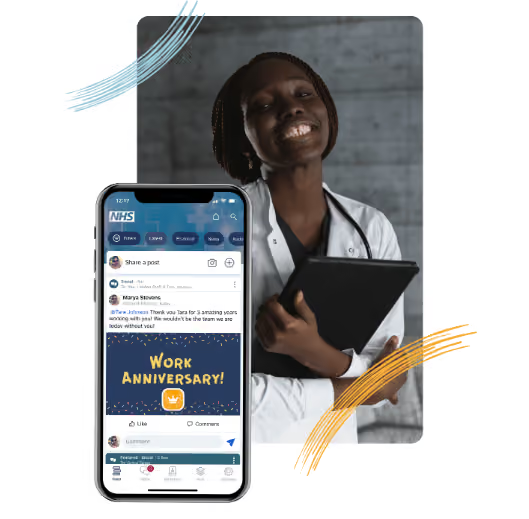
Sherry uses Blink to keep up to date on what's happening at our agency.
What does she want to do next?
Travel the world!
Nominated by Penny Grellier, Communications Administrator
What we'll cover
Start your free trial today
See how Blink helps frontline teams stay connected, informed, and engaged.
The average person will work 35 hours per week. That adds up to 84,365 hours over their lifetime. Yet just over one-third of employees (34%) are engaged, and 16% are actively disengaged in their work and workplace.
If you’re reading this, the chances are you want to make sure your employees don’t feel like they are wasting a large portion of their life at work. We’ll do our best to help you do just that.
In this handy guide, we’ll break down the key steps you need to take when creating an employee engagement strategy.
From understanding why your organization truly needs an employee engagement strategy, to the actionable steps you can take to create your own strategy, we’ll cover everything you need to know right here.
Why you need an employee engagement strategy
Creating an employee engagement strategy can seem daunting, but it’s important for any business. Having a strategic approach to your employees’ happiness and engagement will help you retain top talent, keep them motivated and productive, and ultimately grow your business.
Effective employee engagement strategies will outline exactly how you are going to improve employee engagement within your organization, allowing all team members to stay on the same page when it comes to their roles and responsibilities.
In short: by creating an employee engagement strategy, you can strategically work to improve your employee engagement. And with improved levels of engagement, come a number of organizational benefits, including:
Higher Productivity: Employee engagement is closely linked with productivity. Engaged employees are more motivated to do their best work and achieve their goals. In fact, research has shown that engaged employees are up to 202% more productive than disengaged employees.
Reduced Staff Turnover: Low employee retention is costly and disruptive for any business, and one of the most decisive factors for employee retention is employee engagement. Engaged employees are less likely to leave their job, which reduces the need for costly and disruptive staff turnover.
Improved Morale: A happy workforce is a productive workforce. When employees feel engaged and valued, they are more likely to be happy at work and less likely to experience stress or burnout. As such, a staff engagement strategy can motivate employees and improve morale, job satisfaction and overall company culture.
Greater Loyalty: An engaged employee is more likely to be loyal to their company, in fact 90% of workers said they are more likely to stay at a company that takes and acts on feedback: AKA one that engages them. They are less likely to look for jobs elsewhere and are more likely to recommend their company to others. Therefore, the right employee engagement strategies can drive your staff retention rates and encourage employees to stay with your company for longer.
Employee engagement strategies & business types
What your employee engagement strategy needs to consist of will change depending on your business type. For example, a software company will need to focus on ways to motivate and engage product designers and developers in order to compete for top talent in a competitive Silicon Valley environment. A healthcare organization, on the other hand, will need to come up with innovative ways to engage their nursing and medical staff to combat physician burnout and the growing nursing shortage.
What's important is that you provide your workforce with strategies that are designed for them specifically. Ultimately, your strategy will depend on the type of employees you have, the unique challenges facing those teams in your market, their day-to-day tasks, and how your organization operates as a whole.
Employee engagement for the frontline
Creating an employee engagement strategy can be especially important for frontline organizations. With 80% of the global workforce working on the frontline, it’s important to have strategies in place that will help keep these workers engaged, productive and motivated.
Additionally, employees in frontline positions often have more direct contact with customers and are more likely to represent the company to the public. As such, it is important for these employees to be engaged and motivated, so they can provide positive customer service experiences.
Remember: whatever strategies you use, it’s important to tailor them specifically to your industry, business type and workforce.
How to create your employee engagement strategy
In order to have engaged employees, you need a plan in place, outcomes in mind, a clear outline of responsibilities and a culture that takes participation seriously. You also need a toolset available that is able to execute your plan, close distances, track results and simplify operations.
To make this a little easier to understand, we've broken the process down into 7 simple steps.
1. Define - Your purpose, values & mission
Defining your own purpose, company core values, and mission statement is a crucial step in creating your employee engagement strategy. In fact, when teams know your goals and expectations of them, they are 2.8 times more likely to be engaged in their roles, according to research from Quantum Workplace.
By clearly articulating what you stand for as an organization, you can align your staff with these values and give them a reason to be invested in the success of your business in the long-term.
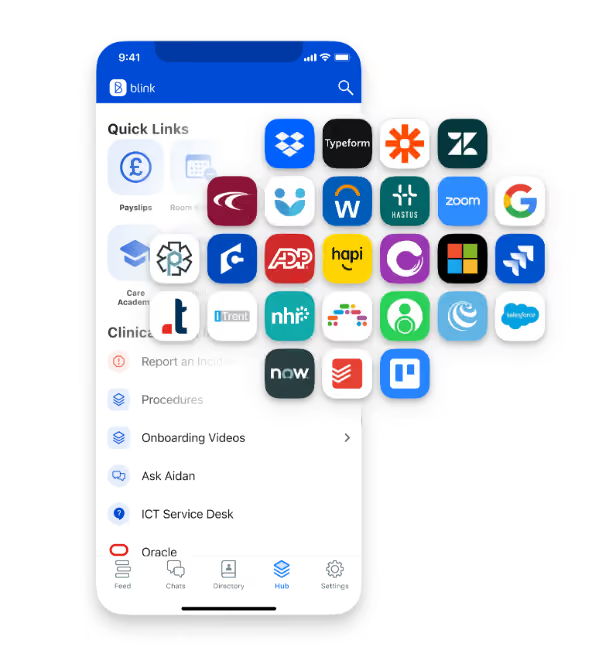
To ensure that all employees are on the same page here, you should provide an easy-to-access Hub containing all company policy and procedure documents, along with a thorough onboarding process for new hires.
2. Listen - Conversations and research
Direct, two-way conversations and further research into your employees’ needs and wants will help you to create a more personalized engagement strategy, making this a core step in the strategic process. One way to do this is through pulse surveys.
Pulse Surveys are short, regular surveys that ask employees about their engagement levels and how they feel about their work. This can help you to identify any areas where your employees may be struggling, and can help to ensure that your employee engagement strategy is constantly evolving.
Whether it’s through surveys, focus groups, one-on-one interviews or anonymous staff feedback tools, gathering data and hearing directly from your employees can give you valuable insights into what they need from an engagement strategy, and help you identify your organisation's key engagement drivers, in order for staff to stay engaged at work.
3. Review - Analyze and plan
Once you have gathered data from your employees, it’s time to analyze this information and determine what action needs to be taken. You may find that certain areas of your workplace are in need of improvement, or perhaps a company-wide change is necessary to boost employee engagement.
Whatever the results of your employee research, it’s crucial to identify specific targets and actions that will make your plan a success. What’s working, what's not? Are there specific issues that need to be addressed? What are your engagement goals as a business leader?
Key goals for your employee engagement strategy could include:
Lower staff absenteeism
Better employee retention rates and lower turnover
Improved productivity
Enhanced employee motivation and happiness
Increased customer satisfaction
More positive organizational culture.
By reviewing and analyzing the data you have gathered, you can gain a clear understanding of how to better engage employees in order to achieve these goals. This will help you to build a more effective employee engagement strategy that your employees want to respond positively to.
4. Commit - Actions speak louder than words
Strategy is important, but actions always speak louder than words. Employee engagement strategies that work, only work if you plan to back them up with core actions, processes and real change.
Below, we have outlined some key ways to commit to your employee engagement strategy. By truly committing to all of these actions, you can bring your employee engagement strategy to life and start seeing real results.
Tools & technology
Digital tools are essential for any organization looking to boost engagement. By providing your employees with the right tools, you can make it easier for them to connect with each other and with your company. This can help to improve communication and collaboration within your team, leading to higher job satisfaction, and a more engaged workforce.
There are a variety of different digital tools that you can use to engage your employees, including great employee engagement apps, online chat software and team collaboration tools.
It’s also important to consider using technology with frontline-specific features in deskless organizations. With52% of frontline workers claiming they would leave their job over tech tools, better digital commitments are clearly needed here. By providing your employees with tools fit-for-purpose on the frontline, you can ensure that your employees feel supported and engaged no matter where they are in the organization.
Assuming that you have already begun the process of gathering data and analyzing it, you should now begin to take actions across the board in order to improve employee engagement. One way to do this is through better recruitment practices.
People who match your ideals and company culture, who will add value, and who are onboarding engagement are more likely to be engaged employees. Therefore, it is important to take care in the recruitment process, and to ensure that you are hiring people who will be a good fit for your company. You can use interviews, personality tests and job simulations to get to know a candidate better, and to see how they would fit into your team.
It is also important to provide a thorough onboarding process for new hires in order to establish a culture of engagement from day one. This can help them to feel welcome and comfortable in their new role, and can help them to learn about your company policies and procedures.
Communication
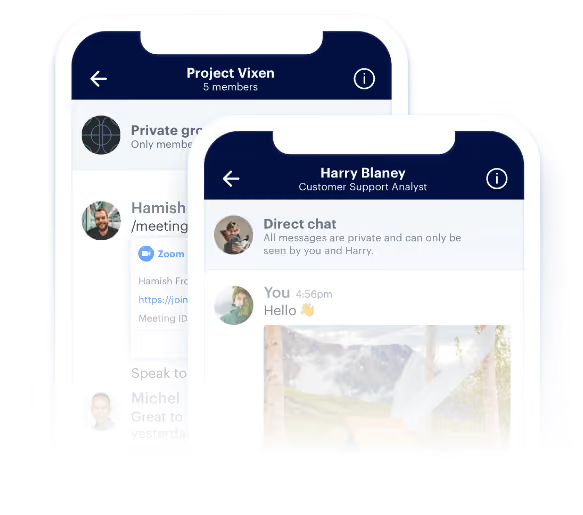
Regular communication is key to keeping employees engaged. Employees need to feel like they are part of the bigger picture, and that their voice is heard. By establishing a regular communication schedule – whether it be through Secure Chats, email, newsletters, team meetings or other methods – you can ensure that your employees are kept in the loop.
It’s also important to have a clear internal communications strategy in place. This should outline who is responsible for communicating with whom, and what methods will be used. This will help to ensure that everyone is on the same page, and that important messages don’t get missed.
It’s important to tailor communications to the needs of your employees. For example, if most of your employees are frontline workers who don’t have access to a computer, you may need to adjust your communications methods so that they can be accessed on mobile devices – think mobile employee engagement apps. You may also need to consider using different methods for different departments or locations within your company.
Surveys
Although surveys are important when drafting your strategy, it’s also important to gather feedback from your employees on a more regular basis if you want to walk the walk of employee engagement. By conducting regular Employee Surveys, you can get a sense of how your employees are feeling at any given time – and if things need to change.
An employee engagement survey can help you to gather valuable data and feedback from your employees, which you can use to improve your strategy. You may want to consider including questions about work-life balance, employee engagement initiatives, training and development, and other areas.
Frequent surveys are a great way to get ongoing feedback from your employees and to see how they feel about various aspects of their job or the company as a whole. You can also use surveys to measure the success of your employee engagement strategies, obtaining valuable insight into what is working and what needs to be changed or improved.
Managers
“Leadership has an important role to play when it comes to employee engagement, and this is especially important given nearly half (45%) of workers say leadership is “minimally” or “not at all” committed to improving company culture. In fact, 78% of employees confirmed that any change to culture needs to be driven by the CEO.” — Jeff Cates, CEO of Achievers.
For business leaders, mid-level management is often the first step towards employee engagement. By ensuring managers are supported from the top level, given the budget, training, tools and support they need, you can set them up for success as well as help to create a culture of engagement across your entire organization.
Effective managers have many important roles when it comes to employee engagement. They are responsible for setting expectations, holding people accountable, and providing feedback. They are also responsible for coaching and mentoring their team members, as well as helping to resolve any issues or conflicts that may arise.
5. Measure - Analyze and report
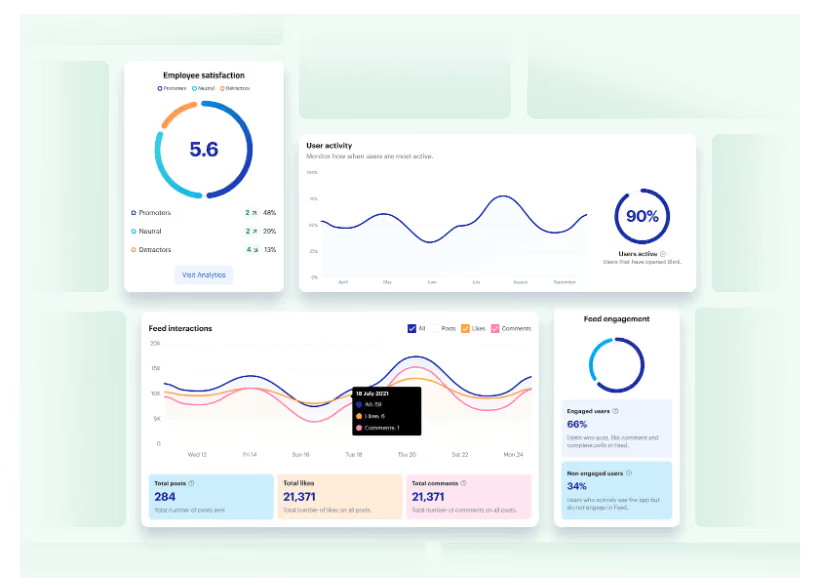
To measure the impact and see if their employee engagement activities and strategy is working, businesses should use employee engagement analytics via the right tools, at the right time.
It’s important to use analytics at different points throughout your engagement strategy, as this will help you to gain valuable insight and data that can be used to adjust what is working and improve the areas that need improvement. For example, you may want to analyze employee satisfaction levels before implementing a new training program, or track engagement levels over time to see if your initiatives are working.
There are many different types of analytics tools that you can use to analyze and report this data, for example Blink'sFrontline Intelligencetool. Our powerful analytics offer insight into the people and relationships that make your organization tick.
By analyzing data from people, places, and things on a regular basis, you can gain real-time intelligence into your employee engagement strategy that you can use to better support and understand your workforce.
6. Reward - recognition & progression
When used effectively, recognition can be an extremely powerful tool for improving employee engagement. Employees need to feel appreciated for their efforts, and recognition is one of the best ways to show your most engaged employees that you appreciate them.
However, simply giving employees a pat on the back isn’t enough – recognition needs to be meaningful, memorable and measurable. By taking the time to recognize employees in a meaningful way, you can show them that you truly value their contributions, and make them want to engage and contribute more.
There are many different ways to recognize employees, and it’s important to find what works best for your organization. Some popular methods of recognition include offering Kudos or Employee Recognition, awards ceremonies, Feed shout-outs, gift cards or vouchers, and thank-you notes.
It's also crucial that you back up recognition with opportunities for growth and career development. This may include promotions, opportunities to learn new skills, a stronger compensation and benefits package, or simply more responsibility. By providing employees with opportunities for growth and progression within the organization, you are helping them feel valued and motivated to continue performing well.
7. Repeat - Regular check-ins and adjustments
To truly maximize the impact of your employee engagement strategy, it’s important to take a regular and systematic approach. This means that you should regularly check in on key metrics, analyze the data you gather, and make any necessary adjustments based on what you find.
Stay on top of your engagement. Track key metrics such as employee satisfaction and engagement levels, and conduct regular check-ins to analyze the data you gather. This will help you make any necessary adjustments to your strategy in a timely and effective manner, ensuring that your employees are engaged and motivated at all times.
Final Thoughts
At Blink, we provide the all-in-one solution to employee engagement. Designed for the frontline, our easy-to-access, intuitive employee engagement app delivers real-time data and communications, actionable insights and intelligent recommendations.
Inspiring engagement in your employees has never been easier. With our powerful analytics tools and customizable recognition programs, you can gain valuable insight into your workforce and take the steps needed to boost engagement levels across the board.
Whether you’re looking for a way to track employee performance, improve communication and feedback, or simply create a more positive work environment, Blink has everything you need.
Speakap has been a popular choice for employee communication — but it’s not the only option. As teams look for more intuitive, mobile-first platforms that unify communications, documents, and workflows in one place, many are re-evaluating their tools.
Whether you’re looking to improve engagement, simplify comms, or replace legacy tools with a single, modern solution, this guide covers the best Speakap alternatives for 2025.
What to look for in a Speakap alternative
When choosing a replacement for Speakap, consider:
Ease of use across all employee types — from HQ to frontline
Real-time, targeted communication tools for better reach and relevance
Built-in analytics to measure impact and adoption
Integrations with your HRIS, payroll, LMS, and productivity tools
{{mobile-hub="/image"}}
Scalability and support for growing teams
Top 12 Speakap alternatives
#1. Blink – The #1 Speakap alternative
Best for: All-in-one internal comms with a consumer-grade experience
Blink is the top-rated employee experience platform for organizations looking to simplify internal communication and drive employee engagement. Unlike Speakap, which focuses mainly on messaging and social-style feeds, Blink combines communication, documents, surveys, scheduling, and HR integrations into a single mobile-first app. It delivers targeted updates, real-time alerts, and measurable campaigns—making it easy to engage employees, no matter where or how they work.
With adoption rates of over 90%, Blink helps unify your culture, simplify operations, and cut through the noise. It’s trusted by global enterprises like Domino’s, RATP Dev, and Nokia—and it’s consistently rated as a leader on G2 and Gartner Peer Insights.
Mobile-first design with high adoption across all roles
Deep integrations with HR, payroll, LMS, and intranet tools
Advanced targeting, campaign analytics, and compliance features
Cons:
May offer more features than needed for very small teams
Full functionality best experienced in Business or Enterprise plan
{{watch-video="/callouts"}}
#2. Beekeeper
Best for: Messaging-first frontline communication Beekeeper focuses on real-time messaging and mobile access for non-desk teams. It includes operational checklists, announcements, and a central hub for HR documents.
Pros:
Strong real-time messaging experience
Workflow automation for task tracking
Offline functionality
Cons:
Limited analytics and targeting capabilities
Less robust for desk-based or hybrid teams
#3. Interact
Best for: Intranet and knowledge management Interact offers a robust intranet experience with strong search, content targeting, and employee directory features. It’s ideal for knowledge-heavy organizations looking to organize content effectively.
Pros:
Powerful intranet functionality
Smart search and personalized content feeds
Workflow automation tools
Cons:
Less mobile-optimized compared to modern platforms
Not as interactive or social
#4. Staffbase
Best for: Larger enterprises needing branded employee apps Staffbase is a customizable internal communications platform that supports intranets, employee newsletters, and branded mobile apps. It’s well-suited for global teams with complex needs.
Pros:
Flexible branding and customization
Good for corporate messaging and publishing
Multilingual support
Cons:
Complex setup for smaller organizations
Requires more IT involvement for integrations
#5. Workvivo
Best for: Social-style employee engagement Workvivo blends social media features with traditional internal comms. It encourages peer recognition and interaction through posts, likes, and comments, while offering newsfeeds and employee directories.
Pros:
Strong focus on culture and recognition
Familiar social interface
Integrates with Viva and MS Teams
Cons:
Lacks built-in productivity and operational tools
May feel less intuitive for operational comms
#6. Haiilo
Best for: Content-focused internal comms Formerly COYO, Haiilo is a modern intranet and employee app focused on publishing, surveys, and performance insights. It’s designed for enterprise-level internal communications teams.
Pros:
Enterprise-grade publishing tools
Employee feedback and survey capabilities
GDPR-compliant
Cons:
Higher learning curve for admins
May require additional tools for full collaboration
#7. Unily
Best for: Enterprise intranet with rich content design Unily is a feature-rich digital workplace and intranet solution. It offers advanced branding, personalization, and collaboration features—ideal for global teams.
Pros:
Sophisticated design tools and templates
Supports global content targeting
Microsoft and Azure integrations
Cons:
Complex admin dashboard
Higher upfront cost
#8. Jive
Best for: Complex, enterprise-wide collaboration Jive is a legacy digital workplace platform with deep collaboration tools, often used by enterprises needing complex access controls and organizational structure.
Pros:
Supports structured collaboration and document sharing
Flexible for enterprise-scale customization
Cons:
Outdated UI compared to newer platforms
Requires significant IT support
#9. MangoApps
Best for: All-in-one intranet and collaboration hub MangoApps combines intranet features with chat, project management, and employee engagement. It works well for organizations that want flexibility in how tools are deployed.
Pros:
Modular and customizable
Offers both communication and productivity tools
Good mobile and desktop support
Cons:
Feature complexity can lead to adoption issues
UI may feel cluttered
#10. LumApps
Best for: Google Workspace and Microsoft 365 organizations LumApps provides a modern intranet with strong integrations for Google and Microsoft environments. It focuses on content personalization and knowledge sharing.
Pros:
Seamless G Suite and Microsoft integration
Personalized content and targeting
Secure and scalable
Cons:
Limited native chat or messaging features
Premium pricing
#11. Firstup
Best for: Campaign-based employee communications Firstup helps internal comms teams deliver personalized, measurable campaigns. It’s especially good for organizations that want to orchestrate multi-channel content delivery.
Pros:
Strong targeting and campaign analytics
Multi-channel delivery (email, push, SMS, more)
Cons:
Less interactive for employee-to-employee engagement
Expensive for smaller organizations
#12. Connecteam
Best for: Mobile task management for frontline teams Connecteam is designed for deskless teams and includes checklists, time tracking, shift scheduling, and basic communication tools.
Pros:
Great for task-based frontline use cases
Strong scheduling and time tracking tools
Simple mobile UX
Cons:
Communication features are limited
Less useful for hybrid or corporate workers
Final thoughts: Find the right Speakap alternative for 2025
Speakap helped many companies get started with mobile communication—but as your organization grows, you may need more than just messaging. Whether you're focused on boosting engagement, unifying internal systems, or simplifying employee access to key resources, it's worth exploring modern alternatives.
Blink leads the pack for organizations ready to scale their impact—offering an intuitive, mobile-first platform that does more than Speakap ever could. From surveys to scheduling, chat to HR integrations, Blink brings everything into one place.
Why teams choose Blink over Speakap
Speakap and Blink both target frontline and deskless communication, which makes the differences in branding, analytics, and integrations worth a closer look. See our full comparison — and see why teams at McDonald's, Domino's, and Chick-fil-A chose Blink to reach every worker, on day one, without a corporate email address.
Digital signage for frontline workers: what actually works
Walk into any warehouse or factory break room and you'll find a screen on the wall, cycling through safety alerts, shift schedules, or a slide deck frozen since 2019. Screens solve one real problem: they reach workers who aren't at desks and can't check a phone on the floor. But they create another. There's no way to know who actually saw the message, and that gap is measurable.
This guide covers how digital signage works in frontline environments, where it genuinely earns its place in the channel mix, and where mobile-first communication fills the gaps it can't.
What is digital signage for frontline workers?
Digital signage for frontline workers refers to screen-based displays deployed in physical work environments to communicate operational information to employees who don't use desk computers or company email. Common locations include break rooms, production floors, warehouse loading bays, locker rooms, and staff entrances.
Typical content includes shift schedules, safety briefings, KPI dashboards, policy updates, training reminders, and HR announcements. Screens are centrally managed through a content management system (CMS), so communications teams or IT administrators can push updates across every screen in every location from a single dashboard.
The core appeal is reach without requiring a personal device. In environments where smartphones are prohibited, clean rooms, food production, heavy machinery operations, a wall-mounted screen is often the only scalable way to put information in front of workers during their shift.
Where digital signage genuinely earns its place
Not every deployment of digital signage is washing its face. But in specific operational contexts, the case is strong.
Factory floors and production environments are the clearest fit. When workers are operating equipment that demands full attention, and when personal device use is either prohibited or impractical, screens mounted at eye level near workstations or break areas are one of the few viable ways to deliver operational messaging. Safety alerts, shift targets, downtime notifications, and quality metrics all belong here.
Warehouse and distribution environments have a similar profile. Loading bay screens showing today's dispatch priorities, attendance boards, or compliance reminders reduce the relay of information through supervisors, which means fewer distortions and faster response to changing conditions.
Break rooms deserve separate consideration. A screen in a shared rest space reaches workers at the precise moment they have headspace to absorb information. Pre-shift briefings, HR policy updates, benefit enrollment reminders, and company news all perform better in a break room context than they would on a production floor, where attention is split.
Healthcare and public-facing environments use digital signage primarily for wayfinding and patient-facing communication, but staff-facing screens in nurse stations and staff rooms serve a genuine internal communications function, particularly for shift handover information and policy updates that supervisors can't always relay in person.
The real limitations, and why IT directors need to plan around them
None of this means digital signage solves the frontline communication problem on its own. There are four structural limitations that any IT or Operations leader evaluating a digital signage investment needs to account for.
No read receipts, no compliance trail. Digital signage is broadcast communication. You can verify a screen was on. You cannot verify that a specific employee saw a specific message. For regulated industries, healthcare, food production, financial services, where you need to prove that a policy update or safety briefing was acknowledged by named individuals, a screen on a wall doesn't give you that. You need a channel that generates a paper trail.
No two-way communication. Screens push information. They don't enable responses, questions, or acknowledgment. When a policy changes and a worker has a question, that question either goes unanswered until they find a manager, or it goes up through a chain that introduces delays and inconsistencies. In high-regulation environments, unanswered questions about safety procedures have real consequences.
No reach outside the building. Workers who are on their commute, at home reviewing a shift change, or working a split shift across two sites can't see a break room screen. For any communication that needs to land before the shift starts, schedule changes, emergency alerts, pre-shift safety reminders, digital signage arrives too late or not at all.
No data on individual engagement. You can measure screen uptime, content loop completion, and scheduled broadcasts. You cannot tell your CHRO which employees haven't acknowledged the new safety protocol, or show your compliance team a timestamped record of individual engagement. When you need that data, and in most regulated environments, you will, digital signage can't provide it.
Why frontline workers need more than a screen
The communication gap isn't about technology, it's about verification. Research consistently shows that organizations with high frontline turnover cite poor communication as a top driver. Screens don't close that gap on their own because they don't create the conditions for two-way trust.
The pattern shows up in adoption data. When organisations add a mobile-first communication layer alongside physical signage, engagement metrics change substantially. According to Blink's customer data (2024), at easyJet 88% of over 20,000 employees became active users of a single platform. At JD Sports, 87% adoption was reached in 10 days. At Dollar Tree, 96% adoption across a workforce that was never going to be reached through break room screens alone. At Stagecoach, adding a direct mobile channel contributed to a 26% reduction in driver turnover.
That's not an argument against digital signage. It's an argument that signage works best as part of a layered channel strategy, where screens handle broadcast operational messaging in physical spaces, and a mobile-first platform like Blink handles everything that requires reach, verification, and response. Blink's frontline communication solutions are built specifically for the workforce that screens can't fully reach.
Getting your channel strategy right
For IT and Operations leaders evaluating digital signage as part of a broader frontline communication infrastructure, the decision framework matters more than the technology choice.
Step 1: Audit your content types. Not all communications belong on a screen. Separate broadcast operational content (shift schedules, safety KPIs, downtime alerts) from compliance-sensitive content (policy acknowledgments, training completions, HR updates) and personal content (payslips, individual schedule changes, direct manager communication). The first category suits digital signage. The second and third require a channel with verification.
Step 2: Map your compliance requirements. If you're in a regulated industry, establish exactly which communications require individual acknowledgment and a timestamped audit trail. This determines which parts of your channel mix need a verification layer, and where digital signage alone creates regulatory exposure.
Step 3: Establish your integration requirements. A digital signage CMS that pulls shift data from your workforce management system (Workday, Kronos, SAP) reduces manual content updates and keeps screens accurate. Your IT security model, SSO, GDPR compliance, role-based access control, and audit trails for who published what, needs to be defined before procurement, not after.
Step 4: Define the mobile complement. For workers who do carry smartphones, even in environments where phones are restricted during shifts, a mobile-first platform extends your communication reach beyond the building, enables two-way messaging, and provides the individual engagement data that screens can't. This is the layer that turns your signage investment from a broadcast tool into a complete communication infrastructure.
Step 5: Measure what matters. Screen uptime and content loop metrics tell you the technology is working. They don't tell you communication is working. Layer in mobile engagement rates, acknowledgment completion rates for compliance content, and frontline feedback response rates. These are the metrics that connect communication investment to operational and retention outcomes.
How Blink complements digital signage for frontline teams
If you're evaluating the mobile layer of your frontline communication stack, Blink is built specifically for the 80% of workers who don't sit at desks. It handles everything digital signage can't: individual reach, compliance acknowledgment trails, two-way communication, and a personal communication feed that workers actually check.
Pizza Pilgrims reached 96% adoption. JD Sports hit 87% in 10 days. easyJet has 88% active users across 20,000+ employees. The platform integrates with Workday, ServiceNow, and SharePoint, supports SSO and GDPR compliance, and provides the role-based access control and audit trails that IT Directors need before they can sign off on a new communication layer.
Managing frontline employees is an altogether different task than leading a desk-based team.
For one, you’re usually working in shift patterns and you might have insufficient tooling to keep you all connected. This connection gap makes it all the harder to navigate the “Great attrition” risks and widespread disengagement that most first-line/frontline managers are faced with.
But we don’t need to linger on the reasons why managing the frontline can be hard. Let’s focus instead on how to do it more effectively.
Because if we can empower first-line managers to better manage their teams, we can help reduce attrition, increase engagement, and improve the employee experience for everyone.
In this guide, we'll discussyour role as a frontline manager, the challenges faced by frontline teams and their managers, and the best practice approaches you can adopt when managing frontline employees.
Understanding the first-line manager role
Frontline managers play a pivotal role in any deskless organization and account for roughly 60% of a company’s management ranks. They are responsible for managing the day-to-day activities of their teams and ensuring that their organization's frontline remains strong and efficient.
Ultimately, the role of a first-line leader is to enable frontline workers to do their jobs effectively. This might include setting objectives, delegating tasks, providing feedback on frontline employee performance, and ultimately driving organizational success. But it also means giving positive and constructive feedback: celebrating a job well done and stepping in to rectify when things aren’t going right.
And yet, first-line managers are often “accidental managers”, too. They might have been promoted to a managerial role because of their subject matter expertise and hands-on experience in the business — but they’ve yet to receive any dedicated management or employee engagement training to prepare them for the job. A large proportion (around 40% based on recent Harvard Business Review research) are first-time managers as well, in the very first year of their leadership journey.
Maybe that’s a description that resonates? And if it is, you’ll also be able to appreciate how that makes the role more difficult.
First-line managers: overworked and under-invested in?
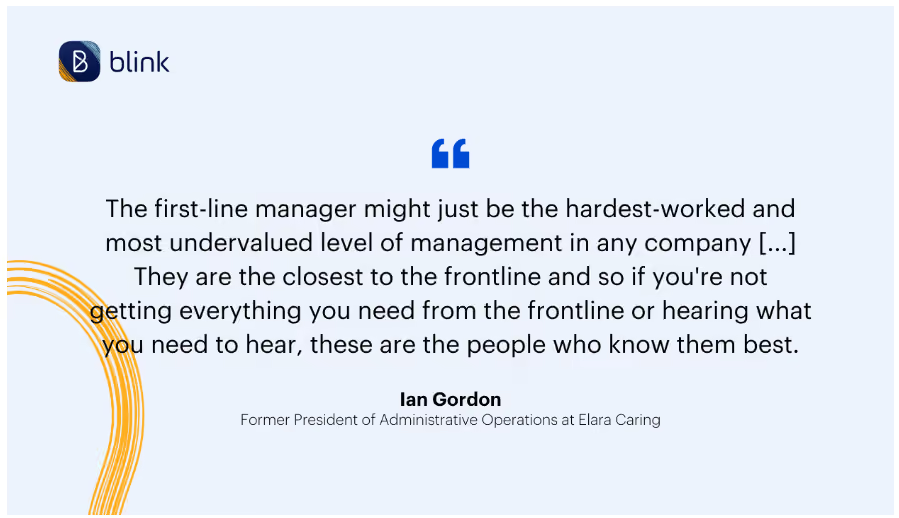
First-line managers can be the hardest working and most undervalued level of management — under pressure from all angles and expected to pick up the slack caused by frontline labor shortages.
When an organization propels someone into a leadership role with insufficient training and insufficient support, we can hardly be surprised if they struggle to perform. And many first-line managers do: 60% in fact, over their first two years.
Flipping that figure around and helping first-line managers to perform is relatively easy to achieve.
A frontline manager’s potential can be unlocked by:
Providing them with tools for proper team-wide communication and workforce management
Investing in employee engagement training to help manage and improve team morale
Alleviating the strain of manual, repetitive tasks to free up their time to better manage their teams
Doing so is in everyone’s best interests. Frontline employees will receive a better and more fulfilling workplace experience which helps them deliver a better quality of service to customers. The impact of this will be felt on the organization’s bottom line, making frontline manager empowerment a business-critical mission for the C-Suite and other leaders.
If you’re a first-line manager, it’s good to know your worth.
You are in a unique position within the organization — you’re frontline-facing and can act as a touchpoint between frontline workers and your desk-based peers. You can also be the catalyst for better frontline employee engagement and motivation.
Common challenges when managing frontline employees
If you’re facing challenges as a first-line manager, know that you’re not alone.
There are a number of common issues impacting frontline teams, including:
Poor communication and engagement
Attrition and turnover
Labor shortages
Unstable service levels and disappointed customers
Lack of useful tooling
Lack of training for frontline teams
Lack of training for first-line managers themselves
Attrition, turnover, and the unavoidable staff shortages that follow can seriously impact the quality of service provided by the frontline workforce. Frontline teams increasingly struggle to cover more tasks with fewer resources — and it’s often the first-line manager who is left racing to fill empty shifts, deliver on tasks, or explain the drop in productivity to other senior management.
High turnover rates can also have a detrimental effect on frontline team morale, as new employees come in and existing ones leave at a rapid rate. Open communication between you and your team — which also means providing fit-for-purpose employee engagement tools and solutions, and employee engagement activities — will be key in helping to build trust and loyalty within the organization.
Finally, frontline managers must effectively advocate for their teams when they are not getting adequate support from executives and training from the business. This may involve having difficult conversations with the C-Suite or presenting frontline engagement data that shows the value of investing in frontline teams.
7 best practices when managing frontline employees
1. Thorough onboarding
It’s important to provide all new team members with a detailed onboarding program. You want to create a sense of community for them and ensure that they know any responsibilities and KPI expectations for the role from the get-go.
All frontline employees should receive adequate training for their specific roles and ensure they understand the requirements of their job. This will be a compliance must-do in many frontline organizations, of course, but even if the role is light on health and safety or legal regulations, you’ll want to take the time to outline the responsibilities clearly.
Onboarding can be a time-consuming process but it's an early driver of employee engagement, so explore the tools you have available to help lighten the load.
Again, the business case for doing so is easy to sell to decision-makers: the faster you can onboard new joiners, the sooner they can help move the business forward (and the less time and focus you’ll lose on your other essential tasks).
2. Active listening
Listening — and we mean really listening — to your frontline teams is essential for successful frontline management.
It can be difficult for frontline employees to feel heard, as they are often more spread out than desk-based colleagues and have less access to resources and support. As a frontline manager, it is important to ask for, actively listen to, and then share the concerns of your team.
3. Communicate across the board
Frontline teams have a unique brief when it comes to internal communications, and there aren’t too many tools that are really fit for purpose.
Having access to a mobile-first frontline employee appcan help keep everyone in the organization connected. As a first-line manager, you can lead by example — posting and commenting on company updates, messaging frontline employees directly and within groups, as well as making sure that senior leaders are seeing what’s being shared.
By prioritizing communication with your frontline employees, you can ensure they always feel informed, appreciated, and engaged — no matter how infrequently you see them face to face.
4. Support and pastoral care
Management support is key for each team member to feel valued and to keep morale high knowing that their supervisor has their back. This can be done through regular check-ins, providing tailored resources for their development, and actively listening to — and actioning — their feedback for the business.
Empowering your frontline workforce with the support of intuitive scheduling solutions and the autonomy to manage their own workloads can also help them feel valued and give them a sense of responsibility.
Finally, providing instant access to mental health resources will enable employees to feel safer in the work environment, and more comfortable in approaching their manager with any issues they may have.
A TikTok video showing a restaurant manager comforting a tearful employee sparked a big conversation about pastoral care for frontline teams. You will find an approach that feels comfortable and beneficial for you and the people you work with every day.
5. Professional development
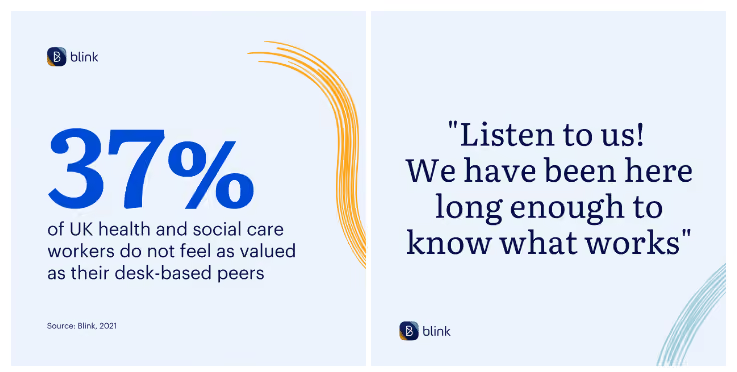
Many frontline workers feel that they do not receive the same access to career advancement opportunities as their desk-based colleagues. This can leave frontline staff feeling undervalued and, unsurprisingly, employee motivation starts to dwindle.
Professional development is key for frontline employees. Frontline managers know what is expected of them, and what it takes to be successful in the role. If you see those characteristics in someone else, develop them. This might mean connecting them with development opportunities, recommending them for promotion or training, as well as checking that your frontline staff are happy with their career development via ongoing employee surveys.
By investing in your frontline team’s growth, you can ensure that their skills are kept up to date, increasing their confidence and improving their job satisfaction.
6. Reward hard work and commitment
It’s essential to provide frontline employees with tangible rewards for their hard work and dedication, just as you would your desk-based staff. Not seeing your deskless employees every day doesn’t equal forgetting about their contributions to your company — that’s something you may need to remind desk-based senior leaders.
Rewarding your frontline can be done in a variety of ways: bonus pay, gift cards, lunch vouchers, or even just a public shoutout across the company. This helps to show appreciation for their efforts and encourages them to continue striving for excellence. It also allows you to boost employee morale and create a positive working environment.
While rewarding great work is important, in the current economic climate, businesses don't always have the funds to pay frontline workers more. That's why reward and recognition should always go hand-in-hand.
7. Recognize team and individual achievements
Employee recognition, small or large, is crucial for motivating and inspiring team members.
Showing appreciation is a great way to boost morale and create a positive working environment. Recognizing employees can come in various forms such as verbal praise, recognition in meetings, and virtual employee recognition or Kudos.
If someone has dealt with a difficult customer or situation well, recognize this. If someone has worked extra hard to ensure quality of service, recognize this. Acknowledging great work can help empower employees and make them feel appreciated for their efforts. It’ll also make them more likely to perform that way again.
To retain a frontline worker and enable them to become a valuable asset to your organization, you need to ensure their efforts are recognized. By following this advice, you can show them that their hard work is appreciated and foster an environment of engagement and success.
Expert tips from frontline managers
Healthcare ops expert and former President of Administrative Operations at Elara Caring, Ian Gordon, has some key insights for us on the topic of engaging with frontline employees.
Here are just a few of his expert tips for navigating frontline management and engaging your deskless workforce:
Create bi-directional communication: Communicating issues is a team effort. It starts with the CEO and runs the full way through to the frontline. Everybody has to own it
Redeploy resources to the frontline: Increasing investments into the skills and capabilities of your frontline can be a true differentiator in the marketplace. It is also a good reason for your frontline to feel appreciated and invested in. Wondering where this extra budget will come from? If you can help retain employees with training and development, then you won’t need to spend so much on continuous recruitment
The right tech: Being a frontline worker, you can’t spend a lot of time signing in and navigating complex tech. Having hub-based access to all-inclusive and easy-to-navigate information can really be a benefit to employees
Keeping frontline employees engaged is a key part of running a successful business.
Strategies for employee engagement and retention should cover the seven tips mentioned above. As well as providing accessible resources, frequent rewards and recognition, and implementing tailored technology solutions, you can foster an environment of engagement that will help to retain your frontline workers and enable them to become valuable assets for the organization.
Remember: investing in the growth of your frontline team is essential for success. With the right tools and support in place, you can create an environment of engagement in which everyone feels able to thrive.
Enable: Give your frontline the tools, information, and inspiration they need to go above and beyond.
Engage: Give your frontline instant access to the news, people, and information they need to feel part of the team.
Understand: Use data and insights you need to make the best decisions for your frontline team.
With our one-stop solution, you can get rid of complex and outdated processes that are blocking your frontline's satisfaction — and their success. With Blink, you can finally empower your frontline with the tools they need to succeed.
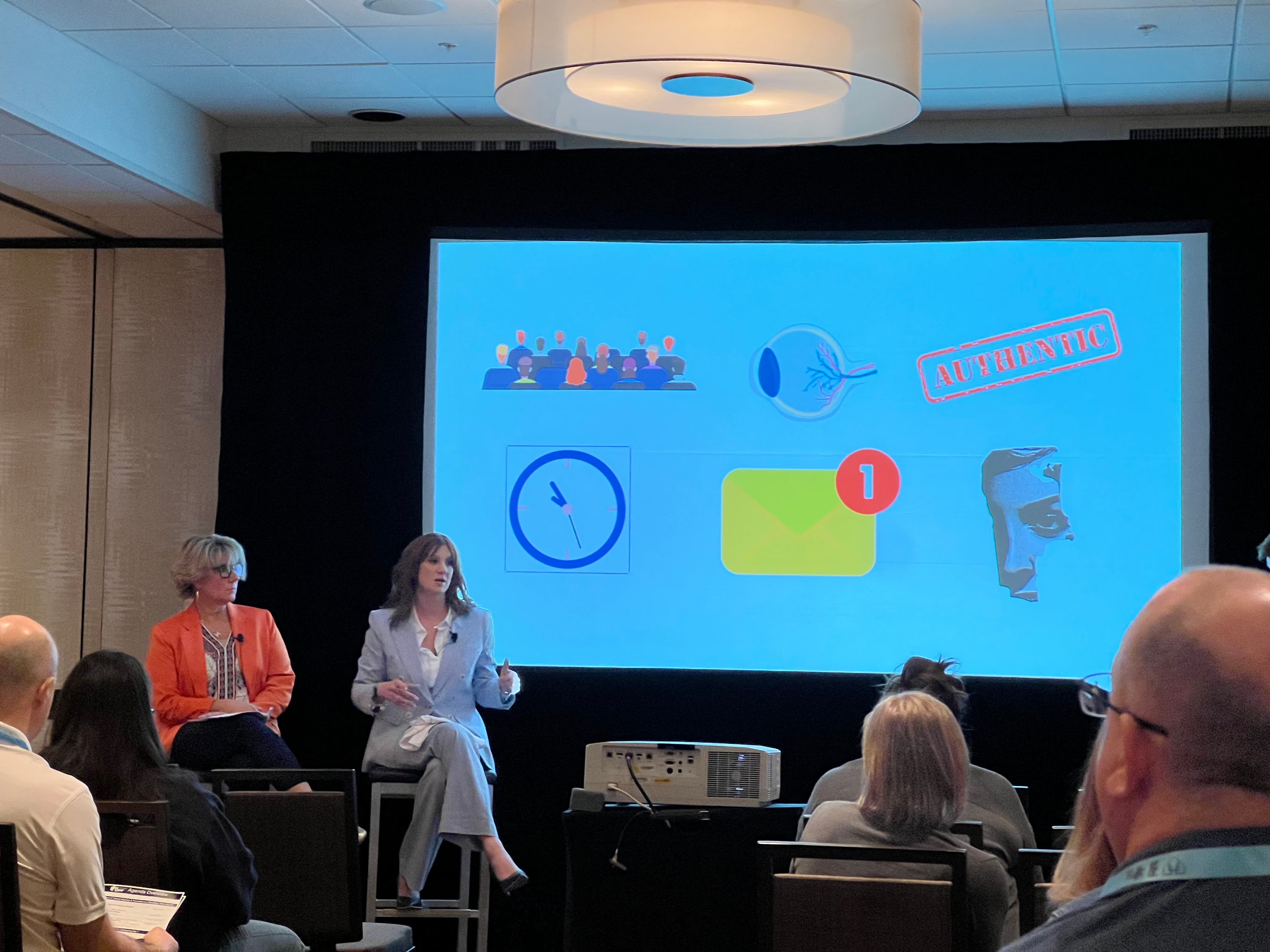
In April, Blink attended the American Ambulance Association Annual Conference & Trade Show (a.k.a. AAA) in Nashville, TN. As the premier event in the ambulance industry, leaders gather at AAA to discuss the trends and pitfalls they face, find innovative vendor solutions, and hear from experts about the future of Emergency Medical Services (EMS).
We had the honor of sharing the stage with a few of those trend-setting industry experts. Blink hosted a panel discussion, “Uncensored: Cutting The BS On Employee Communications,” with two of the industry’s most straight-talking COOs: Danielle Thomas (Lifeline Ambulance) and Meredith A. Lambroff-Brown (Armstrong Ambulance Service).
Keep reading to discover some of the employee communications insights Danielle and Meredith shared with the audience.
Why good employee communications matter for EMS agencies
First, let’s set the stage to understand why frontline communications are so critical for ambulance companies. EMS frontline workers—paramedics and emergency medical technicians (EMTs)--play a critical role in society. Ambulance companies face a difficult task, however, when it comes to keeping a strong workforce and staying connected with them.
Frontline roles in healthcare related industries are notoriously challenging to keep filled—and EMS is no different. Over the last few years, turnover rates have increased, with an average of 11% turnover in the US and a peak of 20% turnover in high response volume areas in 2022. The turnover problem is compounded by waning applicant pools, with nearly two-thirds of agencies reporting a decrease in applications.
On top of that, EMS practitioners are a young and increasingly diverse workforce. In California, for example, the EMS workforce is younger on average than the rest of California’s workforce. In the US, more broadly, EMTs are one of the youngest workforces, with a median age of 29.7 years, according to the Bureau of Labor Statistics.
What industry COOs are saying about employee communications
Against this backdrop, what advice and insights did Thomas and Lambroff-Brown have for companies struggling to communicate with a young, mobile, and diverse workforce? Here are a few takeaways from the talk.
1. Comms is a must-have, not a nice-to-have
In many ambulance agencies, the practice of communications is often viewed as an afterthought, rather than what it really is: one of the most powerful tools available. A good communication strategy has the power to educate, motivate, connect, and focus workers; a bad communications strategy can tear down people and workplace culture.
2. Master the building blocks of communications
When working on your internal communication strategy, pay attention to the three main building blocks of communication—what you say, how you say it, and how you deliver it. Each company will need a different voice tailored to their audience, so play around with these facets to ensure your message is being heard.
3. Create a relevant and sustainable comms strategy
Getting employee communications right is hard because language and culture are always evolving. What worked yesterday isn’t guaranteed to work today. That’s why leaders need to constantly ensure their comms are specific, set clear expectations, and provide a model for the rest of the workforce. In other words, “what you put up with, you end up with.”
4. EMS leaders are scared to over-communicate, but shouldn’t be
In any organization, the comms team will need to handle sensitive topics. Naturally, leaders are scared of over-communicating and causing uproar over certain topics. But, rather than letting the fear of an outcome shut down communications, focus on building trust with the workforce through constant communication. That way, you’re more likely to be given grace to make a communication misstep by employees who feel connected to you already.
5. Build the culture with your posts
Your communications strategy plays a critical part in building the company culture. This is especially important—and challenging—for frontline organizations where workers often work alone or in pairs. Don’t shy away from posts that may seem “fluffy,” and be sure to tailor those posts to your workforce. For the younger EMS workers, the COOs take advantage of videos in the Blink Feed, because that’s how that generation consumes information.
6. Control the narrative
Rumors and misinformation are an unfortunate part of managing frontline communications. Rather than avoid tough topics, the comms strategy needs to prioritize getting ahead of the narrative. Whether it’s discussing the disparity between racial representation in the workforce and in leadership roles or an emergency issue like an error with gas card payments, set the terms of the discussion early and provide clear next steps to fend off the rumor mill.
7. Measure the operational impact of your strategy
Good comms are measured by more than anecdotes. Inefficient communications and misaligned technology hinder frontline workers and contribute to waste and high turnover. When Lifeline Ambulance switched to Blink for their communications and HR tool, the company saved $420,000 in the first year—nearly 10x more than their investment in Blink. Understand the operational cost of your current strategy, find new strategies and new tools like Blink, and measure the impact regularly.
In summary, a good frontline communications strategy is one of the most important things an EMS agency can do. But communicating with a young, diverse frontline workforce can’t follow the same playbook as your office-based staff. Ambulance agencies need a communications strategy that is tailored to this mobile, fast-paced, highly-dispersed workforce.
If you can find what works for your agency, it can help reverse the turnover trend and help create positive employee engagement that propels the business forward.
It was a compelling, hour-long discussion with both COOs. This summary is just a fraction of the insights the audience walked away with.
As companies rethink how they connect with employees in a hybrid, mobile, and fast-moving world, many are looking beyond traditional intranet platforms like LumApps. While LumApps is a solid option for knowledge management and Microsoft/Google integrations, it can fall short when it comes to usability, real-time communication, and mobile performance.
Whether you’re rolling out internal comms globally, trying to unify systems into one employee app, or simply seeking a more flexible and modern intranet experience, there are better options out there.
What to look for in a LumApps alternative
When evaluating alternatives to LumApps, here are five key factors to consider:
#1. Mobile usability
Your employee experience platform should be just as powerful on mobile as it is on desktop — especially with today’s hybrid, frontline, and remote workforces.
#2. Ease of use
A modern intranet or communications tool must be intuitive for both admins and end users. Platforms with steep learning curves or clunky interfaces will see low adoption.
#3. Real-time communication
Timely communication is essential — whether it's leadership announcements, crisis updates, or team alerts. Look for platforms that offer native chat, push notifications, or news feeds.
{{mobile-main="/image"}}
#4. Integration ecosystem
You shouldn’t have to cobble together multiple tools. The right platform integrates with your HRIS, LMS, scheduling, payroll, file storage, and more.
#5. Analytics & insights
Data matters. Choose a solution with actionable dashboards that help you measure what’s working, what’s being read, and where to improve.
The top 12 LumApps alternatives
Now that you know what to look for — and why LumApps might not be the best long-term fit — here are the best alternatives, starting with the standout:
#1. Blink – The #1 LumApps alternative for unified employee experience
Blink is an employee experience platform designed to bring communications, resources, and tools into a single, easy-to-access app. With a strong focus on usability, real-time engagement, and seamless integrations, Blink empowers companies to connect with their entire workforce—whether they’re on mobile, desktop, or a shared device.
Why Blink is the best LumApps alternative:
All-in-one communications hub: Combines chat, news, content, HR tools, recognition, and surveys into one streamlined platform.
Mobile + desktop parity: Offers full functionality on any device, with no reliance on corporate email.
Powerful analytics: Gives real-time insights into usage, engagement, and sentiment to help you optimize comms strategies.
Integrations-first approach: Blink integrates with HRIS, LMS, payroll, scheduling, and document systems to centralize everything your workforce needs.
Top-rated platform: 4.8★ average on Gartner Peer Insights and a leader in G2 for internal communications and employee apps.
Pros:
Unified digital workplace accessible from anywhere
Highly intuitive UI with rapid user adoption
Dedicated support and success teams for onboarding and beyond
Transparent pricing and strong ROI
Cons:
May require customization for highly complex intranet needs
Some advanced analytics features are part of higher-tier plans
{{watch-video="/callouts"}}
#2. Simpplr
Simpplr is an intranet platform designed to streamline internal communication, content distribution, and knowledge sharing. It includes personalization features, integrations with HR tools, and prebuilt templates to simplify setup. The platform is geared toward companies looking for a structured, branded experience.
Pros: Great personalization, modern interface Cons: Limited customization, costly at scale Pricing: Custom Gartner: 4.7★
#3. Staffbase
Staffbase supports internal communications across multiple channels, including email, mobile apps, and digital signage. It offers features for content scheduling, targeting, and employee surveys. Often used by global enterprises, the platform emphasizes scalability and branding consistency.
Pros: Email, mobile, signage comms; powerful targeting Cons: Less flexible for content management or smaller teams Pricing: Custom Gartner: 4.1★
#4. Interact Software
Interact Software delivers an intranet platform with features for content publishing, employee engagement, and search. It includes integrations with Microsoft products and offers tools like blogging, forums, and document sharing. The platform is designed for medium to large organizations.
Pros: Social features, easy setup Cons: Limited analytics and design flexibility Pricing: Custom Gartner: 4.6★
#5. Haiilo
Haiilo combines intranet functionality with features for social advocacy and personalized content delivery. The platform includes analytics, customizable pages, and AI-based search to help surface relevant information. It is commonly adopted by organizations prioritizing internal engagement and branding.
Unily provides a cloud-based intranet designed for enterprise use, with features for knowledge management, internal communications, and collaboration. It integrates with Microsoft 365, Google Workspace, and other enterprise tools. The platform is known for its flexible content management and multilingual support.
MangoApps offers a unified platform that combines intranet, collaboration, learning management, and document storage. It supports both desktop and mobile access and is used by a variety of industries. The platform is modular, allowing organizations to deploy only the tools they need.
Pros: Feature-rich; good for training-heavy orgs Cons: Dated interface; inconsistent UX Pricing: Custom Gartner: 4.4★
#8. Workvivo by Zoom
Workvivo is a social intranet platform that combines internal communications with engagement tools like activity feeds, shout-outs, and surveys. It offers a familiar social media-style experience and integrates with Zoom and Microsoft 365. The platform is primarily used by mid-size to large organizations.
Pros: Engaging UX, employee advocacy tools Cons: Lacks unified mobile-desktop parity and deep analytics Pricing: Custom pricing Gartner: 4.7★
#9. Firstup
Firstup is a communications platform focused on personalization, automation, and real-time analytics. It supports targeted messaging and integrates with a range of enterprise systems. Firstup is commonly used by large organizations with distributed workforces.
Pros: Powerful targeting, personalization, and analytics Cons: High cost; not ideal for smaller teams Pricing: Custom Gartner: 4.8★
#10. Connecteam
Connecteam is a mobile-first platform designed for managing non-desk workforces. It includes scheduling, task management, chat, and time tracking tools. The platform is often used in industries like retail, logistics, and hospitality.
Pros: Ideal for dispersed teams; affordable tiers Cons: Lacks deep intranet functionality Pricing: Free tier available; paid starts around $29/month Gartner: 4.7★
#11. ThoughtFarmer
ThoughtFarmer focuses on knowledge sharing and collaboration within hybrid and remote teams. It provides customizable intranet pages, wiki functionality, and employee directories. The platform is suited for organizations seeking structured documentation and internal search tools.
Pros: Excellent for documentation and wikis Cons: Setup can be time-intensive Pricing: Custom G2: 4.8★
#12. Bitrix24
Bitrix24 is a collaboration suite that includes intranet features alongside tools for CRM, task management, and chat. It offers free and paid tiers, making it accessible to a wide range of teams. The platform is modular but can be complex to navigate.
Pros: Wide feature set for budget-conscious teams Cons: Overwhelming interface; some tools feel outdated Pricing: Free plan available; paid starts ~$24/user/month G2: 4.2★
Final thoughts: Blink vs. LumApps
While LumApps remains a strong player — especially for companies tightly integrated with Google Workspace or Microsoft — Blink stands out for teams that value ease of use, real-time communication, data-driven insights, and a single place for everything work-related. It offers a more unified experience across devices, better analytics for employee engagement, and faster time to value.
If you’re looking for an employee experience platform that’s as intuitive as it is powerful, Blink is your best bet.
Why teams choose Blink over LumApps
LumApps is a strong enterprise intranet, particularly for Google Workspace-centric organizations, but it's built with desk-based collaboration as the default. Blink is mobile-first, requires no corporate email, and is used daily by teams at McDonald's, Domino's, and Chick-fil-A. See how Blink compares.