According to data, there’s a good chance that one of them will quit this year.
In 2021, 25% of employees quit their jobs.
Think about it: you track customer happiness to avoid churn. So, if you want to hang on to your workforce, you need cold, hard data.
That's where employee satisfaction metrics come in. By keeping an eye on these, you can spot a small problem before it becomes a big one.
And best of all, there isn't a sea of data points to muddle over. Here are the only 4 employee satisfaction metrics you need to know.
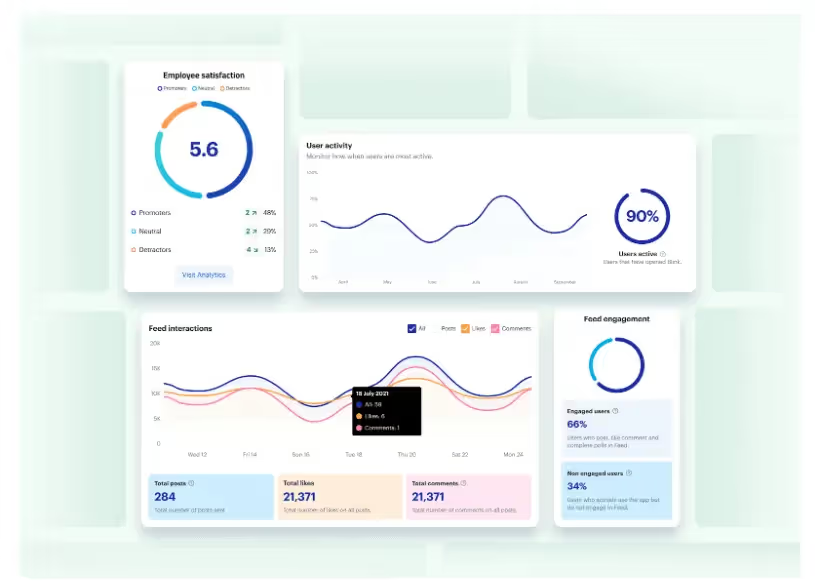
What is an employee satisfaction score?
It’s hard to quantify sentiments — but that doesn’t mean you can’t do it.
You can take a combination of data points related to your employee’s satisfaction and get a clear picture of how happy your workers are.
With an employee satisfaction score, organizations can make adjustments to ensure their workers are engaged, and therefore 17% more productive than their peers.
Happy employees stay longer and are more likely to recommend their job to their friends.
How to measure employee satisfaction
You can measure sentiment by finding out the following employee satisfaction metrics.
1. Employee net promoter score
Find your employee net promoter score (eNPS) by asking a simple question from your employees:
On a scale of 1-10, how likely are you to recommend working at this organization to others?
This metric gives you a clear picture of how your employees feel.
To turn the results into actionable insights, divide your respondents into three categories:
Promoters: Answered nine or ten.
Passives: Answered seven or eight.
Detractors: Answered six or below.
Gather insights about what you’re doing well from your promoters and what you could improve on from your detractors.
Learn more about your passives to understand how to convert them to promoters.
2. Absenteeism rate
The absenteeism rate measures how often employees don’t come to work due to unexpected sickness or other causes.
Divide the number of absent days from the total number of working days in a given period — excluding holidays, vacations, and weekends.
The average absence rate in the U.S. in 2020 was 3%. Use this number to get a benchmark for your organization.
A high absenteeism rate across your organization could be a sign that your employees are feeling burnout. They may be overworked and stressed, making them more likely to get sick — or simply call in for a personal day.
Try to optimize your employees’ workloads, improve your work culture, or provide tools to make their jobs easier.
3. Employee satisfaction index
Sometimes the best way to understand how satisfied your employees are is to ask them. That’s what the questions in an employee satisfaction index aim to do.
There is no mandatory set of questions, but the most common questions include:
How satisfied are you with your current organization?
How well does your current workplace meet your expectations?
How closely does your current role match your ideal job?
Answers should be given on a numerical scale. ‘
You can make questions more specific to get a sense of your workers’ satisfaction with various aspects of their jobs — salary, coworkers, and duties.
Consider adding your satisfaction questions to a larger survey.
4. Turnover
Turnover is a measure of how many employees leave your company in a given period. It is a strong tell for how satisfied your employees are since happier employees are more likely to stay at an organization.
Calculate turnover by taking the total number of separations in a given period and dividing it by the average positions. Then multiply the result by 100 to find a percentage.
According to the Bureau of Labor Statistics, the average turnover in 2020 was 57.3%. This includes both voluntary and involuntary turnover.
Guru breaks down the average turnover by industry.
If your turnover is higher than your industry average, it’s likely your employees are unsatisfied.
Final thoughts: the 4 employee satisfaction metrics you need to know
To keep your employees engaged, happy, and productive, it’s important to actively track their overall satisfaction in their roles.
You can do this by surveying your employees and gathering their feedback. With the data guiding your way, it’s easier to zero in on what you can do to improve your organization.

Frequently asked questions
What are the metrics for employee satisfaction?
The 4 key metrics to focus on for employee satisfaction are, employee net promoter score, absenteeism rate, employee satisfaction index, & employee turnover
How is employee satisfaction KPI measured?
The 4 metrics we mentioned above can all be used to measure employee satisfaction setting KPIs for each. For example, you can benchmark your turnover rate vs the industry average and set a KPI on being lower than this.
According to data, there’s a good chance that one of them will quit this year.
In 2021, 25% of employees quit their jobs.
Think about it: you track customer happiness to avoid churn. So, if you want to hang on to your workforce, you need cold, hard data.
That's where employee satisfaction metrics come in. By keeping an eye on these, you can spot a small problem before it becomes a big one.
And best of all, there isn't a sea of data points to muddle over. Here are the only 4 employee satisfaction metrics you need to know.
What is an employee satisfaction score?
It’s hard to quantify sentiments — but that doesn’t mean you can’t do it.
You can take a combination of data points related to your employee’s satisfaction and get a clear picture of how happy your workers are.
With an employee satisfaction score, organizations can make adjustments to ensure their workers are engaged, and therefore 17% more productive than their peers.
Happy employees stay longer and are more likely to recommend their job to their friends.
How to measure employee satisfaction
You can measure sentiment by finding out the following employee satisfaction metrics.
1. Employee net promoter score
Find your employee net promoter score (eNPS) by asking a simple question from your employees:
On a scale of 1-10, how likely are you to recommend working at this organization to others?
This metric gives you a clear picture of how your employees feel.
To turn the results into actionable insights, divide your respondents into three categories:
Promoters: Answered nine or ten.
Passives: Answered seven or eight.
Detractors: Answered six or below.
Gather insights about what you’re doing well from your promoters and what you could improve on from your detractors.
Learn more about your passives to understand how to convert them to promoters.
2. Absenteeism rate
The absenteeism rate measures how often employees don’t come to work due to unexpected sickness or other causes.
Divide the number of absent days from the total number of working days in a given period — excluding holidays, vacations, and weekends.
The average absence rate in the U.S. in 2020 was 3%. Use this number to get a benchmark for your organization.
A high absenteeism rate across your organization could be a sign that your employees are feeling burnout. They may be overworked and stressed, making them more likely to get sick — or simply call in for a personal day.
Try to optimize your employees’ workloads, improve your work culture, or provide tools to make their jobs easier.
3. Employee satisfaction index
Sometimes the best way to understand how satisfied your employees are is to ask them. That’s what the questions in an employee satisfaction index aim to do.
There is no mandatory set of questions, but the most common questions include:
How satisfied are you with your current organization?
How well does your current workplace meet your expectations?
How closely does your current role match your ideal job?
Answers should be given on a numerical scale. ‘
You can make questions more specific to get a sense of your workers’ satisfaction with various aspects of their jobs — salary, coworkers, and duties.
Consider adding your satisfaction questions to a larger survey.
4. Turnover
Turnover is a measure of how many employees leave your company in a given period. It is a strong tell for how satisfied your employees are since happier employees are more likely to stay at an organization.
Calculate turnover by taking the total number of separations in a given period and dividing it by the average positions. Then multiply the result by 100 to find a percentage.
According to the Bureau of Labor Statistics, the average turnover in 2020 was 57.3%. This includes both voluntary and involuntary turnover.
Guru breaks down the average turnover by industry.
If your turnover is higher than your industry average, it’s likely your employees are unsatisfied.
Final thoughts: the 4 employee satisfaction metrics you need to know
To keep your employees engaged, happy, and productive, it’s important to actively track their overall satisfaction in their roles.
You can do this by surveying your employees and gathering their feedback. With the data guiding your way, it’s easier to zero in on what you can do to improve your organization.

Frequently asked questions
What are the metrics for employee satisfaction?
The 4 key metrics to focus on for employee satisfaction are, employee net promoter score, absenteeism rate, employee satisfaction index, & employee turnover
How is employee satisfaction KPI measured?
The 4 metrics we mentioned above can all be used to measure employee satisfaction setting KPIs for each. For example, you can benchmark your turnover rate vs the industry average and set a KPI on being lower than this.
What we'll cover
Start your free trial today
See how Blink helps frontline teams stay connected, informed, and engaged.
Ian Gordon has worked in the US healthcare space for close to 30 years and has held executive roles in several large payer and provider organizations — most recently, as President of Administrative Operations at Elara Caring.
Throughout his career, he has also led large frontline organizations and created environments where employees thrived, and customers were highly satisfied. As a result of his experiences, few people can speak to the healthcare frontline engagement challenge as well as Ian.
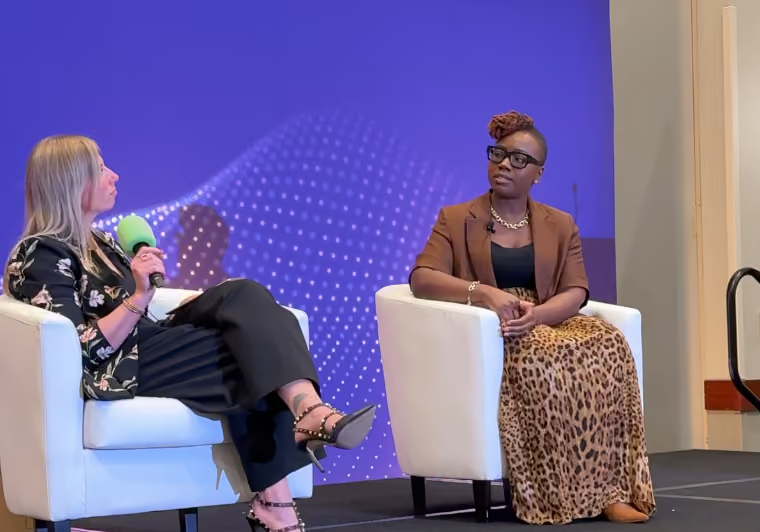
Blink and Ian sat down together for a February 2023 webinar, discussing topics including company culture, senior leadership engagement, digital transformation, and the opportunity to boost engagement, loyalty, and retention with frontline employees.
Listen to the full webinar conversation ‘Why Engaging With Frontline Healthcare Workers Makes Both Dollars and Sense’ hereor keep reading for the main discussion points.
Speakers:
Ian Gordon, Former President of Administrative Operations at Elara Caring
Marcy Paterson, Head of Solutions Consulting, Blink
How would you summarize the frontline engagement challenge organizations face in 2023?
The first point to make is that frontline disengagement is not a new challenge. What is new, however, is how this challenge has risen to the top of the Executives’ problem list — and I think there are four main reasons why:
Unprecedented disruption to the workforce
Employee burnout and generational differences between older participants in the workforce, Millennials, and Gen Z: the rise of the “gig” mentality and younger workers’ drive for work/life balance
Changing societal demographics and the desire for people to live independently and “age in place”
And, crucially, the huge competition for workers. Employers have had to significantly increase compensation and offer more flexibility, which drives up the cost structure
What’s essential now is that we develop a more acute understanding of the implications of dissatisfaction among frontline employees: how it leads to employee turnover and what that means to our companies.
Because, if we’re honest, what we've tried in the past hasn't worked to create significant levels of employee satisfaction, engagement, and loyalty.
Frontline workers feel under-appreciated and under-supported and, as a result, that makes them less loyal and more likely to look for the next opportunity. You might have their hands on the job for now, but you haven’t got their hearts.
What are the impacts of disengagement?
I call it the quadruple miss. When frontline employees are disengaged, this has an:
Impact on patients who experience high caregiver turnover and inconsistency of care; they simply don’t get the comfort they are looking for when aging in place
Impact on patients’ families who step up to fill the gaps caused by interrupted care and must meet and re-brief caregivers on a regular basis. This can hurt them in their own personal and/or professional lives
Impact on frontline workers who are the ones confronted by the family’s frustration. And, in instances of high attrition, new incoming frontline workers feel responsible for the family’s frustration, and they become frustrated as well
Impact on the company who suffers in terms of resources spent on recruiting and training a revolving door of employees. Plus, the cost of reputational damage and lost annual revenue
Attrition is a huge issue, and a lot of money is being spent on recruitment to address those challenges. But is it a long-term losing proposition?
I use the analogy of a leaky bucket because turnover at the rates we’re seeing now — as high as 70% in some companies — has organizations in a panic. They need to bring on so many new frontline employees; they’re recruiting, hiring, and training teams, spending money on advertising, and investing in higher salaries.
And yet, they still can’t keep up with demand.
I saw a survey recently that claimed 85% of home health agencies had turned away business because they didn’t have the staff and almost 60% said they did this "consistently".
Long-term, this attrition issue becomes a self-fulfilling prophecy; if you use recruitment as your primary solution to a retention issue, you will never fix the root cause.
If recruitment isn’t the solution, what is? What have you seen work?
I think that leadership needs to acknowledge their contribution to the problem. As leaders, we are responsible for creating a supportive environment and we need to acknowledge that we’ve helped create the employee dissatisfaction and engagement problem we have today.
Then, you need to spend time with and listen to your frontline.
This needs to be managed authentically; it’s often not a frequently occurring event and so employees don’t feel comfortable openly and honestly engaging with executive leadership. Leaders go in with more of a (potentially scripted) corporate message, ready to tell the frontline what the corporation wants them to hear rather than what they really need to hear. That’s not going to move the dial for employees and encourage them to become more engaged.
Healthcare employee surveys are a step in the right direction. They are valuable and give you data at a point in time that you can trend. But what I’ve seen happen is that people spend more time debating the validity and accuracy of the survey. If you torture the numbers long enough, they’ll confess to anything, and people get caught up in that.
What we’re talking about here is bi-directional communication — who do you think should be responsible for that?
I think the answer is the same in every company: you need to find someone who has the energy, passion, and is empowered enough to lead the initiatives. That person could be the project lead, but preferably it’s someone from the frontline or with frontline experience. The frontline needs to have that relationship with management all the way up and be comfortable to share their concerns.
Communicating issues is a team effort. It starts with the CEO and runs the full way through to the frontline. Everybody has to own it.
Is there an opportunity to better engage that first line manager and leverage them?
The first line manager might just be the hardest worked and most undervalued level of management in any company. They have passion and commitment and do everything they can, but if you look at the amount of administrative work that’s burdened on top of them — in addition to what they should be doing already — it’s tremendous. They barely have any time to try to manage their teams.
And yet we do need to engage them. They are the closest to the frontline and so if you’re not getting everything you need from the frontline or hearing what you need to hear, these are the people who know them best. Often, they’ve done the job; they’ve experienced the challenges first-hand.
But before we can engage them, we need to make sure that they’re okay. We need to understand what’s helping them be engaged or causing them to be disengaged in their jobs. It’s impossible to ask somebody to help drive engagement, satisfaction, and loyalty when they don’t feel those things to the company themselves.
You mention the administrative burden. The same digital transformation that desk-based workers get is yet to reach the frontline. How have you tried to alleviate that?
You need to understand the experience of having to perform repetitive mundane tasks. You need to go through that process yourself to discover what a horrible use of their time it is and why it’s no surprise that it doesn’t excite them each morning.
Then, you can look at how technology can be leveraged to simplify these tasks. It’s about taking away the administrative tasks that aren’t exciting, aren’t adding value, or aren’t rewarding for the employee so that people can be more satisfied and engaged.
If you can do that, then the quality of their work will go up and human errors will go down.
That’s what Blink really brings to the table. Using Blink, we were able to simplify our internal communication. We also gave frontline workers the tools to create communities, have single sign-on, and one place for information (versus the 5 or 10 that many nurses experience).
I’ve yet to meet a clinician or caregiver who got into this line of work to be on a computer all day. If we can reduce this non-cognitive load, then we can give them back the time they need to improve patient care.
How do you look to create a return on investment from these programs? Where have you seen that return and how have you been able to qualify it?
Administrative savings are easy to qualify. You know the jobs that people do, and if you can eliminate tasks and enable them to get more done in less time, then it's easy to say I need fewer people, or the same number of people can take on more work.
But the investment you need to make won’t pay for itself with administrative savings alone. That’s when you look to the impact on turnover — loyalty, satisfaction, and engagement — to make frontline workers more productive.
And when turnover declines, then that's tremendous because of the amount of savings that can be reaped from reducing the spend that companies have poured into their HR: recruiting, hiring, and training.
If you can redeploy those training resources to the frontline instead, giving them the skills and capabilities to enhance their service, then that can be a differentiator in the marketplace. It is also a good reason for your frontline to feel appreciated and invested in.
What are the pitfalls you’ve seen in organizations embarking on initiatives like this?
One would be rushing head-first into a solution before you truly understand the problem. You need to take the time to learn what’s important to different people in different positions.
Then there’s having a lack of clear direction or rapidly changing direction. It’s better to follow through on fewer, more meaningful activities. When employees don’t see the follow through, they become numb to the activities and disengage at another level.
And lastly, talking at employees instead of with employees.
How important is it to create a simplified experience specifically for the frontline?
Many organizations are comfortable with solutions for tethered employees — those who are in the office or working at a desk all the time, with access to a community of help.
But being a frontline worker can feel like you're on an island by yourself, and the solutions that you need must be quicker and more succinct. You can't spend a lot of time signing in and navigating. You need to get to your answer now.
You may be doing it while you're in front of a patient or, in the in the case of home health, while in between patients. Either way, you haven’t got a lot of time, and so having hub-based access to all-inclusive and easy-to-navigate information can really be a benefit to employees.
As leaders, the question we need to ask ourselves is this. Are more worried about playing it safe and trying to protect our jobs, at least in the short term, or are we willing to do what’s right for our employees and our customers: ensuring we create an environment where customers can be satisfied and employees can feel trusted, respected, and appreciated?
“Dear Employee, your GTK forms are now Available in the YTG portal, Please fill them by Thu so they can be processed by MONDAY. Thank you!!!!”
Internal messages like these are liable to confuse your audience.
Grammar mistakes, inconsistent capitalization, and workplace jargon make internal communications confusing. A lack of personalization and an ill-defined tone of voice make it unengaging.
The result? Your audience doesn’t understand your message — or chooses to ignore it because it holds no interest.
We know that ineffective communication costs businesses up to $15,000 per employee per year. So consistent, effective, and engaging communication has to be the standard.
An internal communication style guide helps your communicators post content that ticks all these boxes. Let’s look at what a style guide is — and how to create one — so you can ensure clear employee communication and a positive employer brand image.
What is a business communication style guide?
A business communication style guide is a document that details the content and writing standards you want internal communicators to stick to.
It includes rules on things like grammar, formatting, writing style, word choice, and tone of voice. It offers guidance on how to make content more interesting, relevant, and easy to digest. It may also provide information on how to create and format multimedia content.
Your internal communicators can refer to these standards whenever they create content, ensuring that everything is kept consistent, no matter who is writing or posting.
This makes your internal messages easier for employees to understand. It also supports your internal communication strategy. Because when employees are used to receiving clear and relevant messages, they’re much less likely to switch off from employee communications.
A style guide keeps everyone on the same page at all times. And it embeds a shared understanding of internal content creation throughout your company.
How to write your internal communication style guide: a template
Internal messages should be as concise as possible. The same goes for your internal communication style guide.
Nobody in your company wants to spend hours reading through a list of rules before they publish an internal communication message. So don’t be tempted to write reams.
It may help to look at style guide examples and templates — like the one we’ve included here — as inspiration. There’s broad consensus on what good internal messaging looks like. So most style guides contain a lot of the same information.
However, you will need to add company-specific guidance relating to your brand personality, tone of voice, and any particular language you want to use or avoid.
With all that in mind, here are the basic components you’ll need to include in your workplace communication style guide, along with some tips.
Introduction
The first section of a style guide is the introduction. It explains the basics of the guide, like how to use it, why it’s important, and what it includes.
The VA.gov style guide hits on all these points. It provides a straightforward experience for everyone, regardless of whether they’re viewing the guide for the first or tenth time.
To ensure people can use your guide as a reference, create a list of contents and use linked subheadings. That way, users can jump straight to the information they need.
A few internal communication principles
A good business communication style guide doesn’t just cover specific rules for workers to follow. It also shares the underlying internal communication principles behind those rules.
With knowledge of these principles, content creators can make the right editorial call, even in situations the guidelines don’t cover.
Here are some of the golden rules to include for content creators in your internal communication style guide.
Stick to the four Cs: Internal communication should be correct, clear, concise, and conversational. So fact check each piece of content. Ensure your primary message shines through. Say what you want to say in as few words as possible. And write in a way that reflects how real people talk to one another — using everyday words and phrases.
Understand your audience: Plan your content before you start writing. As you form an outline, ask yourself:
What are the key things you want to convey?
Who is this message for?
What will the target audience want to know?
What is their likely state of mind when consuming the content?
This will help you write cohesive content that gets to the point and answers employee questions.
Be clear and helpful: Break down complex messages into simple, bite-size chunks. Put the most important piece of information at the start of your content. Also, break up paragraphs and sentences to make them more digestible for readers.
Make it human: It’s much easier to connect with individual people than with an inanimate organization. So use words like “we” instead of your company name. And use the word “you” to talk to employees directly.
X Blink is looking for employees who want to volunteer with a local charity.
✓ We’re looking for employees who want to volunteer with a local charity.
X Employees can get involved by clicking this link.
✓ You can get involved by clicking this link.
Write inclusively: Only refer to a person’s disability, age, race, religion, gender, or sexual orientation if it’s relevant to the context of your content.
Grammar and punctuation
The third part of your internal communication style guide is all about the mechanics of writing.
Of course, you can’t cover every single grammar rule here. But you can give guidance regarding the most common grammatical errors and inconsistencies. Here are some ideas.
Ampersands: Don’t use ampersands (&), whether in titles, subtitles or the body of a message. Use the full word “and”.
Commas: Don’t forget to add the serial comma (also known as the Oxford comma), in lists of three or more items.
X In his award speech, Tom Cruise mentioned his parents, Steven Spielberg, and Martin Scorsese.
✓ In his award speech, Tom Cruise mentioned his parents, Steven Spielberg and Martin Scorsese.
Contractions: Contractions make your writing feel less formal. So use them in all your internal communications.
X We will have more news for you soon.
✓ We’ll have more news for you soon.
Be careful with common contraction errors. Writers often confuse “its” with “it’s”.
“Its” is used to show possession:
The HR team has its away day on Monday.
“It’s” represents the phrase “it is”:
It’s the HR team away day on Monday.
Also, avoid non-standard contractions like “should’ve” and “would’ve”.
Exclamation marks: Some writers are prone to using lots of exclamation marks. This can come across as overly informal or a little aggressive. However, the occasional exclamation mark can make a message seem more friendly. Be clear on whether and where you want communicators to use them.
Accuracy and spelling: Ensure that your content is free from errors. Use a spell-checker to catch mistakes you might have overlooked. And proofread everything before submitting it for publication or distribution.
Style and formatting
Style and formatting are all about how you want communicators to use language — and how you want them to present their message on the page.
Acronyms and abbreviations: These can cause confusion, particularly for new employees. So try to avoid them. When absolutely necessary, write the full version of the acronym or abbreviation the first time it appears in a piece of text.
For example:
The customer experience (CX) team achieved their target this quarter.
Then use the acronym or abbreviation throughout the rest of the text.
In some cases, when an acronym or abbreviation is commonly used in the English language, you don’t need to spell the full word out.
Some examples: Mr, Ms, Ph.D
Capitalization: Use sentence case capitalization for page titles, subheadings, text links, and buttons.
X The Ultimate Internal Communication Style Guide
✓ The ultimate internal communication style guide
Remember that proper nouns (names of specific people, places, or organizations) are always capitalized, wherever they appear. And ALL CAPS should be avoided at all costs. They make a reader feel like you’re shouting at them.
Dates and times: Dates are displayed differently in different countries. To avoid any confusion, write dates in their full format.
X 11/12/2026
✓ November 12, 2026
Don’t abbreviate days of the week or months of the year. For example, write “Monday” not “Mon” and “January” not “Jan”. Also, write noon and midnight, rather than 12:00 p.m. and 12:00 a.m.
Bullet lists: Bullet lists make content easier to scan and understand. If there are three or more concepts in a sentence, try putting them in a bullet list instead.
When writing bullet lists:
Capitalize the first letter of each bullet point
Keep each list item short (no more than one or two lines)
Use a parallel structure (start each point in the same way —for example, with a verb or a noun)
Links: The links you include in your content should feel natural and intuitive. They should show readers where to click and where the link will take them.
When creating links:
Use descriptive language
Hyperlink the most relevant text
Avoid making the hyperlinked text too long
Headings and subheadings: Use headers and subheads to organize your content. This breaks text up and makes it easier to read.
Paragraphs and sentences: Keep the majority of your sentences and paragraphs short. Long blocks of text can be overwhelming for a reader, particularly if they’re reading content on a small mobile device screen.
Here’s a quick rule of thumb:
No more than 25 words in a sentence
No more than three sentences in a paragraph
Numbers, weights, and measures: Write numbers one to nine as words. Write numbers 10, 11, 12, and so on as numerals. Write out fractions as words, using hyphens. For example, two-thirds or three-quarters.
Decide whether to write out or abbreviate weights, measures, and currencies. For example, decide between:
% and percent
kg and kilograms
€ and euros
Vocabulary: Highlight the correct form of commonly misspelled or incorrectly formatted words — particularly those your organization uses regularly. Ensure that your company name, company locations, and hyphenated words are written the same way across all content.
Context-specific formatting: Perhaps news feed posts shouldn’t exceed a specified word count. Or you don’t want communicators to use emojis in emails. Explain any style and formatting rules related to the internal communication channels you use.
Writing voice and tone
This is where your business communication style guide is likely to feature lots of unique content. It’s all about the brand personality you convey — and how you make employees feel.
Start by thinking about your brand personality and values. Then, imagine your brand as a person.
Ask yourself how that person would speak and the kind of words they’d use. Perhaps their speech is polished and motivational. Or maybe they prefer to talk informally, throwing in the odd joke.
In this part of your internal communication style guide, describe what your brand personality is and isn’t. Also, give written examples that show communicators how to convey this personality across internal communications.
But remember that — while brand voice is a fixed thing — your tone can vary.
You may like to adapt your tone according to each communication channel and message format — or for different audience segments. If this is the case, give examples of how to adjust the tone for different scenarios.
Beyond the specifics of your brand voice and tone, there are a few foundations of good internal communication to keep in mind.
Use active voice: Using active voice instead of passive voice makes your employee communication more engaging and energetic.
X The training day was delivered by Amy.
✓ Amy delivered the training day.
Be open and transparent: Transparent communication builds trust. This contributes to a positive company culture. So when creating internal communications, use a tone that is approachable and honest. Be as open as possible, particularly where mistakes have been made.
Also, invite employee feedback to respond to your communications. In doing so, you establish two-way communication, giving employees a voice and discovering useful perspectives.
Be respectful: As we mentioned earlier, inclusive language is essential for internal comms. Ensure you speak to all employees as equals. Don’t patronize and don’t highlight company hierarchy unnecessarily.
Be direct and to the point: Your employees want to learn the most important details of your message as quickly as possible. Keep your copy short without missing key information. Also, include a clear call to action so employees know what to do next.
Keep it positive: We’re not saying you should gloss over bad news. But where possible, use a positive tone when writing internal messages. Avoid cynicism and sarcasm.
Write with a conversational tone: Make text easy to understand by writing in Plain English. Pick short, simple words over long, complicated ones.
It can help to read your writing out loud. If you wouldn’t use particular words or sentence structures when talking to someone face-to-face, try editing your copy to make it more conversational.
For example:
X Blink is a software solution for frontline-centric organizations.
✓ Blink is an employee app for companies with a big frontline workforce.
Multimedia content
Text may be the foundation of internal communications. But multimedia content is incredibly engaging for employees.
If you regularly create content like videos, images, infographics, or audio, tell your team how this media should be presented. Here are some of the things you might like to cover.
Branding: If graphics and videos need to feature the company logo, company colors, or specific fonts, tell creators how you want them to incorporate your branding. Also, give guidance on whether stock photography is acceptable.
Quality and formats: Detail the minimum resolution of images, the maximum file size of multimedia content, the required quality of audio, and preferred file formats.
Accessibility: Give instructions on alt tags, contrasting color palettes, and any video caption requirements to ensure your multimedia content is accessible to all employees.
A final note on creating your internal communication style guide
An internal communication style guide acts as a reference. Your communicators can use it to improve your internal communication, making it more consistent, engaging, and effective.
Many of the guidelines in an internal communication style guide cover best practices. These can be applied to almost any organization. But you need to adapt your guide so it reflects your branding, your tone of voice, and the needs of your employees.
It can help to treat your guide as a work in progress. Once you have a guide in place, you can add to it. Any time you see an error or an inconsistency in your internal communications, update your style guide to prevent similar mistakes in the future.
We hope this template speeds up the creation of your internal communication guide. Good luck with your first draft!
Take a wild guess. During a week-long hospital stay, how many different employees is a patient likely to interact with?
When you account for all the doctors, nurses, technicians, consultants, and other people involved, it’s certainly more than a dozen. And depending on the patient’s condition, he may also see more than one type of specialist such as an oncologist, haematologist, radiologist, and so on.
If these many people are responsible for a patient’s care, they better be on the same page regarding the patient’s condition, diagnosis, and treatment. After all, a small mistake can risk his well-being.
Despite that, internal communication is an area where the global healthcare industry hasn’t caught up with the latest tools and best practices available to them. In this post, we’ll walk you through the importance of internal communications in the healthcare industry, its challenges, and what you can do to address them.
Why is communication important in healthcare?
Caring for patients properly takes more than procedures and diagnoses. You also need an effective internal communication system. And not having one in place makes you vulnerable to gaps that can have dire consequences.
In the UK alone, the healthcare communication gap costs over £1 billion in wasted funds and resources per year. Not to mention the risk that it poses to patients’ health.
This shows better internal communication has the potential to benefit both patients and healthcare providers. It helps save costs, protect your patients, and enhance day-to-day efficiency.
Gaps & barriers in healthcare communication
The issues that widen the healthcare gap are multi-faceted. Miscommunication exists between healthcare workers and patients. And it also exists between healthcare workers, technological systems, and more. So let’s take a closer look at the main obstacles getting in the way of effective communication in healthcare.
Outdated communication channels
The global healthcare industry boasts of some of the most advanced technology in the world. From AI to VR-assisted operations, and from 3D printing to robotic surgeries, healthcare has seen some incredible scientific breakthroughs.
Yet, it’s shocking that many medical organizations haven’t adopted the latest communication technologies. Not just that, the whole burden lies with the senior practitioners to plan and send communication materials to patients, mid-level employees, frontline workers, and other caregivers. There is no infrastructure to support streamlined multi-directional communication.
Lack of focus on internal communication
Most organizations focus on improving communication between healthcare professionals and patients, but the gap among the healthcare professionals themselves is usually a blind spot.
Many doctors work alone. Specialist care is often fragmented. And healthcare professionals are not always in contact with each other. This leads to a lower quality of care. This is where a well-thought-out internal communications strategy is vital.
Apathy towards frontline staff
Katie Knight, a pediatric emergency medicine registrar in the NHS, recalls from a roundtable discussion among experienced NHS professionals:
“Those in senior management rarely ask for the opinions or ideas of those in junior positions.”
When decisions are being made that could drastically change the experience of those working on the frontline, it seems strange that those on the frontline are rarely consulted. The result is the formation of unrealistic rules and regulations that can’t be implemented in the real world.
Limited technological aptitude
Gaps in technological ability affect both healthcare workers and patients. A report published by the Good Things Foundation in 2019 found that 55% of over 65s lack at least one essential digital skill.
In fact, over 50% don’t have the basic digital skills they need. This prevents organizations from truly adopting the tools that can streamline internal communication.
High-pressure environment
Healthcare workers tend to be pressed for time. These are professionals with limited resources tasked with an array of responsibilities such as meeting patients, diagnosing conditions, monitoring reports, supervising treatment, and much more. And the ongoing pandemic has added even more to their stress and work pressure.
So unless you make it really easy for them to adopt and use a new communication mechanism or policy, it’s not going to put a dent.
3 ways to improve healthcare communication
Good internal communication practices aren’t easy to adopt, even for experienced healthcare professionals. Here are the steps to foster better internal communication in your healthcare organization.
1. Assess your current situation
Before you zero in on where you need to go and how to get there, you should understand where you are right now. Conduct an internal audit or employee survey to get answers to questions such as:
How do workers communicate most often?
Are there any commonalities or trends in communication mishaps?
How are company news and policies communicated?
This is also your opportunity to solicit feedback and suggestions to address communication problems and enhance internal communication.
Implementing new methods and patterns of communication will require time and effort, but it will pay off in the end.
2. Form an internal communication strategy
Good internal communication involves everyone in the organization, but it starts at the top. It needs support and active participation from senior leadership.
When administrators and managers clearly define and communicate goals, processes, and expectations, along with aligning their own behaviour accordingly, it’s easier for employees to adhere to the same standards.
Now to clearly shape and share guidelines for effective internal communication, you must have a concrete plan. A great internal communication strategy will answer questions such as:
For example, managers can use employee communication software to:
Set up reminders and schedule employee performance reviews and other team meetings.
Share new procedures and policies with everyone in the organization (including frontline staff) with just a few clicks or taps.
Make certain messages mandatory and monitor electronic signatures to check whether employees have read the information.
Store and distribute training materials in multiple formats to make sure workers understand and can refer to the information again as needed.
Most of all, a great communication tool can empower everyone to access and share stories, updates, and suggestions across your organization. This change alone can lead to a significant boost in employee lifecycle and productivity.
Final thoughts
If you’ve ever looked for a job online, we bet you’ve come across the phrase — “candidate must have excellent communication skills.”
Good communication with coworkers is a key ingredient everywhere, but it’s even more important for hospitals and other healthcare facilities. Poor communication can put lives at risk, and cause many day-to-day issues in a hospital, regardless of your profession or department.
So use this guide to analyze the gaps hindering internal communication and start taking steps that take you close to build a company that does right by both its workers and patients.
I would like to nominate Mark following his heroic and kind-hearted behavior that recently saved a young girl’s life.
Mark pulled into the bus stand when a colleague approached him and alerted him to a young girl who had been found on the floor in a state. Mark approached the girl, and she told him she was considering ending her life.
Mark brought her back to the bus in a warm, safe space and he asked her about what happened — the girl believed she was drugged and the culprit had stolen her rucksack with her personal belongings inside. Mark called the paramedics and he waited with her for two hours as he spoke to her and calmed her down until she fell asleep on the bus. He monitored her every 5-10 minutes to check that she was breathing and wasn’t in danger. When the paramedics came, he took them up the road to try to search for her bag but sadly to no avail.
Thanks to Mark’s selflessness and fatherly instinct, he saved her and brought her to safety in the hands of the paramedics. Mark deserves to be thanked and recognized for this act, and should know the huge impact he has had on this girl’s life.
How has Blink helped in his role?
Mark is very active in the community and he always takes part in events, which he finds through the app.
The company intranet shouldn’t be a place where your documents go to gather digital dust. Done right, an intranet acts as the beating heart of your organization.
That’s because there are so many ways you can use an intranet. Internal communication, project management, personnel services, collaboration – a modern intranet can be the hub for a diverse range of workplace activities.
Too often, however, the company intranet is neglected. Without regular improvement, it becomes irrelevant and unappealing to your employees. Usage drops and you end up paying for something that no one really engages with.
So how do you keep your intranet up to date and in use? If you feel your company intranet has lost its shine, take a look at the list of intranet improvement ideas below. They’ll help you to maximize your intranet – boosting employee engagement, connection, and productivity in the process.
What is a company intranet?
The intranet has changed a lot over the years. So we thought it wise to start with a definition.
A company intranet is a local network, exclusively for you and your employees. Unlike the company website, it’s a place where you can share documents and data privately – without worrying about clients, competitors, or the general public seeing them.
A basic company intranet usually includes:
Internal communication tools
An employee directory
Document sharing
Access to personnel services
That’s how we’d describe a traditional company intranet. But there’s a lot of variation between different intranet software. As we’ll see in a moment, older intranets are a world away from the modern versions many companies use today.
Why is it important to improve your company intranet?
An intranet can boost employee engagement and streamline operations. But if your organization is still using an older style of intranet, you may run into the following problems:
Functionality is limited
Employees don’t like using your intranet
Some employees (for example, your frontline workers) can’t access your intranet
There’s no getting away from it. Older intranets have limitations- they were designed for a version of the workplace that no longer exists. They’re great for sharing information among a desk-based team but traditional intranets aren’t particularly user-friendly or accessible.
In contrast, modern intranet software solutions are built with the needs of today’s digital workplace in mind. They allow easy internal communication and collaboration, even when employees are away from the office. And they provide a hub for workplace essentials, like benefits and payroll.
But remember – whichever type of intranet you’re currently using within your organization, there’s always room for improvement. Technology and employee expectations are constantly changing and your intranet needs to keep pace.
Updates enhance the intranet experience for employees, which means they’re more likely to use the platform. They also bring a greater range of functions under the same intranet umbrella, helping teams to be more productive.
A fully optimized intranet (or a similar tool – like an employee app), puts essential tools at the fingertips of your workforce. Employees are more effective and engaged. And you get the most out of your software investment.
14 ideas to improve your company intranet
An older intranet is sometimes little more than a glorified shared folder. Even modern intranets can quickly fall behind ever-evolving tech trends and employee needs.
By improving your intranet, you create something altogether more useful and exciting. Adopt modern intranet features and you’ll bring your company intranet up-to-date while encouraging employee uptake too.
In this section, we’re going to look at lots of ideas for improving your company intranet.
1. Improve communication channels
2. Personalized user portals
3. Content creation
4. Social networking features
5. Integration of AI and automation
6. Mobile accessibility
7. Rewards and recognition
8. Feedback and surveys
9. Integration with other tools
10. Analytics and reporting
11. Onboarding and training resources
12. Security and data privacy
13. User training and support
14. Commitment to continuous improvement
1. Improve communication channels
Think of the communication tools you use outside the workplace – the apps you use to chat with friends and family.
These apps are appealing and engaging. They facilitate fast and easy communication via instant messaging. They allow you to chat privately or in groups. And they come with an intuitive, user-friendly interface.
Recreate the same experience within your company intranet and you boost both team connection and employee engagement.
So where should you start? The first step to improving intranet communication channels is ensuring everyone has a voice. Conversations should be two-way, not one-way. That means using communication channels that allow information to travel in all directions – peer-to-peer, top-down, and bottom-up.
Once you’ve established these types of communication channels, encourage your teams to use them. Allow employees to create spaces where co-workers can chat and collaborate. Welcome feedback and frontline intel from your workers and use channels to share important news.
When communication channels crisscross your organization in this way, everyone hears and is heard. And important information is a lot less likely to be missed.
2. Personalized user portals
Marketing emails. Grocery store rewards. Netflix recommendations. The best digital experiences are tailored to each individual consumer.
Personalization makes experiences more engaging – and, when we spend our days bombarded with information, it cuts through the noise to ensure that key messages resonate.
We can apply this approach to the company intranet. When an employee logs in and sees a dashboard personalized to their role, their team, and their past intranet interactions, everything becomes much more engaging. An employee gets relevant content front and center.
Whether your intranet provides personalization automatically – or if employees can rearrange the user portal themselves – tailored experiences are another great way to improve your intranet.
3. Content creation
At a minimum, employees should be filling out their employee profile. But you can encourage them to go further. Make your intranet more relevant and engaging by involving all team members in content creation.
Employees can share team news, tutorials, and guides. To ensure cohesion, you can create a content template to support employees with the process, outlining the structure they should follow and the tags they can add.
Of course, employees can also contribute their posts, comments, and reactions on a social-media-style news feed.
4. Social networking features
72.3% of the US population uses social networking sites. So it’s safe to say that most of your employees enjoy hanging out on at least one of the popular social media platforms.
Add a social-media-style news feed to your intranet solution and you make things feel a little less corporate and a little more social. Employees can see and share posts, images, and videos. They can also comment and react to posts published by their co-workers.
A news feed keeps employees in the know. It’s a place to share important workplace updates and events. But not any old news feed will do. If you want high adoption rates, you need a news feed with a user-friendly interface. When a platform is intuitive, employees find it easier to weave it into their work day.
Blink Feed – a feature of the Blink super-app – replicates the experience of popular social network news feeds by prioritizing connection and usability. It offers a range of really useful add-ons, too – like critical messages that sit at the top of the news feed until employees read and acknowledge them.
5. Integration of AI and automation
Love it or loathe it, AI is making work quicker and easier. So incorporating it into your company intranet makes perfect sense.
With the help of AI, you can:
Automate repetitive intranet tasks, like expense report processing and employee onboarding
Give time-strapped content creators inspiration for their posts
Personalize employee portals based on the features they use most often
Send push notifications, drawing employee back to the intranet when new content is posted
Add an AI chatbot to your intranet and you can do even more. This virtual assistant can handle routine inquiries. It can help employees find answers to FAQs, locate relevant resources, or troubleshoot intranet issues.
When AI and automation do some of the heavy lifting, employees complete tasks quickly and easily, and you lighten the load for your personnel and IT teams, too.
6. Mobile accessibility
Back in the day, old intranets worked off a server in the office. You could only log in if you were based on a desktop computer in the same building.
We’ve come a long way. Now, in a world where employees work remotely – and where they’re used to slick digital experiences – most intranets can be accessed via an internet connection. But does this go far enough?
If employees access your intranet solely from a computer or laptop screen, then maybe. But if you’re a frontline organization, probably not. You need a solution with mobile-first design that ensures the same great intranet experience across all devices.
That’s because frontline workers don’t always have access to a desktop or laptop computer. They often don’t even have access to a work email address. And if your intranet offers a sub-standard (or non-existent) mobile experience, these workers can end up cut off from co-workers, comms, and company culture.
A mobile-first intranet ensures every member of your organization – including those working remotely or on the frontline – gets the same information and sense of connection. Your intranet reaches employees wherever they spend their workdays.
7. Rewards and recognition
According to Gallup and Workhuman research, employees who get recognition for their hard work are up to 20 times more engaged than those who don’t.
Praise an employee and you boost their motivation. Give public recognition and that impact grows. You create a positive company culture. And the wider team – seeing that effort is rewarded – are more likely to up their game, too.
If you’re not using your intranet to recognize and reward the employee behaviors you want to see, this is another key area for improvement. You need tools – like Blink’s recognition feature – that help you weave small but meaningful recognition into your every day.
Show employees just how much you value them with instant, personalized messages. And go public, celebrating employee successes with the whole team so everyone benefits.
Aggregate Industries, a manufacturer and supplier in the UK, put this rewards action with their Net Zero campaign that is at a core of their organization.
In an effort to drive awareness about the team’s sustainability efforts, “carbon atoms” were placed throughout the Blink platform for employees to find while engaging with content. Once discovered, each atom held a question related to their Net Zero strategy, and when an employee answered the question correctly, they were entered into a contest for a prize. This ultimately drove incredible engagement with the platform while learning about a key strategy of theirs, and then the employees were rewarded when they engaged.
To learn more about how Aggregate Industries utilizes Blink for their Internal Communications strategy, check out our webinar here.
8. Feedback and surveys
The best intranets have built-in feedback and survey functions that make it easy to discover employee needs, concerns, and expectations.
You promote open, two-way communication with regular requests for feedback. You then have all of the communication tools you need to share findings and a plan of action with employees.
With these tools at your disposal, you can seek feedback on any aspect of the employee experience, including the intranet itself. Perhaps a crucial feature is clunky and difficult to use. Or extra functionality would make a popular tool even more useful.
Launch surveys via Blink’s mobile super-app and it’s super easy for employees to respond – even when using a smartphone. You can discover what employees think of your intranet, and then make data-driven software improvements.
9. Onboarding and training resources
When you use your intranet for onboarding, there are lots of benefits:
You create a standardized process
New hires have a resource they can refer back to
You save manager time because the intranet does some of the training for them
It’s easy to gather feedback and data on the onboarding process
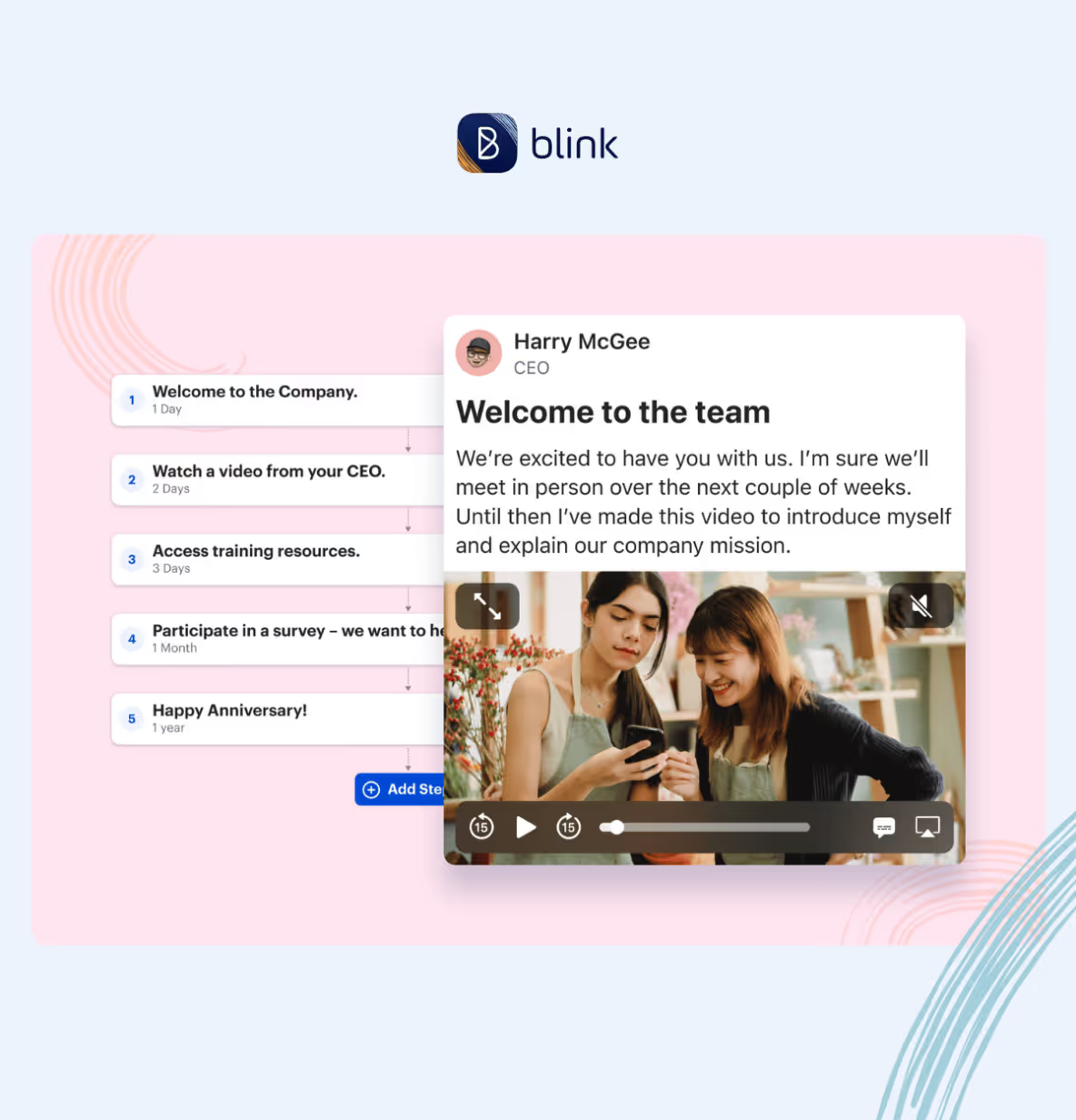
If you aren’t already using your intranet to train new hires, start by putting mandatory training resources, FAQs, and video tutorials onto your portal. Also, encourage new starters to use your employee directory, finding relevant co-workers to connect with.
Introduce new employees to your intranet from the very beginning and you showcase its role within your organization. Employees get to see its features and benefits, and are more likely to use it going forward.
10. Integration with other tools
Company intranets are most useful when they’re a one-stop-shop – a hub for all the technologies, tools, and resources you use within your organization.
Putting everything in one place speeds up and streamlines workflow. Employees don’t waste time logging in and out of different platforms. And they don’t have to familiarize themselves with multiple interfaces. Instead, they access everything they need via your intranet portal.
If you’re currently using a patchwork of different tools, you can improve things by finding out which integrations your intranet software supports.
Alternatively, you can connect tools via a feature like the Blink hub. Here, you can put HR systems, internal communications, project management, employee benefits, and more, in the same accessible place.
11. Analytics and reporting
If your current intranet doesn’t have analytics and reporting features this is another area crying out for improvement. With analytics, you get to see:
See how communication flows around your company so you can identify both positive and negative relationships. Filter employee engagement data by team or date range. Find the most popular news feed posts to learn which content grabs employee attention.
Analytics and reporting functions make intranet data easy to understand and act upon. You can then use your findings to make your intranet even more effective.
12. Security and data privacy
There’s a cyber-attack every 39 seconds. Any digital workplace needs to consider the cyber security risks they face and regularly reassess the safety measures they have in place.
The best intranets provide rock-solid security that keep systems and data safe. So if your intranet security hasn’t been updated in a while, this could be another key area for improvement.
Access control measures prevent unauthorized users from accessing specific intranet sections or features. Encryption and password protection keep sensitive documents from prying eyes. Multi-factor authentication (MFA) is an extra-secure way to verify a user’s identity as they log in to the system.
Employee training is also essential. Everyone needs to understand secure password practices – and how to recognize and respond to security threats. When your teams understand best security practices you can rest easy, knowing that your intranet isn’t putting your business at risk.
13. User training and support
Employee security training is important. So too is intranet training. Too many intranets are underutilized simply because employees aren’t familiar with the range of features they offer.
Of course, the best intranets are intuitive and easy to use. But if you find that your adoption rates aren’t as healthy as you’d like them to be, hone in on training.
Create guides that explain intranet features and how to use them. Consider setting up a dedicated support channel for intranet-related issues and inquiries. Appoint intranet champions – members of staff who get full training on intranet systems and can then share their knowledge with co-workers.
Training and support help employees to understand and see the value in your intranet, while you maximize the impact of intranet features.
14. Continuous improvement
It’s never a case of implementing an intranet solution and then letting it run its own course. To get the best out of an intranet, treat it like a constant work in progress.
The tech tools we use in our personal lives are regularly updated. And your intranet solution needs to move with the times too. To stay relevant and engaging, it has to adapt to changing trends, tech advances, and the needs of your employees.
With surveys, feedback requests, and analytics, you keep your finger on the pulse. You can figure out what’s missing from your intranet and which features need work. You also get the buzz of seeing which changes make the most impact.
Do companies still use intranets?
We’ve just spent a lot of time talking about the improvements you can make to the company intranet. But let’s circle back to an important question – do companies still even use them?
When it comes to the traditional company intranet, not so much. Business leaders have realized that a digital workplace and digitally-savvy employees need something more. They need an intranet that’s agile, user-friendly, and engaging. And traditional intranets don’t tend to tick these boxes.
That’s why many organizations have turned to modern intranet solutions courtesy of today’s top intranet software providers. They use an intranet that employees can access via an internet connection, one that combines lots of useful workplace tools, like project management and personnel services.
But for some organizations, these updated intranets are still falling short. So instead of an intranet solution, they’re choosing to use a mobile-first employee app.
Difference between intranets and employee apps
The intranet has its drawbacks. It doesn’t necessarily work across all devices. Nor does it provide the exceptional user experience that employees now expect. Employee apps – offering many of the same features as a company intranet – remedy these issues.
Everyone in your organization can use the employee app. They don’t have to be sitting at a computer. And they don’t even need their own company email address. This makes employee apps particularly well-suited to frontline organizations.
Imagine a frontline worker – a bus driver who spends the day driving. She spends very little time with co-workers or at company HQ. In the past, when the company used an intranet that she couldn’t access, she relied on the depo notice board for company updates.
But now, thanks to the company’s employee app, she receives internal communication and makes co-worker connections via her smartphone. On her commute or during a break, she can open the app and get up to speed.
Unlike an intranet, an employee app boosts engagement, collaboration, and productivity for all employees. They typically have high rates of user adoption so no one gets left behind.
Preview Blink and learn about the features we offer for frontline teams.
The intranet of the future?
When you make improvements to your intranet, you help it to reach its full potential. You pack it with the features and functionality that make life easy for your employees.
Workers enjoy a user-friendly intranet experience that streamlines their workflow and helps them to connect with co-workers. You get boosted employee engagement and productivity.
Whether you choose to improve your intranet or switch to a mobile-first employee app, it’s all about using this incredibly powerful tool in a way that best meets the needs of your business.
Instant messaging and two-way communication features facilitate conversation across your organization. Integration with AI and other workplace tools makes teams more efficient. Personalized, social-media-style portals ensure employee engagement. Mobile-first solutions bridge the gap between frontline teams and HQ.
Prioritize improvements that match your business goals and you can have an internal communication solution fit for the workforce of today – and tomorrow.
Find out if Blink’s employee app is a good fit for your organization. Book a demo to see our platform in action.
The Capital District Transport Authority (CDTA) runs the public transit system in Albany, New York. They employ around 800 people.
Most of these employees are drivers and maintenance workers and CDTA was having a tough time staying in touch with them. An intranet. Seat drops. Posters. Digital screens. They tried everything. And it just wasn’t working.
For this webinar, our team sat down with CDTA’s Head of Communication, Jaime Kazlo, and Communications Manager, Emily De Vito.
Two years after launching Blink, they talked about how they went from an ineffective internal communication strategy causing a huge digital divide to an employee app that supports digital inclusion.
They had a high proportion of frontline workers who didn’t sit behind a desk and didn’t have company-issued emails or devices. So it wasn’t easy to share company messages with them.
To communicate with office-based employees, the company was relying on an outdated intranet. For frontline employees, the main methods of communication were:
Noticeboards and digital screens
Emergency SMS
Word of mouth
Seat drop, where posters were left on a bus operator’s seat in time for their shift
But these comms were ineffective. As Jaime pointed out, “A lot of the folks that work at CDTA don’t necessarily come into the office every single day. They may get their bus out on the road. And if they do come into the office, they’re coming in and getting their work at the dispatch window and then immediately leaving”.
So employees weren’t reliably seeing posters and digital screens. They weren’t getting an awful lot of co-worker contact. And teams ended up relying on one-on-one communication, which put a lot of pressure on supervisors.
Focus group feedback made it clear to the CDTA leadership that their comms weren’t cutting through. Frontline employees were missing out on important communications. They were missing out on the fun stuff too, like competitions and giveaways.
This was creating a disconnect between employees and the organization. And it was harming the employee experience. So in 2021, CDTA decided to make a change.
They wanted to overhaul the way they did internal communications. And they needed a way to meet frontline employees where they were at.
Their CEO, says Jaime, is a champion of open communication and certainly didn’t want more than half of the organization missing out on comms. So with his support, they set out to find a solution.
"I know we’re not unique. A lot of organizations struggle with internal communication. It’s just whether or not you’re going to take that next step to really get to the employees, listen to their feedback, and give them what they need so they can also feel that they’re an integral part of the organization.” — Jaime Kazlo, Head of Communication, CDTA
Deciding on a solution
CDTA already had a SharePoint intranet, which they’d tried to revamp. This was a tool that they’d been using for several years. But it was old, outdated, and poorly maintained.
While a handful of employees chose to use the intranet, many stayed away. In fact, it had gotten to the point where comms and HR teams wouldn’t even tell staff about the intranet because they didn’t want them using it.
The intranet didn’t provide relevant information and wasn’t a good representation of the company. Crucially, it was hard for frontline employees to access.
Having gone ahead with a new and improved intranet, the team had some last-minute doubts. As the launch approached, they questioned whether they wanted to roll this tool out to the workforce.
Jaime says that, having taken the intranet as far as it could go, they were still wondering if there wasn’t something better. A tool that would improve employee communication for the whole organization.
So they took the bold decision to shelve the intranet. And started talking seriously about other options. Here’s how they decided that a modern intranet, in the form of an employee app, was the frontline-first solution they were looking for:
They got buy-in from the IT team. The IT team was integral to the process. They made sure the chosen solution was secure, sustainable, and wouldn’t compromise the company network.
They got buy-in from the union. The team worked to ensure the union president and employees would get on board with their chosen solution.
They took a cross-functional approach. The comms team collaborated across different departments. They had conversations with everyone who had a big stake in the solution, including HR, IT, and operations. They gathered co-worker questions, found answers, and learned what each department needed from the company comms tool.
They got buy-in from the CEO. Finally, having decided that an employee app was the best solution, they made their case to the CEO, who gave the go-ahead.
“For our workforce — and the way people consume information in this day and age — it seemed archaic to stick with that intranet tool. So we decided to go to something a little bit more user-friendly and something that is pretty much in the palm of everybody’s hand every day.” — Jaime Kazlo, Head of Communication, CDTA
The comms team started by, again, looping in different departments to find out what modern intranet features they needed.
They asked marketing leaders about their branding requirements. They asked HR how they’d like to use employee information within an app. They spoke to maintenance and transportation teams about the needs of their frontline workers.
This part of the process, says Jaime, was easy. Everyone was on board. Because everyone agreed that internal communications at CDTA needed to change. And because everyone wanted largely the same things:
a product that was user-friendly and easy to use
a product that was easy to download
a product that allowed us to communicate daily company news
a product that made it easy for employees to receive emergency messages
Once internal discussions had taken place, it was time to vet solutions and choose the best software for the job.
This part of the process was led by the IT and communications teams. The IT team knew what CDTA was looking for technically — and in terms of app security. The comms team knew what tools they needed to communicate effectively with the organization.
After speaking with several vendors and viewing app demonstrations, they decided on Blink. It was a speedy process. The team started looking for a solution in January 2022 and launched Blink in June of that year.
They were able to turn this process around in just six months, says Jaime, because the team got clear on their priorities first. By getting their ducks in a row — and knowing exactly what they were looking for in an employee app —finding the right app was quick and easy.
Ensuring success
Finding the right employee app is the first part of the battle. The next? Ensuring success — in the form of employee adoption and engagement — once that app goes live.
So how did the CDTA team tackle this particular challenge? In the webinar, Emily explains what the team did before and after the launch of Blink to maximize its success.
Pre-launch
The CDTA comms team started their pre-launch activities with a group of company leaders. They wanted to establish these people as app ambassadors. So they made sure they understood exactly what the app was for, what it could do, and how they should use it to interact with employees.
The comms team — along with the company’s new app ambassadors — started promoting the app to the wider organization about a month before it launched. They sent letters, put up posters, and advertised the app on digital screens.
Emily emphasizes the importance of speaking to people face to face, too. She and her team hosted information sessions. They also visited staff in break-out rooms, at every company location, to promote the app and field employee questions.
“[We were] letting them know — “Hey, this app is for you, it’s so you know what’s going on in our company and so you’re the first to know what’s going on in our company”.
Contests and giveaways also helped to incentivize employees to download and use the app, both pre-launch and for about a month after. For example, the team launched the app on the first day of summer. So they had an ice cream truck come to each division and people who signed up to Blink got a free cone.
Post-launch
Launch done and dusted, the comms team turned their attention to sustaining app engagement levels. And encouraging late app sign-ups, too.
To achieve high levels of engagement, CDTA has focused on:
Being responsive to employee comments and questions
Using pictures and graphics to grab employee attention
Balancing serious content with fun content
Emily says managing the app and its content doesn’t take up her whole day. And you don’t need someone to do it 24/7.
Her role now involves asking team leaders to send her regular content. She launches surveys. And she posts at least a couple of informal, fun posts each month. That might mean highlighting a member of staff who got a promotion. Or — as CDTA did recently — posting pictures from an Exemplary Attendance Luncheon.
Employees like being able to see pictures of themselves or their teammates, says Emily. They like being recognized for their hard work. And they like being able to comment — congratulating others.
While they see better levels of engagement for fun posts, she says employees like to engage with serious content, too.
For example, CDTA recently did a safety post about cell phone usage on the road. Employees appreciated seeing it on the feed. They like being able to comment and contribute their thoughts. And these posts are a great way to get instant feedback on company policy.
Responding to resistance
CDTA doesn’t require employees to download the Blink app. So it’s up to each individual whether they choose to use it.
Emily acknowledges that some resistance is inevitable. Some employees told her that they didn’t want to see work content on their personal phones. Some simply didn’t see how Blink would benefit them.
But, says Emily, many of these employees have changed their perspectives. “Those people have now come back to me a year later, “Can you send me the invite to Blink again, I wanna download it.””
Part of CDTA’s success in getting employees to come around has been illustrating the personal benefit Blink brings to employees.
Comms team members get in the room with other employees to show them — here’s where you get your tax form, here’s where you see your pay stubs, here’s where you book vacation time.
They’ve also been using Blink’s analytics functions to see which content is working best. By seeing when and where employees are interacting, the team can hone content to make it even more relevant and engaging.
A majority of employees, says Emily, have seen the value of being able to do so much from their smartphones. And now — two years after the launch — adoption is at 80%, just shy of the company’s 85% target, which they hope to meet soon.
Q&A
The webinar ended with a Q&A session. Jaime and Emily provided answers to viewer questions. Here’s a summary of what they discussed.
Do you allow employee comments on the app? And, if so, how do you manage them?
Allowing comments, says Emily, is essential for two-way communication. And the comments they get on the CDTA feed are mostly positive and primarily question-based.
Negative comments, when they do occur, are seen as a jumping-off point.
When the conversation feels constructive, leaders and managers can respond in the app. Alternatively, they go into Blink’s chat feature to say they’re happy to discuss an employee issue in person — and then set up a meeting.
While the admin team can delete comments, Emily says they would only do this if a comment contained profanity or something vulgar. And, thankfully, in two years of using the app, this is a problem they’ve yet to encounter.
It helps that openness is part of CDTA culture. And that company leaders understand that it solves more problems than it creates.
“We have a CEO who is very transparent. He wants to know what the workforce is thinking. He wants them to know what he’s thinking[…]If you’re not transparent it brings up more questions and it creates more angst within your company because people are saying “Why aren’t they answering me” “Why are they being secretive?”.” — Emily De Vito, Communications Manager, CDTA
How do you work alongside your union when rolling out an employee app?
CDTA has a unionized workforce. So it was important for them to work in lockstep with the union president during the whole process — from solution scoping to app launch and beyond.
The comms team made a real effort, says Jaime, to explain to the union why they were implementing the app and to help them understand where they were coming from.
There were some employee concerns about how an app might invade their privacy. But we made it clear that the one and only purpose of the app was to make all employees feel included within the organization.
Now that the app is up and running, Emily highlights the importance of the union president having a profile and using the app. And knowing they can get in touch with the communications team when they want to send a union-related message out to the workforce.
How do you enforce a cell phone policy when you have an employee app?
So you’re promoting a cell phone app. But you have a cell phone policy that means employees shouldn’t be looking at their phones during certain workday hours. What do you do?
For Jaime and Emily, it’s all about education and helping employees understand app features, like Blink’s snooze function.
Employees can set a do-not-disturb function to run automatically during particular times. This means they can pause notifications during work or driving hours. They can then pull out their cell phone during a break or when they’re back at home.
How does an employee app work for team members without a smartphone?
There are very few employees at CDTA, says Jaime, who don’t have a smartphone. These tend to be older employees who aren’t necessarily very tech-savvy.
For these employees, the company has computers in break rooms. These computers are equipped with Blink’s desktop version. And they’re a way for employees who don’t have a phone — or who don’t want to download the app — to check in with their account and company news.
Does each employee have a profile? How do you manage those?
Every employee has their own app profile. They can upload a picture to this profile. But employees don’t have admin capabilities and they can’t edit anything else.
When it comes to creating profiles, the CDTA comms team worked with the HR team to import employee data. The app integrates with most HR software, so profiles can be added and removed automatically.
You can set up a profile with very basic information, including name, location, and job title. You also need an email address or a phone number so the employee can receive an invite to download Blink.
But you have the potential to refine these profiles. Emily is currently working with the CDTA on segmenting employees. She’s working out which employees should be grouped together so they can send the most relevant comms to each individual.
So there you have it. A summary of our webinar — and of CDTA’s journey from a clunky old intranet to a modern employee app.