All you need to know to get started with employee recognition programs, including recognition ideas, strategy and the best software tools to support you
Jess DeVore
Published:
September 6, 2023
Last updated:
October 8, 2024
Employee recognition programs can be one of your top tools in the war for talent. Done right, they increase employee retention, build workplace morale and have a major impact on productivity.
If you’re new to employee recognition, don’t worry – the principles are simple. Ultimately, your employees like to be thanked for all the work they put in. If you do this, they will be happier and work more productively.
You might have some form of employee recognition in place already, such as bonus schemes. Right now, however, it pays to go a little deeper with your employee recognition processes. Here’s what you need to know about recognition and rewards in the workplace.
Employee recognition programs: what are they?
There are quite a few definitions of ‘employee recognition’ floating around right now. We like Perkbox’s for its simplicity:
“Employee recognition is when a company acknowledges its staff for great work.”
It’s that easy. An employee recognition program is any set of processes you have in place to facilitate this. This could be:
Peer to peer gifting schemes
Employee award ceremonies
Formalized career pathways and regular salary review schemes
Target-based financial bonus schemes
Why do you need employee recognition programs?
‘Underappreciation’ has always been a key driver of high employee turnover and low employee engagement. If you take your employees for granted, they are more likely to leave and less likely to perform well at work.
On the other hand, a simple ‘thank you’ just once per month to your employees doubles employee engagement, halves risk of them leaving and triples the likelihood of them sticking with you in the long term.
And if that’s the impact of one ‘thank you’, imagine how much positivity a fully thought-out employee recognition program can do!
When you make the effort to thank your employees for their hard work, you:
Create a positive work environment where everyone feels valued
Incentivize staff to go the extra mile and boost their performance
Reduce absenteeism – and, just as importantly, reduce presenteeism
Increase employee engagement, job satisfaction and productivity
Why employee recognition programs are so important now
Recognizing your employees keeps them with you. And that’s more important than ever.
‘Lack of appreciation’ has consistently been named as a major reason behind so many people quitting their jobs right now. In fact, a recent survey found it to be the second most popular reason for quitting, behind inadequate pay.
With a record number of open vacancies in the US right now and major competition to fill them, you can’t afford to be letting talent go – particularly when employee recognition programs are so effective for relatively little input.
It’s the small things that make a difference, now more than ever.
Ideas for employee recognition programs
Different types of recognition are appropriate for different occasions. Only recognizing employees at key workplace milestones (e.g. anniversaries, promotions) isn’t enough.
Instead, aim to create a staff recognition program that works as well for everyday acts of recognition as it does for those big occasions. You could try:
Monetary rewards: this doesn’t have to be a big end of year bonus or salary increase! Smaller, more everyday options include extra days of PTO and meals on the company or a personalized t-shirt with your logo design.
Public recognition: shout outs on the company app, wall of fame, on social media or at a company award ceremony are all good options here
Private recognition: creating a peer to peer gifting system builds camaraderie and good feeling. Keep a stock of vouchers, chocolates and bottles of wine that employees can send to their colleagues to thank them
Celebration of lifetime events: show you care about your employees as people by celebrating their life milestones – cakes and collections for weddings, birthdays and new family additions are always appreciated
Use these ideas as a foundation to build on. Add in the big work milestones – the salary increases, the bonuses, the promotions – and you’ve got a program that makes your employees feel appreciated every day, not just on special occasions.
How to create an employee recognition program
According to Gartner, a well designed employee recognition program can increase productivity by around 11%.
To achieve this, it’s worth spending a little time establishing what your (and your employees’) needs are here. Gathering requirements early will help ensure the effort you spend on your employee recognition program pays off in the long term. Flawed requirements trigger 70% of project failures, so it’s worth spending the time here.
Here’s a quick five step plan for doing this:
1. Survey your employees
Different things work best for different workforces. For example, a stable, long-term workforce might appreciate recognition of birthdays, marriages and kids, but a workforce made up of short-term contractors might be less invested. Create a survey to gauge opinion on how your employees want to be recognized.
2. Find the tools that would work for you
For remote and mobile workforces, an employee app with recognition features might hold the key to success. Take that survey info on how your employees want to be recognized, and get started on figuring out which tools you need to do that in your specific environment.
3. Identify your stakeholders
This shouldn’t be difficult – every department in your organization has an interest in retaining top talent and improving productivity. Put together a committee with representatives from each of these groups to guide the implementation, perhaps headed by your HR/People Team experts.
4. Define your budget for employee recognition
In an ideal world, you’d have an infinite amount of cash to show your employees just how brilliant they are – an HR manager can dream, eh?
Unfortunately, we live in the real world and this might not be – no, definitely won’t be – achievable. Resources are finite, so you really need to make your case — finding a senior sponsor will help you maximize your chances of a decent budget. Remember: senior execs are broadly numbers people. Show them the real, tangible difference employee recognition programs have on productivity, retention and engagement for best results.
5. Identify your metrics for success
Once implemented, how can you tell your employee recognition program is working?
Identify some changes you’d like to see, and set some progress targets around these. You might want to see fewer people leave, for example, or fewer ‘lack of appreciation’ answers on those all important exit interviews. Keep tabs on your progress towards these and tweak your approach as necessary.
The best employee recognition apps
Here are some of the best employee reward and recognition apps out there right now.
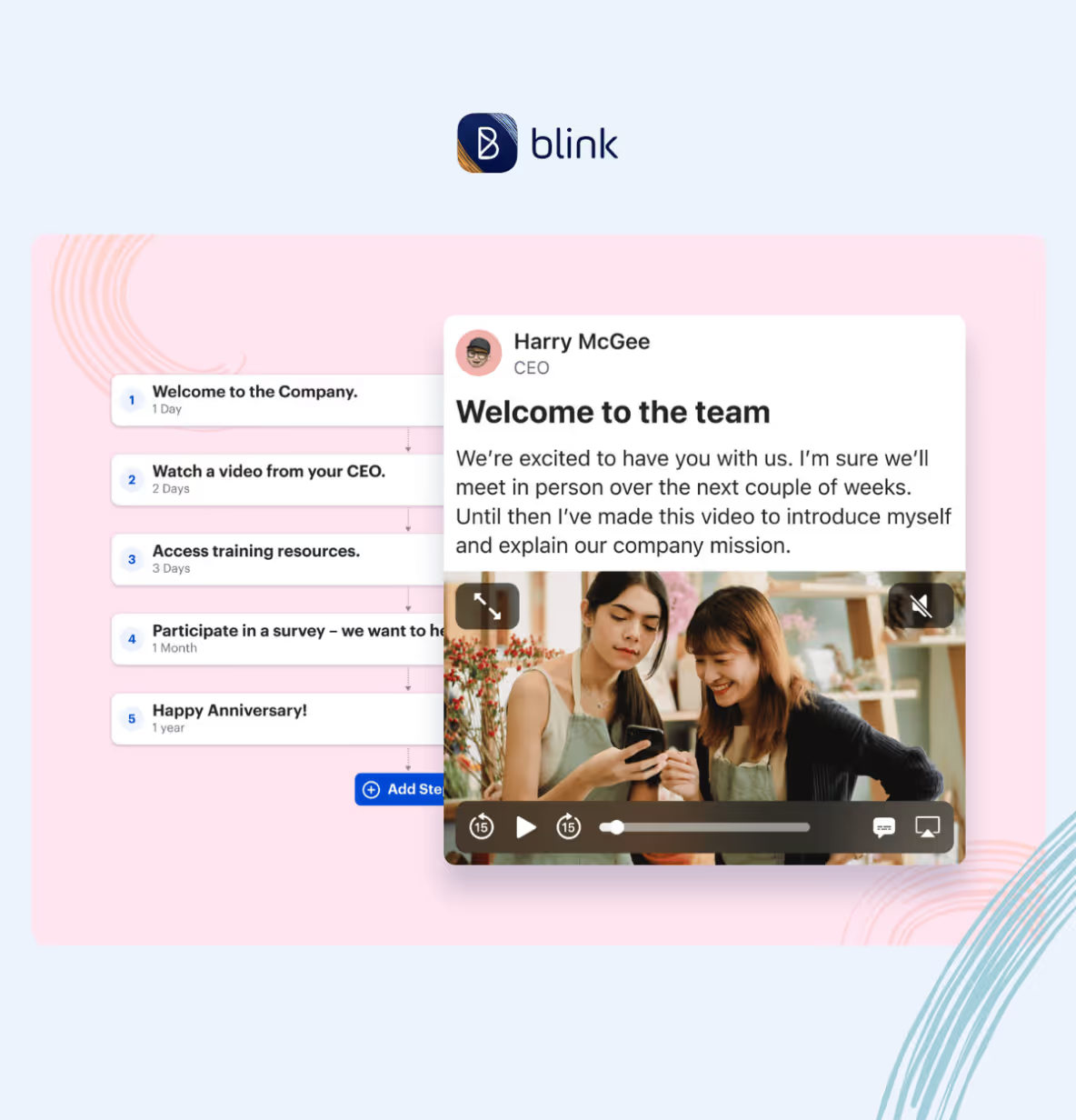
Our Colleague Recognition feature is an easy way to make your employees feel valued in a meaningful, personalized way. Anything worth remembering, recognizing or celebrating can be posted to your company news feed in seconds!
Nectar
Nectar is an all-in-one employee rewards platform that incorporates social recognition, awards, challenges, milestones, discounts, and other kinds of perks.
Reward Gateway
Reward Gateway’s employee recognition features are part of a wider employee engagement suite. With a focus on continuous recognition and celebrating daily success, there’s plenty of scope to build out your program.
Bonusly
Bonusly is simple. You give out points for good performance. Your employees can redeem these for a reward of their choosing – or hard cash, if that’s what they prefer.
Motivosity
Motivosity’s ‘Thanks Matters’ card is an innovative way of rewarding employees. Like Bonusly, you assign points for great performance. These points directly translate into cash, which employees can access via a special Visa debit card.
Kazoo
Kazoo’s employee recognition features sit nicely with the app’s overall employee engagement focus, and emphasizes a diverse rewards scheme that works for each employee – choose from experiences, custom swag, gift cards, charity donations and more.
Final thoughts on employee recognition programs
‘Recognition all day every day’ should be your goal here. It’s about the atmosphere it creates as much as the award certificate or gift voucher your employees go home with at the end of the day.
Keep your employee reward recognition program simple, meaningful and relevant. It’s not always about the big gestures. Remembering a birthday, putting in a good word with the boss or simply taking the team out for dinner after a difficult deadline can have a huge effect on morale – don’t dismiss their importance.
Blink, the leading mobile-first employee experience platform, today announced a strategic partnership with Cocentric, a UK-based digital employee experience company, to accelerate the development of tech solutions for frontline employees to help engage workforces across the UK and EU. This collaboration positions Cocentric as Blink’s key European and APAC partner, bringing cutting-edge, multi-platform expertise to organisations seeking seamless, next-generation communication tools.
The collaboration will enable organisations to take advantage of Blink’s award-winning platform, which helps companies reduce staff turnover by up to 26% by providing frontline employees with a single, mobile-first tool to stay connected with their team and company updates. Cocentric, known for helping businesses like Rare Restaurants, Populous, and Pizza Pilgrims to transform their employee communications, will build on its expertise to deliver tailored support for Blink’s platform, allowing organisations to easily integrate the app into their existing systems.
“At Blink, we are committed to transforming how frontline workers stay connected, regardless of their location,” said Sean Nolan, CEO at Blink. “By partnering with Cocentric, we’re able to leverage their deep knowledge of workplace technology and tailor our approach to the unique needs of UK and EU organisations. Together, we will help companies overcome the complexities of managing distributed teams by integrating Blink’s technology with Cocentric’s expertise.”
The partnership will also focus on co-selling initiatives and joint solution development, with Cocentric building specialised subject matter expertise around Blink’s platform. The collaboration will extend beyond standard integrations to include unique technology solutions developed by Cocentric, such as Connect, a synchronisation tool designed to enhance Blink’s user experience by bridging gaps in HR system integration. These solutions are designed to streamline user data management and deliver a more seamless experience for Blink customers.
“Cocentric is thrilled to partner with Blink, whose platform has already proven its ability to drive real results in employee engagement,” said Regan Collins, CEO at Cocentric. “Our clients are always looking for ways to create a better working environment for their teams, and with Blink’s app, we can help them deliver improved communication and collaboration at every level. We’re looking forward to offering this solution across the UK and Europe, with integrations that make the process even smoother for businesses.”
In addition to building solutions around Blink’s technology, Cocentric will also help to develop tools and integrations within the Microsoft 365 suite that will further enhance Blink’s offering in this space. This will ensure that organisations currently relying on Microsoft technologies can benefit from enhanced employee engagement capabilities without the need to migrate to competing platforms.
Another week, another Life at Blink spotlight! This time, we're excited to introduce a key member of our London office — Bhoomi Modi! As our QA Analyst, Bhoomi has been collaborating closely with our Product & Engineering team for just over two years.
Dive into this article to learn more about Bhoomi, her role, and what makes life at Blink so special!
What initially attracted you to join Blink?
When I first learned about Blink, what immediately drew me in was the company’s clear mission to empower frontline workers. The idea of contributing to tools that genuinely make a difference for those on the ground was very persuasive. It wasn’t just about the technology — it was about creating something that could transform the day-to-day experience of so many people.
Another big factor was that from the start I could see that this was a team deeply committed to innovation and making a positive impact. The collaborative environment and the focus on meaningful, purpose-driven work really resonated with me. That combination of mission and culture made it clear that Blink was the place I wanted to be.
What's a project you are proud of from your time at Blink?
One project that stands out to me is the automation of our tests. As a QA Analyst responsible for testing most of our features, this was a major initiative that required a great deal of long-term commitment and dedication.
What made this project truly special was the collaboration with our developers. Working closely with them not only helped us achieve our goals, but it also gave me the chance to grow and learn from some really talented people. It was a humbling experience that deepened my understanding of the development process, and it’s made me better at what I do. Knowing that the automation we implemented has made a real difference in our workflow is something that brings me a lot of personal satisfaction.
How would you describe the company culture at Blink in three words?
If I had to pick just three words, I’d say fun, friendly, and fast-paced. There’s a real sense of enjoyment in what we do here—work is challenging, but it’s also genuinely fun. The team is incredibly welcoming and supportive, so you always feel like you’re part of something bigger. And when I say fast-paced, I mean it in the best way possible. Things move quickly here, but that energy keeps everyone engaged and constantly pushing forward.
What's one thing you're excited about for the future of Blink?
I’m really excited to see how Blink continues to grow and evolve. It’s inspiring to be part of a company that’s making such a meaningful impact, and knowing that I’ve contributed, even in a small way, feels incredibly rewarding. There’s something special about watching the company’s journey and realizing that I’ve played a part in that story. I can’t wait to see where we go next.
Can you tell us about a recent initiative or program launched at Blink that you found particularly exciting?
One initiative that really stands out to me is Blink for Everyone. I’m especially proud of this program because it supports non-profit organizations that are doing incredible work for the community, often with very limited resources. I love to know that we’re helping these organizations strengthen their employee connections and make their teams feel more united and valued. Knowing that we’re making a difference for groups that give so much back to society is something that truly motivates me.
Why do you work for Blink?
I work for Blink because everything we do is truly centered around the frontline worker. In every session, whether we’re discussing new features or analyzing metrics, the focus is always on how we can better serve our end users. We constantly ask ourselves, "What challenges are they facing, and how can we help?". This dedication to making a real difference for the people on the ground is what keeps our momentum strong and our team closely bonded.
Internal communications is the practice of keeping all employees, at every level of an organization, connected and in the loop. The primary goal of an internal communications strategy is to ensure that all members of an organization are well-informed and able to collaborate effectively.
Clear and streamlined communications are an essential factor in the success of any company, whether it has ten employees or one thousand. Over 40% of workers say that their trust in their leadership and team has been compromised due to poor communication.
From frontline workers to admins behind a desk, when each individual has a clear understanding of business goals, values, and guidelines, it makes for a much more connected workflow.
Read on to understand everything you need to know about internal communications, the types of internal communication, and the benefits that come from implementing a solid internal communications strategy.
Understanding internal communications
Internal communications can take a variety of forms – email, intranet, chat apps, newsletters, in-person meetings, bulletin boards, or an app specifically designed to streamline internal communications.
An effective internal communications strategy helps every employee feel connected to the larger company vision, and therefore aware of how their individual roles contribute to the overall success of the organization. A JobsinME poll found that a massive 85% of workers feel more connected to their jobs when there is effective communication in the workplace.
A solid internal communications strategy goes a long way in fostering that engagement – employees feel involved in the company mission and understand the role they play.
Regular communication also helps build trust between employees and leadership, strengthening that sense of belonging. Plus, those open channels of communication allow employees to share their ideas, concerns, and feedback, making them feel valued and empowered.
In frontline organizations, an effective internal communications strategy is even more critical. Deskless employees can be harder to reach through email or memos, as they’re not constantly checking email or messages (or may not even have access to these tools). But these frontline workers are even more in need of clear communications, to mitigate misunderstandings, enhance safety and compliance, and share urgent updates.
An internal communications app, like Blink, is ideal for organizations with frontline workers, connecting everybody and placing everything they need in one place.
This type of internal communication flows from higher levels of management to lower levels. It starts with the C-suite, who makes all the calls, then disseminates their instructions, policies, and decisions to the organization’s employees through managers and leaders.
Within an internal communications strategy, top-down communications are a structured approach that ensures important directives and guidelines are communicated uniformly. Top-down comms not only maintain consistency but also help in disseminating organizational objectives effectively throughout the workforce.
Formal top-down employee communication methods include company-wide emails, official announcements, regular town hall meetings, or memos from upper management.
For example, in a hospital's internal communications strategy, this could look like an all-staff email sharing new patient care protocols. In a manufacturing plant, a bulletin board could display dates for upcoming safety training sessions. Or in retail, a company-wide text message can share information about a new product that management wants workers to upsell.
Pros
It is an efficient way to communicate broad messages.
Messages are controlled and aligned with organizational goals, reducing misunderstandings.
Conveys a sense of professionalism in conveying critical information.
Cons
It doesn’t consider how employees can share feedback.
The passive reception of information may lead to disengagement.
Information flow can be slow, causing delays in decision-making and implementation.
It’s impersonalized, which can give employees a sense of being undervalued.
2. Formal bottom-up communication
This is the process where employees at lower levels of the hierarchy communicate their feedback, suggestions, concerns, and ideas to higher levels of management or leadership.
This type of communication involves conveying information from the "bottom" of the organizational structure upward, allowing employees to have a voice, contribute their insights, and influence decision-making processes.
Three-quarters of employees are more engaged and feel more effective when they feel their voice is heard, Workforce Institute found.
When included as a part of an internal communications strategy, formal bottom-up employee communication not only empowers workers but also fosters a culture of inclusion and innovation within an organization. It's a valuable channel for capturing on-the-ground insights, which can often be missed by higher management. Less than half of employees feel as though they have an easy way to share feedback on key communications; a solid bottom-up communication strategy is one way to mitigate this.
In a frontline organization, there are many ways to implement formal bottom-up communications. Employee surveys are a popular way to gather feedback from an entire team at once, and Blink’s in-app survey tool allows HR teams to get real-time data straight from the mouths of employees.
For example, in a healthcare setting, nurses and medical staff might use formal bottom-up communication to suggest improvements in patient care protocols or to report safety concerns.
Other formats for bottom-up communications include anonymous feedback forms and regular one-on-one meetings between employees and their managers.
By actively encouraging and acting upon this type of feedback, organizations can harness the collective intelligence of their workforce and adapt to the evolving needs of the industry.
Pros
Employees feel heard and valued, leading to higher employee engagement.
A range of diverse perspectives can be gathered, leading to more well-rounded and innovative solutions.
Frontline employees can identify challenges that might not be apparent to higher-level management.
When employees are involved in change processes, they are more likely to support and adapt to new initiatives.
Cons
Gathering, reviewing, and responding to a large volume of employee feedback can be time-consuming.
It can be resource-intensive, requiring specific software.
Not all employee suggestions may align with organizational goals or be feasible to implement.
Formal bottom-up communication may result in inconsistent messaging across teams.
3. Formal horizontal communication
This is the sharing of communications between individuals or departments at the same hierarchical level within the organization, for example, cross-functional meetings or interdepartmental emails.
Unlike the vertical communication we discussed above, which involves information flowing up or down within an organization, formal horizontal communication is between colleagues who hold similar positions within the organization.
Leadership consultancy Fierce, Inc. found that 86% of employees feel that a lack of proper collaboration and miscommunication between teams lead to workplace failures.
Formal horizontal communication helps facilitate the smooth functioning of departments, coordination, collaboration, and information sharing. For instance, in a retail setting, it's crucial for the sales team to communicate effectively with inventory management to ensure products are stocked efficiently.
In frontline organizations, formal horizontal employee communication connects the various cogs that make up the company and keeps it functioning. Within the structured internal communications strategy, it can take many forms, including project reports, regular email updates between departments, and the establishment of specific cross-functional teams.
When done right, formal horizontal communication enables seamless collaboration and makes the company culture one of teamwork and shared goals
The key here is constant communication. Using an internal app with a chat function - whether it’s private messaging or a group chat - will promote regular collaboration. Blink’s chat feature enables seamless conversation, to encourage employees to work together and share ideas.
Pros
Promotes knowledge sharing between peers with different expertise.
Allows teams to align their efforts and activities with each other, avoiding overlap or conflict.
Improves communication within the organization, leading to better company culture.
Allows colleagues to provide feedback on each other's work, which they’re often more receptive to than feedback from above.
Cons
A reliance on formal channels may discourage spontaneous creative interactions between colleagues.
Communication may become siloed within specific departments.
Can sometimes be time-consuming, especially when multiple people need to be involved.
May not adapt well to rapidly changing circumstances or unexpected needs.
4. Informal communication
Unlike other aspects of an organization’s internal communications strategy, informal communication isn’t facilitated or regulated by the organization’s internal communication channels. It happens spontaneously between colleagues – water cooler chat, if you will.
This style of communication often occurs in casual settings or through personal relationships and can take place at various levels of the organization, including between employees and managers, and even across different departments.
Informal comms include face-to-face conversations, social media interactions, instant messaging, and phone calls. It serves as a complement to formal communication channels and plays a significant role in building relationships and shaping the company culture.
We can look at Bank of America as a case study. Breaks for customer service employees used to be staggered so as not to have a shortage of staff fielding customer complaints. However, an internal audit found that productivity increased when workers took breaks together and socialized over lunch.
Oftentimes, frontline employees are working in silos and isolated from their coworkers. In frontline organizations, informal communications go beyond just sharing practical insights, it also gives these frontline workers a sense of camaraderie and belonging. In high-stress environments like hospitals or retail, where teams need to work seamlessly to serve customers and patients, these informal connections are invaluable.
Furthermore, workers can share valuable information that they learn on the job, which might not necessarily warrant discussion in formal channels. For example, tips for handling certain customers, which patient rooms have better heating, or even finding help to cover a shift.
The informal nature of these interactions fosters a culture of approachability, ultimately contributing to a more resilient and united frontline workforce.
The main Feed in Blink is designed specifically to foster this informal communication that keeps an organization running. It brings the whole company together in one place, without the formality of a memo or email chain. The Feed looks and feels like the social media apps we’re already accustomed to, making it easy for everyone to use.
Pros
Quick and easy, especially in fast-paced environments.
Helps to build personal relationships and a sense of camaraderie among employees.
Allows frontline workers a way to connect and engage with their coworkers, especially those who don’t have these opportunities come naturally.
Practical knowledge, tips, and best practices are shared more easily through informal conversations.
Cons
Frontline workers are limited in their opportunities for spontaneous chat, requiring the need for a centralized informal communications platform.
It can lead to the spread of inaccurate information or rumors if not properly managed.
Individuals who are not part of specific conversations or social circles may be inadvertently excluded.
Important issues might not receive the attention they deserve when discussed informally.
Why is internal communications important for your business?
For a truly effective internal communications strategy, a workforce should be three things: connected, engaged, and aligned.
A connected workforce
The right internal communications strategy bridges the gap between remote, frontline, and office employees. Without a wide-reaching net, internal communications can become stilted or even ineffective.
Frontline employees are consistently at a disadvantage due to the fact they most times do not have a company email or a desktop, like the organization’s office workers.
More than 80% of the global workforce is deskless. Whether your company is in healthcare, manufacturing, or transportation, these frontline workers need to feel just as involved and valued as the ones behind a desk.
For these organizations, effective internal communications reduce turnover, increase profits, enhance employee experience, and boost productivity. Read more about deskless worker team communication here.
An engaged workforce
Transparent communication empowers employees and boosts morale.
When employees are informed about the company's vision and the reasons behind certain actions, they feel a sense of ownership and inclusion. Transparency fosters trust, as employees perceive that their contributions and concerns are valued, leading to increased engagement and overall satisfaction.
Two-way internal communication is essential for employee engagement – as we covered above, top-down communication can lead to passive reception of information, which is a killer for engagement.
An effective internal communications strategy gives employees the ability to voice concerns and provide feedback or suggestions to management. This gives them a direct hand in decision-making, directly increasing their engagement with their work.
An aligned workforce
Aligning teams and goals across the entire organization, from the CEO to frontline workers, is crucial for success.
This involves ensuring everyone is across the broad business goals and objectives and understands how their individual work is crucial for reaching these goals. A study conducted by IBM found that 72% of employees don’t understand their organization’s core strategy, due to poor communication.
Don’t let that 72% be your employees. An aligned workforce ensures that the messages being communicated resonate with everyone, and are understood in the intended manner.
Effective internal communications leads to better collaboration, within teams and across departments.
Strategies to implement successful internal communications
Only 7% of workers agree that internal communication within their workplace is accurate, timely, and open.
Building a cohesive internal communications strategy is the key to uniting and motivating your workforce. We’ll touch on some strategies to help you create a successful internal communication plan, or you can read our in-depth step-by-step guide to writing an internal communications strategy.
Utilize technology for internal communication
These days, there are endless tools and software available to help organizations stay on top of internal communications. We’re no longer in the age where we have to rely on printed memos and morning meetings.
Blink, and other digital communication tools which promote collaboration and information sharing, can totally revolutionize an organization. They provide efficient, real-time means to disseminate information, engage employees, and foster collaboration.
Not only can these platforms allow employees to ask questions, provide feedback, and participate in discussions, but they also act as a centralized place for policies, procedures, and guides that employees can access.
A recent Emergence study found that more than half of deskless workers are dissatisfied with the software solutions provided by employers.
Particularly for decentralized teams and organizations with frontline workers, technology-driven internal communication plays a pivotal role in keeping employees informed, connected, and aligned with organizational goals.
Understand how to best reach your employees
Obviously, organizations are made up of different types of employees, and traditional top-down internal communication strategies generally don’t take this into account. In order to make sure your message is relevant to your audience, you need to tailor your message based on who you are communicating with.
For example, a message intended for frontline staff may focus on practical details and how it impacts their daily tasks, while a message for senior management might emphasize strategic implications and long-term business goals.
Consider the different workers that need to be reached with your internal communications strategy, and segment your audiences based on:
Job role
Seniority level
Communication needs
Whether they are desk-based or frontline workers
Then, you can analyze previous engagement data to see what type or format of content works best for each audience – eg. Email, live chat, video, etc., and the best times to communicate for the most engagement.
Utilizing technology can be very helpful here. Blink offers real-time powerful analytics to help you understand what content performs best, when, and with whom.
By customizing the messaging approach, and using data to optimize what the content is and when you are sending it, internal communication becomes more effective, increasing employee engagement and alignment with goals.
Establish regular feedback
Without regular feedback, internal communications are simply one-sided, which does nothing for employee engagement and satisfaction.
Every successful internal communications strategy should have built-in practices to regularly collect feedback from employees at every level of the organization. This can be done through surveys, suggestion boxes, town halls, anonymous feedback, or weekly leadership check-ins.
Employee feedback allows an internal communications strategy to be actually shaped by the people it’ll affect, not just the high-up decision-makers behind desks. Highlighting areas where improvement is needed – before it escalates into a problem – is crucial, not just for the employee experience but also for the success of the business as a whole.
Case study: Our collaboration with Salutem
During the COVID pandemic, the health industry faced endless challenges. Employees and organizations were dramatically affected by high levels of stress, low staff morale, and a huge hit to communications.
Salutem, a healthcare company that provides services such as care homes and healthcare staffing, needed a solution to overcome the challenges presented by the pandemic. To do so, Salutem used Blink to revamp their internal communications strategy.
With Blink’s easy-to-use super-app, Salutem was able to launch monthly surveys, collect feedback and plan face-to-face group meetings to encourage two-way conversations between managers and staff.
Salutem launched S.E.L.F (Salutem Employee Listening Forum) initiatives to connect staff and promote a culture of free communication within the organization. Each division had a rep – nominated by managers through the Blink Feed – who were responsible for moderating Blink Channels and following up with their respective teams.
Colleagues were encouraged to share thoughts and open up conversations around concerns or opportunities for growth, which started conversations and reconnected employees across all teams.
The improvements that came from the new internal communications strategy were nearly immediate. The organization saw a:
300% increase in survey responses
92% adoption rate of Blink
Tenfold increase in staff who were easy to communicate with
The integral role of internal comms in organizational success
There aren’t many constants in this world, particularly in the ever-changing landscape of a frontline organization. But one does remain: the vital role of an internal communications strategy. From formal top-down messages that steer the company's vision to informal water cooler chats that breed friendships, effective internal communication is crucial for the success of any organization.
By implementing a solid internal communications strategy, organizations can create a workplace where ideas flow freely, where feedback is valued, and where employees are informed, engaged, and motivated. It's a workplace where everyone, from frontline staff to top executives, feels heard, appreciated, and connected.
Internal communications shouldn’t just be a strategy, however. It needs to be a core tenet of your organization’s culture. Introducing an effective tool – like Blink – to encourage effective internal communication is key. By fostering open dialogue, valuing feedback, and leveraging technology, organizations can create an environment where everyone feels heard, informed, and engaged.
It's not about reinventing the wheel, but about adopting effective internal communications strategies that keep your workforce connected and motivated.
Blink and Workvivo have a lot of similar features. So how do these employee communication platforms stack up against each other? And which is the best choice for your organization?
With so many employee communications platforms out there, finding the right fit for your team can be a daunting task.
Today, we’ll take a closer look at two industry frontrunners: Blink and Workvivo. Both of these platforms are designed to enhance collaboration, streamline communication, and foster a sense of community within organizations. They also act as a digital hub, giving employees access to all of the tools and resources they need to do their jobs well.
But which of these modern intranet solutions best supports your business to meet its needs and goals? Let’s take a closer look at key features, functionalities, and more to help you make an informed decision.
What is Blink?
Blink is the leading mobile-first employee experience platform, designed for frontline organizations. It’s a modern intranet, where employees can access company comms and essential workplace resources from their smartphones.
Chatting with colleagues. Signing up for shifts. Responding to the latest poll. Viewing pay stubs. Celebrating a coworker’s company anniversary. Employees can do all this and more with Blink’s comprehensive employee app.
With a range of communication, recognition, engagement, and social features — all available via a user-friendly interface — Blink helps employees feel closer to company culture and one another.
What is Workvivo?
Like Blink, Workvivo is an employee communications app. The company was established in 2017 and was acquired by Zoom in 2023.
Workvivo is an all-in-one tool for workplace communication and collaboration. Social media-style functionalities, such as podcasting, keeps employees engaged.
Blink vs. Workvivo: What are the similarities?
Internal communications
Communication channels
Both Blink and Workvivo help to streamline company communications. Messages from management. Co-worker conversations. Leadership updates. All types of communication are supported thanks to a variety of channels, including a newsfeed, mobile notifications, videos, and livestreams. Workvivo customers can also create articles, newsletters, and podcasts from within the platform.
News feed
A news feed is another thing these platforms have in common. Admins can personalize Blink’s News Feed, which serves as users’ homepage, based on each employee’s team, interests, and role. This ensures employees only see relevant comms. Because employees can also filter the news feed, it’s easy for them to find the information they’re looking for.
Chat functions
Both platforms have similar chat features that are useful for teamwork and project management. Employees can chat and share files, GIFs, images, and videos. In Blink, chat functions are a core pillar of the platform. Workvivo, on the other hand, relies on integrations with Microsoft Teams and Slack. A chat add-on is available but this comes at an additional cost.
Video conferencing
When only face-to-face communication will do, Blink and Workvivo both provide useful video conferencing tools. Teams working on either platform can start a video call right from their chat group. Workvivo does this through its Zoom video app. Blink integrates with Zoom, Google Meet, and Microsoft Teams, giving customers the option to use their preferred video conferencing software.
AI comms support
With Blink Assist, users get AI support when creating and sharing content. Your AI assistant can automatically generate and improve posts, helping you to better connect with your audience. Users can also use AI to summarize posts that have appeared in the news feed. This means you can stay up to date without having to read every single post. Workvivo, working with Zoom, is beginning to introduce generative AI features.
Blink and Workvivo both support employee engagement. They provide two-way communication tools and support employee recognition with milestone celebrations and appreciation shout-outs. Both platforms also aid the onboarding process, with employee directories, a resource hub, and new starter video introductions.
These solutions provide tools for feedback collection, like pulse survey check-ins and employee NPS (net promoter score) surveys. Blink, in particular, provides rich survey functionality. Compared to Workvivo, Blink provides a greater variety of surveys and question types. This allows you to collect in-depth data and then use feedback analysis tools to examine that data on a granular level.
When it comes to encouraging employee engagement on the Blink platform, Blink’s customer success managers (CSMs) are on hand. Clients work with a dedicated CSM to optimize adoption and engagement.
A digital hub
Workvivo serves as a digital hub where companies can store and share documents and resources. This hub integrates with other tools in an organization’s tech stack. It’s possible to create wiki pages for collaboration and to launch other apps from within the platform.
Similarly, Blink offers a modern intranet, accessible on both desktop and mobile. Users can access important tools, documents, forms, and information, directly from the app. They can also launch other apps from within the platform thanks to a secure single sign-on. This encourages user adoption of existing software and streamlines the employee experience (EX).
Blink was purpose-built from the ground up to enhance internal communications and improve the employee experience, and that has always been our sole mission.
For companies impacted by Meta’s recent decision to sunset Workplace, this is a crucial distinction. Meta’s shift in focus away from Workplace to other business areas highlights the risk of relying on platforms that are not core to a company’s strategic direction.
Organizations partnering with Blink are choosing a vendor whose entire focus is dedicated to success in employee engagement and communication. We continuously invest in our platform, ensuring that it remains a leading solution for internal comms and employee experience.
Unlike Workvivo, which — like Workplace — is just one part of a much larger parent company’s diverse offerings, Blink’s platform isn’t just a feature among many — it’s the heartbeat of our business.
Frontline-first
Both Blink and Workvivo have a mobile app that employees can access from their smartphones. These are user-friendly spaces that employees find easy to navigate. And these apps are comprehensive, offering many of the same features on desktop and mobile versions of the platform.
However, Blink offers some features and services that particularly benefit a frontline workforce. These frontline-focused features and services include the following:
Feeds and chats are cached for offline reading so a poor or non-existent internet connection doesn’t prevent employees from engaging with the app
Workers can select a “do not disturb” setting so they’re not bothered by notifications when they’re at home or trying to rest after a night shift
Blink’s Open Shifts micro-app allows managers to advertise empty shifts and employees to volunteer for them
Blink’s rollout team offers unparalleled support during the launch period, providing branded materials and visiting sites to help people gain access to the app
While Workvivo may be a better fit for a desk-based organization, Blink’s deep understanding of frontline teams and their needs makes this platform an excellent choice for frontline businesses.
Analytics
Workvivo offers robust analytics capabilities to track and measure employee usage data. Organizations can gain insight into platform usage and then make data-driven decisions to manage platform performance. This functionality is available for an additional fee.
Like Workvivo, Blink’s enhanced workforce analytics feature provides comprehensive usage data. But Blink goes beyond usage.
Blink analytics collate and correlate from multiple data points to provide a breadth of insight into your workforce. You can drill down into the data, examining results by department, manager, and location to get deeper, actionable insight.
Your dedicated CSM can then help you turn actionable insights into action plans. These can be distributed automatically via Blink comms channels, helping you to implement your plan and track results.
Customization
Both Blink and Workvivo allow you to add your own branding to the platform. But Blink offers more in terms of customization.
Blink provides a white-label app for full brand personalization. For larger, multinational organizations, you can also create a federated platform, with personalized branding for each region. You can compartmentalize other features, like the news feed and user directory, too. In Workvivo, colors, icons, and logos are set globally.
While the offering of out-of-the-box integrations is comparable across both products, Blink also provides deeper integrations through customized micro-apps scoped and built for each customer.
These micro-apps allow you to add functionality to the platform as you need it. You can use Blink’s pre-built digital forms to digitize and streamline processes for employees. For example, employees can use the app to request leave, view their pay stubs, or report an incident. And if you don’t see a form that quite fits your needs, you can count on the Blink team to custom-make one.
Content management
Both Workvivo and Blink offer useful content management features. It’s easy for admins to set permissions and for content creators to create and publish new content. On Blink’s app, creators can protect sensitive content so readers have to authenticate before accessing it. Blink can also integrate with design tools like Canva, which helps users create effective page layouts.
In comparison, Workvivo offers a variety of content management tools. For example, users can auto-archive content by setting an expiration date for each type of content. Publishers can also opt to receive notifications when content has expired.
Translation capabilities are also a little more robust on Workvivo. In Blink, users can set their language and choose to auto-translate comments, posts, and pages so that other users can read them in their native language. In Workvivo, content creators can take this a step further by writing content in their own language and then select the languages it should be automatically translated into. This can come in particularly handy for large, multilingual teams.
Blink and Workvivo both support organizations in their internal communication and employee engagement efforts. They act as a modern intranet, with both desktop and mobile app versions that help companies reach all members of the workforce, no matter where they’re based.
Workvivo has the edge when it comes to certain capabilities, like translation. But Blink makes a great Workvivo alternative, particularly when it comes to personalization, analytics, and custom functionality.
Blink is also the go-to platform for frontline organizations. Built specifically to improve the work lives of deskless employees, Blink makes it easy for companies to encourage app adoption and engagement. It helps frontline workers feel more connected to their coworkers and company culture. It also puts all essential tools at their fingertips, improving efficiency and safety.
Want to find out what Blink could do for your frontline organization? Book your free demo today to see for yourself.
Andy has such a positive attitude to his work. I can load him up with work as we are a very busy site and he comes back for more. He will always look to help the prisoners with fixes to their cell power as he is aware that's all they have. He assists all trades and gives great advice to the electrical supervisor. We're happy for the chance to recognize his hard work and valuable contribution.
How has Blink helped in his role?
By sharing information which can help ours and other sites- for example cell call plates that cannot be smashed, and lights from another manufacturer. The sharing of this type of information is great for the company.
What does he want to do next?
Andy has conscientiously trained himself on the Test and Inspection course, meaning he will be able to assist the company with extra work on testing.
If you're searching for the best Connecteam alternatives, you're not alone. While Connecteam is known for its suite of tools for scheduling, task management, and communication — especially for deskless teams — many organizations find themselves needing more flexibility, a better user experience, or deeper engagement features.
Whether you're looking to improve internal communications, streamline operations, or unify your employee experience, there are excellent platforms to consider. In this guide, we’ll break down the top alternatives to Connecteam, including detailed insights on features, pricing, reviews, and what makes each one stand out.
What to Look For in a Connecteam Alternative
When evaluating replacements for Connecteam, consider these factors:
Ease of use for both admins and frontline employees
Mobile-first experience with a clean, intuitive UI
Best for: All-in-one internal communications, task management, and employee experience — not just for frontline teams.
{{mobile-desktop-main="/image"}}
Why Blink stands out:
Blink is more than just a Connecteam alternative — it’s a complete employee experience platform. Unlike Connecteam, which focuses primarily on scheduling and operational tasks, Blink brings together communication, productivity, and engagement in one mobile-first platform. With personalized feeds, real-time messaging, secure document sharing, forms, surveys, scheduling, and integrations with HR and payroll systems, Blink enables every worker — from corporate to frontline — to stay connected and informed.
What sets Blink apart is its focus on simplicity and engagement. Employees log in daily, not because they have to, but because they want to. It drives measurable increases in app usage, communication visibility, and task completion.
Key features:
Mobile intranet, messaging, and content hub
Task & shift scheduling (integrates with tools like Kronos, ADP)
Not limited to frontline use cases — ideal for hybrid and enterprise teams
Rich communication tools beyond simple chat or task lists
Extremely fast onboarding with high adoption rates
Seamless integrations with your existing stack
Cons:
Doesn’t include payroll or time tracking natively — designed to integrate instead
#2. Homebase
Best for: Small businesses needing affordable scheduling and time tracking
Homebase is an excellent choice for teams looking for straightforward scheduling, time clocks, and payroll integrations. It’s especially popular with restaurants, retailers, and small shops that need quick setup and minimal training. The platform also offers basic communication tools, like shift reminders and group messages, though it lacks broader employee engagement or content sharing capabilities.
G2 rating: 4.2/5 Pricing: Free for 1 location; paid plans from $24.95/location/month
Pros:
Simple and affordable for hourly teams
Built-in payroll options
Good for managing time-off and attendance
Cons:
Not ideal for larger organizations or multi-department collaboration
Limited internal comms and engagement tools
#3. Workjam
Best for: Large retailers and service-based enterprises
Workjam is a workforce orchestration platform designed to help large organizations manage shifts, training, and frontline operations at scale. It offers micro-learning, task management, scheduling, and internal communications, all tailored for deskless environments. Unlike Connecteam, Workjam emphasizes compliance and labor optimization with a more enterprise-focused stack.
G2 rating: 4.4/5 Pricing: Custom pricing based on organization size and needs
Pros:
Advanced compliance and labor rule support
Strong task and learning modules
Enterprise scalability
Cons:
Steeper learning curve and implementation time
Overkill for small to mid-sized businesses
#4. Sling
Best for: Businesses needing quick scheduling without the bells and whistles
Sling is a lightweight tool that helps teams schedule shifts, manage availability, and reduce scheduling conflicts. It also includes basic messaging and task assignment, making it a suitable option for teams that want an affordable scheduling tool without investing in a broader platform like Blink or Connecteam.
G2 rating: 4.6/5 Pricing: Free for basic features; paid plans from $1.70/user/month
Pros:
Very low-cost and intuitive to use
Good for basic scheduling needs
Available on web and mobile
Cons:
Limited communication and engagement features
No surveys, onboarding, or learning tools
#5. When I Work
Best for: Hourly teams with focus on labor cost control
When I Work focuses on scheduling, attendance, and time tracking for shift-based workforces. It includes features like labor forecasting and payroll integrations, making it a strong tool for restaurants, healthcare, and retail. While it includes messaging, it lacks a comprehensive content or engagement platform like Blink provides.
G2 rating: 4.5/5 Pricing: Starts at $2.50/user/month
Pros:
Strong scheduling and attendance tools
Built-in labor cost forecasting
Easy mobile experience
Cons:
Minimal engagement and internal communication capabilities
Limited to frontline use cases
#6. Deputy
Best for: Compliance-heavy industries like healthcare or hospitality
Deputy offers detailed scheduling, time tracking, and compliance support. It’s particularly useful for industries where managing certifications, availability, and labor law compliance is critical. While its core is operational, Deputy also offers tasking and announcements—but it's not built to foster engagement or culture.
G2 rating: 4.6/5 Pricing: Starts at $4.90/user/month
Pros:
Excellent compliance and shift planning features
Smooth integration with payroll systems
Real-time mobile check-ins and updates
Cons:
Lacks survey, form, and intranet functionality
Focuses more on operations than employee experience
#7. Beekeeper
Best for: Frontline-first communication in manufacturing and logistics
Beekeeper is a mobile-first platform aimed at connecting frontline workers who may not have email addresses or daily computer access. Its chat, announcements, and workflows are designed to replace bulletin boards and walkie-talkies. It’s strong for communication but less comprehensive in areas like scheduling, forms, and surveys compared to Blink.
G2 rating: 4.5/5 Pricing: Starts at $3/user/month (custom pricing for enterprise)
Pros:
Great mobile chat and announcement system
Offline functionality for field teams
Secure and compliant
Cons:
Narrow focus on communication
Requires multiple integrations to handle full operations
#8. Microsoft Teams (with Shifts)
Best for: Companies already using Microsoft 365
Teams with the Shifts module can provide some of the functionality found in Connecteam, especially for businesses already embedded in the Microsoft ecosystem. You can use Shifts for scheduling and Teams for chat, files, and meetings. However, it often requires IT support and lacks built-in engagement tools like Blink’s journeys or forms.
G2 rating: 4.3/5 Pricing: Included with Microsoft 365 Business (starts at $6/user/month)
Pros:
Great for knowledge workers already using Office tools
Includes chat, video, file sharing, and calendar
Cons:
Not intuitive for frontline or hybrid workers
Requires configuration and third-party add-ons for full functionality
#9. 7shifts
Best for: Restaurants and hospitality teams looking for labor optimization
7shifts is purpose-built for restaurants and hospitality businesses, combining scheduling, attendance, tip management, and labor forecasting. It’s ideal for managing high-turnover environments where shift swaps and last-minute changes are common. Unlike Connecteam, which targets multiple industries, 7shifts focuses deeply on the challenges of restaurant operations—offering POS integrations, compliance tools, and even engagement tracking like employee sentiment surveys.
G2 rating: 4.6/5 Pricing: Free for single-location use; paid plans start at $29.99/location/month
Pros:
Deep restaurant-specific integrations (Toast, Square, etc.)
Tip pooling and labor cost tracking included
Mobile app for quick shift edits and team comms
Cons:
Narrow industry focus (not suitable for corporate or hybrid teams)
Communication tools are more basic compared to Blink or Connecteam
#10. Zoho Workerly
Best for: Staffing agencies and temp workforce management
Zoho Workerly is designed for staffing agencies or companies managing temporary workers and shift-based contracts. It includes candidate matching, shift scheduling, timesheet approval, and invoicing—making it particularly useful for agencies needing back-office automation. While it doesn’t offer robust internal communication or engagement features, Workerly excels in logistics and workforce coordination.
G2 rating: 4.3/5 Pricing: Starts at $25/user/month
Pros:
Ideal for temporary and contract worker scheduling
Strong administrative and invoicing features
Integrates with Zoho suite and external calendars
Cons:
Not suitable for engagement or communication-heavy use cases
Interface can be clunky compared to mobile-first platforms like Blink
Final Thoughts: Blink vs. Connecteam
While Connecteam is a well-regarded tool for managing operational tasks, it can fall short for organizations seeking a more holistic employee experience. Blink not only covers the basics — like scheduling and communications — but goes beyond with features that build engagement, culture, and productivity across your entire workforce.
If you're looking to consolidate tools, simplify workflows, and drive real impact, Blink offers the most complete and scalable solution on the market today.
Why teams choose Blink over Connecteam
Connecteam is a strong choice for scheduling and task management, but if communication, engagement, and a genuine social-style employee experience matter just as much as ops, Blink was built specifically for that combination — mobile-first, no corporate email required, and used daily by teams at McDonald's, Domino's, and Chick-fil-A. See how Blink compares.