Why frontline engagement projects are just another empty party
We all know why we’re here. Frontline workers are quitting en masse: more than 55% of the US frontline left their posts in 2021. With many contributing factors, employee engagement remains an important part of the solution.
Unfortunately for C-suite execs at frontline organizations, unless decisive action is taken quickly, things will only get worse.
While the problem of frontline turnover has many contributing factors, from salary competition to changing workforce demographics, one important part of the solution remains constant: employee engagement.
And here lies the problem: most of the time, it doesn’t work.
“If you build it...they won’t actually come”
Frontline businesses have invested in engagement solutions and projects before, but regardless of the type of organization, these are generally met with tepid responses.
The list of fallen soldiers here is considerable: town halls, employee surveys, intranets, ERGs. And often, the response sounds something like this:
“Great, another thing to remember”
“It’s not a natural part of my day”
“It’s a one-off thing”
“It’s too hard to use”
Hours of time from leadership, People teams, Internal Comms functions and supervisors go into projects that rarely succeed in their mission. This is like the birthday party where the decorations are up, the cake is ready and the music’s on – but nobody’s showed up.
The result? Frontline workers aren’t sustainably engaged, the cycle of attrition continues and there’s little meaningful data in order to understand exactly what to do to fix it.
The solution: chips and dips
Turning this around warrants changing the way we think about employee engagement. For most businesses, employee engagement is a thing that we ‘do’ - it’s a project, an initiative, even a tool or an app. But this is where we’re going wrong.
The solution lies in approaching frontline engagement as something that we ‘earn’ - it’s an outcome, not an output.
To illustrate this, let’s return to our party. Anyone who’s ever been to a house party will be able to tell you exactly where most people end up: the kitchen. And why are they in the kitchen? Because that’s where the drinks, the mixers, the snacks and the ice is. There’s useful stuff there, and so they gravitate there, and the good times start rolling.
So to return to frontline engagement: put out the ‘chips and dips’. In other words, focus on providing frontline workers with services and tools that not only fit into their busy days, but make them better – and use that space to invite engagement.
How it works: chips, dips and paystubs
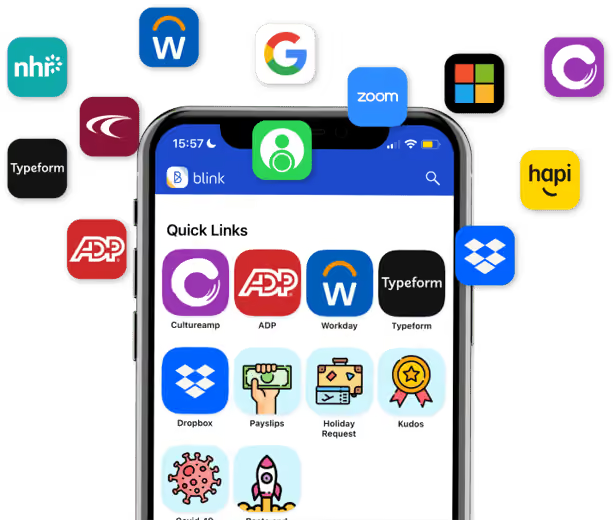
Blink is a new type of frontline engagement app that the average worker opens ten times per day! Blink brings the processes that frontline workers and their managers need all into one place – from payslips to scheduling and critical documents, all with one login. This is our ‘chips and dip’.
For leaders and managers looking for engagement, this is the time to swoop. The whole of the frontline’s eyeballs are on the app, which means that surveys get seen, important messages from the CEO and HQ are read, and the work being done to improve the working day gets cut-through.
If a once-yearly employee engagement survey is the equivalent of putting out samples at Costco in the hope that a nameless stranger will take a drive-by snack, this is the equivalent of the work cafeteria – the place where the whole companies gathers, day after day.
How to be a good frontline host: Elara Caring’s story
Elara Caring – one of the largest US-based providers of personal care, home health and hospice care – had a frontline engagement problem when we first met them last year. With a 62% turnover rate of their more than 32,000 personal care attendants (PCAs), the leadership team needed sustainable engagement badly.
In adopting Blink, Elara looked to empower its PCAs and make their lives easier – and get engagement and loyalty in return.
They used Blink to remove the burden of paper-based admin: Elara’s PCAs had to constantly fill out expenses and other forms on paper. Blink’s solution was to integrate these manual processes and systems into a single app. Payslips, expenses and mileage reporting, key information from Sharepoint, schedules and rotas were all suddenly available to Elara’s PCAs at their fingertips.
The benefits for Elara’s PCAs? Time savings, with more attention devoted to their “real jobs” than ever before.
The benefits for Elara Caring? Sustainable engagement, with 95% of employees saying that they now feel more connected to the company. PCAs have begun to use Blink to create a community – and sub-communities – within the organization, creating the connection and cohesion that makes them stay.
https://www.youtube.com/watch?v=dINw_Y7CjWQ
In conclusion: good parties don’t skimp on the guac
In a war for a diminishing talent pool, the need to directly address frontline engagement has never been more acute. But it’s also shown where there are failings in trying to get engagement from the activities and programs that work for desk-based, white-collar workers. The key to success for the frontline is to not only fit into frontline life, but to make frontline life better and easier – and use that digital space you’ve created to finally connect your people.
Unfortunately for C-suite execs at frontline organizations, unless decisive action is taken quickly, things will only get worse.
While the problem of frontline turnover has many contributing factors, from salary competition to changing workforce demographics, one important part of the solution remains constant: employee engagement.
And here lies the problem: most of the time, it doesn’t work.
“If you build it...they won’t actually come”
Frontline businesses have invested in engagement solutions and projects before, but regardless of the type of organization, these are generally met with tepid responses.
The list of fallen soldiers here is considerable: town halls, employee surveys, intranets, ERGs. And often, the response sounds something like this:
“Great, another thing to remember”
“It’s not a natural part of my day”
“It’s a one-off thing”
“It’s too hard to use”
Hours of time from leadership, People teams, Internal Comms functions and supervisors go into projects that rarely succeed in their mission. This is like the birthday party where the decorations are up, the cake is ready and the music’s on – but nobody’s showed up.
The result? Frontline workers aren’t sustainably engaged, the cycle of attrition continues and there’s little meaningful data in order to understand exactly what to do to fix it.
The solution: chips and dips
Turning this around warrants changing the way we think about employee engagement. For most businesses, employee engagement is a thing that we ‘do’ - it’s a project, an initiative, even a tool or an app. But this is where we’re going wrong.
The solution lies in approaching frontline engagement as something that we ‘earn’ - it’s an outcome, not an output.
To illustrate this, let’s return to our party. Anyone who’s ever been to a house party will be able to tell you exactly where most people end up: the kitchen. And why are they in the kitchen? Because that’s where the drinks, the mixers, the snacks and the ice is. There’s useful stuff there, and so they gravitate there, and the good times start rolling.
So to return to frontline engagement: put out the ‘chips and dips’. In other words, focus on providing frontline workers with services and tools that not only fit into their busy days, but make them better – and use that space to invite engagement.
How it works: chips, dips and paystubs
Blink is a new type of frontline engagement app that the average worker opens ten times per day! Blink brings the processes that frontline workers and their managers need all into one place – from payslips to scheduling and critical documents, all with one login. This is our ‘chips and dip’.
For leaders and managers looking for engagement, this is the time to swoop. The whole of the frontline’s eyeballs are on the app, which means that surveys get seen, important messages from the CEO and HQ are read, and the work being done to improve the working day gets cut-through.
If a once-yearly employee engagement survey is the equivalent of putting out samples at Costco in the hope that a nameless stranger will take a drive-by snack, this is the equivalent of the work cafeteria – the place where the whole companies gathers, day after day.
How to be a good frontline host: Elara Caring’s story
Elara Caring – one of the largest US-based providers of personal care, home health and hospice care – had a frontline engagement problem when we first met them last year. With a 62% turnover rate of their more than 32,000 personal care attendants (PCAs), the leadership team needed sustainable engagement badly.
In adopting Blink, Elara looked to empower its PCAs and make their lives easier – and get engagement and loyalty in return.
They used Blink to remove the burden of paper-based admin: Elara’s PCAs had to constantly fill out expenses and other forms on paper. Blink’s solution was to integrate these manual processes and systems into a single app. Payslips, expenses and mileage reporting, key information from Sharepoint, schedules and rotas were all suddenly available to Elara’s PCAs at their fingertips.
The benefits for Elara’s PCAs? Time savings, with more attention devoted to their “real jobs” than ever before.
The benefits for Elara Caring? Sustainable engagement, with 95% of employees saying that they now feel more connected to the company. PCAs have begun to use Blink to create a community – and sub-communities – within the organization, creating the connection and cohesion that makes them stay.
https://www.youtube.com/watch?v=dINw_Y7CjWQ
In conclusion: good parties don’t skimp on the guac
In a war for a diminishing talent pool, the need to directly address frontline engagement has never been more acute. But it’s also shown where there are failings in trying to get engagement from the activities and programs that work for desk-based, white-collar workers. The key to success for the frontline is to not only fit into frontline life, but to make frontline life better and easier – and use that digital space you’ve created to finally connect your people.
What we'll cover
Start your free trial today
See how Blink helps frontline teams stay connected, informed, and engaged.
Some comms strategies stream seamlessly, while others are stuck buffering with no end in sight
Let’s face it: We live in a world where content rules. We’re constantly streaming, scrolling, watching, and sharing. And just like our favorite shows and platforms, every internal communication strategy has its own vibe — some sleek and polished, others functional but messy, and some… a little too obsessed with rainbows and brand tone.
You wouldn’t launch a new show without a trailer — so why send an update without context, curation, or a hook?
Think about it — your comms platform has viewers (aka employees), admins (your comms team), and its own programming lineup (all those emails, updates, videos, surveys, and shoutouts).
So, here’s the big question:
If your internal comms strategy were a streaming platform… which one would it be?
This is part personality quiz, part gentle diagnosis, and all good fun. And who knows — it might just help you spot a few things to fix, finetune, or completely rethink.
Netflix: The overcommunicator
Tagline: Volume overload. No one knows what to watch.
You’re the king of content volume. Like Netflix, you’re publishing constantly — newsletters, CEO updates, campaign launches, benefits reminders. There’s always something new when employees log in, but just like binge-watchers lost in an endless homepage scroll, your audience is overwhelmed. It’s communication without curation — and everyone’s tuning out.
Pros: Rich, varied content. People know where to find it.
Cons: Information fatigue. Nothing feels urgent, so everything gets ignored.
It’s time to curate like an editor. Use weekly digests, “Top 5 things to know,” or audience targeting to surface the right content to the right people — and give your employees some breathing room.
{{mobile-main="/image"}}
HBO Max: The prestige broadcaster
Tagline: Prestige content — but only for the few.
Your internal comms are prestige TV. Like HBO Max, your content is polished, strategic, and often award-worthy — think slick leadership videos and brand-perfect announcements. But it’s top-down and infrequent, designed more for executives than everyday teams. The result? High production value, low connection on the ground.
Pros: Executive trust, strong brand storytelling.
Cons: Limited accessibility. The “everyday” content is missing.
As your next step, pair your prestige comms with grassroots content. Empower local teams to share stories. Make space for informal, in-the-moment updates alongside strategic comms.
Amazon Prime Video: Functional but frustrating
Tagline: Function over feel.
Your intranet is basically Amazon Prime Video. Everything’s technically there — tools, policies, updates — but good luck navigating it. The interface is cluttered, search is a mess, and the content isn’t exactly curated. Like users lost in Prime’s endless menus, your employees might log in, sigh, and log right back out.
Pros: One source of truth.
Cons: Low discoverability. Employees check out before they find what they need.
The name of the game? Simplify. Highlight most-used tools, audit stale pages, and clean up the homepage. Make your digital workplace feel more like a front door, not a storage closet.
{{mobile-hub="/image"}}
Peacock or Paramount+: The niche network
Tagline: Great content. Tiny audience.
Your comms have cult-classic energy. Like Peacock or Paramount+, you’ve got a few loyal fans and some hidden gems — but overall, your platform just isn’t top-of-mind. Maybe it’s an underused email list or a team SharePoint that rarely gets checked. Great content, but a limited reach means employees are missing the message.
Pros: Focused, relevant updates.
Cons: Low visibility. People say, “Wait — that was announced?”
Time to go multi-channel! Promote your channels like you would a new show launch. Use mobile notifications, digital signage, and team huddles to raise awareness. Great content deserves more viewers.
Disney+: Family-friendly and heavily branded
Tagline: All smiles, no spice.
You’ve mastered the brand voice. Like Disney+, everything in your comms world is polished, upbeat, and totally on-message. It’s a clean, curated experience with beautiful visuals and strong storytelling — perfect for onboarding and mission moments. But after a while, employees might start wondering: Where’s the real talk?
Pros: Strong visual identity and consistent voice.
Cons: Lack of vulnerability. Feels too “corporate.”
To take your strategy to the next level, try mixing in unfiltered stories from employees. Showcase real feedback, day-in-the-life clips, or candid shoutouts. People trust people — not just polish.
{{mobile-stories="/image"}}
Hulu or NOW: Slightly messy — but people still use it
Tagline: Organized chaos.
You’re Hulu in the US or NOW in the UK — a little bit of everything, with a side of chaos. Your comms live across multiple tools, old and new: Slack threads, SharePoint pages, WhatsApp chats. It’s inconsistent and messy, but it works — because your people have figured out where to look. (Even if they wish it were easier.)
Pros: Content variety, team-specific relevance, enough routine to maintain engagement.
Cons: Fragmented user experience. No single source of truth.
It’s time to unify and streamline. Build a comms hub that feels intentional — not accidental. Keep the local flavor, but tie it all together with a central mobile-first platform.
Apple TV+: All style, not enough substance (yet!)
Tagline: Gorgeous ghost town.
Your comms platform is Apple TV+ — sleek, modern, beautifully branded. It looks amazing and sets a high bar for design. But once you get past the homepage? There’s not much happening. Content is minimal, engagement is low, and employees forget to check in. Pretty isn’t enough — it needs purpose.
Pros: Strong design, great adoption potential.
Cons: Low repeat engagement. Employees say “it looks nice” — but don’t use it.
Try to focus on day-to-day value. Share timely updates, celebrate wins, and surface useful info like shift changes or HR tools. Pair aesthetic with utility.
{{mobile-kudos="/image"}}
YouTube: The employee-led engine
Tagline: Employee-generated magic (with a dash of mayhem).
You’re YouTube — and you’ve handed the mic to your people. Your internal comms are powered by shift videos, peer shoutouts, team stories, and crew takeovers. It’s authentic, bottom-up, and wildly engaging. Sure, it gets a bit chaotic without guardrails — but that realness? That’s what employees keep coming back for.
Pros: High engagement, peer-to-peer connection.
Cons: Needs light moderation and content alignment.
Our recommendation? Set the stage for success. Spotlight standout creators, guide content themes, and introduce a few soft guardrails to keep things safe and focused.
What’s your ideal mix?
The truth is, no internal communication strategy is just one platform. We’re all working with a blend — a little Netflix here, a little HBO there, maybe even a dash of YouTube energy for good measure.
But thinking about your comms this way? It helps. It surfaces what’s working — and what might need a reboot. So ask yourself:
Is your content too polished when it should be more conversational?
Do you only reach a select few — but leave the rest of your workforce buffering?
Are you focusing on sharing it all when what your people really want is clarity?
Build your “comms bundle” — the perfect mix of trust, relevance, usability, and creativity. And just like your ideal Friday night lineup, it should be easy to find, engaging to watch, and worth coming back to.
News broke recently that Meta would be discontinuing Workplace, the decade-old enterprise communications platform built on a version of Facebook. The platform will work until September 2025 and remain read-only until May 2026.
In their statement, Meta announced that it would be focusing on “building AI and metaverse technologies” that they believe “will fundamentally reshape the way we work.”
Though there is over a year until Workplace is no longer usable, sadly the disruption for many companies has already begun. The news left thousands of companies scrambling to find a long-term solution to the critical challenge of frontline communications for 7 million workers. Frontline workers already have difficult jobs and high turnover rates; frontline managers, HR leaders, and Communications teams should be gearing up to solve this challenge sooner, rather than later, and working to minimize the impact on frontline workers.
Undoubtedly, the question on many people’s minds right now is: what’s next for employee communications? Our CEO, Sean Nolan, shared his thoughts on the future of digital employee experience after Meta’s announcement, including his empathy for affected workers and his optimism that leaders will take the opportunity to upgrade to a modern employee app that will “make the experience of being employed a simple and fulfilling one.”
If you’re one of the many people frustrated with Meta forcing you to make such a big, unexpected change this year, we hope you’ll also be excited to explore how employee communications technology has developed beyond Workplace’s platform. You can start by checking out some alternatives to Workvivo and a side-by-side comparison of Blink and Workvivo.
Maybe it’s been a while since you’ve evaluated your options and you’d like to hear how other companies are approaching their employee communications’ needs. In one of those weird, cosmic coincidences, Meta’s announcement happened at the same time that we hosted a webinar with our customer, Dee Set, who shared how they evaluated their employees’ needs by comparing email, Workplace, and Blink as the long-term communications solution.
Dee Set is one of the UK’s leading retail suppliers. In 2019, Dee Set recognized that they were spending a lot of money on email without much to show for it.
Email was especially challenging as the primary communication tool for frontline workers. Some of the challenges included:
Communication was transactional and one-way
It was hard to build engagement and culture through email
The tech infrastructure to support it was complex
Little insight into the impact of emails
Analog channels like word of mouth and digital signage did a lot of heavy lifting
Email was so ineffectual that they made the decision to cut off support for email within 3 weeks—without having the next solution nailed down even. (Spoiler alert: they chose and deployed Blink in that time.)
What they learned during the Workplace trial
One solution Peers and Hayter helped evaluate for Dee Set was Meta’s Workplace. Right away, they ran into issues getting all of the company onto the social platform. As they dug deeper, the lack of two-way communications was surprisingly lacking, considering how vital it is to engaging on Facebook. The final straw was that Workplace required a workplace email—which would be a huge step backward in their effort to improve communications and cut down on wasteful spending on underutilized email accounts.
While their limited pilot of Workplace didn’t work out long term, the experience did surface some key insights that would help them make their ultimate choice. In particular, Dee Set liked the idea of a “digital front door” that provided a single place for everyone to communicate and find everything they needed. They also realized that they wanted a solution that was ready out of the box and simple for even the least-tech savvy worker to use on their own phone.
Even though Workplace provided more value than email as a frontline communications solution, Dee Set wanted to deliver an even better experience for their remote workforce.
Maximizing—and simplifying—the tech infrastructure for frontline workers
As the Group Information Security Officer, Hayter recognized the challenge that a complicated tech infrastructure presented to frontline workers. Their frontline workers weren’t just relying on their personal smartphones and email as the main communication channel—they had to manage logins for HR systems, timesheets, learning platforms, and communication tools to retrieve documents. It was complex, costly, and frustrating for frontline workers and the IT team.
Blink’s “digital front door” approach transformed this process thanks to deep integrations with so many systems. By giving access to HR, payroll, and other systems directly within Blink, Dee Set was able to maximize the usage of their tech infrastructure among frontline workers.
What happened when Dee Set started with Blink
After a rapid deployment while email was being shut down, Dee Set’s frontline employees quickly took to the Blink app. In fact, according to Peers, they were a victim of their own success in those initial months.
There were large employee chat groups and lots of content being shared in the News Feed—while the engagement was exciting and new, Dee Set’s leaders had to educate people on communication best practices to improve the experience. They also used the flexibility of Blink to create refined groups and roles, which made it easier to target communications.
After those initial hiccups, Dee Set has continued to make Blink into the best solution for their unique workforce. As a result, they’ve seen a huge rise in engagement in frontline workers.
With more engaged frontline workers, new hire turnover has gone down, productivity has gone up, and helped create a community amongst the remote workforce thanks to secure chat groups.
There’s so much more to hear from Peers and Hayter we haven’t covered here. For the full story, be sure to check out the webinar and hear more about how Blink helped them navigate the challenges of the pandemic, how they rolled out the platform so fast, how they created a better onboarding experience for new starters, and more frontline communications and IT best practices they’ve adopted with Blink.
Learn more about Blink for your frontline communications
Whether you’re looking to move away from email or exploring alternatives to Workplace and Workvivo for frontline communications, it’s a great time to check out Blink’s employee super app.
If you want to see what a mobile-first, all-in-one solution can do for your organization, book a demo to chat with an expert today.
Choosing the right Slack alternative in 2026 requires understanding how workplace communication has evolved. Today’s teams are distributed, hybrid, and increasingly mobile — so the right platform must go beyond simple chat.
Key things to look for:
An all-in-one experience: The best Slack alternatives combine chat, announcements, and engagement tools. Platforms like Blink bring communication, collaboration, and employee experience together, creating a single digital front door for every employee.
Support for small and frontline teams: Many businesses now rely on hybrid or deskless workers and need a mobile-first communication tool that employees can use without a company email.
Integration with everyday tools: Slack alternatives such as Blink and Microsoft Teams integrate with core systems like Microsoft 365, Google Workspace, and HR software, ensuring one-click access to essential apps.
Ease of onboarding and adoption: Tools with a familiar consumer app UX drive faster adoption across all roles and departments.
Customization and security: Look for flexible access controls, branded interfaces, and enterprise-grade data protection.
In short, the best Slack alternatives for small businesses and frontline workforces are those that make communication effortless, keep employees connected wherever they work, and simplify tech stacks — with Blink standing out as a leading choice in this new category of employee experience platforms.
10 Slack alternatives
Slack alternatives include:
Blink
Workvivo
Google Chat
Microsoft Teams
WhatsApp
Staffbase
Unily
Mango Apps
Chanty
Zoho Cliq
Let’s take a closer look with an in-depth comparison of each of these team communication tools to help you find the right fit.
#1. Blink
Best for: Organizations with desk-based and frontline employees looking to elevate internal communication and employee experience.
Looking for a Slack alternative that actually works for your entire workforce, including frontline teams? Blink has you covered. With real-time, peer-to-peer chat at its core, Blink makes communication effortless, regardless of role or location.
But Blink isn’t just another messaging app. It’s an all-in-one employee experience platform, packed with seamless communication, collaboration, and engagement features that help connect everyone — from corporate offices to the frontline.
As a mobile-first solution, Blink works on smartphones and desktop computers with equal functionality. Every employee gets easy access to modern intranet features, including real-time conversations, surveys, a content hub, recognition tools, and social networking capabilities.
With deep third-party integrations, Blink becomes the ideal digital front door for your organization. A personalized dashboard provides employees with one-click access to all the workplace software they use, including scheduling, HRIS, project management tools, and other essential applications.
Benefits
Real-time chat, for any organization: With peer-to-peer messaging, group chats, and team channels, Blink makes it easy for employees to connect instantly, whether they’re at their desk, on the shop floor, or in the field.
Mobile-first: The platform has the same features and functionality on both mobile and desktop devices, and you don`t need a company email address to use it. Enabling all workers to access communication and collaboration tools on the go.
Personalized comms: With audience segmentation and a mix of public and private channels, employees only receive communications relevant to their team, role, location, or interests.
Multiple communication channels: Blink offers a news feed, content hub, chat, surveys, and recognition tools, making it a complete solution for internal communication.
Super-app integrations: Blink integrates with other workplace tools, giving employees access to communications, documents, training, and HR essentials in one place.
Dedicated support: Blink pairs you with a customer success manager to maximize adoption and impact.
In-built AI: Blink’s AI features help employees write, improve, and summarize content, making it faster and easier to share ideas and information.
Considerations
An all-in-one employee experience platform: Blink includes the tools you need for communication, collaboration, and engagement in a single solution. It may exceed your requirements if you only want to replicate Slack’s messaging functionality.
#2. Workvivo
Best for: Large companies seeking a culture-led comms experience with native Zoom integration.
Workvivo is a product that’s risen to prominence in recent years due to its acquisition by Zoom. Seamless integration with Zoom’s video conferencing software is a major platform selling point. Workvivo also provides a mobile app and a variety of communication channels.
Benefits
Culture-building communication tools: Workvivo’s channels include a news feed, live streams, and podcasts.
A centralized hub: Workvivo can simplify communication and collaboration by cutting down the number of tools you need.
Translation capabilities: Break down language barriers in multilingual teams by allowing employees to publish and read content in their chosen language.
Personalized content: A tailored activity feed ensures users only see messages that are relevant to them.
Considerations
Chat functionality: For instant messaging, Workvivo relies on integration with Zoom Team Chat, MS Teams, or Slack. Because of this, Workvivo might not be the right choice for businesses who want to move away from Slack.
Cost:Workvivo is one of the more expensive platforms on this list, with additional costs for some features — including Workvivo TV and advanced analytics.
Overwhelming notifications:Some Workvivo users say that excessive notifications disrupt their work day.
Best for: Google Workspace users looking for quick, lightweight team messaging.
Google Chat is an instant messaging tool that offers seamless integration with Gmail, Drive, and Meet. It’s perfect for small to mid-sized teams looking for one-to-one and group messaging software. And it’s a good Slack alternative for those keen to stay working within the Google ecosystem.
Benefits
Google integration: You can jump from Google Chat, to Google Docs, to Google Meet, to Gmail in a click. Google Chat offers easy and extensive Google integration.
File sharing and spaces: Users can securely share files and create dedicated spaces for specific teams or projects.
Make announcements: For company-wide announcements, you can create threads that support up to 500,000 members.
AI functionality: Employees can use Gemini within Google Chat. They can find answers and files, brainstorm ideas, and summarize conversations with ease.
Considerations
Poor mobile experience: Google Chat offers a better experience on desktops than it does on mobile devices, with users mentioning unreliable notifications and tricky navigation.
Employee engagement: The user experience offered by Google Chat pales in comparison to leaders in the field. The interface is unlikely to engage employees.
Functionality and integrations: Users complain that Google Chat lacks the advanced features and third-party integrations provided by other chat tools.
Pricing
Free for Workspace users. Google Workspace plans start at $7 per user per month.
Reviews
Capterra: 4.5/5
G2: 4.6/5
#4. Microsoft Teams
Best for: Formal organizations already using Microsoft 365 software.
Microsoft Teams is a popular team collaboration software. It allows desk-based, remote teams to collaborate in real-time — and it integrates with Office 365 to provide team chat, meeting, and document-sharing tools. It’s worth noting that, in contrast to Slack’s informal threads, MS Teams has a more corporate and structured feel.
Benefits
Office 365 integration: If you already use Office 365 software, it’s easy to add Teams into the mix.
Video calls: Teams has in-built video conferencing tools. You can launch one-click video meetings, with breakout rooms, recordings, and transcripts.
Advanced security: Microsoft prides itself on enterprise-level security so it’s a good option if you’re working in a highly regulated industry.
Easy navigation: Each chat channel comes with file storage. So it’s easy to find documents that relate to each conversation.
Considerations
Clunky interface: Teams can feel unintuitive for new users. There are lots of tabs, menus, and nested options to get used to.
Poor mobile experience: If you want to make comms and collaboration available on smartphones, Teams isn’t the best choice.
Lacks company-wide comms tools:MS Teams isn’t great for culture-building employee communications. You may find it hard to get critical messages to cut through.
Microsoft Teams is free for the first month. The cheapest plan starts from $4 per user per month.
Reviews
Capterra: 4.5/5
G2: 4.4/5
#5. WhatsApp
Best for: Small teams or informal communication where compliance isn’t a concern.
Let’s start this section with a disclaimer. WhatsApp isn’t designed as an internal business communication tool. But many organizations use it as an unofficial Slack alternative, particularly if their existing comms tech doesn’t fulfill their needs.
Frontline employees may end up using WhatsApp because the software used by their organizations is only available on desktop and with a company email address — neither of which deskless workers have easy access to.
Benefits
Simple UX: WhatsApp offers a consumer-grade messaging experience. The app is easy and enjoyable to use — and most employees are already very familiar with it.
Message, call, and video functions: You can use WhatsApp to speak one-to-one or to the whole team using instant messaging, audio calls, and video chats.
Engaging functionality: WhatsApp offers a social-media-style experience. Users can leave reactions on posts, send multimedia content, and launch polls.
Considerations
Security: WhatsApp is associated with data privacy and security concerns. The platform has been vulnerable to hacking, malware attacks, and scams in the past.
Lack of oversight: Internal comms and IT don’t have access to admin controls or analytics.
Blurring boundaries: Personal and work messages compete with one another. Mixing personal and work comms can blur boundaries and harm productivity.
Best for: Large enterprises looking to centralize employee communications.
As a Slack alternative, Staffbaseprovides everything you need and more. It’s an intranet that works well for large organizations with both dispersed and desk-based staff. Via the app, employees can use one-to-one and group messaging functions, with the option to attach files to messages and enable and disable push notifications.
Benefits
Great user experience: Staffbase provides an intuitive interface and clear page layouts that are easy for users to navigate.
An all-round communication tool: With Staffbase, you get tools for top-down, bottom-up, and peer-to-peer communication.
A content management system: A full CMS makes life easy for your internal communications team.
Customization options: You can tailor the Staffbase interface so it matches the branding of your organization.
Considerations
Cost: Staffbase is at the more expensive end of the scale. You also have to pay more for advanced add-ons. So it doesn’t tend to make sense for small and medium-sized businesses.
Limited mobile functionality: The Staffbase mobile app doesn’t provide many out-of-the-box tools for frontline workers.
Limited integrations: Staffbase integrates well with Microsoft 365 software. But for a wide range of integrations and to give employees access to niche industry tools, you may have to look elsewhere.
Pricing
Pricing is available on request.
Reviews
Capterra: 4.7/5
G2: 4.6/5
Read more: Staffbase alternatives
#7. Unily
Best for: Global enterprises focused on top-down communication and intranet-style knowledge sharing.
Unily is another all-round employee experience platform. It goes beyond chat functions to connect, inform, and engage employees across your organization. You can launch polls, update the social feed, and send mandatory content, making everything available on both mobile and desktop apps. But while it excels at broadcasting information, it’s not built for real-time, peer-to-peer conversation.
Benefits
Strong top-down communication tools: Unily lets you create and distribute targeted content via news articles, social feeds, and mandatory reads.
An integrated people directory: It’s easy for employees to find co-workers and start conversations with them.
Read receipts and notifications: Read receipts tell you when a recipient has seen your message — and notifications ensure that critical comms are never missed.
Personalization:Unily helps you segment your audience and tailor content so employees only receive relevant information.
Considerations
Lack of instant messaging: Unlike Slack, Unily doesn’t support real-time chat between employees — limiting peer-to-peer collaboration.
Complexity: Unily is a comprehensive comms tool. But setup and management will take up a lot of your time.
Cost: Unily customers say they get a lot for their money. But this is one of the priciest Slack alternatives out there.
A second-tier mobile experience: Because the desktop version of Unily is so complex, it can be tricky for admins to translate the experience to a small smartphone screen.
Pricing
Pricing is available on request.
Reviews
Capterra: 4.6/5
G2: 4.5/5
#8. MangoApps
Best for: Organizations who want to create a unified digital workplace.
MangoApps is an employee experience platform that combines document management, project collaboration, and a news feed. It provides audience-targeting tools and some good configuration options.
Benefits
Easy to use: Both employees and admins will find it easy to use MangoApps and there’s a minimal learning curve.
A one-stop shop: MangoApps provides many of the tools you need for internal comms, recognition, and employee engagement.
Comprehensive search: It’s easy for users to find what they’re looking for within the platform thanks to a good search function.
Built-in knowledge management: MangoApps offers easy document management and knowledge base features.
Considerations
User experience: UX and the visual appeal of the platform lag behind that of other platforms on this list.
A poor mobile experience: The mobile app experience is also not up to scratch, with core features for frontline workers relying on integrations.
Pricing
Pricing is available on request.
Reviews
Capterra: 4.4/5
G2: 4.2/5
9. Chanty
Best for: Budget-conscious companies looking for a Slack-lite tool.
Taking things back to basics, Chanty is an internal communication app designed to connect office-based and frontline employees in small to mid-sized teams. It provides a centralized hub for messages, contacts, and tasks and an intuitive interface that allows teams to access information and collaborate.
Benefits
Intuitive messaging: Chanty supports one-to-one and group conversations across a clearly organized interface.
Create tasks and Kanban boards: You can start task discussions with a click and manage tasks, due dates, and status with collaborative boards.
File sharing capabilities: Users can share files, uploading and accessing documents and images within the direct messages.
Considerations
Limited features: Chanty won’t work as an all-in-one internal communication and real-time collaboration solution. You’ll need other tools in the mix.
Lack of integrations: Chanty doesn’t provide easy integration with many popular software solutions.
Scalability issues: This platform is designed for businesses at the smaller end of the scale so if you’re likely to grow quickly, you’ll need a new solution before too long.
Limited customization: The platform is simple to use but it doesn’t offer advanced customization options.
Pricing
Chanty offers a free plan with paid plans starting at $3 per month per user.
Reviews
Capterra: 4.7/5
G2: 4.5/5
10. Zoho Cliq
Best for: Businesses already using the Zoho software suite.
Zoho Cliq is another Slack alternative to consider in 2025. It provides a secure chat platform for communication within teams and with external stakeholders. You can use video calls, real-time messaging, and file-sharing tools.
Benefits
Simple UI: Users say that Zoho Cliq is easy and intuitive to use.
Comprehensive internal team communication: Teams have all the tools they need to communicate effectively, even when working in different locations.
A good mobile experience: Users are positive about Zoho Cliq’s mobile app, particularly in comparison to Slack’s mobile experience.
Considerations
Limited functionality: Zoho Cliq works best as part of the Zoho ecosystem, which includes CRM and project management software. Alone, it has limited functionality.
Lack of customization: You have limited control over notifications, status settings, and the Zoho Cliq interface.
Lack of integrations: Zoho Cliq doesn’t offer the same range of third-party integrations as Slack.
Pricing
Zoho Cliq customers can start with a free trial. Plans start from $2 per user per month.
Reviews
Capterra: 4.6/5
G2: 4.4/5
What to look for in a Slack alternative
The best alternatives to Slack provide all the communication tools you currently rely on. They also fill the gaps — fixing some of the issues your team experiences with Slack to create a more effective and engaging employee experience.
Beyond the best possible real-time chat and collaboration features, here’s what you should be looking for when choosing an alternative to Slack.
A consumer-grade user experience
A user-friendly interface, simple navigation, and clear communication channels make life easy for employees — and ensure high levels of software adoption.
Easy onboarding
The best Slack alternatives have a minimal learning curve — for both employees and admins. They’re easy and enjoyable to use from day one.
Extensive integrations
To avoid app overload, your communication tech should integrate with the other tools you use, putting everything employees need in one easy-access location.
Customization and personalization
The best internal communication tools are customizable solutions that allow you to put your stamp on them with company branding. They allow you to tailor notification settings and segment audiences so they receive only relevant comms.
Cost-effectiveness
Pick a platform that gets good adoption rates. Also, choose tools that reach all employees — including hard-to-reach frontline workers — so you don’t have to pay for multiple software subscriptions.
Security
The best Slack alternatives keep your data safe and secure. Look for tools that prioritize security with key features like end-to-end encryption (in transit and at rest) and multi-factor authentication.
Find the right alternative to Slack and supercharge workplace communication
So which solution is best for your organization?
It depends on whether you need a like-for-like Slack replacement or a complete internal communication platform upgrade.
A simple team chat app makes it easy for desk-based teams to message and collaborate. But an employee experience platform takes communication to the next level.
With built-in surveys, recognition tools, deep integrations, and a social news feed, an employee communication platform connects your team to your organization’s culture and purpose while reducing time spent switching between apps.
When you choose the right Slack alternative, you can create a more engaged, connected, and loyal workforce — something Slack was not designed to deliver.
Blink brings this vision to life by turning everyday conversations into real connections through a single, mobile-first employee experience app and platform — software that unites communication, collaboration, and culture across every team.
Blink. And turn conversations into real connection with an employee experience app.
Kristin has quickly settled into life at Blink in just four months. After starting her career in finance, Kristin discovered her passion for working closely with people to achieve shared goals — leading her to a customer success role where she thrives on building new processes and partnerships.
We caught up with her to learn more about her journey, her excitement for upcoming Blink features, and why she loves working at a company that champions both frontline employees and forward-thinking innovation.
Which Blink office do you work out of?
I work at the Boston office 3 days a week.
What is your position at Blink?
I’m a Customer Success Manager. I work with our existing customers to optimize their use of the Blink platform, ensuring we meet their strategic goals through maximizing the value of their Blink investment.
How long have you been at Blink?
I’ve been here for just over four months, so I’m still relatively new. Before this, I worked in Customer Success at a larger tech company in Boston. It was a similar role, but I enjoy working at a smaller, earlier-stage company because I like having the opportunity to build processes and functions from the ground up — it’s really exciting to me.
I graduated college with a major in Finance and started my career in that field. I enjoyed it and did well, but I realized the part of my job I loved most was interacting with people and working toward shared goals. In Finance, those goals were usually budget-related. I thought, “Okay, I don’t want to become a CFO one day… so, what do I want?” That’s what led me to Customer Success, which is fundamentally about teamwork and collaboration.
What initially attracted you to join Blink?
When I heard about Blink, I was really excited. So many apps target desk-based employees — I’d been working in tech, and everything I worked on was designed for people at their desks. What thrilled me about Blink was that it focuses on frontline, deskless employees. It’s such a cool space in the market, and not many tech companies concentrate on that.
Plus, once I started meeting the Blink team, I could sense a great energy. Everyone was incredibly kind during the interviews, and I knew it would be both an exciting and welcoming place to work.
What's a project you are proud of from your time at Blink?
I know I’ve only been here a short while, but I’ve already had the opportunity to collaborate with several teams on enablement for one of our new product offerings: Advanced Employee Intelligence (AEI). AEI is a set of real-time dashboards that customers can use to take action on insights across key areas of the platform.
From the Customer Success side, we really needed resources to demonstrate its value to our customers. So, I worked with Izzy, Nikita, and Adrienne to develop talk tracks and enablement materials — a really exciting project! We’re already seeing the benefits of it, because now we can discuss AEI much more confidently with customers, watch them adopt it, and help drive their success.
How would you describe the company culture at Blink in three words?
I’d describe the Blink team as driven, thoughtful, and team-oriented. Everyone is highly motivated — always pushing to add new product features, improve processes, or try out innovative ideas with customers to enhance employee engagement and communication.
They’re also incredibly thoughtful and team-oriented. From day one, I could tell how welcoming everyone was, eager to help me learn the ropes and teach me everything I needed to know. It’s been great having such a supportive team, especially as I get familiar with the product and start building relationships with my customers.
What's one thing you’re excited about for the future of Blink?
I’m really excited about our product development. We have a lot of cool features on the way, and there’s a great opportunity to partner with our customers to help them leverage these features to enhance their employee communication and engagement.
Can you tell us about a recent initiative or program launched at Blink that you found particularly exciting?
I think our Voice and Video Calling feature will be really cool. Blink is already a one-stop shop, but I believe this will be a fantastic way to streamline communication for people who need to connect quickly. It’ll be incredibly helpful for real-time collaboration.
Why do you work for Blink?
I work at Blink because there’s an opportunity not only to support Blink’s ongoing success and growth but also to partner with our customers on their own success. That’s what excites me every day: having those calls, collaborating on different initiatives, and seeing firsthand the value Blink brings them. It’s especially rewarding to know we’re making an impact for essential workers or those who, without Blink, might have been overlooked in traditional communication channels.
Looking for remote employee engagement strategies that take your company culture to the next level? Here are our best tips to engage virtual teams.
Consultants, freelancers, frontline workers, and full-time staff across time zones – they all have one thing in common. And that thing is – no points for guessing – remote work. They're 'WFH' or at a client site.
It’s no secret that remote work offers many benefits to both employees and employers. Employers get access to a global talent pool, and employees get the freedom to work from a convenient location.
No wonder remote employees are happier than office-based workers. A recent PwC study found that only 8% of remote workers want to work from their employer’s office. On top of that, 83% of employers and 71% of employees view the shift to remote work as a success.
But remote work isn’t all a bed of roses. It has its own challenges, one of which is to engage remote employees. You want to ensure that your employees are dedicated and emotionally invested in your company.
This is easier said than done, since remote teams are physically distant from the company’s main hub of activity. More often than not, they miss out on social events such as birthdays, small talks, and team lunches. Without these opportunities, remote employees can lose their sense of belonging and feel like something is amiss. The result?
Widespread disengagement.
Now as a senior leader in your organization, you can’t afford to let that happen, can you? So in this post, we’ll show you several effective strategies you can use to boost remote employee engagement.
Engaging remote employees 101
Employee engagement: remote working challenges
When looking to engage remote workers and combat this issue, senior leaders must turn to innovative strategies for boosting engagement in the virtual world such as creating meaningful connections through various channels and gathering feedback consistently - something not always possible using traditional methods such as notice boards, phone notifications, and emails due to low reach and effectiveness.
Common blockers to engagement in remote employees include:
Loss of information due to a mix of channels
Noticeboards, letters, and other tools are inefficient
Low reach and effectiveness
No clear way or consistent way to gather feedback.
Why engage remote employees?
While employee engagement may feel like something that doesn't need to be a business priority, it can actually help to improve both employee morale and productivity. And in today’s competitive landscape, these two things are key to success.
In fact, research shows that highly engaged organizations achieve a 23% improvement in profitability, 10% higher customer ratings and 18% higher sales.
In fact, there are a number of reasons why it’s important to engage remote employees:
Increased job satisfaction and employee retention
Improved collaboration between teams
Better productivity, thanks to improved communication and feedback loops
Boosted innovation as a result of cross-functional initiatives
Easier onboarding due to increased visibility into the culture and processes.
So, how can you keep remote employees engaged? Let’s take a look at some of the most effective employee engagement tactics for boosting engagement amongst your remote workers and direct reports.
12 practical tips to engage remote workers
Keeping remote workers engaged should be one of your top priorities. Communication gaps in remote teams lead to disengagement, damaging productivity and morale in the long run. Failure to get your remote employees to work inclusively can also hurt your business’s bottom line.
In contrast, employees who feel engaged are more loyal and motivated. Not to mention 87% less likely to leave their company than unengaged employees. Follow the below best practices to engage remote teams.
1. Keep remote meetings as short as possible.
Remote workers attend more meetings every week as compared to on-site employees. The 2019 State of Remote Work found that 14% of remote employees are giving time to over 10 meetings per week (vs. just 3% of those on-site).
While there’s no denying that team meetings are necessary and beneficial to keep employees aligned, too long and frequent meetings can be frustrating. So much so that this phenomenon has led to the coining of a new term - Zoom Fatigue.
Call a meeting only when it’s absolutely necessary, and try to keep it as short as possible. Consider that a best practice for employee engagement.
Have a clear agenda before every meeting and don’t let a team member prolong it with discussions outside of this agenda.
Another way to reduce the frequency of your Zoom meetings is to provide instant, accessible company updates directly to your workers’ phones. Short, important messages can be delivered via an employee app to minimize wasted time on pointless meetings, which can help both remote and deskless teams stay in-the-know without eating up too much of their valuable time.
2. Make ‘social’ events structured.
Since remote workers don’t have impromptu opportunities to connect with each other, providing those opportunities intentionally is crucial. And a great way to get started is hosting virtual social events that are not related to work.
The social event could be a cocktail-making class, a virtual concert, or a biweekly trivia game.
But here’s the biggest mistake with company-wide social activities — not structuring them. When you host a social event in a way that the talkers keep talking and the quieter ones stay quiet, it’s safe to say that the event has failed its objective.
So make sure to have rules that encourage everyone to participate. For example, a cocktail-making class with a kit will get more engagement from everyone than a simple virtual drinks session.
3. Host informal virtual all-hands.
A transparent culture fosters trust throughout an organization. And since remote teams are physically disconnected from the workplace, they need even more transparency.
Image via ekoapp.
To facilitate the same, you can conduct virtual all-hands from time to time. This event will encourage remote workers to showcase their projects across the company.
The project could be a product update, a new marketing campaign, or a transition to a new business partner. A different team will demonstrate what they are working on each week, ensuring that everyone’s in the loop. Plus, the workers can ask questions and share their thoughts with the presenting team, igniting a sense of inclusiveness.
We get it. Putting your work in front of the entire organization may not be easy. But this little discomfort is a small price to pay for virtual employee engagement, and a warm, better-connected workplace.
4. Say goodbye to email.
Email has its place for simple communication. But it’s not suitable for a lot of quick, back and forth conversations. Your organization should have a dedicated tool in place for real-time instant messaging (also known as live chat).
An employee chat app allows you to facilitate flexible, informal communication that helps remote workers build relationships and get the information they need to do their jobs, wherever they are based.
Communication is a key driver of employee engagement. So whether you have remote teams, frontline employees or in-office workers, you can keep your staff connected and engaged.
Blink, for example, offers a world-class chat feature to bring your company together with groups and one-to-one chats. And it lets your employees share not just text, but also photos, documents, videos, spreadsheets, PDFs, and more without the hassle of email.
5. Create a remote working resources library.
49% of US workers face difficulty in finding documents, as per a Nintex survey. If employees can’t access crucial information at the right time, you can’t blame them for getting disengaged. While this is a key problem for remote workers, this issue is currently plaguing the frontline workforce, too. With workers constantly on the move, they need intuitive, easy-to-access resources that can move with them.
The solution is easy. All of your company’s key information should be saved and accessible from a central hub. This information would include your policies, process manuals, onboarding checklists, and other materials.
The ability to publish content on this portal will not be limited to senior management or the IT department. Every department should be able to access, publish, and share knowledge through this hub.
Sharing their knowledge will help employees feel empowered and realize the value they are adding to the organization.
So by building such a knowledge base, you’ll be able to reduce silos between in-office, remote and deskless departments, improve information sharing, and improve collaboration.
For example, with Hub as a central feature of Blink, remote workers can instantly access policies, procedures, and guides in a single convenient location — leading to a more engaged remote workforce.
On top of that, our built-in text editor gives every employee an effortless way to create, edit, and distribute articles.
6. Make all org-wide updates digital.
Nearly 20% of remote workers feel disconnected from peers due to a lack of communication.
While communication is the key to better remote employee engagement, any type of communication will not solve the problem. It has to have the right channels and the right frequency.
You can’t constantly bombard remote employees with emails, notice board announcements, unnecessary meetings, and expect them to stay engaged.
The best way to conduct effective company-wide communication is to use a single, unobtrusive, digital communication tool. This will help establish expectations and norms without isolating or overwhelming remote workers.
Even if you’re worried about whether key information is reaching your workers, sharing the information repeatedly using multiple channels isn’t the solution. Using the right technology is.
For instance, you can use an employee app that allows you to ‘pin’ information to the top of people’s newsfeed, or has a ‘mandatory read’ option as Blink does.
7. Record all (important) meetings.
When you have multiple remote team members across different time zones, web conferencing can go a long way in reducing geographic limitations and engaging workers virtually.
But even a virtual meeting can’t solve all your problems. Employees can’t attend multiple meetings at the same time, for example. Getting the right folks together for a meeting can still prove to be a bottleneck for a project.
With an increasingly varied workforce seeing a mixture of remote, in-office and frontline workers, the battle to keep everybody on the same page is on.
So a better solution is to conduct a meeting with the people who can attend, and record it for those who couldn’t. Then keep all these recordings in one place for anyone interested in catching up.
Recording video of virtual meetings ensures that no one misses out on an important discussion, along with the visuals presented during the session.
8. Use polls and feed posts.
Most company-wide communication is static, which means that workers simply consume the content by reading, listening, or watching.
The opposite of that is interactive content. It’s a type of content that allows employees to engage and participate.
Using interactive communication from time to time is another step you can take towards remote employee engagement by helping reduce the sense of isolation.
The interactive content could be as simple as a quick poll, a short employee survey, or social media type posts that allow workers to like, comment, and tag their team members. Luckily, all these features are an integral part of Blink.
9. Celebrate employee accomplishments.
Employee Recognition can be implemented in many ways, but remote work makes it hard to carry them out. That’s why you need to put in the extra effort to celebrate contributions and achievements.
Here are some great ways to acknowledge and appreciate remote workers for their hard work:
Giving regular greetings and check-ins on shared communication channels
Conducting employee of the month programs
Thanking workers during a web conferencing session
Acknowledging personal events such as birthdays and anniversaries
Sending thoughtful notes or signed cards from managers and peers
All these activities help remote employee engagement by making workers feel valued. And contributing to everyone’s understanding of what’s happening in different teams and departments. This helps ensure the employee digital experience is a good one.
10. Understand feedback to make improvements.
Most remote employees are hesitant to share feedback, because they’re worried about how it might be perceived. That’s why you need to invest in technology that will make it easier for your workers to share their thoughts, feelings, and opinions in a safe environment.
Digital tools like Blink offer anonymous feedback surveys, which help employees share their thoughts and ideas without fear of judgment. You can use this feedback to modify processes and policies to ensure everyone is engaged and motivated. And this means productive employees.
By understanding the feedback, you’ll be able to make necessary improvements in areas like communication, collaboration, productivity, etc. By showing your virtual team that you value their input, you’ll be able to create a culture of engagement, trust and collaboration, fostering more engagement in future initiatives.
11. Make sure everyone is included in the conversation.
Ensuring that everyone is included in the conversation is an important part of remote employee engagement. Since your workers don’t have the option to physically join meetings and work on projects, they can easily feel left out or ignored.
To make sure no one is ever excluded from a discussion, use employee engagement tools like Blink which come with features like audio-video conferencing, screen sharing and file/group chats.
These features allow your workers to interact with one another in a more meaningful way, making them feel included even when they’re not physically present. Employers should also take part in the conversation regularly, so that employees can understand their objectives and goals better as a team.
12. Provide ample opportunities for team members to network and connect remotely.
When you’re working remotely or on the frontline, it’s easy to feel disconnected from your colleagues and the business in general. So it’s important that employers create the opportunity for employees to network with their peers - without the scrutiny of management’s presence.
Network building activities like virtual happy hours, ice breaker games and mini-conferences can help boost relationships between team members. Employee Resource Groups are also a great way to help the business towards ESG goals while fostering a safe place for under-represented employee groups.
These activities will help your workers build relationships, foster trust, and empower the team to work better together, even when they’re not in the same physical space.
A quick summary of best practices for remote employee engagement…
Keep remote meetings as short as possible.
Make ‘social’ events structured.
Host informal virtual all-hands.
Say goodbye to email.
Create a remote working resources library.
Make all org-wide updates digital.
Record all (important) meetings.
Use polls and feed posts.
Celebrate employee accomplishments.
Final thoughts
If you look at the above strategies carefully, you’ll realize that they all boil down to one simple thing — trying to give remote workers the same communication opportunities they would have had if they were working from an office.
Remote or office-based – the best way to engage remote employees is by giving them a voice. After all, 46% of remote workers believe the best managers are the ones who check in – really frequently.
Making time for employees’ thoughts and concerns, whether through informal small talk or structured feedback, is the golden thread that separates a good organization from a great one.
As long as you keep this basic principle in mind, you’ll not just find it easy to implement these remote employee engagement tactics, but also to generate your own ideas to engage remote workers.
So, give them the opportunity to voice their needs without the added concern of reaching out at an inopportune moment, and see your remote employee engagement levels rise at a steady rate.
And while you’re at it, remember that the right technology can make a world of difference. Blink is an internal communications tool that does everything your intranet does, but better.
Final thoughts: best practice for remote employee engagement
If you look at the above strategies carefully, you’ll realize that they all boil down to one simple thing — trying to give remote workers the same communication opportunities they would have had if they were working from an office.
Remote or office-based – the best way to engage remote employees is by giving them a voice. After all, 46% of remote workers believe the best managers are the ones who check in – really frequently.
Making time for employees’ thoughts and concerns, whether through informal small talk or structured feedback, is the golden thread that separates a good organization from a great one.
As long as you keep this basic principle in mind, you’ll not just find it easy to implement these remote employee engagement tactics, but also to generate your own ideas to engage remote workers.
So, give them the opportunity to voice their needs without the added concern of reaching out at an inopportune moment, and see your remote employee engagement levels rise at a steady rate.
And while you’re at it, remember that the right technology can make a world of difference. Blink is an internal communications tool that does everything your intranet does, but better. Request a free demo to get started.
AI and automation are transforming office work — but what about the frontline?
In today’s rapidly evolving work environment, the need to prioritize employee experience for all workers is more pressing than ever.
Yet despite all the attention paid to desk-based employees, there remains a significant gap in how organizations support their frontline workers. Frontline workers, who make up a significant portion of many organizations, are often left out of conversations surrounding employee experience, culture, and retention strategies.
At the recent Workday Rising 2024 conference, Blink was honored to be included in a pivotal conversation on how HR leaders can close this experience gap by using technology to enhance frontline employee engagement.
Marcy Patterson, Vice President of Solutions Consulting at Blink, spoke with Cassie Sam, Vice President of Artificial Intelligence at Workday, at Workday Rising 2024
The short answer: With the right tools and a strategic shift in approach, organizations can keep their frontline employees engaged in their culture — and keep them for good.
5 opportunities for leaders to close the experience gap
Here are five key takeaways for HR and internal communications leaders to factor into their approach to employee experience.
#1. Frontline workers need a tailored employee experience.
Historically, most employee experience initiatives have focused on desk-based workers. However, frontline employees, who are often the face of a company to its customers, deserve the same investment in their work experience.
“It’s up to HR to work cross-functionally with communications, IT, and operations to understand the frontline worker’s experience today and build one that works for the future.” - Marcy Patterson
For HR and internal communications leaders, this means designing tailored experiences that acknowledge the unique challenges frontline workers face, such as limited access to email or intranets, and creating accessible, relevant communications.
#2. Retention starts with a strong onboarding process.
Retention issues are especially pronounced among frontline workers, with turnover rates exceeding 60% in some industries, and 90-day attrition being a common challenge.
To combat this and prioritize employee retention, a streamlined onboarding process is paramount. The goal is to make new hires feel like part of the organization and culture from day one, helping reduce early turnover.
Through modern employee experience platform features that help to support the employee journey, organizations can build a pattern of timely touch points throughout the first year of employment.
By delivering personalized messages and check-ins at key milestones, HR teams can scale onboarding efforts without sacrificing the personal touch — a critical component for frontline workers who may lack regular manager interaction.
#3. Continuous learning and development opportunities matter.
It may be easy to assume that frontline workers prioritize wages above all else — but research and anecdotal feedback tell a different story.
Frontline employees are hungry for growth opportunities, whether through training or career advancement. And if organizations don’t make their people aware of these opportunities, such as internal promotions or open roles, it can be difficult to keep them for the long term.
To address this, HR leaders should focus on giving employees better visibility into opportunities and simplifying the path to advancement. Whether it’s offering clear guidance on necessary certifications or providing easy access to training, companies that invest in the development of their frontline workers will see stronger engagement and retention.
#4. Recognition — especially peer recognition — drives engagement.
One of the biggest drivers of frontline employee engagement is recognition, particularly from peers. While top-down recognition from managers remains important, data insights from Blink show peer-to-peer recognition has a particularly strong impact on engagement.
Organizations can foster this culture of employee recognition by leveraging interactive employee apps or platforms, where employees can easily recognize each other’s achievements. This form of recognition not only boosts morale but also creates a sense of belonging, making employees feel valued by their colleagues.
#5. Targeted, relevant communication is key.
Effective communication with frontline workers requires a thoughtful approach. Many frontline employees don’t have access to traditional communication tools like email, making it harder to share important updates or recognition.
For most organizations, HR and internal comms teams need to be creative and leverage mobile solutions to reach these workers where they are.
“If I’m working in a manufacturing plant in Oklahoma, I don’t want information about a plant in Chicago.” - Marcy Patterson
Equally important is ensuring that communications are relevant and targeted. This highlights the importance of managing communication noise and focusing on delivering the right messages to the right employees at the right time.
Looking ahead: The future of frontline workforce engagement.
The frontline workforce represents both a challenge and an opportunity for HR and internal communications leaders. By applying lessons from marketing — like using analytics to understand employee sentiment and leveraging targeted communications — companies can create a more personalized and engaging experience for their frontline employees.
As we heard at Workday Rising, improving the frontline worker experience isn’t just about improving retention or reducing turnover — it’s about recognizing that these workers are central to the customer experience. By investing in their engagement, development, and recognition, companies can create a workforce that is not only more satisfied but also more capable of driving business success.
For HR leaders looking to improve their frontline engagement strategies, the message is clear: start by understanding the unique needs of your frontline employees, and leverage technology to create meaningful, lasting experiences that drive both employee satisfaction and business outcomes.