The once clunky, desktop-bound relic has been making a comeback in the era of remote work and mobile design with modern intranet features.
Workers need access to the documentation as they step away from the desk. They require a way to communicate with their coworkers securely. To meet the demands of their growing mobile workforce, companies are taking another look at intranets.
While modern intranet features several quality-of-life improvements and productivity hacks, they aren’t always used to their fullest. A recent survey found 57% of employees saw no point in their company intranet.
It doesn’t have to be like this.
The workplace has evolved, and traditional legacy portals simply do not cut it anymore. When evaluating different company intranet solutions, it is easy to get overwhelmed by the sheer number of options. Knowing exactly which modern features matter most will help you cut through the noise and find the perfect fit for your frontline workforce.
Let’s go over the best features a modern intranet design offers and how you can use them to increase engagement and boost productivity.
What does a modern intranet look like?
Modern intranets are mobile.
Instead of the old-fashioned office-bound software of yesterday, we have sleek, multipurpose apps. Workers can benefit from these systems on the frontlines or at a desk.
Despite being more accessible than ever, these intranets are more secure. Each employee can be granted access to only the materials they need. Each person has their feed, showing them the information and updates relevant to them.
The design is simple, and the emphasis is on easy-to-navigate, uncluttered browsing. You want your workers to find the required content quickly, so using the app doesn’t feel like a chore.
Finally, a modern intranet isn’t just top-down. Employees can communicate with each other and with supervisors. They can generate content, engage with others’ posts, and develop personal connections.
The 8 best modern intranet features
Newsfeed
CMS
Integrations and micro apps
Single sign-on to integrations
Employee directory
Multi-way conversations
Mobile-first
Analytics
Modern intranet platforms should help you engage your employees and improve your company’s productivity. Here are the key features of a modern intranet.
1. Newsfeed
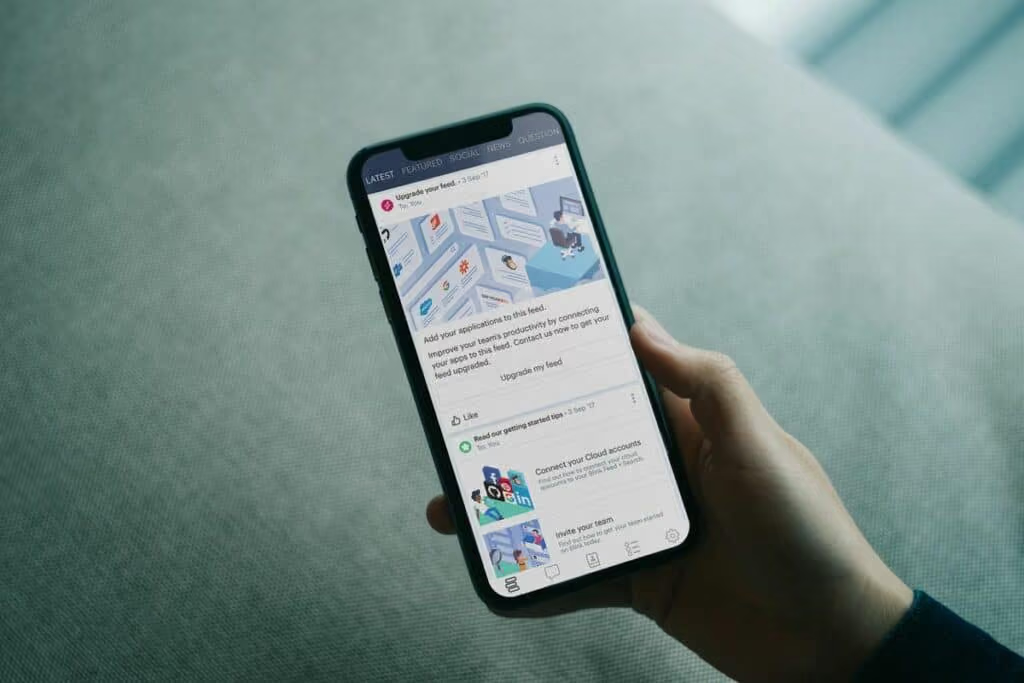
A company-wide feed lets your employees learn about important issues and share achievements with others. You can configure stories to be shared with all workers or only those affected by a problem.
2. CMS
A content management system (CMS) lets workers access the documents and files they need. Workers can easily find the files and even share the files with others.
3. Integrations and micro apps
A modern intranet isn’t an isolated software system. Your intranet should integrate with the apps and programs you use every day.
You should be able to connect with programs like Microsoft 365 and Slack.
Besides the integrations, your employees will also benefit from micro-apps. Micro-apps are customized programs that let users request time off or provide anonymous feedback, all from the intranet itself.
4. Single sign-on to integrations
Juggling multiple passwords can cause huge delays for employees. 60% of workers surveyed reported that passwords prevent them from doing their job.
Remembering multiple passwords is hard. Single sing-on prevents this issue.
5. Employee directory
Finding the right person to connect with saves time for everyone. With an employee directory, you can find up-to-date contact information for every employee or only the employees you have access to.
6. Multi-way conversations
Communication should be a two-way street. Instead of a constant flow of information from managers, let your employees provide feedback and chat securely with individuals and groups.
7. Mobile-first content
If your intranet is optimized for desktops only, it’ll only help desked employees.
Statista expects the mobile workforce in the United States to grow by 15 million between 2020 and 2024. These workers need a mobile-friendly design to work effectively.
8. Analytics
Using analytics, you can check how each post in your feed performs, how engaged your employees are and compare these levels to previous periods.
You should be able to track individual and group engagement and even see the active periods when your workers use the app.
Final thoughts: 8 modern intranet features your organization needs
A mobile intranet can make a huge difference in how your workers engage.
Sharing information they need and letting them have a platform to connect with others is no longer a luxury. It’s a necessity.
You need a platform your workers can access from anywhere to communicate with coworkers and catch up on the news from the head office.
Blink has all of these features and more. Sign up for a free trial today to see just how big a difference a modern intranet can make for you.
What we'll cover
Start your free trial today
See how Blink helps frontline teams stay connected, informed, and engaged.
The desktop intranet platform continues to gather dust.
It fails to fit the needs and expectations of the modern workforce. So people avoid using it.
For many employees, especially frontline workers, a desktop intranet might as well not exist at all. Without easy computer access, they rely on paper memos, word of mouth, and unofficial messaging apps to piece together company updates.
But what if there was a way to connect and engage all employees — a place where everyone could access the information, resources, and digital tools they needed to do their jobs well?
Enter the pocket intranet. An intranet platform that meets your workforce where they already live — on their smartphones.
Why the pocket intranet has become essential (not optional)
So why do your employees hate your old intranet? And how does a pocket intranet better meet their needs?
A mobile-first workforce
Frontline employees see the leaps and bounds being made in digital employee experience. But while desk-based staff get sleek tools and streamlined workflows, frontline teams are left with a patchwork of comms channels that don’t reflect the way they actually work.
In retail, hospitality, healthcare, and logistics, people aren’t glued to a desk. Many don’t even have a corporate email address. These employees are on their feet, serving customers and driving your operations.
A pocket intranet platform meets them where they are. It puts coworker connection, crucial updates, and a searchable knowledge hub into the palm of every frontline staff member.
Instant access > buried links
A pocket intranet doesn’t just benefit your deskless workforce. It removes the friction associated with a traditional intranet. So it improves employee communication, engagement, and efficiency across your whole organization.
Imagine accessing company news, payroll, coworker chat, surveys — any workplace tool — in just a tap or two.
The best employee intranets come with an intuitive dashboard, robust search functions, and secure-but-streamlined access to everything your teams need.
Consumer UX has trained employees to expect better
Employees spend their spare time on apps like TikTok, Instagram, and WhatsApp. Consumer-grade experiences have shown employees what good UX looks like.
So that slow, clunky intranet? It feels like a lumbering dinosaur in comparison to those speedy, streamlined interactions.
Employees want scrollable feeds, social media-style content, micro-learning modules, and engaging, real-time comms. A pocket intranet is an easy way to provide all this and more.
{{mobile-main="/image"}}
What a modern pocket intranet looks like
So you’ve heard why a modern employee intranet platform is necessary. But what are the essential components that will help you make a success of your smartphone hub? Let’s take a look.
A personalized feed
A personalized news feed gives employees easy access to company updates and culture, right from their smartphone screen.
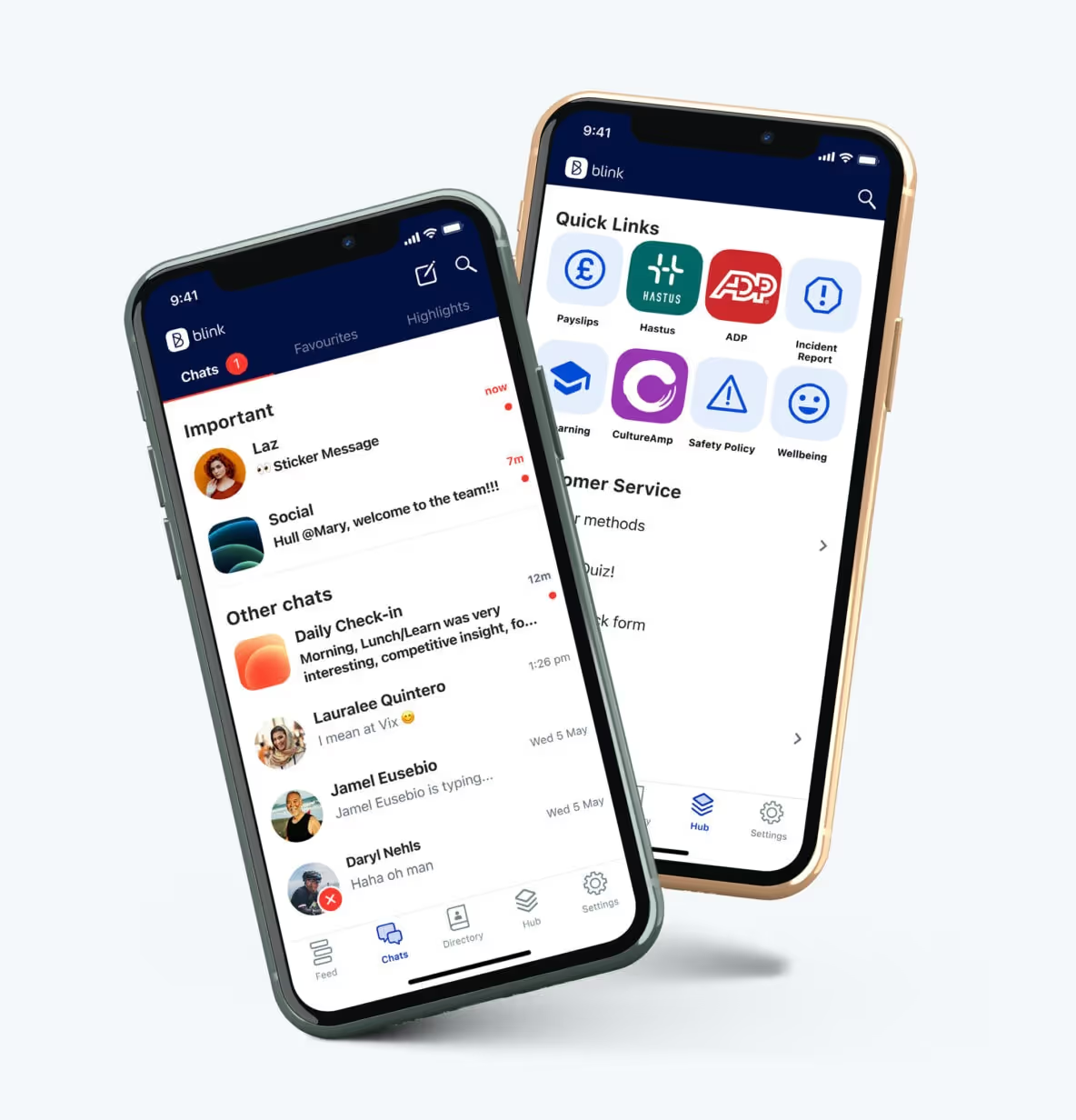
Blink’s news feed feature allows you to target content by location and role, so the feed never gets too noisy. You can populate it with engaging multimedia content, like photos, videos, and GIFs.
You can also allow employees to comment, like, leave emoji reactions, and even (depending on your controls) post their own content — turning your feed into a two-way communication channel.
A mobile-friendly intranet isn’t just about scrolling. It’s about easy access to everything your team needs. Policies, handbooks, SOPs, training materials, and digital forms, all within one organized hub.
Blink’s hub keeps content accessible on the go. Employees can view pay slips, submit vacation requests, complete surveys, and access learning resources — from one dashboard with a single login.
Automated translation ensures hub content is available in each user’s preferred language, while powerful search makes finding the right resources a breeze. No more trawling through an outdated intranet or a well-worn paper manual to dig out essential info.
Embedded messaging + collaboration
When employees can reach for a dedicated messaging app, right within your pocket intranet platform, they find it easier to collaborate, share their ups and downs, and feel like part of the team.
The best intranet platforms feature a messaging tool that offers everything the big-hitters (like WhatsApp) are providing, without the security risks.
Blink’s chat tool features voice notes, chat search, voice and video calling, and the option to add multimedia content — including videos, images, and GIFs — to messages. So employees have an easy and engaging way to stay in touch.
Events
Keeping everyone on the same page when people don’t work in the same location — or even the same shifts — can be a challenge.
An employee intranet should bring everyone together. And the pocket intranet is no different. With Blink’s events feature, you can build buzz around an upcoming event.
Whether it’s training, onboarding, live Q&As, town halls, or in-person sessions, employees can RSVP, add events to their calendar, and view the latest event info — all from their smartphones.
{{mobile-events="/image"}}
Real results from organizations that made the shift
Here are three organizations that switched from ineffective comms channels to a modern mobile-first intranet app.
St.Amant. After a cyberattack, St.Amant — a Manitoba-based non-profit — was forced to reassess its intranet solution. Realising that the intranet was clunky, outdated, and failing to reach frontline teams, they adopted Blink as their all-in-one intranet app. Blink is already more than a tool. It’s a part of daily culture — 86% of the organization’s 2,200+ employees are now active users.
Stagecoach. Before Blink, bus company Stagecoach had internal communications scattered across email, a SharePoint intranet, and bulletin boards. Employee satisfaction rates were low, and operational updates weren’t cutting through. Now, thanks to Blink, 86% of drivers open the app daily, and 100% would recommend it to a coworker.
Domino’s. Manager cascades weren’t working for Domino’s, a global leader in the pizza delivery industry. And the company had no central place for staff to access news, tools, or support. By partnering with Blink, Domino’s has transformed internal comms. Today, 94% of store employees have adopted the app, which provides a frontline-friendly platform for comms and connection.
{{future-of-internal-comms-2025="/callouts"}}
How to build a successful pocket intranet: 4 key tasks
Inspired by the examples above? Let’s get to building your pocket intranet. Once you’ve chosen your intranet partner, here’s how to build momentum and get employees checking in daily.
1. Set mobile-first content standards
Content lands differently when it’s viewed on a small smartphone screen versus a laptop. So guide your creators on what good mobile-first intranet content looks like.
Good intranet app content is:
Short — break down complex ideas into bite-sized posts, because quick, digestible info is easier to read and remember.
Visual — catch attention and convey more with images, videos, infographics, and other engaging visuals.
Interactive — you have all the tools you need to start a two-way conversation (so use them!) — pose questions and ask employees to contribute content.
A good starting point? Mirror the format of social content. And steer clear of overly corporate language, walls of text, and dreaded PDFs.
2. Use audience targeting
Your intranet is only useful if employees see content that matters to them.
A delivery driver doesn’t want news about the next office coffee morning. A retail associate isn’t interested in IT changes for head office. And a nurse on the wards won’t benefit from news about the corporate marketing team.
If employees log in and find content that isn’t relevant to their day-to-day work, they’re less likely to return tomorrow.
So segment your audience by team, location, role, and tenure — then use targeting features to deliver a personalized experience. When employees see only relevant, relatable updates, engagement goes up, and your intranet becomes a tool they actually rely on.
3. Run launch campaigns that feel social
A strong launch sets the tone for your intranet and can make or break early adoption. The goal is to make employees feel excited, curious, and motivated to explore the app from day one.
Start weeks before launch by building anticipation. Share teasers in team meetings, internal emails, and on posters in break-out areas. Give intranet ambassadors early access to the app so they can guide coworkers and spark their interest.
On launch day, go big. Make it feel like a celebration. Support employees to get signed up. Offer tutorials and incentives. Create a stream of engaging, scroll-worthy content to keep employees coming back for more.
4. Focus on measurement
From the very beginning, use intranet analytics to understand how people are using your app.
Track who’s logging in, when they’re most active, and which content is performing best. Are employees watching short videos more than they’re reading documents? Which posts generate comments, reactions, or shares?
Dig down into the data to see how your intranet performs among different segments of your workforce. And look for gaps — teams or locations that aren’t engaging, or managers who may need extra intranet guidance.
By keeping a close eye on the data, you can make informed adjustments to your content, launch strategy, and onboarding. You find it easier to achieve high adoption and engagement rates — now and into the future.
{{mobile-hub="/image"}}
Transform your intranet experience with Blink
Mobile-first, modern intranets are becoming the norm. But not all apps are created equal. Many providers simply shrink a desktop intranet onto a smartphone screen, sacrificing usability, features, or functionality in the process.
Blink takes a different approach. Built from the ground up as a mobile-first intranet, it delivers a seamless, consumer-grade experience across both mobile and desktop.
Employees get real-time messaging, a personalized news feed, a searchable content hub, and deep integrations — all in one intuitive platform, and all from their smartphones.
So, with Blink, your intranet becomes more than a repository of documents (that nobody actually checks). It becomes a hub for connection, collaboration, and engagement — a digital water cooler that employees return to regularly.
Let’s create digital experiences your people will actually enjoy
It takes seven clicks to find your schedule. The training video won’t load on mobile. Your last question to HR? Still sitting in an unread inbox. Welcome to your Monday.
Now flip that:
You open one app. Your schedule’s there. So is your manager’s announcement. You give quick feedback on your shift — and get a response before lunch.
That’s the difference good digital design makes.
In 2025, the user experience employees have with workplace tech is the employee experience.
We use communication tools to message teammates, take training, request time off, and recognize each other. When those tools work well, they reduce friction and boost morale. When they don’t, it shows — in employee engagement, retention, and productivity.
Employee experience (EX) design means applying a thoughtful, human-first design approach to every moment that shapes someone’s experience at work — physical, digital, and cultural.
That includes onboarding and learning, the work environment, feedback loops, employee recognition, collaboration tools and technologies, and even how values show up day to day.
Think of it like UX — but for your people.
At each moment in the employee journey, ask:
Who’s the end user here? A new hire? A frontline shift worker? An overwhelmed manager?
Where does this moment fit in the bigger picture? Is it part of onboarding, communication, or recognition?
What are they feeling — and what do they need right now? Confidence? Clarity? Connection?
How can we make this interaction seamless and satisfying? Whether it’s tech, a conversation, or a checklist.
And how will we know it’s working? What data or feedback loops will tell us?
The goal isn’t just to “optimize” moments — it’s to make them feel intuitive, personal, and friction-free.
By carefully crafting experiences, both big and small, you help your people feel valued and give employee satisfaction a boost.
And because tech tools are a huge part of today’s workplace experience, digital employee experience (DEX) design forms a big part of the picture.
{{mobile-onboarding="/image"}}
What good EX feels like: 5 signs you’re doing it right
When we’re talking about tech tools, good EX looks something like this.
Effortless
People find what they need fast. There’s no need to dig through resources or ping the IT team for help. Systems are designed to be intuitive and free from points of friction.
Example:A restaurant worker views their upcoming shift schedule via a dashboard on the employee app. They don’t have to message their line managers or co-workers to get the latest info.
Personal
Content and tools are personalized to each employee. Employees enjoy experiences that are tailored to their roles, locations, and interests.
Example:Your HR department lead sees a dashboard built for their role, with shortcuts to key tools, relevant company news, and the latest workforce insights.
Connected
Everyone feels part of the same conversation and nobody feels left out. All employees have equitable access to company tech tools.
Example:A warehouse employee doesn’t need to use a communal computer in the break room. Thanks to a mobile-first platform, they can access resources and catch up on company news using their smartphone.
Dependable
Resources are always relevant and up-to-date. Messages are consistent. Tech tools have all the functionality employees need.
Example:Employees use a streamlined selection of tech tools — so messages and experiences are consistent across every touchpoint.
Empowering
Employees can take action, voice opinions through easy feedback channels, or get support in just a couple of clicks.
Example:A retail worker submits feedback via their smartphone, then views updates on workplace improvements over on the company news feed.
{{mobile-community="/image"}}
Barriers to good EX — where it breaks down
So now we know what good EX looks like, time to find out why many organizations struggle to turn their EX ambitions into a reality as part of their digital transformation. Here’s a roundup of the usual suspects.
A fragmented tech stack
“Which tool do we use for that, again?”
A cluttered and disconnected tech stack is overwhelming for employees. They spend their time switching between tabs. They struggle to remember which app performs which task. And that’s before we even get started on all those login details.
If your tech tools aren’t working together, smoothly and efficiently, you’re creating a scattered (and suboptimal) experience for employees.
Over-reliance on email or manager cascade
Email isn’t the best communication channel for every employee. Frontline workers, for example, are unlikely to check their inbox during the work day.
Putting managers in charge of relaying key messages is no better. It’s a sure fire route to an overstretched management team — and inconsistent messaging.
These methods of workplace communication don’t fit the world of fast-paced, modern work we now operate in. And they do nothing for EX.
Top-down comms that don’t invite feedback or interaction
If employees can’t respond, react, chat, or ask questions, you’re not communicating — you’re broadcasting. And this kills employee engagement.
The company intranet is still the backbone of digital employee experience in many organizations. But legacy intranets are often clunky and outdated — and a real drain on EX.
Unless your intranet platform meets the needs of a tech-savvy and highly connected workforce, it’s falling short. You need a modern social intranet that provides an engaging, consumer-grade experience for employees.
Frontline employees excluded at key moments
Are your frontline workers always the last to know company news? And the least likely to use workplace tech?
You can’t make big improvements to EX unless you take the whole organization with you. That includes those hard-to-reach employees working on the frontline of your business.
For that, you need mobile-first tools that provide the same features and functionality across both mobile and desktop versions.
{{mobile-stories="/image"}}
Designing digital experiences your workforce will love
Digital employee experience in need of a reboot? Then here are a couple of guiding principles to bear in mind.
Build with empathy
Of course, the best tech tools support operational efficiency and productivity. But to achieve good EX, you need to move beyond business goals to really empathize with your end users.
That starts with an EX audit. Learn how employees are feeling at each digital and in-person interaction and find out how you can make their journey as smooth and stress-free as possible.
To get reliable data, speak to employees — run focus groups, conduct interviews, and embark on listening tours. Seek employee feedback on touchpoints throughout the working day and the employee life cycle.
Design together
When it comes to employee experience management, a cross-functional team works best. To create a joined up employee experience — and an integrated selection of tech tools — you need stakeholders working together.
The C-suite, HR, internal communications, IT, operations, frontline, and office-based employees should all get a say in what the digital employee experience will look like.
Map user journeys
Frontline employees vs. office-based staff. Hourly vs. salaried workers. New hires vs. long-time leaders.
Each employee persona has different needs — and your tools should reflect that. Aim to provide personalized experiences for employees in different roles, departments, and locations.
With an employee experience tool like Blink, you can create personalized user journeys, segmenting your workforce so they get a tailored experience across the whole platform. This can lead to a massive uptick in employee engagement — as well as employee retention.
Prioritize mobile-first design
Don’t shrink a desktop tool to fit a smartphone screen. Instead, opt for software that’s been designed with the mobile experience front of mind.
An employee app like Blink makes it easy for you to reach your workforce — who, let’s be honest, already live on their phones. It’s also an excellent way to reach frontline employees.
By taking your tech tools mobile, you create an equitable experience for all employees, no matter where or how they access your software.
Make feedback loops part of the design, not an afterthought
The best experiences evolve with employees. So treat EX as an ongoing exercise in empathy.
Use data and employee feedback to iterate and improve systems. Continually reassess how employees use your tech tools — and how you can make experiences even better.
To make this process as easy as possible, embed feedback loops into your tech tools. Ask for employee feedback, right within your software. And ensure leaders have access to the data and analytics they need to make meaningful EX improvements.
{{mobile-live-stream-poll="/image"}}
Upgrade EX to get more from your digital tools — and your workforce
The right tech tools don’t just support EX — they help shape it.
They determine whether employees spend their days in a state of friction-free flow. Or whether frustration and stress color the workplace experience.
A modern intranet. An employee app. An internal comms platform. A dedicated employee experience tool. Whichever platforms you’re using, look at them from the employee perspective.
Tailor tools to their needs. Personalize experiences for each employee. Prioritize interaction, feedback, and mobile-first design to elevate and streamline EX.
In doing so, you’ll delight employees, earning their trust and driving engagement, so you get the very best from your workforce.
Twenty years ago, I was advising the government on transport. Our North Star was this: how do we get people out of cars, and onto public transport? We worked hard and made several huge breakthroughs. Public transport in the UK thrived and up until recently, was the mode of choice for many.
But over the past few months, things have changed – drastically so. Two decades of progress has been effectively undone in a matter of months. The government has actively discouraged people from using public transport. That’s never happened before, although I understand that it was necessary.
So: where do we go from here?
Covid-19 has had a devastating impact on the transport industry and its frontline workers. And it’s not over. We have a long road ahead, with many challenges looming.
Even so, I’m optimistic. Here's why.
The arguments for public transport are as strong as ever
Let me own up to my biggest fear first: an increase in car ownership. At the moment, many people are apprehensive about, or scared of, using public transport. That may make them rely more on their cars.
When you’ve got a car, you’ve got an enclosed space. You don't have to sit next to anyone. It's one of the reasons car shares hasn’t taken off. People don't like letting others into their personal space. Covid-19 has exacerbated all this. It might lead families without cars to buy one, or go from one to two-car households.
That might not sound like a big deal. But there's a direct correlation: as car ownership rises, bus passenger numbers fall. Or, put that in perspective: for every new car on Britain’s roads, there’s 365 fewer bus journeys per year.
My goal has always been to achieve a modal shift towards public transport. I've been working with governments for many years to make this happen. That momentum has now ground to a halt. Will that change be permanent?
I don’t think so. The argument for public transport – economic and environmental – remain strong. They will only get stronger. One pivotal reason is climate change. At the beginning of 2020, that conversation was at the heart of public consciousness. Once again, circumstances have sidelined that conversation, but it's more urgent than ever.
The facts remain: the car is an inefficient user of roads, it's wasteful, it's polluting.
But here's what gives me hope. During lockdown, many people have experienced good quality, clean air. Many of them for the first time ever. That's huge. That's compelling.
We caught a glimpse of what a life with less pollution could be like. A live demonstration of a world with less traffic and fewer planes. That’s something most of us want to hang on to; without losing the thrill and energy of vibrant, busy cities.
What's holding us back is public perception. Many people see buses as a main polluter, causing congestion and reducing air quality.
That's not true. One new bus produces less pollution than one new car. That's despite the fact that they can carry 50 times as many passengers, by the way. In fact, buses are a key part of the solution for clean air and sustainability.
What we need to do is shift ingrained mindsets and change misperceptions.
Even after disaster, people adjust
Covid-19 poses an extreme threat. But we have dealt with – and recovered from – extreme threats before.
Take the London bombings in 2005. We lost 35 people; it was all over the television. It was terrifying. People's lack of confidence in public transport was lower then than it is now. Even so, Transport for London got their systems running again the very next day.
Or take 9/11. One of the worst horrors of anyone's lifetime. Remember how nervous were people about flying? But the next day, thousands of planes still took off. Today, aviation has a fantastic track record of keeping people safe.
We've mitigated the risks associated with terror attacks as much as possible. But you'd need to be a fool to say that that terrorist threat has gone away completely.
We don’t know when, or if, Covid-19 will completely go away. We can never eliminate risk. But we can learn to live with new danger.
We adjusted to airport security measures. And we will adjust to facemasks and social distancing.
Human beings are born to adapt.
It will take time, of course. Some people will be nervous for the foreseeable future. But long-term, people’s behaviour will normalize again. Patterns of patronage will return. All the evidence shows this is what happens after a crisis.
We need a marketing exercise. To gradually build up public trust, to reassure passengers it's safe. A way of reassuring people about risk, hygiene, temperature checks and general safety.
Our key workers are resilient
Being a bus driver is one of the toughest jobs in the UK, especially in a busy city.As a driver in London, you have to navigate the busy streets, the traffic; and at the same time, you have to keep people safe, give directions, take their fares.
It's a demanding job at the best of times. Along came COVID-19, and bus drivers were even more exposed than healthcare professionals. Thirty-three of them died in the UK. And all the while they were delivering NHS staff and other key workers to their jobs. The role they play is enormous.
We should be clapping for our bus drivers.
We don't know what their job will look like when all this is over. But I have trust in the resilience of our key workers, and in their capacity to adapt.
One of the economic fears in this respect is about a potential increase in autonomous vehicles. I do expect those to play a big role in the future of transport. In the past year, the number of autonomous car trips was no more than a few thousand.
But there have been hundreds of millions of autonomous train journeys every day. Half of all trains in Asia are autonomous, and we're starting to see autonomous buses come to the fore. There are five different tests in European cities later this year. This looks like it will be an area of big growth.
But won’t that mean job losses for frontline workers?
I don’t think so. In my view, we can approach the issue of driverless vehicles in two ways.
We can say that we're not going to change people's jobs despite the fact that we've got new technologies. Then we will lose bus drivers in the long-term. That would be the wrong way.
Or, we can use technology to enhance people’s jobs. Frontline workers’ roles could shift to become more customer service-orientated. Our workers could be there as ambassadors, communicating with passengers. In the case of an emergency, they could mingle with customers, make sure they're okay. This could herald a new era for public transport, an 'excellent customer service phase'.
We've already seen the potential firsthand. If you've got a lively happy bus driver, the whole experience changes. But at the moment, it's difficult to achieve that. If we move towards an autonomous world, we could recruit more of the right people.
There could be a different mindset, a different approach, a different energy to it. We could reproduce the customer care that people expect in restaurants and shops.
So the role of frontline workers will change, but the prevalence of jobs won’t. Our frontline workers will be as relevant ever.
We can build strong collaborations
To produce a much better product, we need the help of our customers. When it comes to the bus system in particular, we tend not to know what our customers think or want. We don't communicate with them, or not enough.
We want to get to know our customers better. Learn about what matters to them, communicate better with the people who rely on us. Drop them text messages. “Sorry, I'm hacked off, we couldn't produce reliable journeys because of these roadblocks.” Reward them, thank them for their loyalty. That would mean learning about best practice in customer care.
We also want to form closer partnerships with the unions, local authorities and the highways authority. We need to get to know the local politician who's in charge of road space allocation well. To deliver, you need strong relationships like that.
We need to broaden our vision and build robust connections. With our customers, with relevant authorities.Look at best practice in other industries, think bigger, and focus on core competencies. Nail the areas that matter most, no matter the line of work.
That’s my vision for the frontline of the future, and that’s why I’m optimistic.
With a focus on communication, marketing and customer service, we can make the changes we need. Not just to recover – to thrive. It won't happen by itself; we need to set the right priorities and make the right decisions.
The intranet we think of when we hear the word “intranet” has a bad reputation. For too long, intranets have been static, disorganized, and irrelevant. Clunky design, poor navigation, and buried links have long frustrated employees, turning these platforms into digital wastelands that are more of a hindrance than a help.
But modern intranets are changing the game. Today’s employee experience platforms are dynamic, user-friendly hubs that streamline internal comms, fuel collaboration, and boost engagement. They stand out in three key ways:
Mobile first: Always accessible from a smartphone, no matter where or how your employees work (with an equally great desktop experience)
Insta-grade: As seamlessly intuitive and visually engaging as the social apps (like Instagramnand TikTok) that we use every day in our personal lives
Real-time insights: Built-in analytics, like engagement and sentiment, that empower leaders to optimize employee adoption and productivity
Ready to leave outdated intranets behind? Let’s explore seven steps to designing an intranet experience your employees will love.
How do you modernize your employee intranet?
Follow these seven steps to upgrade your company intranet as quickly and smoothly as possible.
Step 1: Take stock of what’s working (and what’s not)
The first step to improving your employee intranet is auditing the system you’re currently working with. Identify elements that you’d like to keep, as well as those that make sense to get rid of.
Intranet areas to audit include:
Content quality: Assess your intranet content based on its quality, usefulness, and the level of engagement it receives from employees. This helps you determine which content should be kept or deleted. It may also give insight into the content formats you want to prioritize on your refreshed platform.
Usability: To assess the usability of your employee intranet, you can create and trial a series of scenarios. Base these scenarios around tasks your employees typically try to complete on the intranet — like creating a user account on a business tool, enrolling in annual benefits, or referring someone for a job opening. You can also look at help desk requests and search logs to find out what employees are struggling with.
Mobile access: Don’t forget to audit your intranet across all devices. Ask yourself how user-friendly the mobile version of your intranet is. Assess how easy it is to log in via mobile and whether you can access the same features and functionality across both mobile and desktop.
{{mobile-main="/image"}}
Step 2: Find out what your team really needs
An audit gives insight into how your current intranet is working. Next, it’s time to dig deeper.
Seek feedback from employees across the whole of your organization. Include employees from different departments and levels of the company for a holistic view — and be sure to include frontline workers, who are often left behind when it comes to workplace tech.
Using employee surveys and focus groups, ask employees which elements of the current intranet they find useful. Find out where they experience friction. Also, get their opinion on the new intranet features and functionalities they’d like to see.
With a clear idea of user needs, you can build a comprehensive picture of what your modern employee intranet should look like. You can also establish the goals you want your intranet to achieve.
For example, you may want a news feed function to improve internal communication. Or a recognition feature to boost employee engagement. Maybe you want to find new ways to involve your frontline employees in company comms. Or need easy integration with the workplace software you already use.
{{future-of-internal-comms-2025="/callouts"}}
Whatever your platform needs and goals, get them down on paper before attempting the following step.
{{mobile-survey="/image"}}
Step 3: Choose mobile-first technology that works for everyone
Look at your list of intranet must-haves. It may be that your current platform can be updated or adapted to meet those needs.
Bear in mind that — at a minimum — a modern intranet platform is mobile-friendly and scalable. It integrates with existing systems, providing a seamless digital employee experience. To meet all of these needs, it also tends to be a cloud-based system, with collaboration tools and advanced search functionality.
A modern employee intranet should also provide all the tools you need for effective employee communications. It supports employee engagement and the digital employee experience — and it will make the work of your communications and HR teams much easier.
If your current platform isn’t measuring up, it’s time to look for alternative intranet software. Start by browsing the top intranet software providers. Look at software reviews. Create an intranet shortlist and sign up for platform demonstrations.
Step 4: Put the user experience (UX) front and center
Having chosen the intranet technology best suited to your organization, it’s time to ensure it provides the best possible user experience.
Good intranet UX is critical for employee adoption, engagement, and productivity. Best practices in UX design include:
Easy-to-find content: Users should be able to complete common tasks and find resources in just a few clicks. To aid this process, categorize and present resources logically and with clear, descriptive labels.
A user-friendly search bar: The intranet search bar should be instantly visible — and when an employee uses the search bar, it should lead to relevant resources.
Customization options: Employees are more likely to engage with your intranet if it feels relevant to them and their roles. So put employees into segmented groups to ensure they get a tailored intranet experience.
Finally, keep in mind that your intranet should be visually appealing and intuitive to use, no matter which device an employee accesses it from.
Step 5: Create an Instagram-grade experience for every employee
Personalized experiences make your intranet more engaging for employees. So when updating your intranet, aim to give users control over their dashboard layout. Use role-based permissions to prevent employees from becoming overwhelmed by content they don’t need.
Also, segment employees based on their role, team, tenure, and where they work. That way, they only receive relevant employee communications. On Blink, platform admins can even create customized employee journeys so the right content is automatically served to employees at the right time.
We also provide a personalized company news feed. Using the “jump back in” feature, employees can head straight for content that is likely to be of interest, based on the content they engage with most.
{{mobile-stories="/image"}}
Step 6: Roll it out gradually — and with ample training
Even with the best UX, employees will need a little time to get used to a new intranet platform. So to ensure a successful launch — and high levels of adoption and usage — it serves to take this step slowly.
You might want to launch a pilot program, where you make your new intranet available to a select group of employees. These workers can test your platform and provide feedback.
Based on this feedback, you can identify and rectify issues before rolling out the platform to the rest of your workforce. Pilot-phase employees can also act as intranet ambassadors, encouraging their coworkers to give the platform a try.
Another approach is the phased rollout. You start by launching a pared-down version of the employee intranet platform. Employees learn how to use fundamental features first. You can then follow up by releasing new features — providing additional training as you go.
This prevents your IT team from being swamped with support and training requests. It also ensures a positive intranet experience from day one, which improves your chances of high user adoption and employee engagement.
Step 7: Keep improving with real-time insights
To ensure your modernized employee intranet is meeting the goals you’ve set, you need to measure its performance. Identify key performance indicators, including:
Adoption rates
Engagement levels
Number of active users
Message response rates
Also, collect user feedback. Find out what employees think of the new platform. Ask them if there are any points of friction and what improvements they’d like to see.
You can then use your data to make ongoing and targeted improvements. That may mean refining the platform, reorganizing content, providing additional training, or better marketing the benefits of your modernized intranet solution.
Modernize your intranet for today — and prepare for tomorrow
A modern employee intranet has the potential to transform your organization.
As the digital landscape evolves, so will the needs of your employees, and with the right platform, your intranet can adapt to meet those changes seamlessly. But having the right partner is just as crucial. A true partner will work alongside you — from planning and launch to long-term growth — ensuring your intranet not only fits your organization’s needs today but evolves with it for the future.
With the right platform, your intranet can be more than just a repository — it can become a powerful tool for engagement, productivity, and connection.
Future-proof your organization by creating an intranet that connects, empowers and inspires your entire workforce now and for the years ahead.
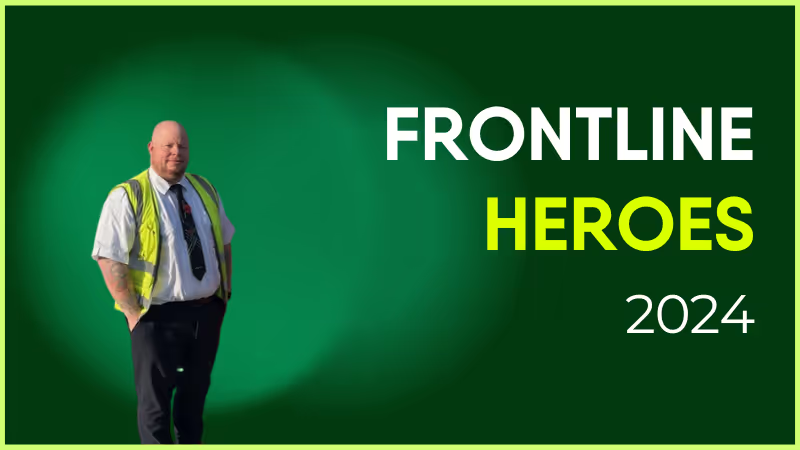
Chris has been with Stagecoach since June 2014, making this year his 10th anniversary! Starting out as a driver, he is based on the Lincoln depot.
Chris consistently goes above and beyond in his role, adapting brilliantly to late changes to his working rota and the work contained in it. The nature of the transport industry and staffing needs means no two weeks are the same, as we have to meet demand.
Chris is ultra reliable all the time and never balks at extra work. If Chris says he can't do something for us, there is always a very good reason for that. I feel he deserves recognition for all he gives to both the Training Team, and the drivers he is responsible for.
What does he want to do next?
Anything we want him to do, he will turn his hand to it. The sky’s the limit!
Nominated by: David Earl, Delegated Driving Examiner
If it’s been a while since you set up an intranet, you may remember how clunky the process of setting up traditional intranets used to be.
Companies relied on custom solutions that involved a long-winded setup and required lots of tech expertise. But times have changed. In today’s digital workplaces, a modern intranet solution with a comprehensive employee app is now the norm.
These intranets and apps offer the same communication and knowledge management features as a traditional intranet — and they offer rock solid security. But they’re more user-friendly. They’re also easier to set up, customize, and maintain.
Before you can even think about launching a new digital workspace, you have to lay the right foundation. Setting up your platform requires more than just migrating old files. It requires choosing the best intranet software and mapping out exactly how your frontline workforce will use it on a daily basis.
With a more effective and engaging platform in place, you can reap the benefits of improved communication. You can also use a modern intranet to support collaboration, co-worker connection, workplace recognition, and a strong company culture.
In this post, we look at the dos and don’ts of setting up a modern intranet like Blink. We share our tips and real customer experiences to help you transform your company intranet — making it more streamlined, effective, and fit for the future.
What is an employee intranet?
An employee intranet is a private network your company uses for internal communications. Typically, access is restricted to current employees.
The system is a centralized hub where your workers can access workplace tools and resources. It’s a place where they can communicate with co-workers, check their schedules, request leave, and collaborate on projects.
The best company intranets enhance internal communication and knowledge management. They streamline HR operations and give employees access to all the workplace resources they need.
This can have a big impact on company performance and employee retention. Effective communication can increase workplace productivity by 25% — and employees who get enough information to do their jobs well are 2.8 times more likely to feel engaged in their work.
How company intranets are changing
Large, enterprise-level companies traditionally built their own, branded intranets while smaller firms tended to rely on cloud-based intranet software that required minimal coding.
While big, traditional intranets were an effective way to centralize company information, they didn’t inspire employees to start their days by logging on.
So now, many enterprise organizations are joining those smaller firms. They’re switching from traditional intranets to modern intranets. Benefits of a modern intranet include:
Cost savings and scalability
On-the-go intranet access for employees
Speedy deployment
An engaging and personalized user experience
Modern intranet features include a news feed, two-way communication tools, and multimedia content. Organizations can also incorporate workforce apps into one intranet interface, making it easy for employees to access the tools and resources they need.
For a frontline workforce, an intranet with an employee app is essential. This type of intranet allows frontline workers to access company news, feel part of company culture, and build workplace connections — without a desktop computer or company email address.
The dos and don’ts of setting up an employee intranet
Now we know what a modern company intranet looks like, let’s take a closer look at the setup process. Here, we explore the dos and don’ts of setting up an employee intranet.
DO: Get clear on the functionality you need
There are lots of different ways you can use an intranet. So before you start looking at intranet software providers and signing up for demos, you need a clear idea of the functionality you need.
Spend time deciding how your ideal intranet will aid internal communication, employee engagement, and other organizational goals. Do you need a way to keep frontline workers in the loop? Or to support remote worker collaboration?
If you’re unsure where to start, consider a few intranet must-haves. These include:
Communication and collaboration tools
A centralized knowledge hub
HR tools
Customization and easy integrations
Then, think about the extra features and functionality that will encourage employees to adopt and use your intranet platform.
That may be a social-media-style news feed that enhances employee engagement. Or survey and recognition tools. Perhaps you want to keep a closer eye on communication and engagement performance with robust analytics functions.
Many Blink customers have told us that, at this stage of the intranet setup process, they took a cross-functional approach. They brought together people from across their organization to find out what they needed from an intranet solution.
It’s important to involve departmental leaders of your organization when deciding on what the ideal intranet solution looks like. But don’t forget about your end users — your workforce.
These are the people using whatever traditional intranet or communication channels you already have in place — and they’ll be the ones using the new system when it goes live.
So use surveys to ask them what features and tools they’d most like to see in your company intranet. Quiz them on the problems they experience with your current system. If employees aren’t using your existing intranet, find out why. Involve employees in platform pilots.
Be sure to include employees from all sectors of your workforce to get a holistic picture of intranet needs. Survey frontline workers, office workers, and remote workers. Seek feedback from employees in different locations and departments.
When a representative sample of employees is involved in the decision-making process, you choose solutions that meet workforce needs. You also get employee buy-in, which becomes really important at the rollout stage of intranet setup.
DON’T: Rush into choosing intranet software
There are countless intranet software options to choose from, all with a different combination of features and functionality. So at this point in the intranet setup process, you need to compare solutions in terms of integrations, security, cost, support, and the user experience.
Also, think about the user experience on mobile devices. If your workforce will access your intranet via a smartphone, they should enjoy the same features and functionality as those using the platform on a desktop computer.
Blink’s employee intranet was created for organizations with a large frontline workforce. We know that most frontline workers don’t have a company email address. They also tend to spend their days away from HQ.
So our mobile-first app makes all intranet features available via smartphone. This makes our platform particularly suited to companies working in sectors like transport, construction, healthcare, and retail.
But there are others suited to fully desk-based organizations. There’s a solution out there for every type of company. So take your time looking at options and taking them for a test ride, with a demo or free trial.
For impartial advice, you can look at sites like G2 and Capterra, where verified users contribute to software ratings. You can also use these sites to compare your shortlisted intranet software options, side by side.
Clearbox Consulting, an independent intranet and digital workplace consultancy, also provides a detailed intranet comparison report each year. Blink won a ClearBox choice award in 2024 and you can see the full intranet report here.
DON’T: Forget about your usage policy and access controls
Software switching wastes time — and having to chase down resources is frustrating for intranet users. So it’s a good idea to keep as many important documents on your employee intranet as possible.
To ensure that sensitive information is handled carefully, you need a clear usage policy, outlining how confidential data should be shared and stored on the platform.
You should also outline acceptable and unacceptable platform behavior and give users guidance on creating and maintaining strong passwords.
Some areas of your employee intranet will contain confidential information. In these cases, access controls are essential. When setting up an intranet, you need to decide early on who has access to what, to avoid data getting into the wrong hands.
DO: Customize your intranet
Most company intranet systems allow some degree of customization. In some cases, you may need a developer to make changes. Other platforms give managers drag-and-drop controls.
Blink allows for a high degree of customization. Some clients choose to completely rebrand the app to match their own company branding. This creates an engaging and immersive experience for intranet users.
Our platform also allows you to build your own micro-apps, quickly and easily. You can create apps and digital forms that make it easy for employees to request leave, give feedback, report incidents, or swap shifts, all via your intranet. This streamlines tasks for your employees, their managers, and HR teams.
Customizing content is also important. When employees see information and resources that don’t apply to them, they’re more likely to switch off from your intranet. So segment employees based on team, department, location, and tenure. That way, only relevant communications reach their dashboards.
DON’T: Be vague about ownership
To get the most from a modern intranet, you need an internal communication strategy. You also need to clarify who will own and create intranet content.
Start by appointing an intranet manager. This person should oversee content sharing and restrictions in your employee intranet app. They may be responsible for creating content themselves as well as gathering content from department heads and your leadership team.
Depending on the size of your intranet and your organization, you may need a wider team to help with publishing content and maintaining the platform. This will keep your intranet relevant and up-to-date.
Intranet content from HQ keeps employees in the loop on company news and culture. But — for optimum engagement — you also need locally-produced content, specific to each team and location.
That might mean involving team leaders in intranet content creation and getting them to post tailored content, exclusively for their teams, on a specified basis.
DO: Create a launch pad
It’s best to start with a bang. So think carefully about how you plan to launch your new intranet — and have lots of engaging intranet content ideas ready to go.
The best intranet solutions require minimal employee training. They’re easy and intuitive to use. But you still have to create some buzz and momentum to encourage adoption of your new intranet app.
Here are a few launch ideas Blink customers have put into action:
Launching Blink at their annual convention to encourage opt-in, right there right then
Promoting the app a month ahead of launch with the help of letters, posters, and digital screens
Visiting staff in break-out rooms in every company location to promote the intranet and field questions
Running contests and giveaways to incentivize employees to download the Blink app — free ice cream proved popular!
At Blink, we work with you to plan an effective intranet launch. Our team goes out to all partners during the rollout phase. We help explain the app to employees, showing them how to download and use it.
When setting up a new intranet, it also helps to establish intranet ambassadors within your organization. These are influential people within the company who get to know the new intranet platform inside out. They can then recommend the platform, talk about its benefits, and answer co-worker questions.
DON’T: Feel like you have to launch everything all at once
Most intranet solutions come with a variety of different features. But if you’re unsure you need all of them — or you have doubts about how your organization will respond to them — it’s ok to take things step by step.
For example, at Blink, we’ve had customers who jumped right in with the news feed, giving employees the ability to comment on posts from day one. This has helped boost adoption and engagement, and it’s contributed to a transparent company culture.
But other companies like to take things more slowly. So they have the option to switch off the features they don’t want — like employee comments. They can also pilot features with a small group of employees, deciding at a later date if they want to roll them out to the wider organization.
DO: Highlight the benefit for employees
Your company intranet is only effective when employees choose to log onto it. It can’t benefit internal communication, employee engagement, and company culture if people simply don’t use it.
So during the launch phase — and beyond — highlight the benefit your new intranet solution offers to employees.
Tell them what they can do on the app. That might be shift swapping, requesting leave, checking their pay slips, or getting up to speed with the latest company policies. Your intranet may be a place where employees go for learning and development courses or for co-worker connection.
As well as telling employees how useful your new intranet is, it’s important to create content that employees actually want to see. Sharing company news is vital. But you should also post informal content to your company intranet.
Photos of your latest away day, recognition for a co-worker’s birthday, or information on workplace benefits are all engaging and relevant to employees. These types of content help to ensure high intranet adoption and engagement rates.
DON’T: Ignore analytics
Whatever your intranet goals, you need analytics to understand whether you’re achieving them.
If you had a traditional intranet or any other previous system in place, take baseline metrics before you switch to your new solution. Select the internal communication metrics and employee engagement KPIs you want to track. Then, as you set up your new intranet, set new targets.
Once your new platform is up and running, you can track employee adoption and usage alongside your other performance metrics. Also, seek employee feedback.
By uncovering problems and points of friction, you can make targeted improvements to the user experience, improving engagement, communication, and productivity as a result.
DO: Model the intranet behaviors you want to see
Something we see time and again at Blink is the leadership impact. When leaders are active on the company app, employee adoption and engagement increase.
That’s because employees see that the intranet is a valuable and integral part of the workplace experience — and that their leaders are listening to what they have to say.
So encourage leadership to model the intranet behavior you want to see from your workforce. They should try to check into the app every day to answer questions, praise hard work, or acknowledge feedback. They should share company news transparently and regularly reference company values.
Make your intranet a place for open, relevant, and reliable communication and you’re more likely to make it a vibrant company hub.